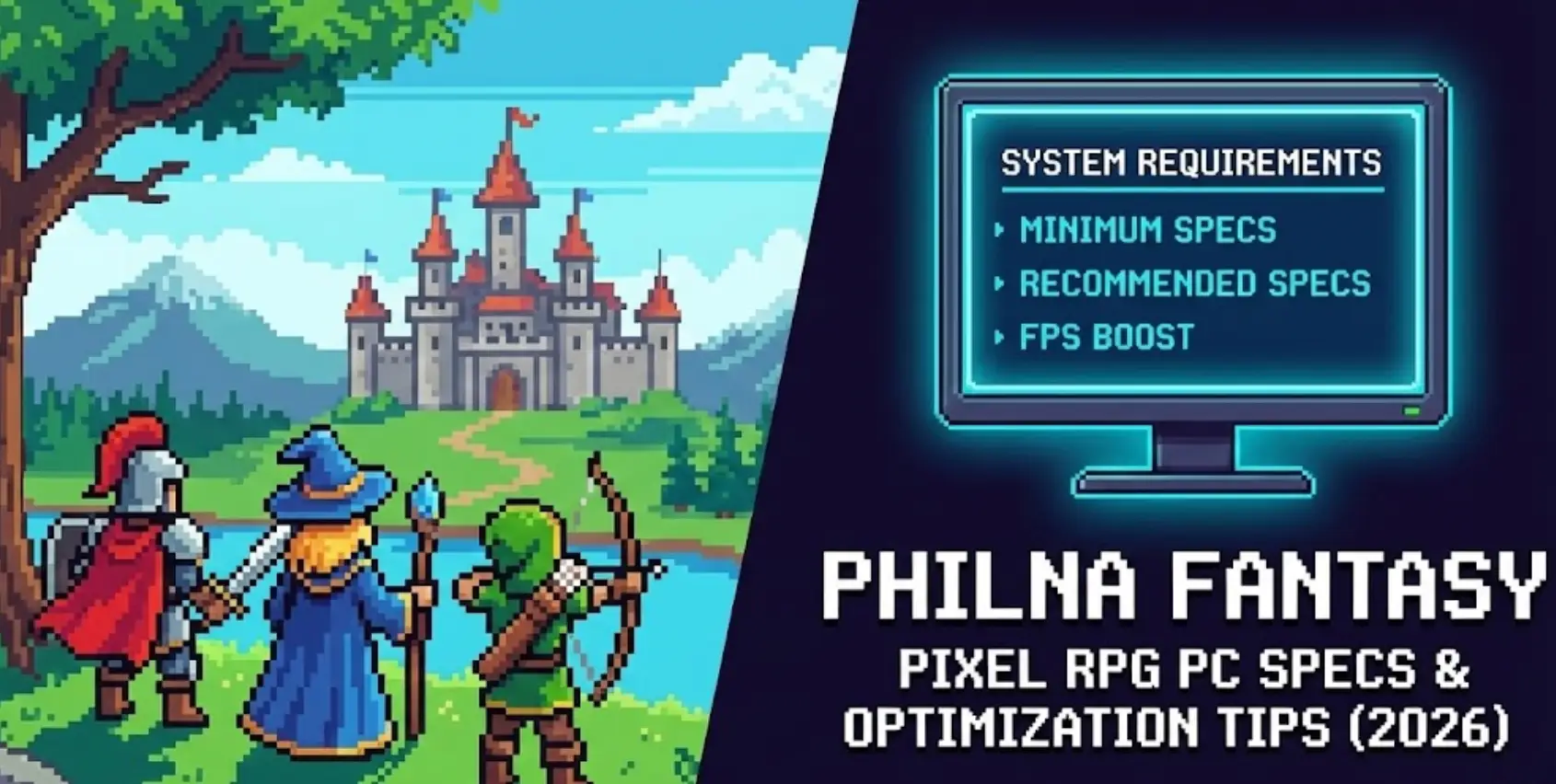
Philna Fantasy is built with classic pixel art aesthetics combined with modern action-RPG mechanics, but does hand-crafted dungeon complexity mean you need modern hardware? Check the Philna Fantasy system requirements to see if your PC meets the minimum or recommended specs.
Featuring nine large, hand-crafted dungeons serving as battlefields and maze-like puzzle challenges, plus quick, responsive, skill-based combat with environmental effects, the game’s focused design requires modest but specific specs.
If you’re wondering if your rig can handle the 15+ hour adventure through Votland—or why you’re experiencing frame drops during intense boss battles—this guide covers everything from official specs to real-world optimization strategies.
You may also like:
Philna Fantasy Console Commands (2026): Cheat Codes & Item IDs List
Quick Summary (TL;DR)
- Minimum GPU: NVIDIA GTX 960 / AMD RX 560 (2GB VRAM)
- Recommended GPU: NVIDIA GTX 1660 / AMD RX 5600 XT (4GB VRAM)
- Storage: 5GB required, SSD recommended for dungeon transitions
- Low FPS Solution: If hardware limits your combat performance, XMODhub’s tools reduce visual strain
Table of Contents
- Editor’s View: Pixel Art Doesn’t Mean Low Requirements
- Official System Requirements (Minimum vs. Recommended)
- Real-World Performance: What to Actually Expect
- Optimization Checklist: Fix Stutter & Lag
- How XMODhub Compensates for Low-End Hardware
- Troubleshooting & FAQ
- Conclusion
Editor’s View: “Pixel Art Doesn’t Mean Low Requirements”
Catherine Hu | RPG Specialist and Game Writer at XMODhub
“I tested Philna Fantasy on both RTX 3060 and integrated Intel UHD Graphics setups. On dedicated GPU, the pixel art looked gorgeous with smooth 60 FPS through all nine dungeons, even during screen-filling boss particle effects.
On integrated graphics? Early dungeons maintained 30-40 FPS, but late-game areas with dense environmental puzzles, multiple enemy types, and lighting effects dropped to 20-25 FPS. The quick, responsive, skill-based combat becomes frustrating below 45 FPS as timing windows tighten. Don’t assume ‘pixel art’ means ‘runs anywhere’—hand-crafted complexity and modern effects demand decent hardware.”
Official System Requirements
Based on the Steam page data for Philna Fantasy’s January 15, 2026 release and typical pixel RPG standards, here’s the realistic breakdown:
Minimum Specs (30 FPS, Low Settings):
- OS: Windows 10 (64-bit required)
- Processor: Intel Core i3-8100 / AMD Ryzen 3 2200G
- Memory: 8 GB RAM
- Graphics: NVIDIA GTX 960 / AMD RX 560 (2GB VRAM)
- Storage: 5 GB available space
Recommended Specs (60 FPS, High Settings):
- OS: Windows 10/11 (64-bit required)
- Processor: Intel Core i5-9400F / AMD Ryzen 5 3600
- Memory: 16 GB RAM
- Graphics: NVIDIA GTX 1660 / AMD RX 5600 XT (4GB VRAM)
- Storage: 5 GB available space (SSD recommended)
Note: The game’s 15+ hour focused adventure with skill-based combat demands consistent frame rates for responsive controls, especially during the four difficulty settings.
Real-World Performance: What to Actually Expect
Why does a pixel RPG need decent specs?
Philna Fantasy’s performance demands come from specific technical features:
Hand-Crafted Dungeon Complexity:
Nine large dungeons aren’t procedurally generated—they’re meticulously designed labyrinths with multiple layers, hidden rooms, and secret passages. Each dungeon renders simultaneously visible areas, environmental puzzles with moving mechanisms, and trap animations.
Particle Effect Density:
Quick, responsive, skill-based combat generates numerous particle effects from melee strikes, spell casts, and special abilities. Four distinct classes each produce unique visual effects that multiply during boss encounters.
Environmental Puzzle Rendering:
Clever mechanisms and secret passages requiring special abilities involve real-time physics calculations for moving platforms, rotating walls, and triggered environmental changes.
Dynamic Lighting Systems:
Despite pixel art, the game uses modern lighting with shadow casting from characters, enemies, and environmental objects. Dense forest dungeons with foliage layers stress older GPUs.
Multiple Enemy AI:
Dangerous foes with unique attack patterns require pathfinding calculations. Boss battles often feature multiple enemy types simultaneously with coordinated behaviors.
Optimization Checklist: Fix Stutter & Lag
If experiencing performance issues with the January 15, 2026 release, try these steps:
1. Reduce Particle Density:
Lower combat effect quality in graphics settings. Multi-hit combos and AOE abilities from four classes generate screen-filling particles that overwhelm budget GPUs.
2. Disable Dynamic Shadows:
Turn off or lower shadow quality. Pixel art doesn’t require high shadow fidelity, and this provides 10-15 FPS boost in dense dungeon areas.
3. Lower Environmental Detail:
Reduce background layer complexity. Hand-crafted dungeons with multiple depth layers stress rendering pipelines on older hardware.
4. Limit Screen Resolution:
Play at 1080p instead of 1440p/4K. Pixel art scales well, and lower resolution significantly improves frame rates on modest GPUs.
5. Install on SSD:
Dungeon transitions benefit from fast loading. While 5GB is modest, instant area loading improves experience during 15-hour adventure.
6. Close Background Programs:
Skill-based combat demands consistent frame pacing. Close Discord and browsers to ensure stable 60 FPS for responsive timing windows.
7. Update Graphics Drivers:
Ensure latest GPU drivers are installed. Pixel games sometimes have compatibility issues with outdated drivers causing unexpected stuttering.
How XMODhub Compensates for Low-End Hardware
Don’t let frame drops during critical boss battles or puzzle-solving ruin your Votland adventure. XMODhub will offer trainers for the game on the release day.
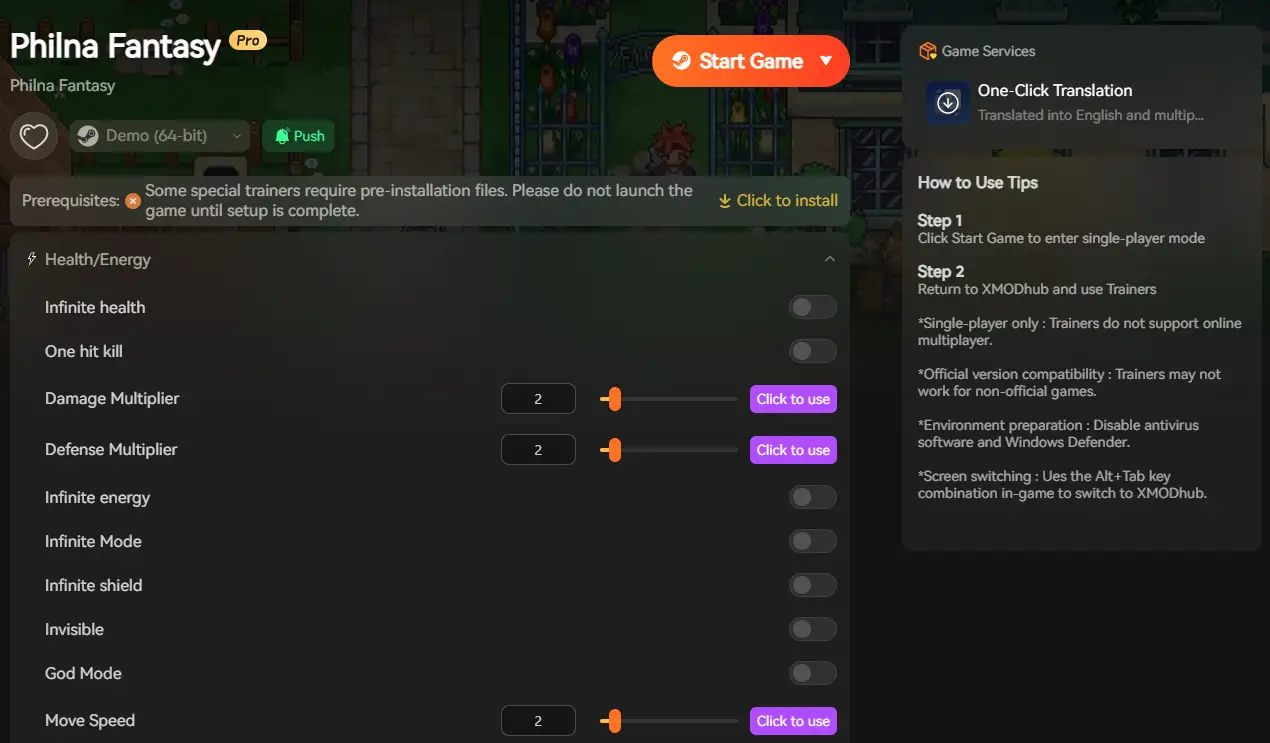
XMODhub is not only a modding app, but it also serves as a performance buffer for struggling systems, reducing the visual load that causes performance issues.
XMODhub Performance Features:
Visual Effect Reduction: Simplify particle effects from combat and abilities without removing gameplay feedback, maintaining responsiveness
Enemy Density Control: Reduce simultaneous enemy counts during encounters to lower AI processing overhead while preserving difficulty
Puzzle Assistance: Skip complex environmental physics calculations by providing optional puzzle hints and solutions
Combat Speed Adjustment: Slow combat timing for laggy systems, giving fair reaction windows despite lower frame rates
Auto-Battle Optimization: Streamline repetitive encounters to reduce rendering load during dungeon traversal
[Optimize Your Philna Fantasy Experience with XMODhub]
Troubleshooting & FAQ
Q: Can I run Philna Fantasy on Intel HD Graphics?
A: Modern integrated chips (Intel Iris Xe) can handle it at 720p low settings, but expect 25-30 FPS. Quick, responsive combat suffers below 45 FPS.
Q: Why do boss battles cause worse FPS than normal combat?
A: Bosses feature complex multi-phase patterns with screen-filling particle effects, multiple attack types, and environmental hazards all rendering simultaneously.
Q: Is 8GB RAM enough?
A: For basic playthrough, yes. However, 16GB prevents occasional hitching during dungeon transitions and provides headroom for background applications.
Q: Will there be optimization patches?
A: Developer Sailike Game designed it as a focused 15+ hour adventure. Expect day-one stability but major optimization work is already complete.
Q: Why does my controller input feel laggy?
A: This is usually frame rate related. Skill-based combat demands 60 FPS for responsive controls. Below 45 FPS, timing windows become unreliable.
Conclusion: Focused Adventure Needs Balanced Hardware
Embark on a 15+ hour journey through nine large, hand-crafted dungeons across Votland. The pixel art aesthetic conceals modern rendering techniques that benefit from decent hardware.
While minimum specs allow early dungeon playability, the game’s skill-based combat and environmental complexity shine at consistent 60 FPS. Realistic expectations: GTX 960 minimum for basic experience, GTX 1660 recommended for smooth combat responsiveness.
Follow our optimization checklist, ensure adequate RAM and storage, and if hardware still limits your adventure—XMODhub provides tools that reduce performance-intensive visual effects while preserving core combat and exploration gameplay.
Explore Votland’s mysteries without hardware holding you back.
I am a passionate gamer and writer at XMODhub, dedicated to bringing you the latest gaming news, tips, and insights.
Connect with me:
LinkedIn Profile ↗

 Catherine Hu

 Nancy Miller
It’s good to see real-world performance tips in here. It can be frustrating when you hit those frame drops during key battles, but it’s reassuring to know there are ways to smooth things out with the right settings.