Mastering Pathologic 3 is designed to be an ordeal. The game actively fights the player with punishing mechanics—infection spreads rapidly, hunger is constant, and time is never on your side.
Whether you are stuck in a “death loop” due to resource mismanagement or simply want to explore the Town without the pressure of the ticking clock, using Pathologic 3 console commands is a common way to survive the narrative.
However, accessing the developer debug menu is not straightforward. Ice-Pick Lodge notoriously obscures these tools to preserve the intended difficulty.
Below is the technical guide on how to force the console open, the known command list, and the safer alternative – XMODhub, to modify the game without corrupting your save data.
Table of Contents
Editor’s Note: Can You Cheat in Pathologic 3?
How to Enable the Console in Pathologic 3
Essential Console Commands List
Advanced: Config File Tweaks & FPS Unlock
Pathologic 3 Item IDs List
The Problem: Achievements & Save Risks
The Better Alternative: XMODhub Trainer
FAQ
Conclusion
Editor’s Note: Can You Cheat in Pathologic 3?
“Pathologic 3runs on a complex iteration of the Unity Engine. In the current build, the developers have disabled the standard console overlay to prevent players from accidentally breaking script triggers.
While you can modify the boot.config file to force debug mode, this is risky. Pathologic relies on a global clock system; forcing variables via the console often causes ‘logic desync,’ where events fail to trigger at the correct time. At XMODhub, we recommend using an external memory trainer to inject values (like Immunity or Hunger) directly, which avoids touching the engine’s fragile event scripts.”
To access the debug menu, standard hotkeys may be disabled by default. You must follow these steps to enable the input method.
Method A: Standard Launch Options
Right-click Pathologic 3 in your Steam Library and select Properties.
Navigate to the General tab.
In the Launch Options field, type: -console -dev_mode
Launch the game and press the Tilde key (~) or Ctrl + Shift + F4.
Method B: The Config File Fix (If Method A Fails)
If the console remains locked, you must edit the game’s boot configuration:
Navigate to your installation folder (e.g., Steam\steamapps\common\Pathologic 3).
Open the folder named Pathologic3_Data (or similar).
Find the file named boot.config.
Open it with Notepad and add the following line to the bottom:
player-connection-debug=1
Save the file and restart the game.
Essential Console Commands List
Once the command line is active, use the following codes. Note that commands are often case-sensitive.
Survival & Stats
god or god_mode 1 — Grants invincibility against physical damage (knives, punches). Note: This does not always prevent death by Infection.
set_hunger [0-100] — Sets your hunger level. Use 0 to remove hunger completely.
set_immunity [100] — Maximizes your immunity stat, preventing infection risks in plague districts.
set_exhaustion [0] — Removes the need for sleep.
add_money [amount] — Adds money to your inventory.
fly or noclip — Allows movement through walls (useful for getting unstuck from geometry).
World & NPCs
killall — Eliminates all loaded hostile NPCs in the immediate vicinity.
ai_ignore_player — Enemies will stop attacking you.
show_debug_info — Reveals hidden stats about NPC health and pathfinding.
Advanced: Config File Tweaks & FPS Unlock
Console commands are not the only way to improve your experience. Many players suffer from performance issues or narrow Field of View (FOV).
How to Unlock FPS:
Pathologic games are often capped at 60 FPS. To unlock this:
Navigate to C:\Users\[YourName]\AppData\LocalLow\Ice-Pick Lodge\Pathologic 3\.
Open Settings.xml.
Locate <VSync>1</VSync> and change it to <VSync>0</VSync>.
Locate <MaxFPS>60</MaxFPS> and change it to <MaxFPS>144 (or your monitor’s refresh rate).
Pathologic 3 Item IDs List
To use the give [ID] command, you need the specific internal string names.
Medicine (Crucial for Survival):
ID_Medicine_Shmowder (Instant cure, high toxicity damage)
ID_Medicine_Panacea (The miracle cure)
ID_Medicine_Antibiotic_A (Monomycin)
ID_Medicine_Bandage_Clean
Food & Resources:
ID_Food_FreshMeat
ID_Food_Bread
ID_Resource_WaterBottle
ID_Herb_Twyre_Bloody
Key Items:
ID_Weapon_Revolver
ID_Weapon_Scalpel
ID_Key_Item_Lantern
(Note: If the give command returns an error, the Item IDs may have changed in the latest patch. The XMODhub Trainer uses a visual inventory editor that does not require text codes.)
The Problem: Why Console Commands Disable Achievements
Using the developer console is treated as “modifying the game state” by Steam and console platforms.
Achievement Lock: Entering commands like god will flag your save file as “Cheated,” permanently disabling achievements such as “Dream of the Hive” or “No Deaths.”
Save Corruption: Pathologic’s save system is tied to specific time-states. Spawning quest items early can break the logic chain, causing main quests to disappear.
Inconvenience: You must re-enter cheats every time you load a save or enter a new district.
The Better Alternative: XMODhub Trainer
For a stable experience that keeps your save file clean, XMODhub offers a memory-based solution. Instead of forcing engine commands, the Trainer modifies values in the system memory.
Launch: Open XMODhub; it will automatically detect your Pathologic 3 installation.
Activate: Toggle options like “Infinite Immunity” or “Freeze Daytime” and play.
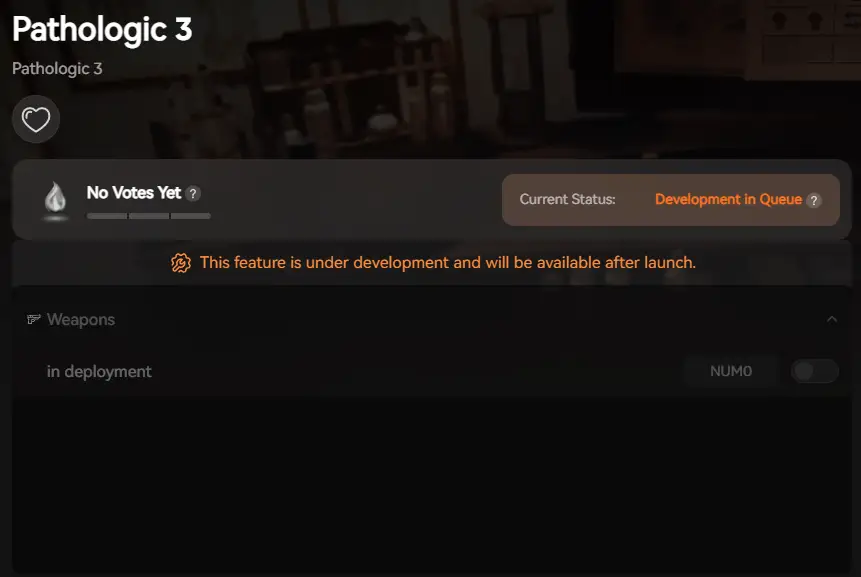
XMOD will provide full trainer support upon the game’s official release, ensuring compatibility and stability from day one.
FAQ
Q: Can I use console commands to skip time in Pathologic 3?
A: Yes, you can use set_time, but we strongly advise against it. Skipping time often bypasses essential conversation triggers, which can result in the death of key NPCs (Bound). It is safer to use the XMODhub “Speed Hack” to move faster rather than skipping the clock.
Q: Why is my console not opening despite following the guide?
A: If the Tilde key does not work, check your keyboard language settings. Alternatively, the game version may have patched out the console access. In this case, the XMODhub Trainer is the only working method.
Q: Do these cheats work on the console version (PS5/Xbox)?
A: No, console commands are restricted to the PC version. Console players cannot access the debug menu.
Conclusion: Cheat Smarter
While classic console commands are a nostalgic way to modify games, they are risky in a complex, narrative-driven title like Pathologic 3. A single wrong command can break the logic of the Town. XMODhub offers a professional, achievement-friendly alternative that lets you customize the difficulty without ruining the technical integrity of your save file.
One Tool, 5,000+ Games
Pathologic 3 is just the beginning. XMODhub is designed to be the only modding tool you will ever need. Our platform currently supports over 5,000+ titles, ensuring you have immediate access to cheats and trainers for your entire library.
If you enjoy the unforgiving atmosphere of Pathologic, XMODhub also provides fully updated trainers for similar hardcore survival and horror experiences, including:
The Long Dark (Infinite Calories, Freeze Temperature)
I am a passionate gamer and writer at XMODhub, dedicated to bringing you the latest gaming news, tips, and insights.
Connect with me:
LinkedIn Profile ↗
Machine Mind Cheats for PC: How to Install Trainers & Mod Safely
Quick Answer Machine Mind Cheats & Trainers for PC are third-party modification tools that allow players to bypass difficult sections in this complex strategy video game. To use them safely without risking malware,…
Marathon System Requirements: PC Specs & Tiger Engine Performance (2026)
Marathon marks Bungie’s highly anticipated return to its roots, reimagined as a high-stakes PvPvE extraction shooter. Built on a heavily upgraded version of the Tiger Engine, players will deploy as cybernetic “Runners” onto…

 Catherine Hu





 Nancy Miller