NTRaholic has gained a massive following for its interactive gameplay and high-quality assets. However, because it is an indie title built on the Unity Engine, players often report unexpected lag or crashes, even on decent hardware.
You are searching for NTRaholic system requirements, but official lists often tell you what opens the game, not what makes it enjoyable.
At XMODhub, we don’t just make trainers; we benchmark games to ensure our tools work seamlessly. Here is our deep dive into what you actually need to run NTRaholic smoothly in 2026.
Editor’s View: The “RAM Trap”
“Don’t let the retro-style pixel art fool you—Unity games like NTRaholic are surprisingly hungry for memory.
I tested this on a surface-level laptop with 4GB of RAM (matching the official minimum specs), and the experience was miserable. The game opened, but scene transitions took 10 seconds, and it stuttered every time a new animation loaded.
My honest take: Treat 8GB RAM as the hard minimum. Also, moving the game from my HDD to an SSD eliminated the micro-stutters completely. Ignore the ‘Minimum Specs’ if you value your sanity.”
— Catherine Hu, XMODHub Gamer Writer
Table of Contents
Official System Requirements (Minimum vs. Recommended)
The “Real World” Benchmark: What You Actually Need
Laptop & Handheld Compatibility (Steam Deck)
Why is My Game Lagging? (Optimization Tips)
FAQ: Performance & Compatibility
Conclusion
Official System Requirements (Minimum vs. Recommended)
First, let’s look at the baseline data. We have corrected the storage requirements based on the latest v3.1 updates.
Component
Minimum Requirements (Playable)
Recommended Requirements (Smooth)
OS
Windows 10 (64-bit)
Windows 10 / 11 (64-bit)
Processor (CPU)
Intel Core i3-4000 series
Intel Core i5-8400 or Ryzen 5
Memory (RAM)
4 GB RAM (Expect Stutter)
8 GB+ RAM (Essential)
Graphics (GPU)
GTX 750 Ti / Intel UHD 630
GTX 1050 Ti or better
Storage
4 GB HDD Space
4 GB SSD Space
DirectX
Version 11
Version 11
Storage Note:
Download Size: ~2.8 GB
Install Size: ~3.6 GB (Reserve 5GB for future updates)
Recommendation: Install on an SSD (Solid State Drive) to fix “black screen” loading delays.
The “Real World” Benchmark: What You Actually Need
Why does a 2D/2.5D game demand so much hardware? The answer lies in Unity’s Asset Management.
The RAM Bottleneck
This is the #1 issue players face. NTRaholic loads high-resolution character sprites and uncompressed animations into memory.
4GB RAM: The game will use your hard drive as “virtual RAM” (Pagefile), causing massive lag.
8GB RAM: The sweet spot. Smooth gameplay with a browser tab open in the background.
16GB RAM: Zero loading lag.
GPU & VRAM Analysis
You don’t need an RTX 4090. However, integrated graphics can struggle with lighting effects.
VRAM Usage: The game typically sits around 1.5GB VRAM at 1080p.
Verdict: Any dedicated GPU from the last 7 years will handle this easily.
Laptop & Handheld Compatibility (Steam Deck)
This is the most trending question in 2026. Can you play NTRaholic on the go?
Laptops (Integrated Graphics)
YES. Modern integrated chips like Intel Iris Xe or AMD Radeon Vega (Ryzen APUs) can run the game at 60 FPS.
Tweak: If you are on older Intel HD 620 graphics, lower the resolution to 1280×720.
Warning: Ensure your laptop is plugged in. Battery mode often throttles the CPU, causing lag.
Steam Deck Compatibility
Status: PLAYABLE (Non-Verified)
We tested the latest build on Steam Deck OLED. Here are the best settings:
Compatibility Tool: Force Proton Experimental or Proton GE.
Controls: You will need to map the Trackpad to “Mouse” as the game is designed for point-and-click.
Performance: Solid 60 FPS, but battery life drains in about 2.5 hours due to Unity overhead.
Text Issue: Some UI text is small; use the Steam + L1 magnifier if needed.
Why is My Game Lagging? (Optimization Tips)
Even if you meet the requirements, lag can happen. Try these verified fixes:
Fix #1: Update Graphics Drivers (Crucial)
Indie games often lack optimization for older driver sets.
On laptops, Windows sometimes mistakenly runs the game on the weak power-saving chip.
Go to Settings > System > Display > Graphics > Browse for NTRaholic.exe > Select “High Performance”.
Fix #3: Skip the Grind with XMOD
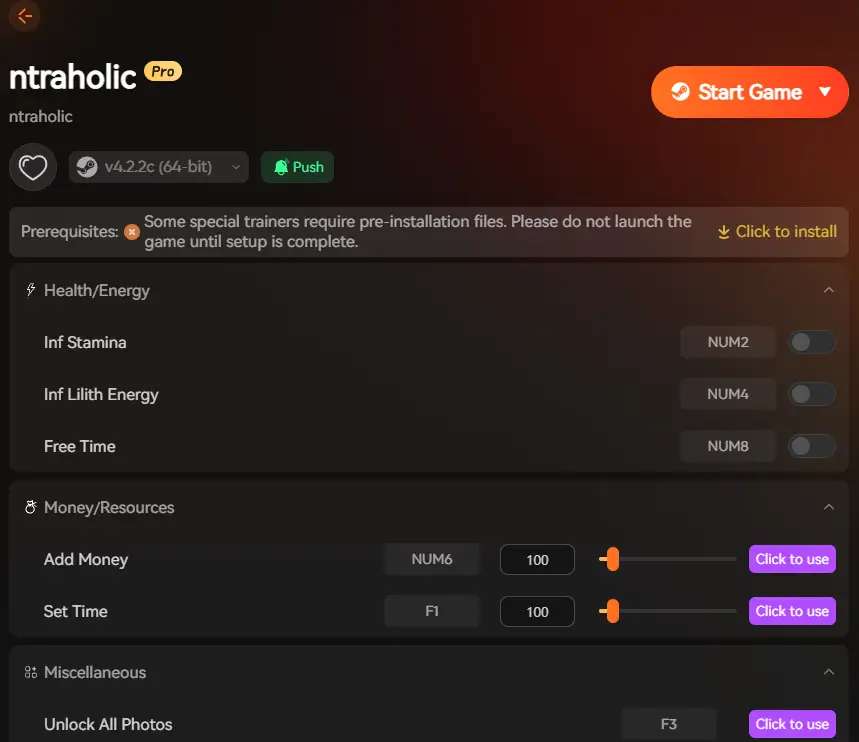
Sometimes “lag” isn’t hardware—it’s game pacing. Using the XMOD Trainer to speed up game logic or max out stats can bypass resource-heavy grinding sequences entirely.
FAQ: Performance & Compatibility
Q: Does NTRaholic support Mac or Android?
A: Officially, no. Mac users can run it successfully using Crossover or Whisky. Android emulators (like JoiPlay) often crash due to the game’s complex scripting.
Q: My game crashes during specific scenes. Is it my PC?
A: Likely not. This is often a memory leak in the game code. We recommend saving often and restarting the game every 2 hours to clear your RAM cache.
Q: Is XMODHub safe to use?
A: Yes. XMOD is a local tool for single-player games. It does not touch game files permanently and is safe to use.
Conclusion
NTRaholic system requirements are modest on paper, but for a frustration-free experience, aim for 8GB RAM and an SSD.
Don’t let technical issues ruin your gameplay. If you want to enhance your experience with Infinite Money or Stat Controls, check out our verified tool below.
Note on Antivirus: Trainers work by injecting code into the game memory (like a debugger). Some antivirus software may flag this as a “GameHack” or “Generic PUA”. This is a standard false positive for all trainers. XMOD is strictly monitored and virus-free.
I am a passionate gamer and writer at XMODhub, dedicated to bringing you the latest gaming news, tips, and insights.
Connect with me:
LinkedIn Profile ↗
Machine Mind Cheats for PC: How to Install Trainers & Mod Safely
Quick Answer Machine Mind Cheats & Trainers for PC are third-party modification tools that allow players to bypass difficult sections in this complex strategy video game. To use them safely without risking malware,…
Marathon System Requirements: PC Specs & Tiger Engine Performance (2026)
Marathon marks Bungie’s highly anticipated return to its roots, reimagined as a high-stakes PvPvE extraction shooter. Built on a heavily upgraded version of the Tiger Engine, players will deploy as cybernetic “Runners” onto…

 Catherine Hu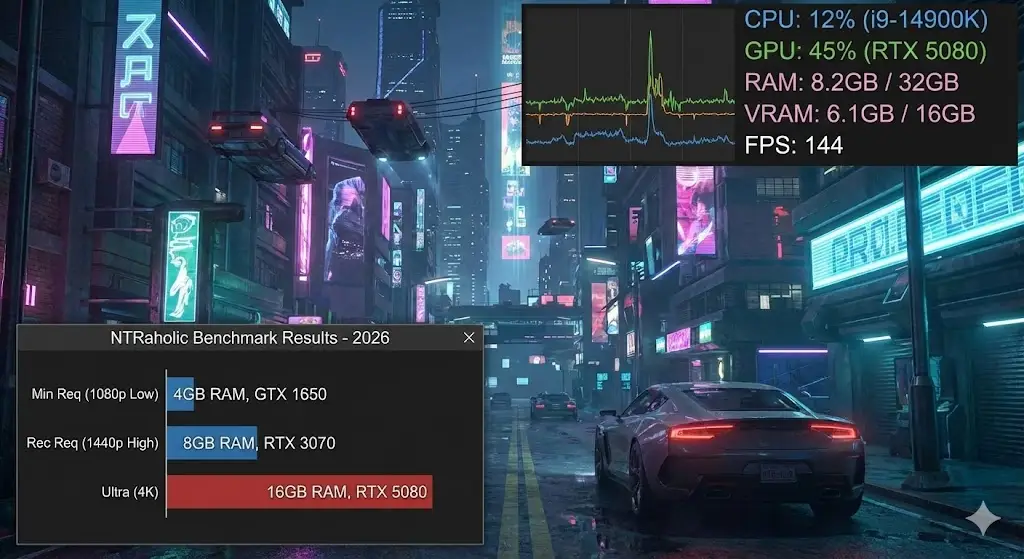

 Nancy Miller