
 Catherine Hu
 To apply the Nova Roma no sound audio out of sync fix pc, you must disable Windows Spatial Audio, lower your system’s default audio format to 48000 Hz (16-bit or 24-bit), and disable Hands-Free Telemetry for Bluetooth headsets.
The game’s Unity Engine often drops audio threads when your CPU bottlenecks during massive city simulations. Right-click your volume icon, navigate to Sound Settings, and turn off Spatial Sound. Because the game lacks a native developer console to forcefully restart the audio engine, players experiencing severe desync can use the XMODhub PC Client’s performance optimizer to stabilize background processing.
Experiencing no sound or severe audio desynchronization in Lion Shield’s city builder completely shatters your immersion. When your population reaches thousands of citizens, the Unity Engine struggles to prioritize audio queues, resulting in stuttering, popping, or total silence.
In this guide, we will walk you through the exact Windows configurations needed to force the engine to recognize your speakers, how to fix the dreaded Bluetooth mic conflict, and how to optimize your game using external tools to prevent audio lag entirely.
You may also like: Nova Roma Cheat Engine Table vs. XMODhub: Best Free Trainer
Editor’s View: The Unity Engine Audio Bottleneck
“During my endgame playthrough of Nova Roma, right as my population crossed the 8,000 mark, the audio started breaking down. The background music would cut out entirely, and the ambient noise of the markets lagged terribly behind the visual animations.”
“I realized this is a classic Unity Engine bottleneck. The engine handles citizen pathfinding and audio processing on shared CPU threads. When your city gets too complex, the engine prioritizes visual simulation and delays the audio.”
“Fixing my Windows sample rate helped the total silence bug, but I ultimately had to use a performance optimizer tool to allocate dedicated CPU priority to the game to fix the desync permanently.”
Why is Nova Roma No Sound & Audio Out of Sync?
Nova Roma processes an incredible amount of background simulations. Every single citizen, bathhouse, and market stall has its own audio emitter. When you pan your camera across a massive, late-game city, the game’s audio engine tries to process thousands of overlapping sound channels simultaneously.
If your Windows audio is set to an ultra-high sample rate (like 192000 Hz), the CPU’s audio thread gets bottlenecked trying to uncompress the game’s sound files. The visual rendering moves forward at 60 FPS, but the audio processing lags behind, causing the severe desync you experience during event notifications or cutscenes. Eventually, the engine gives up, resulting in total silence.
Method 1: Match the Unity Sample Rate (The 48000 Hz Fix)
The most common reason for complete silence upon launching Nova Roma is a sample rate mismatch. If your PC audio is set to an ultra-high studio quality (like 192000 Hz), the Unity Engine simply cannot process the audio handover and crashes the sound thread silently in the background.
Here is how to align your sample rate:
- Press the Windows Key + R to open the Run dialog box.
- Type
mmsys.cpland press Enter to open the classic Sound Control Panel. - Locate your default playback device (marked with a green checkmark), right-click it, and select Properties.
- Navigate to the Advanced tab.
- In the Default Format drop-down menu, select 24 bit, 48000 Hz (Studio Quality) or 16 bit, 48000 Hz (DVD Quality).
- Click Apply and OK, then restart Nova Roma.
Method 2: Disable Spatial Sound Conflicts
Nova Roma is a top-down city builder; it is not natively mixed for complex 3D spatial surround sound. If you have Windows Sonic, Dolby Atmos, or DTS Headphone:X forced on at the system level, it can cause severe audio popping, cracking, or total muting.
How to disable spatial interference:
- Right-click the speaker icon in your Windows taskbar.
- Select Sound Settings.
- Scroll down to your output device properties.
- Locate the Spatial Audio section.
- Toggle this setting to Off.
- Launch the game. Your audio should now output as clean, uncompressed stereo.
Method 3: The Bluetooth Hands-Free Disconnect
If you are using a wireless Bluetooth headset (like Sony WH-1000XM series or AirPods) and you lose all game audio the second Nova Roma reaches the main menu, your headset is trapped in “Hands-Free” mode. The game engine pings your microphone, causing Windows to hijack the audio channel for communications, muting the game.
How to permanently fix the Bluetooth bug:
- Open the Windows Settings menu and go to Bluetooth & Devices.
- Click on Devices, then scroll down to More devices and printer settings.
- Right-click your Bluetooth headset and select Properties.
- Go to the Services tab.
- Uncheck the box next to Handsfree Telephony.
- Click Apply. Your headset will briefly disconnect and reconnect, permanently locking it into high-quality stereo playback mode for gaming.
Method 4: The Developer Console Myth
When the audio goes completely out of sync, veteran PC gamers often search for a way to open the developer console to type a command like reload_audio or restart_sound.
Because Nova Roma operates on a highly locked-down Unity build, Lion Shield has completely removed native developer commands from the retail version. There is no hidden console window. Pressing standard hotkeys will not open a text prompt. You cannot manually command the engine to flush the audio cache.
Furthermore, you cannot edit your LocalLow binary save files to fix audio desync. The desync is a real-time hardware processing issue, not a save file bug. To fix the CPU bottleneck causing the audio lag safely, you must use a dedicated memory and performance injector.
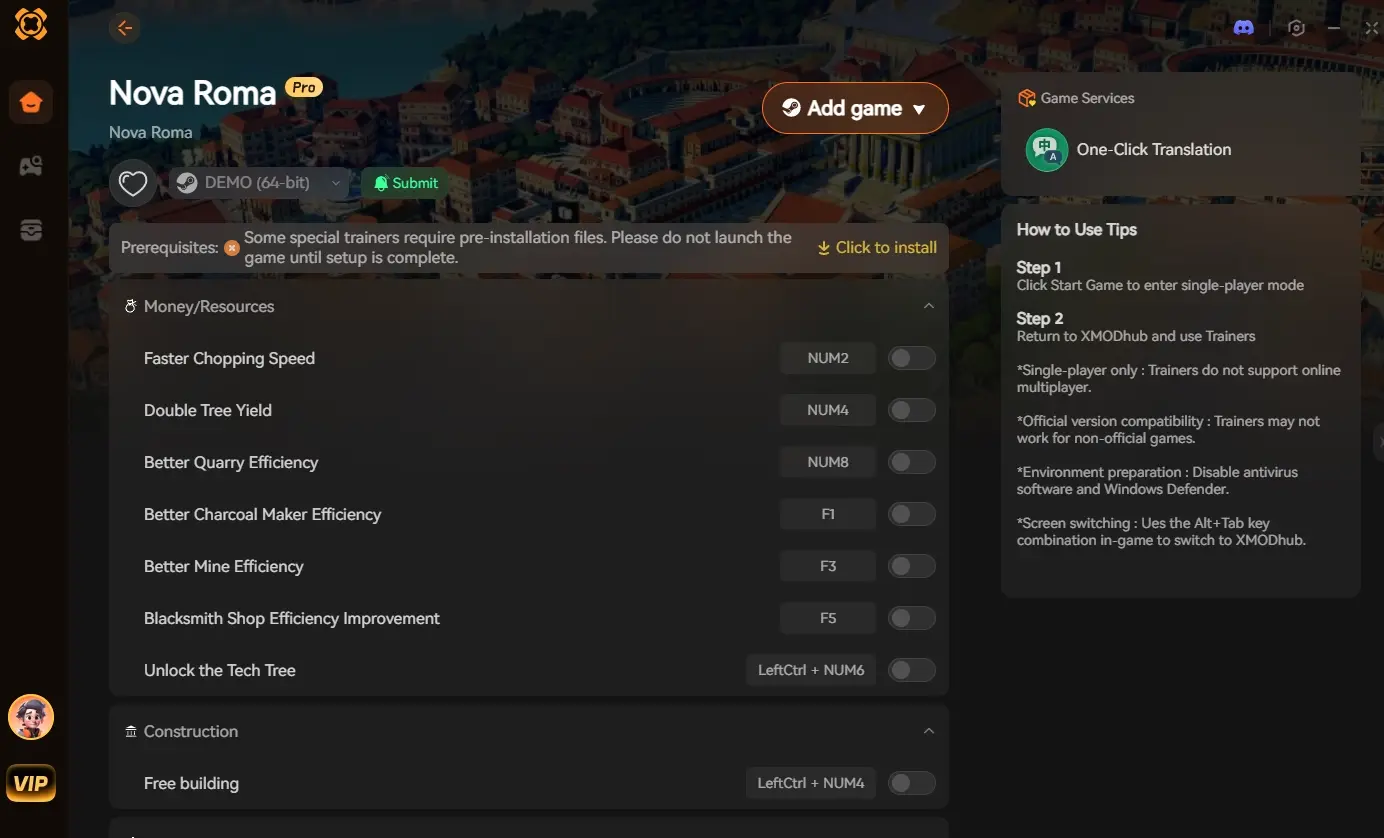
The Ultimate Solution: Optimize Engine Performance with XMODhub
If you have tried tweaking your Windows sound settings but your market ambient noises are still lagging five seconds behind your visual gameplay due to massive city sizes, your CPU is dropping audio threads.
When the native game engine’s optimization fails your hardware, the XMODhub PC Client steps in to stabilize your Roman empire.
How XMODhub Fixes Your Gameplay:
- Engine Optimizer: Launch the game directly through the XMODhub dashboard to activate our performance optimizer. This tool automatically forces Windows to assign High CPU Priority to Nova Roma’s audio and logic threads, drastically reducing audio desynchronization in massive endgame cities.
- Save Manager: Sometimes a specific city grid gets bugged with looping audio errors. Use our safe Save Manager to instantly roll back to a clean, uncorrupted autosave without losing hours of progress.
- Visual Spawner: If you are dropping frames and audio due to massive logistical traffic jams, use our Visual Spawner to instantly add resources like Marble or Iron directly to your storehouses, allowing you to delete lag-inducing ox-cart routes entirely.
How to Get Started:
- Download XMODhub: Grab the secure PC client directly from our official website.

- Auto-Detect Game Path: Launch the app. It will automatically detect your Nova Roma installation and prepare the optimization hooks.
- Activate the Optimizer: Launch the game via our dashboard to ensure perfect audio sync and seamless performance, regardless of how large your city grows.
Frequently Asked Questions (FAQ)
Q: Why does the audio completely cut out during the Nova Roma intro cutscene?
A: Cutscene audio dropping is usually caused by a missing media codec on Windows N editions, or your sample rate is set too high (above 48000 Hz), causing the pre-rendered video to fail the audio handover to the 3D engine.
Q: Can I fix the audio desync by lowering the in-game graphics settings?
A: Yes. Lowering settings like Shadow Quality and Water Physics reduces the overall CPU load. Because Unity shares processing threads, freeing up CPU overhead allows the engine to process the audio queues on time, fixing the desync.
Q: Does verifying game files fix the no sound bug?
A: Occasionally. If the actual Unity audio bank files (.bank or .assets) were corrupted during the initial download, verifying your files via Steam or Epic Games will re-download the missing sound packages.
Conclusion
Building a magnificent Roman metropolis is only half the experience; hearing the bustling markets, the flowing aqueducts, and the clash of gladiator steel brings your creation to life. By locking your sample rate to 48000 Hz, disabling spatial audio conflicts, and fixing Bluetooth telephony hijacking, you can easily apply the Nova Roma no sound audio out of sync fix pc and restore your immersion.
However, if your massive endgame city is simply crushing your CPU and causing the audio to lag behind the visuals, you don’t have to tolerate the stuttering. The XMODhub PC Client provides a frustration-free bypass, optimizing your engine’s thread priority to ensure your audio stays perfectly synced with your gameplay.
Think Bigger: XMODhub is the ultimate companion for PC simulation enthusiasts. With native support for the most demanding city builders and strategy games, we provide performance optimizers, real-time Visual Spawners, and economy overrides to ensure you play exactly how you want.

I am a passionate gamer and writer at XMODhub, dedicated to bringing you the latest gaming news, tips, and insights.
Connect with me:
LinkedIn Profile ↗
 Nancy Miller