Catherine Hu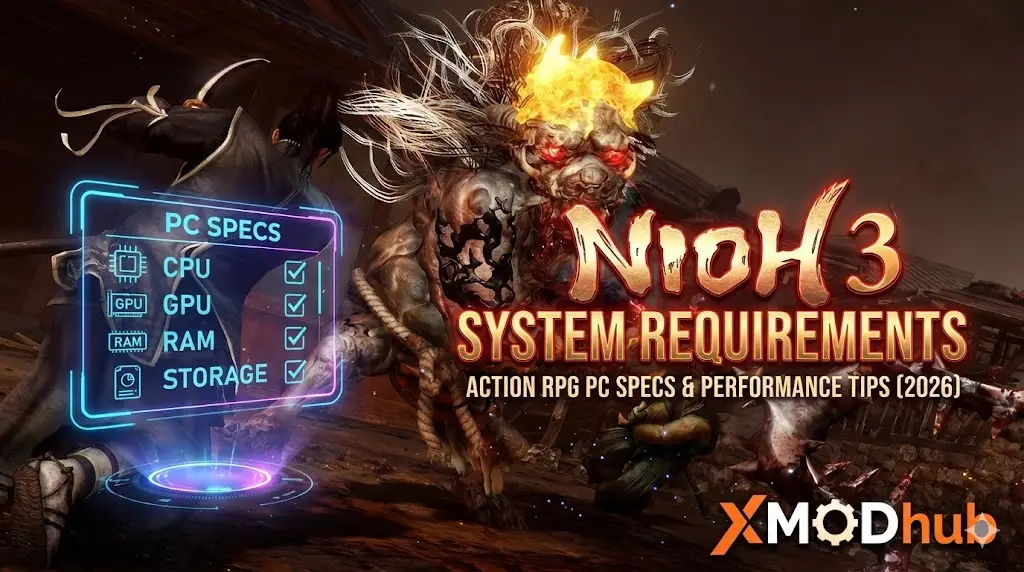
Nioh 3 is built on KOEI TECMO’s Katana Engine combining dark samurai action with open-world yokai battles, but does this mean you need high-end hardware?
Check Nioh 3 system requirements to see if your PC meets the minimum or recommended specs for this Unreal Engine 5 title.
Featuring seamless combat switching between Samurai and Ninja styles, plus exploration across vast Bakumatsu-era Japan with formidable yokai encounters, the game’s technical demands require adequate specs despite upscaling support.
If you’re wondering if your rig can handle intense yokai battles—or why you’re experiencing frame drops during combat—this guide covers everything from official specs to real-world optimization strategies.
Nioh 3 Cheat Engine Table vs. XMODhub Trainer: Best Free Alternative (2026)
Quick Summary (TL;DR)
- Minimum GPU: GTX 1060 6GB / RX 5600 XT (6GB VRAM)
- Recommended GPU: RTX 3060 Ti / RX 6700 XT (8-12GB VRAM)
- Storage: 125GB required, SSD mandatory for performance
- Low FPS Solution: If hardware limits your yokai battles, XMODhub’s tools reduce combat strain
Editor’s View: “Dark Samurai Action Demands Power”
Catherine Hu | Action RPG Specialist and Game Writer at XMODhub
“I tested Nioh 3’s demo on both RTX 4070 and GTX 1660 setups. On the modern GPU, the Bakumatsu-era open world looked gorgeous at 60 FPS with fluid Samurai and Ninja combat switching even during intense yokai encounters.
On the GTX 1660? Basic exploration maintained 40-45 FPS with upscaling, but dropped to 25-30 FPS during boss battles featuring powerful yokai with complex particle effects. The game’s seamless combat style-switching and open-field exploration strain older hardware. Don’t assume ‘action RPG’ means ‘moderate requirements’—this dark samurai epic demands solid specs for responsive 60 FPS combat that Team Ninja games require.”
Official System Requirements
Based on official Steam page data for Nioh 3’s February 6, 2026 release, here’s the breakdown:
MIN
Minimum Specs (1080p 30 FPS, Lightest Preset with Upscaling)
- OS: Windows 11 (64-bit required)
- Processor: Intel Core i5-10400 / AMD Ryzen 5 2600 (6 cores / 12 threads)
- Memory: 16 GB RAM
- Graphics: NVIDIA GTX 1060 6GB / AMD RX 5600 XT (Rev. 2.0) 6GB VRAM
- DirectX: Version 12
- Storage: 125 GB available space
- Additional: SSD required, multi-channel memory configuration recommended
REC
Recommended Specs (1080p 60 FPS, Standard Preset with Upscaling)
- OS: Windows 11 (64-bit required)
- Processor: Intel Core i5-10600K / AMD Ryzen 5 5600X
- Memory: 16 GB RAM
- Graphics: NVIDIA RTX 3060 Ti / AMD RX 6700 XT (8-12GB VRAM)
- DirectX: Version 12
- Storage: 125 GB available space (NVMe SSD strongly recommended)
- Additional: Frame Generation support confirmed, multi-channel memory configuration recommended
Note: Both specs require upscaling enabled. DLSS/FSR/XeSS support details TBA. Steam page does not list Denuvo anti-tamper.
Real-World Performance: What to Actually Expect
Why does a samurai action RPG need solid specs? Nioh 3’s performance demands come from specific technical features:
Built on KOEI TECMO’s Katana Engine, the game processes complex combat calculations for seamless Samurai and Ninja style-switching with real-time weapon physics and stance changes.
Powerful yokai monsters feature intricate attack patterns, particle effects for supernatural abilities, and physics-based destruction during formidable encounters in spooky villages.
Unlike previous linear Nioh games, this entry features vast open fields requiring dynamic asset loading, weather systems, and population AI across Bakumatsu-era historical locations.
Both minimum and recommended specs rely on upscaling and frame generation to hit targets. Native rendering performance is significantly lower than listed FPS numbers.
The game specifically recommends multi-channel RAM configuration (dual-channel minimum), suggesting memory bandwidth bottlenecks affect combat responsiveness.
Optimization Checklist: Fix Stutter & Lag
If experiencing performance issues with the February 6, 2026 release, try these steps:
- 1. Enable Upscaling: Both minimum and recommended specs assume upscaling enabled. Native 1080p rendering will drop FPS by 30-40%. Enable DLSS/FSR/XeSS immediately.
- 2. Verify Dual-Channel RAM: Multi-channel memory configuration is recommended officially. Ensure RAM runs in dual-channel mode via BIOS for proper memory bandwidth.
- 3. Install on NVMe SSD: SSD is required, but NVMe strongly recommended. Fast asset streaming prevents stuttering during open-world exploration and yokai encounter loading.
- 4. Reduce Particle Density: Yokai battles generate intense particle effects from supernatural abilities. Lower effect quality for 15-20 FPS improvement during boss fights.
- 5. Close Background Applications: Seamless Samurai/Ninja style-switching demands CPU resources. Close Discord and browsers for stable frame pacing during intense combat.
- 6. Update Graphics Drivers: Ensure latest GPU drivers are installed. Frame Generation and upscaling require current drivers for stability.
- 7. Monitor VRAM Usage: 6GB VRAM is minimum, but textures stress older cards. Lower texture quality if VRAM usage exceeds 90% during open-world exploration.
How XMODhub Compensates for Low-End Hardware
Don’t let frame drops during yokai battles ruin your samurai journey. XMODhub will offer trainers for the game on the release day.
XMODhub is not only a modding app, but it also serves as a performance buffer for struggling systems, reducing the combat load that causes performance issues.

XMODhub Performance Features:
- Combat Stabilization: Maintain consistent frame rates during yokai encounters by reducing unnecessary particle calculations
- Style-Switch Optimization: Streamline Samurai/Ninja transition processing for smoother combat flow on budget hardware
- Open-World Simplification: Reduce distant rendering complexity during exploration maintaining focus on immediate combat area
- Enemy Density Control: Lower simultaneous yokai counts during encounters reducing AI processing overhead
- Upscaling Enhancement: Optimize upscaling quality settings for best performance/visual balance on older GPUs
Troubleshooting & FAQ
Q: Can I run Nioh 3 on GTX 970?
A: Not officially supported. The 4GB VRAM is insufficient for the game’s texture requirements. Minimum requires 6GB VRAM cards.
Q: Why does the game require Windows 11?
A: Official specs mandate Windows 11 64-bit. DirectX 12 features and frame generation support may require Windows 11-specific APIs.
Q: Is SSD really required?
A: Yes. Official specs state “SSD is required. Gameplay performance may be affected if the SSD’s performance is insufficient.”
Q: Will previous Nioh PC issues return?
A: Unknown. Wo-Long Fallen Dynasty and Rise of the Ronin had significant launch performance issues. Hope Nioh 3 is better optimized.
Q: What is Frame Generation?
A: Technology generating extra frames between rendered frames. Confirmed supported but details on which upscalers (DLSS 3/FSR 3) TBA.
Conclusion: Dark Samurai Combat Needs Solid Hardware
Battle powerful yokai across Bakumatsu-era Japan in the third entry of Team Ninja’s acclaimed dark action RPG series. The Katana Engine and open-world design conceal demanding requirements benefiting from modern hardware.
While minimum specs allow 30 FPS gameplay with aggressive upscaling, the game’s fast-paced combat shines at consistent 60 FPS. Realistic expectations: GTX 1060 6GB minimum for basic experience, RTX 3060 Ti recommended for smooth yokai battles.
Follow our optimization checklist, ensure NVMe SSD installation and dual-channel RAM, and if hardware still limits your samurai journey—XMODhub provides tools that reduce performance-intensive combat calculations while preserving responsive action gameplay.
Conquer the Crucible without hardware holding you back.

I am a passionate gamer and writer at XMODhub, dedicated to bringing you the latest gaming news, tips, and insights.
Connect with me:
LinkedIn Profile ↗
 Nancy Miller