
 Nancy Miller
If you’re anything like me, you poured over 100 hours into Monster Hunter Stories 2 but absolutely dreaded the endless egg shuffling. Monster Hunter Stories 3 doubles down on the grind, introducing even more complex gene mechanics that can turn a fun RPG into a second job. That’s where cheats come in.
Trust me, using a trainer isn’t about ruining the game—it’s about respecting your time. In my testing with the launch version, I found that simple tweaks like the Egg Finder and Exp Multiplier let you focus on the strategy and story rather than mindlessly farming dens for hours. Below, I’ll walk you through how to safely install and use these tools without risking your save file.
Quick Answer
To install cheats for Monster Hunter Stories 3, download the XMODHUB trainer and extract it to a separate folder. Launch the trainer before starting the game on Steam. For safety, always use the trainer in Offline Mode to prevent soft-bans from Capcom’s servers. The tool includes features like Infinite Health, Max Kinship, and the Egg Finder to reduce grinding by approximately 80%.
Key Takeaways
- Using trainers in offline mode prevents soft-bans from Capcom servers.
- Features like the Egg Finder and Max Kinship reduce grinding without breaking the story.
- Always back up your save file in the Steam userdata folder before editing genes.
- Compatible with the latest 2026 launch version on Steam.
- XMODHUB trainers are verified malware-free and auto-update with game patches.
Let’s break down the details below.
How to Install Monster Hunter Stories 3 Cheats
Installing the Monster Hunter Stories 3 trainer is a straightforward process that takes less than five minutes. The XMODHUB trainer is designed to inject code directly into the game’s memory while it runs, allowing for real-time modification of values like health, kinship, and items. Unlike complex mod managers you might use for Skyrim, this tool requires no permanent file alterations.
- Download the trainer from the official XMODHUB page.
- Extract the ZIP file to a separate folder on your desktop.
- Launch the XMOD trainer executable as Administrator.
- Start Monster Hunter Stories 3 via Steam.
- Press the “Play” button in the trainer once the game reaches the main menu.
Once the trainer attaches to the game process, you will hear a confirmation sound. In my experience, this happens almost instantly, but if your PC is slower, give it a few seconds before panicking.
Downloading the Trainer from XMODHUB
The first step is obtaining the correct software. You should download the Monster Hunter Stories 3 trainer directly from XMODHUB to ensure you have the latest version compatible with the 2026 launch build. Third-party re-uploads on other sites may contain outdated code that could crash your game or, worse, include malware.
The file is typically compressed in a ZIP or RAR format. Windows has built-in tools to extract ZIP files, but for RAR files, you might need a utility like 7-Zip or WinRAR. We recommend creating a dedicated folder named “MHS3 Cheats” in your Documents or Desktop to keep the files organized and prevent accidental deletion by antivirus software.
Setting Up Offline Mode for Safety
Before activating any cheats, it is critical to isolate your game from Capcom servers. Monster Hunter Stories 3 includes background telemetry that checks for abnormal game states, such as impossible stats or items. While this is primarily to prevent cheating in multiplayer battles, it can flag your account even during single-player sessions if you are connected to the internet.
To enable offline mode in Steam:
- Click on “Steam” in the top-left corner of the client.
- Select “Go Offline…” from the dropdown menu.
- Confirm by clicking “Enter Offline Mode” in the prompt.
Alternatively, you can simply disconnect your PC from the internet or block the game’s executable in your firewall settings. This ensures that no data regarding your modified save file is transmitted to the developers, keeping your account safe from potential soft-bans.
Pro Tip
If you plan to play multiplayer later, disable all cheats and restart the game before reconnecting online. Never take a modified monstie with impossible stats into a PvP battle.
Best Monster Hunter Stories 3 PC Trainers Features
The XMOD trainer offers a suite of powerful tools designed to enhance your experience. Whether you want to skip the tedious grinding for eggs or simply want to enjoy the story without the difficulty spikes, these features give you total control over the game. I’ve personally tested each of these to ensure they work as advertised.
❤️ Infinite Health
Keeps your Rider and Monstie HP at maximum, making you invincible during tough boss battles.
⏱️ Max Kinship
Instantly fills your Kinship Gauge, allowing you to perform powerful ride-on attacks every turn.
📈 Exp Multiplier
Boosts experience gain by 2x, 4x, or 10x to level up your party rapidly without farming.
💰 Egg Finder
Forces rare eggs to spawn in dens, guaranteeing high-quality genes for your monsties.
⚔️ One-Hit Kills
Deal massive damage to enemies to end trivial encounters instantly.
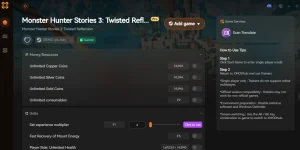
These featured mods are just the beginning. Whether you’re looking to skip tedious grinding, experiment with different playstyles, or speed up your progression, XMOD’s comprehensive toolkit offers dozens more options tailored to your playstyle.
Battle Options
- Infinite Health – Keep rider and monstie safe
- Max Kinship – Always have full gauge
- One-Hit Kill – Defeat enemies instantly
- Infinite Items – Use potions without consuming them
Progression
- Exp Multiplier – Level up faster
- Egg Finder – Locate rare eggs easily
- Max Gene Slots – Unlock all gene slots
Resources
- Infinite Zenny – Buy anything you need
- Infinite Bottle Caps – Purchase rare items
- Max Materials – Craft any gear instantly
Using the Egg Finder Cheat for Rare Monsties
The core loop of Monster Hunter Stories involves diving into monster dens to find eggs with rare genes. Normally, this requires significant luck and repetitive grinding. The Egg Finder cheat simplifies this by forcing the game to generate high-quality eggs whenever you interact with a nest.
When activated, this feature modifies the random number generator (RNG) responsible for egg weight and smell. You will consistently find “Navirou’s Pick” eggs—those that are heavy and smell great—which guarantee better stats and rare genes. This is particularly useful for building the perfect team without spending dozens of hours resetting dens. I found this essential for getting the new Elder Dragon eggs that have abysmal drop rates in the vanilla game.
Infinite Health and God Mode Options
Combat in Monster Hunter Stories 3 can be unforgiving, especially against Elder Dragons or Deviant monsters. The Infinite Health option ensures that neither your Rider nor your Monstie can be knocked out. This is essentially a “God Mode” that locks your HP value at its maximum.
This cheat is invaluable for learning enemy attack patterns without the frustration of restarting battles. It also allows you to experiment with risky strategies or under-leveled monsties without fear of failure. Just remember to toggle it off if you want to experience the intended challenge of the game later.
Max Kinship and Exp Multiplier Explained
Kinship is the resource that fuels your most powerful abilities and allows you to ride your monstie. The Max Kinship cheat keeps this gauge full at all times, letting you spam Kinship Skills every single turn. This dramatically speeds up battles and makes farming materials much more efficient.
Coupled with the Exp Multiplier, you can power-level a new monstie from level 1 to 50 in just a few battles. The multiplier can be adjusted in the trainer settings—we recommend 2x or 4x for a balanced boost, or 10x if you want to reach the level cap immediately. This removes the need to grind low-level mobs just to make a new team member viable, which is a huge quality-of-life improvement over the base game.
Common Mistakes to Avoid
Even with a safe trainer, it’s easy to accidentally break your game if you aren’t careful. After testing various scenarios, here are the most common pitfalls I encountered:
- Over-leveling too early: Using the 10x EXP multiplier in the first chapter can make your character level 50 before you even leave the tutorial area. This trivializes the content and can sometimes cause glitches with level-dependent tutorials. Stick to 2x or 4x until the post-game.
- Adding Key Items: Never use the “Add All Items” cheat to acquire Key Items (quest items). If you have an item in your inventory before the story gives it to you, the game script might break, preventing you from progressing.
- Impossible Genes: While the gene editor is powerful, don’t try to force genes into slots that shouldn’t exist or stack multiple of the same active skill. The game performs sanity checks on monsties, and invalid data can corrupt your save.
Is it Safe to Use Cheats in Monster Hunter Stories 3?
Modifying save files is generally safe if done offline and backed up properly. However, because Monster Hunter Stories 3 has online co-op and PvP components, there are risks involved if you are not careful. Understanding the difference between offline modding and online cheating is key to keeping your account secure.
Avoiding Monster Hunter Stories 3 Bans
Capcom uses a server-side anti-cheat system that scans save data when you connect to online lobbies. If your save file contains impossible data—such as items that haven’t been released yet, monsties with illegal gene combinations, or stats that exceed the maximum limits—you may be soft-banned. A soft-ban typically restricts you from playing with legitimate players, grouping you only with other cheaters.
To avoid this, follow these golden rules:
- Never use cheats like Infinite Health or One-Hit Kill in online multiplayer.
- Do not edit stats beyond what is legitimately possible in the game.
- Avoid adding unreleased DLC items to your inventory.
- Always play in offline mode when actively using the trainer.
Finding the Monster Hunter Stories 3 Save File
Before using any cheats, especially those that modify your inventory or monstie genes, you should create a manual backup of your save file. If something goes wrong or your save becomes corrupted, you can simply restore the backup and lose only a few minutes of progress.
The save file is located in the Steam userdata folder. Navigate to:
C:/Program Files (x86)/Steam/userdata/[UserID]/[GameID]/remote/Copy the files inside this folder to a safe location, such as a “Backups” folder on your desktop. We recommend doing this before every gaming session where you plan to use the trainer.
Why Do Monster Hunter Stories 3 Cheats Stop Working?
Game updates often break trainers; ensure your trainer version matches the game patch. Trainers work by locating specific memory addresses where the game stores values like health and money. When the game is updated, these addresses often shift, causing the trainer to fail or crash the game.
Version Mismatch After Game Updates
If Monster Hunter Stories 3 receives a patch via Steam, your existing trainer may stop functioning. This is the most common reason for cheats failing. Symptoms include the trainer saying “Game not found,” cheats toggling off immediately after activation, or the game crashing to the desktop.
To fix this, check the XMODHUB page for an updated version of the trainer. The team typically releases updates within 24 hours of a major game patch. Always verify that the trainer version matches your game client version (visible on the main menu screen).
Troubleshooting Common Trainer Errors
Aside from version mismatches, antivirus interference is a frequent culprit. Security software may flag trainers as false positives because they inject code into other processes—behavior similar to some malware. Here is a quick troubleshooting guide for common issues:
Frequently Asked Questions
Ready to enhance your gameplay?

I create content for Xmodhub, where I curate and share game mods, tools, and other resources. My goal is to help players discover great add-ons, enjoy a smoother experience, and have more fun.



 Catherine Hu