The hype train for Hytale is absolutely off the rails. We are all waiting to dive into competitive minigames, explore the massive sandbox, and inevitably, try to break the game’s limits.
But let’s be real for a second. When Hytale finally drops, do you really want to spend your first week scouring sketchy forums for a “working” Hytale Cheat Engine table (.ct file), only to find it crashes your game because it’s one version too old?
The era of manually digging for memory addresses in complex sandbox games is ending. Today, we break down why preparing with the XMODhub Trainer is the safer, smarter evolution of Cheat Engine for when Hytale officially launches.
Hytale Official Modding vs. Cheats (Important Distinction)
New: Console Commands vs. External Trainers
Modern Launchers: The Cheat Engine Killer
Safety Check: VirusTotal Proof
Why XMODhub is the Best WeMod Alternative
FAQ
Conclusion
Editor’s View: The “Patch Day” Nightmare Scenario
“Look, I used to love Cheat Engine back in the day. But think about games like Minecraft or Terraria. Every time a major content update hit, every single script in my .ct table broke instantly. I had to wait days, sometimes weeks, for a forum creator to manually fix the pointers.
When Hytale releases, patches will be frequent. XMODhub’s technology is designed to detect game patches and streamline the process of updating cheats on the backend. It aims to save you the headache of constant maintenance, plain and simple.”
— Catherine Hu, Lead Game Writer at XMODhub
At a Glance: XMODhub vs. Hytale Cheat Engine Table
Feature
Cheat Engine Table (.ct)
XMODhub Trainer (On Launch)
Ease of Use
Hard (Finding correct manual scripts)
Easy (Simple Sliders/Toggles)
Game Updates
Breaks Instantly (Requires manual hunting)
Auto-Updates (Cloud Sync Technology)
Modern Launcher Support
Very Difficult (Encrypted/Protected paths)
Native Support designed for Riot/Steam
Safety
High Risk (Unverified User Uploads)
Verified (Digitally Signed Code)
Mobile Control
No
Yes (Remote App Included Free)
Cost
Free
Free
The “Hard Way”: How to Use a Cheat Engine Table
If you insist on using the old-school method when Hytale releases, here is the headache you are signing up for:
Download and install Cheat Engine (and dodge the installer bloatware).
Scour the internet for a .ct file that matches the exact current build version of Hytale.
Launch Hytale.
Open Cheat Engine, click the “PC Icon”, and try to find and attach to the correct game process among many background tasks.
Load the downloaded table file.
Pray the pointers aren’t already broken by a hotfix.
Warning: One wrong edit to a memory value in a complex sandbox game can corrupt your world save permanently.
The “Easy Way”: How to Use XMODhub
Now, compare that to the planned XMODhub experience on Hytale’s launch day:
Use a simple slider to adjust movement speed, or a toggle for infinite block durability.
Done. No attaching processes, no version matching hunting.
Hytale Official Modding vs. Cheats (Important Distinction)
Many users ask: “Hytale has official modding tools, why do I need this?”
It’s crucial to understand the difference. Hytale’s official tools are for creating content—new blocks, creatures, or game modes.
XMODhub is for controlling your gameplay experience instantly.
If you just want to give yourself limitless health to test a boss mechanic, or speed up the game to bypass a grind, you don’t want to write a whole new mod for it. You want a trainer switch. That’s where XMODhub fits in—it complements the modding ecosystem, it doesn’t replace it.
Console Commands vs. External Trainers
Veterans of sandbox games often ask: “Won’t Hytale just have console commands like Minecraft’s /gamemode creative?”
Almost certainly, yes. But built-in commands have limitations that external trainers like XMODhub solve:
Convenience: Typing long commands every time you want to change something is tedious. XMODhub offers hotkeys and a clean UI.
Advanced Features: Console commands usually only cover basics (give items, change mode). XMODhub can offer complex features that don’t exist in the console, like altering game speed, manipulating specific physics, or teleporting to saved coordinates instantly.
Survival Mode Integrity: Sometimes you want to keep your world in “Survival Mode” for achievements or server rules, but just need a little help (like infinite stamina). Using in-game console commands often flags your save as “Cheated,” whereas XMODhub operates externally.
Modern Launchers: The Cheat Engine Killer
We don’t know exactly which launcher Hytale will use yet (likely the Riot Client, maybe Steam). But one thing is certain: modern launchers are increasingly hostile to old tools like Cheat Engine.
Executables are often encrypted or hidden in protected Windows folders, meaning you often cannot even “attach” Cheat Engine to them easily.
XMODhub is different. Our engine is built to recognize modern game directories natively. We handle the injection process automatically, so your cheats work seamlessly regardless of where you bought the game.
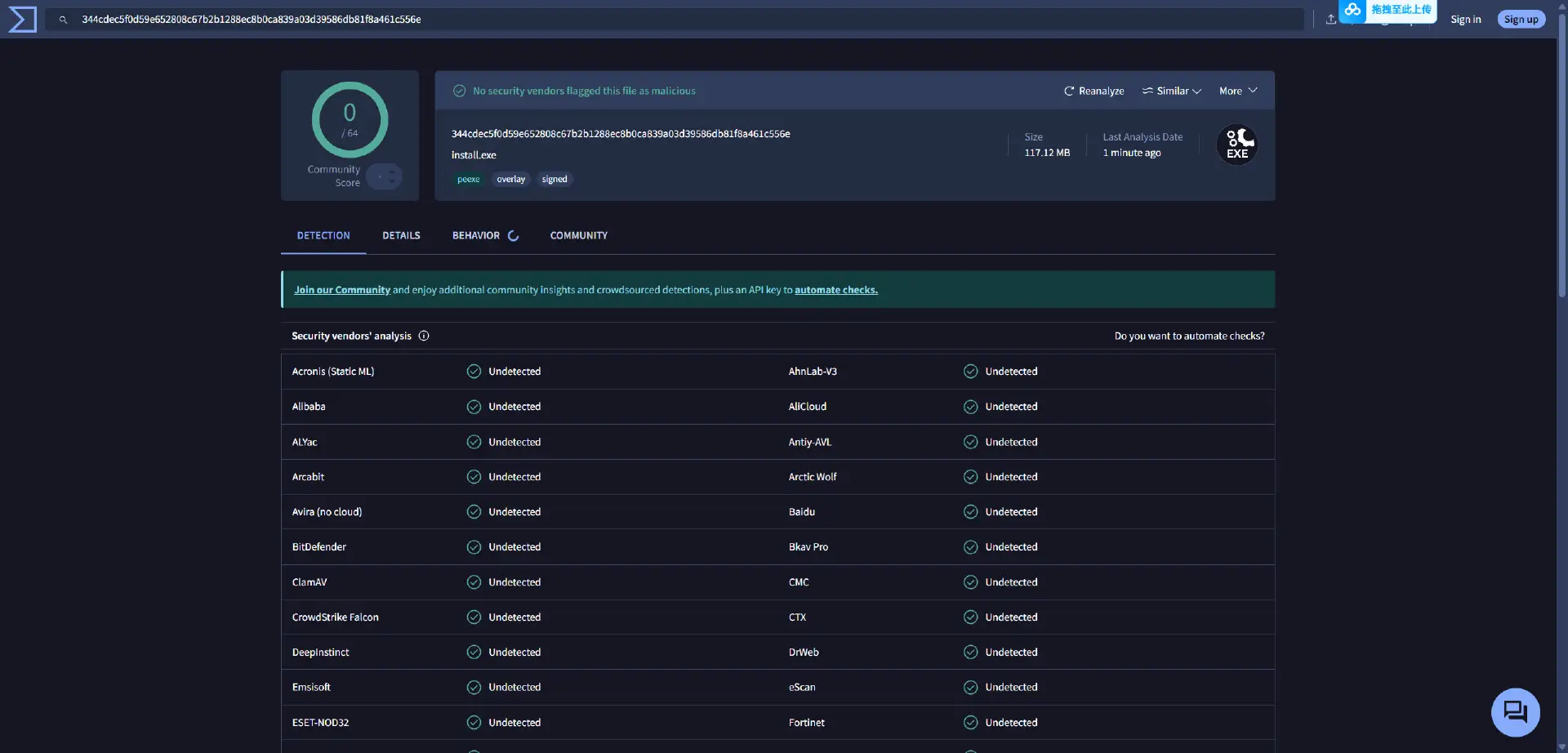
Safety Check: VirusTotal Proof
Is XMODhub safe? Yes.
Trainers are often flagged as “False Positives” by antivirus software because they inject code into memory (just like a virus does, but for a good cause—letting you have fun).
Unlike a random .ct file you downloaded from a sketchy forum user at 3 AM, XMODhub is:
Digitally Signed by a reputable company.
Bloatware Free (no hidden crypto miners).
Scanned Daily.
Why is XMODhub the Best WeMod Alternative?
WeMod is a market leader, but XMODhub is designed to offer key advantages for Hytale players:
Mobile Remote is Free: We don’t plan to charge you a “Pro” subscription just to toggle cheats from your phone while you play on PC.
No Account Forced: You should be able to use basic features without being forced to create a login instantly.
Community Driven: Our cheat creation priority is driven by user votes, not just what’s currently popular on Twitch.
FAQ
Q: Is Hytale released yet? Can I download a trainer now?
No, Hytale has not been officially released yet. This guide is to help you prepare the right tools for when it does launch, so you aren’t stuck with outdated methods on day one.
Q: My Hytale Cheat Engine table (hypothetically) says “??” on all values.
This means the table is outdated. The pointers (memory addresses) have changed in a recent game update. You must switch to an auto-updating solution like XMODhub or wait for a new manual table.
Q: Can I use XMODhub in Hytale Multiplayer servers?
Absolutely not. XMODhub is strictly designed for Single Player, local Co-op, or private servers where you are the admin. Using trainers in public competitive multiplayer will almost certainly trigger anti-cheat bans (like Riot Vanguard).
Conclusion
Don’t wait until Hytale launch day to figure out how you’re going to customize your experience. Stop planning to fight with broken pointers, sketchy forum downloads, and encrypted files.
Prepare to upgrade your gaming experience with the XMODhub Trainer. It is the modern, safe alternative that ensures your cheats will work when the big day finally arrives.
Cheat Smarter, Not Harder.
XMODhub is ready to support Hytale upon release. In the meantime, we already support more than 5000+ existing games, including similar sandbox and RPG titles you might be playing right now like:
I am a passionate gamer and writer at XMODhub, dedicated to bringing you the latest gaming news, tips, and insights.
Connect with me:
LinkedIn Profile ↗
How to Easily Beat Boss in Slay the Spire 2: God Mode Guide
Quick Answer To easily beat bosses in Slay the Spire 2, the most effective method is using the XMODHUB trainer to enable God Mode or Infinite Energy. These cheats allow you to bypass…
There is nothing worse than your cozy island getaway turning into a desktop crash. I’ve spent hours building my dream resort in Starsand Island, and while the simulation is relaxing, the stability in…

 Catherine Hu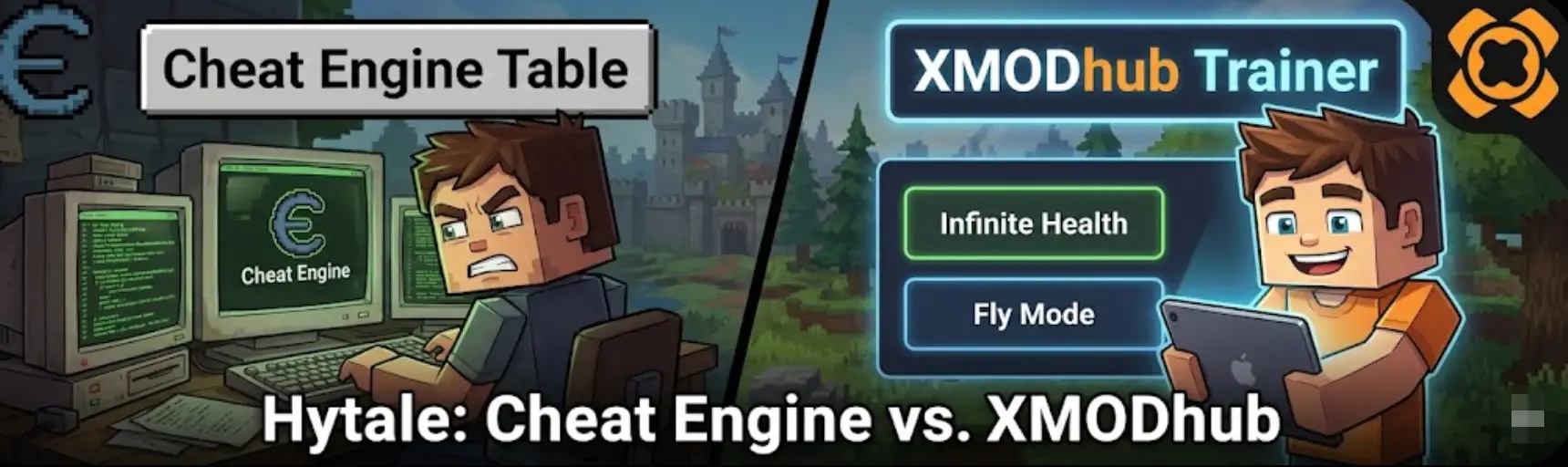





 Nancy Miller