
 Catherine Hu
You cleared your schedule, downloaded the client, and finally clicked Play on EverSiege: Untold Ages — only for the game to crash before you even step foot in Bastion. Or maybe it launches, but the loading screen freezes dead at 90% right as you are trying to join your co-op squad. Or perhaps you made it in-game, only for everything to start stuttering the moment a horde of the Evil Master’s soldiers floods the screen during a dungeon run.
Early Access launch day issues are frustrating, but they are almost never permanent. Tindalos Interactive has already confirmed that bugs, crashes, and technical blockers are an expected part of this Early Access phase — and the team is actively investigating the most widely reported ones.
Whether you are facing a silent crash to desktop, a stuck loading bar, missing DLL files, or single-digit frame rates during high-intensity siege moments, this guide covers the most effective fixes to get your Scyron back into the fight.
EverSiege: Untold Ages Cheat Engine Table vs. XMODhub: Best Free Trainer (2026)
🎙️ Editor’s View: The Early Access “Day One” Curse
“I have been testing EverSiege: Untold Ages since the playtest period, and the most common crash scenario I’ve encountered is the loading screen freezing between 85% and 90% — especially in co-op sessions, but sometimes in solo runs too, particularly when entering underground areas like tombs and dungeons during high-action moments. It is genuinely maddening when you have Zirenth set up with a perfect Charisma and summon build, only for the game to soft-lock right before a boss encounter.
Before you refund or give up: 90% of these crashes come down to three solvable culprits — corrupted installation files, outdated Visual C++ libraries, or an overlay conflict with Discord or Steam. I have personally tested the methods below, and for most players, Method 1 and Method 2 together will solve it. If you are on co-op and hitting that stuck-lobby bug, jump straight to Method 5.”
— Catherine Hu, Tech Support Lead at XMODhub
Check First: EverSiege: Untold Ages System Requirements
Before debugging anything, confirm your PC can actually run the game. A hardware mismatch is the most common cause of silent crashes — the game simply exits without showing an error code. Tindalos Interactive has not published official system requirements in their Steam FAQ, but based on the engine profile (Unreal Engine 4/5, XAudio2 subsystem) and community hardware reports, here are the verified estimated thresholds:
| Spec | Minimum (Estimated) | Recommended (Estimated) |
|---|---|---|
| OS | Windows 10 64-bit (22H2+) | Windows 11 64-bit |
| CPU | Intel Core i5-8400 / AMD Ryzen 5 2600 | Intel Core i7-10700K / AMD Ryzen 7 5800X |
| RAM | 8 GB | 16 GB |
| GPU | NVIDIA GTX 1060 6GB / AMD RX 580 | NVIDIA RTX 2070 / AMD RX 6700 XT |
| VRAM | 4 GB | 8 GB |
| Storage | 10 GB available (SSD recommended) | SSD strongly recommended |
| DirectX | DirectX 11 | DirectX 12 |
Note: Community reports show that even players running RTX 5070 and Ryzen 9 9900X configurations have experienced lag and stuttering at launch. This is a known Early Access optimization issue being investigated by Tindalos, not a hardware floor problem. If your specs exceed the recommended tier above and you are still experiencing issues, proceed directly to the methods below.
Method 1: Verify Game Files (Steam / Epic Games)
Corrupted or incomplete installation files are the single most common cause of EverSiege: Untold Ages crashing on startup. This is always your first step — it is quick, non-destructive, and fixes the majority of cases.
🎮 For Steam Users:
- 1
Open Steam and go to your Library. - 2
Right-click EverSiege: Untold Ages and select Properties. - 3
Click the Installed Files tab. - 4
Click “Verify integrity of game files.” - 5
Wait for the process to complete. Steam will re-download any damaged or missing files automatically.
🌐 For Epic Games Store Users:
- 1
Open the Epic Games Launcher and go to your Library. - 2
Click the three dots (…) on the EverSiege: Untold Ages tile. - 3
Select Manage, then click Verify. - 4
After verification, relaunch the game before trying anything else.
Method 2: Update Drivers & Visual C++ Redistributables
EverSiege: Untold Ages runs on an Unreal Engine 4/5 codebase and uses the XAudio2 audio subsystem. These dependencies require an up-to-date software environment on Windows. Stale drivers and missing C++ libraries are responsible for the majority of VCRUNTIME140.dll not found and MSVCP140.dll missing errors players have reported.
- 🖥️ GPU Drivers:
NVIDIA users: Download the latest Game Ready Driver from the NVIDIA website. Do not rely on Windows Update to handle this — download directly.
AMD users: Download the latest Adrenalin driver from AMD’s official site. - ⚙️ Visual C++ Redistributables:
If you are seeing any DLL-related error on launch, reinstall the full Microsoft Visual C++ Redistributable package. Download both the x64 and x86 versions from Microsoft’s official website and install both. Reboot after installing.
- 🚀 DirectX:
Run Windows Update and ensure your system is fully current. EverSiege supports both DirectX 11 and DirectX 12 — if you are hitting a DX12-related error (see Method 4), forcing DX11 is a viable workaround.
Method 3: Fix Black Screen & Overlay Conflicts
If EverSiege: Untold Ages launches but you see only a black screen with audio playing, or if the window flashes and immediately closes, the cause is almost always a conflict with a background overlay or a Windows fullscreen optimization issue.
✦ Disable Overlays:
Turn off the following before launching the game:
- ➤ Steam Overlay (Steam → Library → Right-click game → Properties → General → Uncheck “Enable the Steam Overlay while in-game”)
- ➤ Discord Overlay (Discord → Settings → Activity Settings → Game Overlay → Toggle off)
- ➤ NVIDIA ShadowPlay / GeForce Experience overlay
- ➤ Xbox Game Bar (Windows Settings → Gaming → Xbox Game Bar → Toggle off)
✦ Disable Fullscreen Optimizations & Run as Administrator:
Method 4: Common Error Codes & Specific Fixes
Here are targeted solutions for the specific error messages players are reporting in the EverSiege: Untold Ages Steam community right now.
This is the most widely reported bug at Early Access launch — confirmed by Tindalos Interactive’s support team, who are actively investigating it. Short-term workarounds:
- If stuck in a co-op lobby: the host should quit the session entirely. The client-side player will often be able to continue their own instance. Rejoining via a fresh invite typically resolves the stuck state.
- If stuck in solo: force-close via Task Manager, relaunch, and avoid immediately loading into a dungeon or boss area. Load into an open Bastion area first.
- Try disabling the Steam Overlay (Method 3), as network socket conflicts with the overlay can cause co-op sync hangs.
This is a memory access error almost always triggered by overly aggressive antivirus software intercepting the game process. Add the entire EverSiege: Untold Ages installation folder to your Windows Defender exclusions list (Windows Security → Virus & threat protection → Manage settings → Exclusions). Alternatively, try launching the game as Administrator.
Your GPU VRAM is being fully consumed during scene loading. Drop Texture Quality to Medium and disable Screen Space Reflections before launching. This is a known Early Access optimization issue — Tindalos has acknowledged performance polish is ongoing.
Right-click EverSiege: Untold Ages in Steam → Properties → General → Launch Options, and type -dx11. This forces the game into DirectX 11 mode, which is more stable on certain hardware configurations and older Windows builds.
This error often points to RAM instability, particularly on systems running XMP/EXPO memory profiles. Temporarily disable XMP in your BIOS and test whether the game stabilizes. Also close RAM-heavy background applications like Chrome before launching.
Method 5: Fix Low FPS & Stuttering (Including the 90% Load Hang)
Is EverSiege running smoothly in Bastion but turning into a slideshow during dungeon boss encounters or when Zirenth’s summon horde and enemy waves collide on screen? This is a known Early Access performance issue tied to particle rendering and entity counts in enclosed environments.
Immediate fixes:
- ✦
Lower Shadows and Volumetrics first — these are the two biggest GPU consumers in EverSiege’s engine. Drop both to Low or Medium and retest. - ✦
Disable Anti-Aliasing if you are on a low-VRAM card — it has an outsized impact on performance in this engine. - ✦
Set Process Priority to High: Open Task Manager (Ctrl+Shift+Esc) → Details tab → Find the EverSiege process → Right-click → Set Priority → High. - ✦
Disable Steam Overlay: Even for FPS, removing overlay hooks reduces CPU overhead during the game’s most intensive moments. - ✦
Move to an SSD if you haven’t: The 90% load hang is significantly more common on HDD installations. The game’s procedural asset loading is SSD-dependent.
🛡️ For the dungeon soft-lock specifically:
The community-identified workaround is to reduce the number of active summons before entering an indoor/underground area. Players using Zirenth’s Charisma-summon build have reported that reducing active mercenaries from maximum to roughly half eliminates the soft-lock hang in most cases. This appears to be an entity-count threshold issue in the current build.
The Workaround: Skip Laggy Sections with XMODhub
Sometimes EverSiege: Untold Ages does not crash because of your PC — it crashes because of unoptimized code paths during specific high-load encounters. This is especially true in an Early Access title that is being actively patched. When the official fix has not yet landed, you need tools that work around the problem in real time.
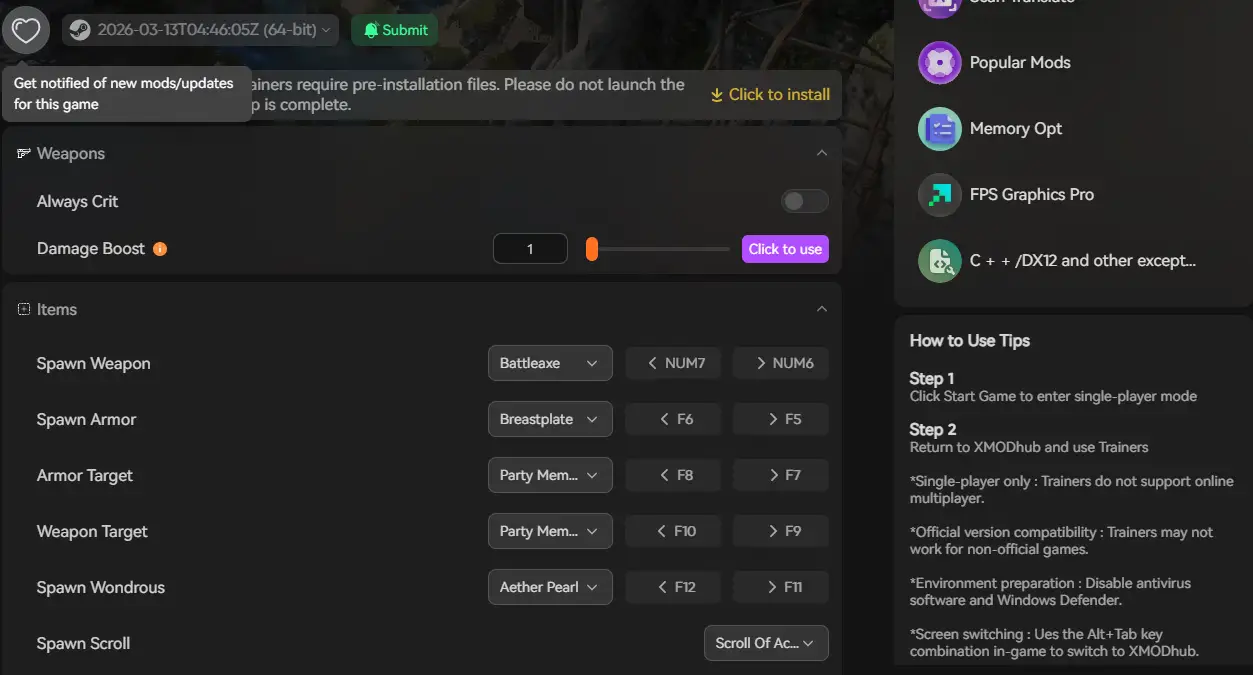
The XMODhub PC Client offers two features that are directly relevant here:
Use the XMODhub Trainer to throttle game speed to 0.5x during high-load sequences — boss arenas, dungeon entries, or large-scale horde waves — to prevent GPU spikes that trigger crashes. You can also use it to fast-forward through lag-heavy cutscene transitions.
XMODhub automatically backs up your save data every time you exit EverSiege: Untold Ages. Before entering a dungeon boss area (a known crash zone during Early Access), your progress is already secured. If the game crashes mid-run, one click rolls you back to your last stable state — no run lost.
How to Get Started with XMODhub


FAQ
Q Does EverSiege: Untold Ages support Windows 10?
Yes, but you must be on Windows 10 64-bit version 22H2 or newer. Older builds can cause compatibility issues with the game’s runtime dependencies.
Q Will reinstalling fix the crash?
Reinstalling is a last resort. Run “Verify integrity of game files” in Steam first (Method 1) — it performs the same repair but only re-downloads what’s actually broken, saving you time.
Q Is the 90% loading screen freeze a known bug?
Yes. Tindalos Interactive’s support team has officially acknowledged this issue in the Steam community forums and stated they are actively investigating it. Check the pinned Troubleshooting thread in the Steam community hub for the latest developer updates.
Q My high-end GPU is still getting terrible performance. Is it my hardware?
Probably not. Community reports confirm that even RTX 5070 and Ryzen 9 9900X systems experience lag. This is an Early Access optimization issue being addressed by Tindalos, not a hardware floor problem. The fixes in Method 5 will help in the meantime.
Q Will these crashes be patched?
Tindalos Interactive has been actively communicating with the community and pushing updates. Check the Steam update history page for EverSiege: Untold Ages and the official Discord for patch announcements.
Conclusion: Don’t Let Bugs Stop the Siege
EverSiege: Untold Ages launched into Early Access with real technical issues — a loading freeze at 90%, FPS collapses in dungeon boss rooms, and co-op sync errors — but none of them are unfixable at the player level right now. Verifying your game files, updating C++ redistributables, disabling overlay conflicts, and moving the game to an SSD will resolve the vast majority of crashes players are hitting.
If the game is still struggling due to unoptimized Early Access code, XMODhub’s Speedhack and Save Manager let you play around the rough edges while Tindalos works on the official patch.
Think Bigger: XMODhub is more than a crash workaround — it is a full PC gaming platform supporting 5,000+ titles. Whether you are pushing through EverSiege’s dungeon bosses or exploring similar action roguelites like Hades II and Deep Rock Galactic: Survivor, XMODhub gives you Trainers, Save Management, and performance tools ready at a click.

Don’t let Early Access bugs break your run. Play smarter.

I am a passionate gamer and writer at XMODhub, dedicated to bringing you the latest gaming news, tips, and insights.
Connect with me:
LinkedIn Profile ↗
 Nancy Miller