Summary: Find out the minimum and recommended system requirements for Desktop Heroes. Learn what specs you need to run the game smoothly and enjoy optimal performance on your PC.
Desktop Heroes brings strategy and adventure to your screen, combining tactical battles with charming visuals and engaging gameplay.
Before diving in, it’s important to know whether your PC can handle the game smoothly.
This guide covers the minimum and recommended system requirements, explains how to check if your setup can run it, and offers tips for optimizing performance.
You’ll also learn how XMOD can further enhance your Desktop Heroes experience with improved gameplay tools and customization options.
Table of contents
- What is Desktop Heroes?
- System Requirements: Minimum and Recommended
- Can You Run Desktop Heroes on a Low-End PC?
- Can My PC Run Desktop Heroes?
- How to Enhance Gameplay Experience with XMOD?
- Conclusion
What is Desktop Heroes?
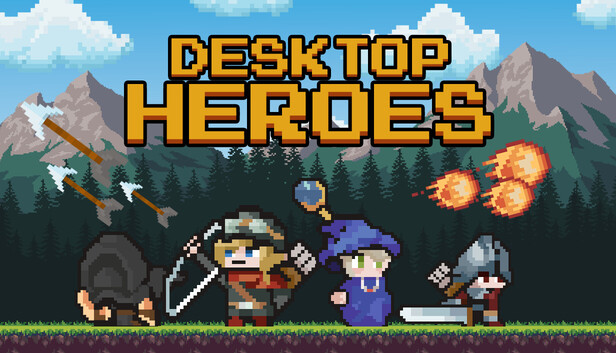
Desktop Heroes is a tactical strategy game that turns your desktop into a battlefield filled with miniature warriors and epic challenges. Players command teams of heroes, each with unique abilities, to fight through creative levels and overcome powerful enemies. Combining real-time strategy with RPG-style progression, the game offers endless ways to customize your squad. Its charming visuals and fast-paced gameplay make Desktop Heroes both accessible and highly engaging for strategy fans.
System Requirements: Minimum and Recommended
Before installing Desktop Heroes, make sure your PC meets the required specifications for smooth gameplay.
Minimum Requirements:
- OS: Windows 7 SP1 or later (64-bit)
- Processor: Intel Core i3 or equivalent
- Memory: 4 GB RAM
- Graphics: Intel HD Graphics 4000 or equivalent
- DirectX: Version 11
- Storage: 4 GB available space
Recommended Requirements:
- OS: Windows 10 (64-bit)
- Processor: Intel Core i5 or better
- Memory: 8 GB RAM
- Graphics: NVIDIA GTX 960 / AMD R9 280 or better
- DirectX: Version 11
- Storage: 4 GB available space
Meeting the recommended specs ensures smoother performance, better visuals, and an overall enhanced experience in Desktop Heroes.
Can You Run Desktop Heroes on a Low-End PC?
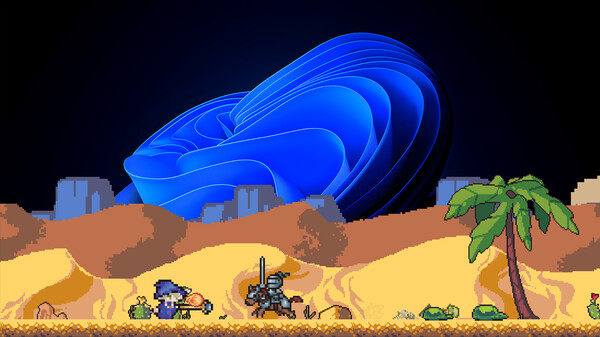
Yes, Desktop Heroes can run on low-end PCs, but performance will depend on your system’s hardware. Since the game’s minimum requirements are fairly modest, most modern laptops and older desktops should handle it at lower settings. To improve performance, consider lowering the resolution, turning off advanced graphics effects, and closing background programs. While you may not get top-tier visuals, the core gameplay experience will still be smooth and enjoyable on a low-end setup.
Can My PC Run Desktop Heroes?
To check if your PC can run Desktop Heroes, compare your system specs with the game’s minimum and recommended requirements. If your setup meets or exceeds the minimum specs, you’ll be able to play the game, though you might need to adjust some settings for smoother performance. Meeting the recommended specs ensures high-quality visuals and stable frame rates. You can also use online system check tools or performance testers to see exactly how well Desktop Heroes will run on your PC.
How to Enhance Gameplay Experience with XMOD?
XMOD is a comprehensive platform built to upgrade your gaming experience with advanced tools that go beyond normal gameplay. For Desktop Heroes, it provides cheats, trainers, and mods right after release, ensuring full compatibility and regular updates. With a collection of over 5,000 free and premium options, players can easily customize the game to fit their playstyle.
Mods can enhance visuals, refresh textures, improve the interface, or introduce new gameplay features for deeper immersion.
Trainers let you adjust in-game stats like health, stamina, or skill points to simplify progression or try out new tactics.
Cheats give instant access to items, equipment, or level skips so you can focus on exploration and story.
Conclusion
Desktop Heroes combines strategic gameplay with engaging visuals, offering a fun and immersive experience for strategy fans. By checking the minimum and recommended system requirements, you can ensure your PC is ready for smooth performance, even on low-end setups with some adjustments. Using tools like XMOD allows you to further enhance the game with mods, trainers, and cheats, giving you full control over gameplay and customization. With the right setup and enhancements, you can enjoy Desktop Heroes to its fullest potential.
I am a passionate gamer and writer at XMODhub, dedicated to bringing you the latest gaming news, tips, and insights.
Connect with me:
LinkedIn Profile ↗

 Catherine Hu
 Nancy Miller