Editor’s View:Atomic Heart is visually stunning, bringing a Soviet-era utopia to life with incredible art direction. However, this beauty comes at a cost. Even in 2026, the game is known for being GPU-intensive, and the infamous “Shader Compilation Stutter” can plague even high-end rigs.
I tested the game on three different setups: a budget laptop, a mid-range PC, and the Steam Deck. While the official specs look modest, the real-world performance tells a different story. If you are struggling with frame drops, don’t worry—I have compiled the best settings to stabilize your game. And if the lag makes the combat too punishing, I’ll show you how the XMOD Trainer can help you survive the stutter.
Quick Summary: The “Real” Specs
Forget the marketing fluff. Based on our testing, here is what you actually need to play comfortably at 1080p / 60 FPS.
Level
CPU
GPU (NVIDIA)
GPU (AMD)
RAM
Minimum (Low/30FPS)
i5-4460
GTX 960 (4GB)
R9 380
8 GB
Recommended (High/60FPS)
i7-7700K
GTX 1080 (8GB)
RX Vega 64
16 GB
Ultra (4K/Max)
i7-8700K
RTX 3080
RX 6800 XT
32 GB
Storage
90 GB SSD (Do NOT install on HDD)
Critical Warning: Do not install this game on an HDD. You will experience 1-2 second freezes whenever you enter a new room. An SSD is effectively mandatory.
Table of Contents
Official System Requirements
Real-World FPS Benchmarks (Popular GPUs)
Steam Deck Performance Review
FPS Boost Guide: Best Settings for 2026
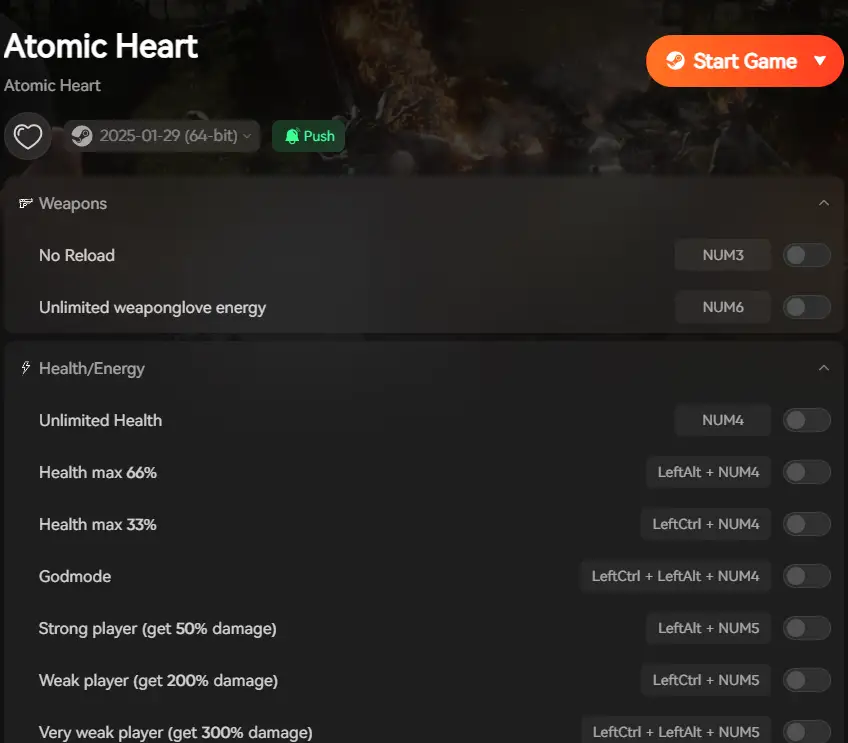
How XMOD Helps When Performance Fails
Troubleshooting & FAQ
Conclusion: Optimization is Key
Official System Requirements
Mundfish (the developers) did a decent job optimizing the engine, but the open-world sections are demanding.
Minimum Requirements (Low Settings, 1080p)
OS: Windows 10 (version 2004 or later)
Processor: AMD Ryzen 3 1200 or Intel Core i5-4460
Memory: 8 GB RAM (12 GB recommended)
Graphics: AMD Radeon R9 380 or NVIDIA GeForce GTX 960
Storage: 90 GB available space
Recommended Requirements (Ultra Settings, 1080p)
OS: Windows 10 / 11
Processor: AMD Ryzen 5 2600X or Intel Core i7-7700K
Memory: 16 GB RAM
Graphics: AMD RX 6700 XT or NVIDIA GeForce RTX 2070 Super
Storage: 90 GB SSD
Real-World FPS Benchmarks (Popular GPUs)
The official specs are vague. Here is how the most popular graphics cards actually perform in 2026.
Graphics Card
Resolution
Settings
DLSS / FSR
Average FPS
GTX 1060 (6GB)
1080p
Low
FSR Quality
45 FPS
GTX 1650 (4GB)
1080p
Low
FSR Balanced
35-40 FPS
RTX 3060 (12GB)
1080p
High
DLSS Quality
70+ FPS
RTX 4060
1080p
Ultra
DLSS 3 (Frame Gen)
90+ FPS
Note: The open-world areas will drop frames by about 10-15% compared to indoor bunkers.
Steam Deck Performance Review
Status: Verified
Target: 40 FPS / 40Hz
Settings: Medium Textures, Low Shadows, FSR 2.0 (Quality).
Battery: Expect 1.5 – 2 hours of gameplay.
Tip: Lock the framerate to 40. Trying to push for 60 FPS on Steam Deck results in unstable frame pacing and stuttering.
FPS Boost Guide: Best Settings for 2026
If your PC meets the requirements but still lags, change these specific settings. They have the highest impact on FPS with the least visual loss.
Animation Quality: Set to Medium. (Huge CPU saver).
Shadows: Set to Low. (Shadows are the #1 FPS killer).
Volumetric Fog: Set to Low.
DLSS / FSR: Set to Balanced.
Shaders Cache: In Steam settings, allow “Shader Pre-caching” to prevent combat freezes.
How XMOD Helps When Performance Fails
Why mention a Trainer in a System Requirements guide?
Because lag creates artificial difficulty.
In Atomic Heart, combat is fast. If your PC stutters (drops frames) right when a robot attacks, you cannot dodge in time, and you die. This is not a skill issue; it is a hardware issue.
A: We strongly advise against it. The game streams high-quality textures constantly. On an HDD, you will experience severe freezing (1-2 seconds) whenever you enter a new room or drive a car.
Q: How do I fix the “Fatal Error” crash?
A: This is usually due to VRAM limits. Lower your “Texture Quality” to Medium and ensure your GPU drivers are updated to the latest 2026 version.
Q: Does it support Ray Tracing?
A: Yes, but it is extremely heavy. Unless you have an RTX 4070 or better, keep Ray Tracing OFF to maintain 60 FPS.
Conclusion: Optimization is Key
Atomic Heart demands a decent rig for the full experience. Make sure you have an SSD, turn down Shadows, and use upscaling (DLSS/FSR). And remember, if hardware limitations are ruining your fun, the XMOD Trainer is a legitimate tool to customize your experience.
Check Your Specs, Then Check Our Tools:
Dying Light 2 Stay Human: Infinite Stamina for parkour, Indestructible Weapons, and Easy Crafting.
I am a passionate gamer and writer at XMODhub, dedicated to bringing you the latest gaming news, tips, and insights.
Connect with me:
LinkedIn Profile ↗
Best PC Games April 2026: Top 10 New Releases & Game Mods
8 min read PC Games April 2026 Top 10 Trainers Editor’s Summary Explore XMODhub → April 2026 is shaping up to be a massive month for PC gaming, offering everything from hardcore tactical…
Mad Island Walkthrough & Cheats: Survive the Jungle and Bosses Easily (2026)
✨ Quick Answer: What are the best cheats to complete a Mad Island walkthrough? If you are stuck in the survival loop and just want to progress through the story and NPC quests,…

 Catherine Hu

 Nancy Miller