สรุป: Witchfire is a fast-paced, dark fantasy shooter that blends roguelike mechanics with stunning visuals and intense gunplay.
Set in a haunting supernatural world, Witchfire challenges players with brutal combat, mystical weapons, and roguelike progression.
With its rich visuals and demanding action, having the right hardware is key to enjoying the game to its fullest.
In this guide, we’ll explore the minimum and recommended system requirements, whether your PC can handle the game, and how to enhance your experience using tools like Xmod.
สารบัญ
- คือ Witchfire
- Witchfire Requirements: Minimum and Recommended
- Can You Run Witchfire on a Low-End PC
- Can My PC Run Witchfire
- วิธีปรับปรุง Witchfire Experience with Xmod
- สรุป
คือ Witchfire?
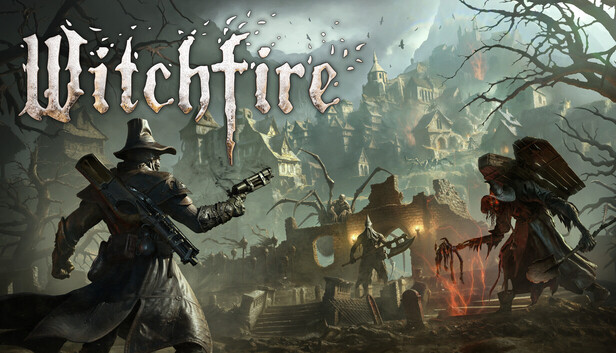
Witchfire is a dark fantasy first-person shooter developed by The Astronauts, blending intense gunplay with roguelike elements and atmospheric world-building. Players take on the role of a witch hunter wielding both conventional firearms and arcane magic to battle supernatural enemies in a cursed world. The game is known for its fast-paced combat, high difficulty, and stunning visuals powered by Unreal Engine. If you enjoy challenging shooters like DOOM หรือ ดาร์ก โซลส์-inspired world design, Witchfire is worth your attention.
Although, certain requirements they do have for you to run the game smoothly.
Witchfire Requirements: Minimum and Recommended
Before diving into this action-packed experience, it’s important to ensure your PC meets the game’s hardware demands.
Here’s a look at the system requirements:
ข้อกำหนดขั้นต่ำ
| องค์ประกอบ |
Specification |
| ระบบปฏิบัติการ |
Windows 10 64-bit |
| ซีพียู |
Intel Core i5-6600K / AMD Ryzen 5 1600 |
| RAM |
8 GB RAM |
| GPU |
NVIDIA GTX 1060 / AMD RX 580 |
| DirectX |
เวอร์ชัน 12 |
| การจัดเก็บ |
45 GB available space |
Recommended Requirements
| องค์ประกอบ |
Specification |
| ระบบปฏิบัติการ |
Windows 10/11 64-bit |
| ซีพียู |
Intel Core i7-9700K / AMD Ryzen 7 3700X |
| RAM |
แรม 16 GB |
| GPU |
NVIDIA RTX 2070 / AMD RX 6700 XT |
| DirectX |
เวอร์ชัน 12 |
| การจัดเก็บ |
SSD with 45 GB free space |
Can You Run Witchfire on a Low-End PC?
If your PC is on the lower end of the spectrum, you might still be able to run Witchfire, but expect trade-offs. Lowering graphical settings such as shadows, resolution scale, and effects like motion blur can help maintain playable frame rates. Disabling background processes and updating your drivers may also boost performance. However, older GPUs or CPUs below the minimum specs may struggle with stability or visual quality, especially during combat-heavy scenes.
Can My PC Run Witchfire?
To find out if your system can handle Witchfire, compare your specs against the requirements listed above. Use tools like Can You RUN It, or check your hardware with system information utilities such as Speccy หรือ DxDiag. If your PC meets or exceeds the recommended specs, you’ll enjoy smoother performance with better visuals. If your setup lands closer to the minimum, tweaking settings will be necessary for a stable experience.
วิธีปรับปรุง Witchfire Experience with Xmod
Xmod is a powerful modding and optimization tool for single-player games, offering performance improvements and customization options.
It has a screenshot-to-text instant translation tool that helps you understand the game better if you’re not an English speaker and saves you the trouble of installing language patches. 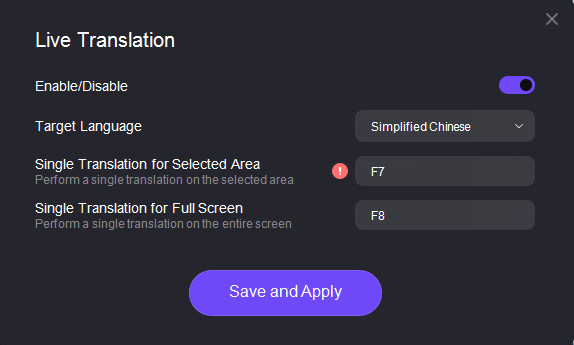
Moreover, Xmod provides all kinds of cheats and trainers like กระสุนไม่จำกัด, ไม่มีการเติมเงิน, Super Accuracy and so on. 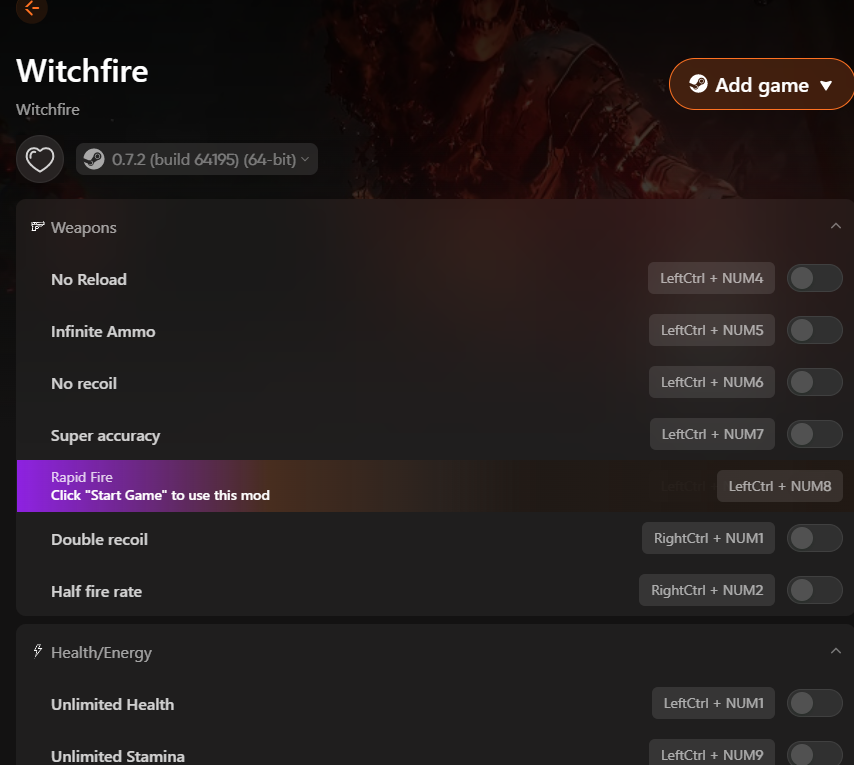
With Xmod, you can tailor Witchfire to your system and playstyle, whether you want smoother performance or a totally personalized experience.
สรุป
Witchfire delivers a thrilling, high-intensity shooter experience in a beautifully grim fantasy world. But to enjoy it fully, your PC must meet the right performance standards.
This guide gives you everything you need to check compatibility, improve performance on lower-end systems, and enhance gameplay with Xmod. Prepare your setup, gear up with magic and steel, and step into the cur
ฉันเป็นเกมเมอร์และนักเขียนที่มีความหลงใหลที่ XMODhub มุ่งมั่นที่จะนำเสนอข่าวสารเกมล่าสุด เคล็ดลับ และข้อมูลเชิงลึกให้กับคุณ.
ติดต่อฉัน:
โปรไฟล์ LinkedIn ↗

 แคทเธอรีน ฮู

 แนนซี่ มิลเลอร์

