แคทเธอรีน ฮู
Editor’s View: The “Update” Nightmare
“I used to love Cheat Engine for single-player simulation games. But UE5 is notoriously tricky. When Windstorm: The Legend of Khiimori released a minor hotfix yesterday to adjust foliage animations, every single script in my CT table broke. I was stranded in the wilderness and had to wait 4 days for the forum creator to update the pointers.
With XMODhub, the app detected the patch and auto-updated the cheats in seconds via the cloud. It saves me time, keeps the immersion of the journey intact, and lets me focus on the bond with my horse.”
You have spent the last 20 minutes scouring forums for a working Windstorm: The Legend of Khiimori Cheat Engine table (.ct file). You are halfway through a perilous Yam courier route across the harsh Mongolian steppes, your horse is completely out of stamina, and a blizzard is rolling in. You finally find a script, load it up to freeze your horse’s stamina, and… CRASH. “Fatal Error: Unreal Engine Process Terminated.”
The era of manually searching for memory addresses and risking your 40-hour survival save is over. Because Windstorm: The Legend of Khiimori runs on Unreal Engine 5, memory pointers shift constantly with every dynamic weather change or map load.
Today, we break down why the XMODhub เทรนเนอร์ is the safer, smarter evolution of Cheat Engine for nomad riders on Steam and Xbox Game Pass.
คุณอาจสนใจ:
Windstorm: The Legend of Khiimori Console Commands (2026): Cheats & Item IDs Truth
At a Glance: XMODhub vs. Cheat Engine Table
| คุณสมบัติ | Cheat Engine Table (.ct) | XMODhub เทรนเนอร์ |
|---|---|---|
| ความสะดวกในการใช้งาน | Hard (Manual Scripts/Hex) | Easy (Sliders/Toggles) |
| Game Updates | Breaks Instantly (Manual fix) | Auto-Updates (Cloud Sync) |
| UE5 Stability | High Risk of Fatal Crashes | Stable Injection |
| Game Pass Support | Very Difficult (Encrypted) | Native Support |
| ความปลอดภัย | High Risk (User Uploads) | Verified (Signed Code) |
| Mobile Control | ไม่ | Yes (Remote App) |
| Cost | ฟรี | ฟรี |
The “Hard Way”: How to Use a Cheat Engine Table
If you insist on using the old-school method to tweak your equestrian adventure, here is the headache you have to deal with:
- Download and install Cheat Engine (Risk of bundled bloatware).
- Find a
.ctfile on a forum matching your exact game version. - Launch Windstorm: The Legend of Khiimori.
- Open Cheat Engine, click the “PC Icon”, and attach to the
Khiimori-Win64-Shipping.exeprocess. - Load the table file.
- Hope the memory pointers haven’t shifted during the last biome transition.
คำเตือน: Modifying the wrong float value in a modern open-world game can permanently corrupt your horse’s breeding lineage or break quest trigger events.
The “Easy Way”: How to Use XMODhub
Now compare that to the seamless XMODhub experience:
Download and Launch XMODhub.

ค้นหา Windstorm: The Legend of Khiimori.

Click “Play”.
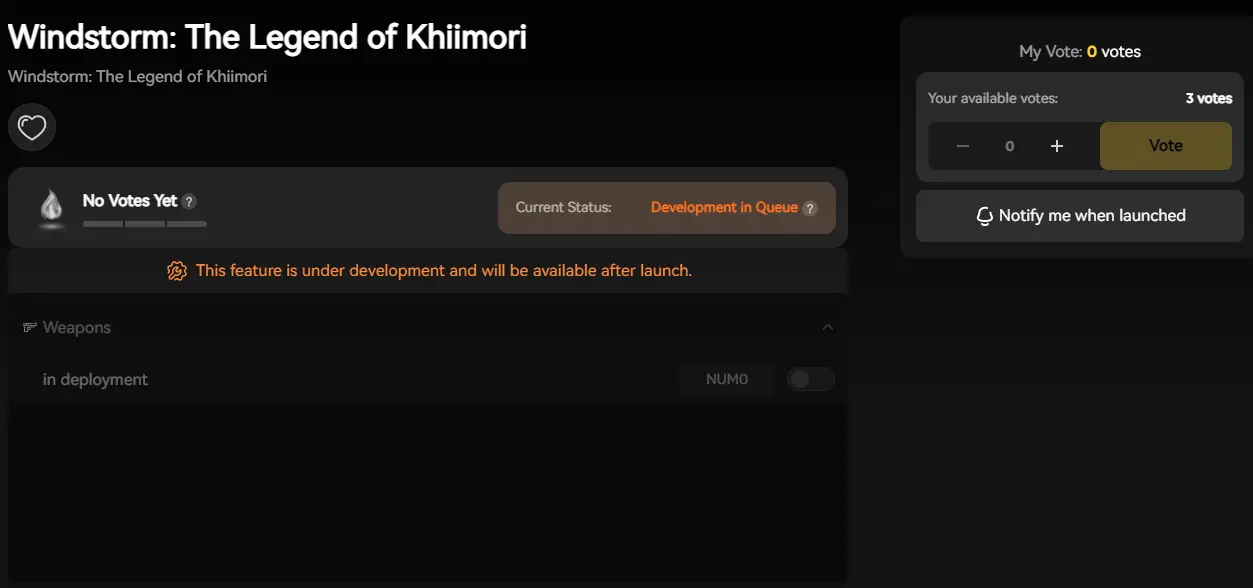
Use sliders to set Infinite Horse Stamina or Max Trust.
Done. No attaching processes, no hex editing, no version matching.
Courier’s Toolkit: Essential Cheats (Stamina & Trust)
Survival mechanics and route planning are great, but sometimes you just want to relax and explore the breathtaking 13th-century landscapes. XMODhub provides the exact tools you need:
- Infinite Horse Stamina
Gallop across the vast Mongolian steppes without ever forcing your trusty companion to slow down. - Max Horse Trust / Bond
Skip the tedious taming grind and instantly build the ultimate connection with rare horse breeds. - Infinite Survival Resources
Never run out of camping supplies or food while delivering cargo in harsh blizzards. - Set Game Speed
Speed up the game to cross empty desert plains faster, or slow it down to take perfect cinematic screenshots.
Game Pass & Windows Store: The Cheat Engine Killer
Playing Windstorm: The Legend of Khiimori on Xbox Game Pass (PC)?
Cheat Engine often fails completely on Windows Store games because the executable files are encrypted and hidden in protected system folders. You cannot “attach” to them easily without breaking your PC’s administrative permissions.
XMODhub is different.
Our engine is built to recognize Game Pass and Windows Store directories natively. We handle the encryption bypass automatically, so your cheats work seamlessly regardless of where you bought the game.
Safety Check: VirusTotal Proof
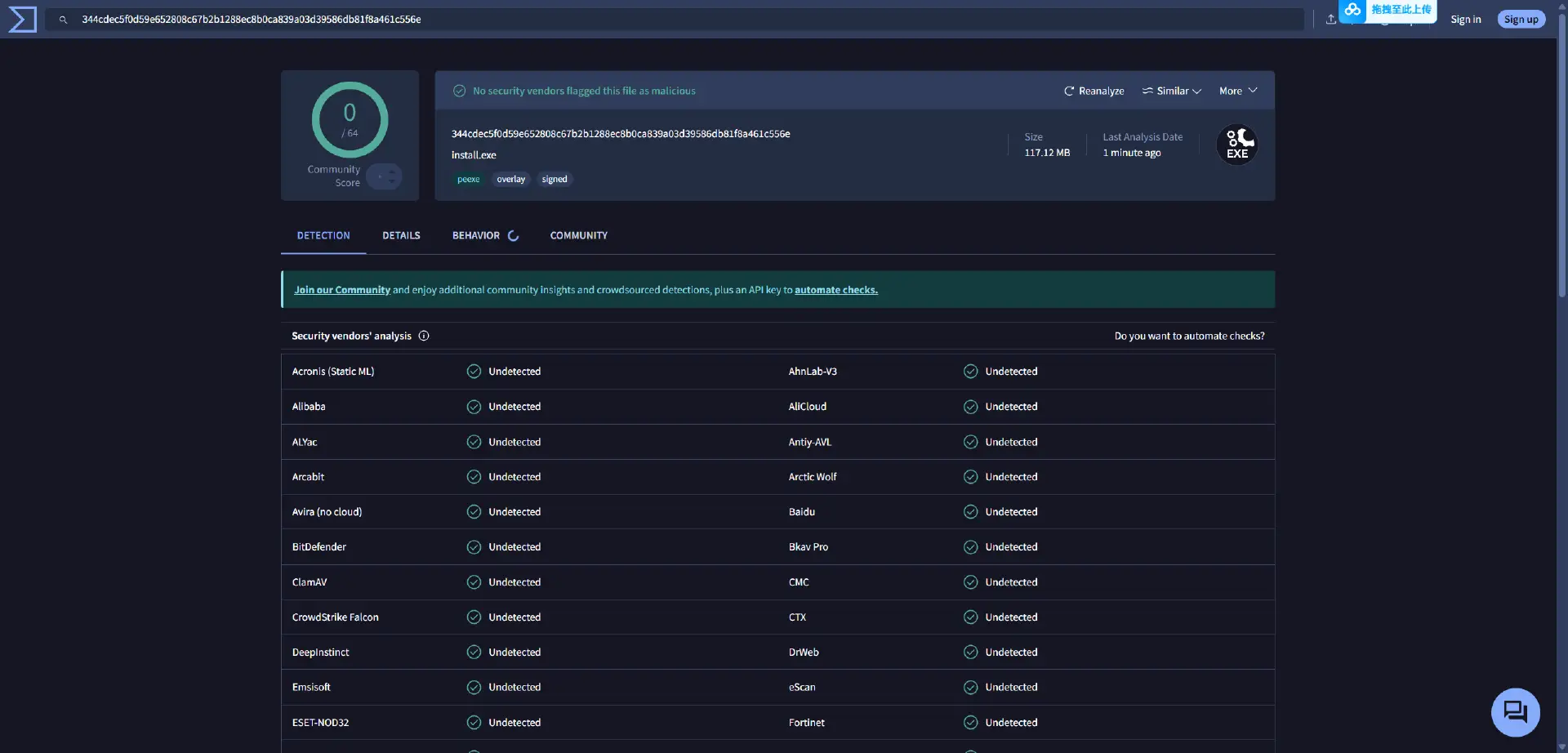
Is XMODhub safe? Yes.
Trainers are often flagged as “False Positives” by Windows Defender because they inject code into the game’s memory (just like a virus, but for a good cause). Unlike random forum files uploaded by strangers, XMODhub is:
- Digitally Signed.
- Bloatware Free.
- Scanned Daily. (Our installer consistently maintains a clean 0/70 record on live VirusTotal scans).
Why XMODhub is the Best WeMod Alternative?
WeMod is the market leader, but XMODhub offers key advantages for Windstorm players searching for a true free alternative:
คำถามที่พบบ่อย
Q: My Windstorm: The Legend of Khiimori Cheat Engine table says “???” on all values.
This means the table is outdated. The memory pointers have changed in the latest patch due to Unreal Engine 5’s dynamic allocation. You must switch to XMODhub or wait for a new table.
Q: Can I use this in Multiplayer?
No. XMODhub is strictly designed for Single Player / Campaign use to ensure a safe, ban-free experience.
Q: How do I fix “Process Not Found” on Game Pass?
As mentioned above, Cheat Engine struggles with Game Pass file encryption. Download XMODhub, which has native Game Pass support to fix this instantly.
สรุป
Stop fighting with broken pointers and encrypted files while trying to survive the Mongolian wilds. Upgrade your gaming experience with the XMODhub Trainer for Windstorm: The Legend of Khiimori. It is the modern, safe alternative that ensures your cheats work—whether you are on Steam, Epic, or Game Pass.
Ride Smarter, Not Harder.
XMODhub supports more than 5000+ games, and also supports similar open-world and equestrian titles like Battle Brothersเอ็กซ์คอม 2Jagged Alliance 3

ฉันเป็นเกมเมอร์และนักเขียนที่มีความหลงใหลที่ XMODhub มุ่งมั่นที่จะนำเสนอข่าวสารเกมล่าสุด เคล็ดลับ และข้อมูลเชิงลึกให้กับคุณ.
ติดต่อฉัน:
โปรไฟล์ LinkedIn ↗

 แนนซี่ มิลเลอร์