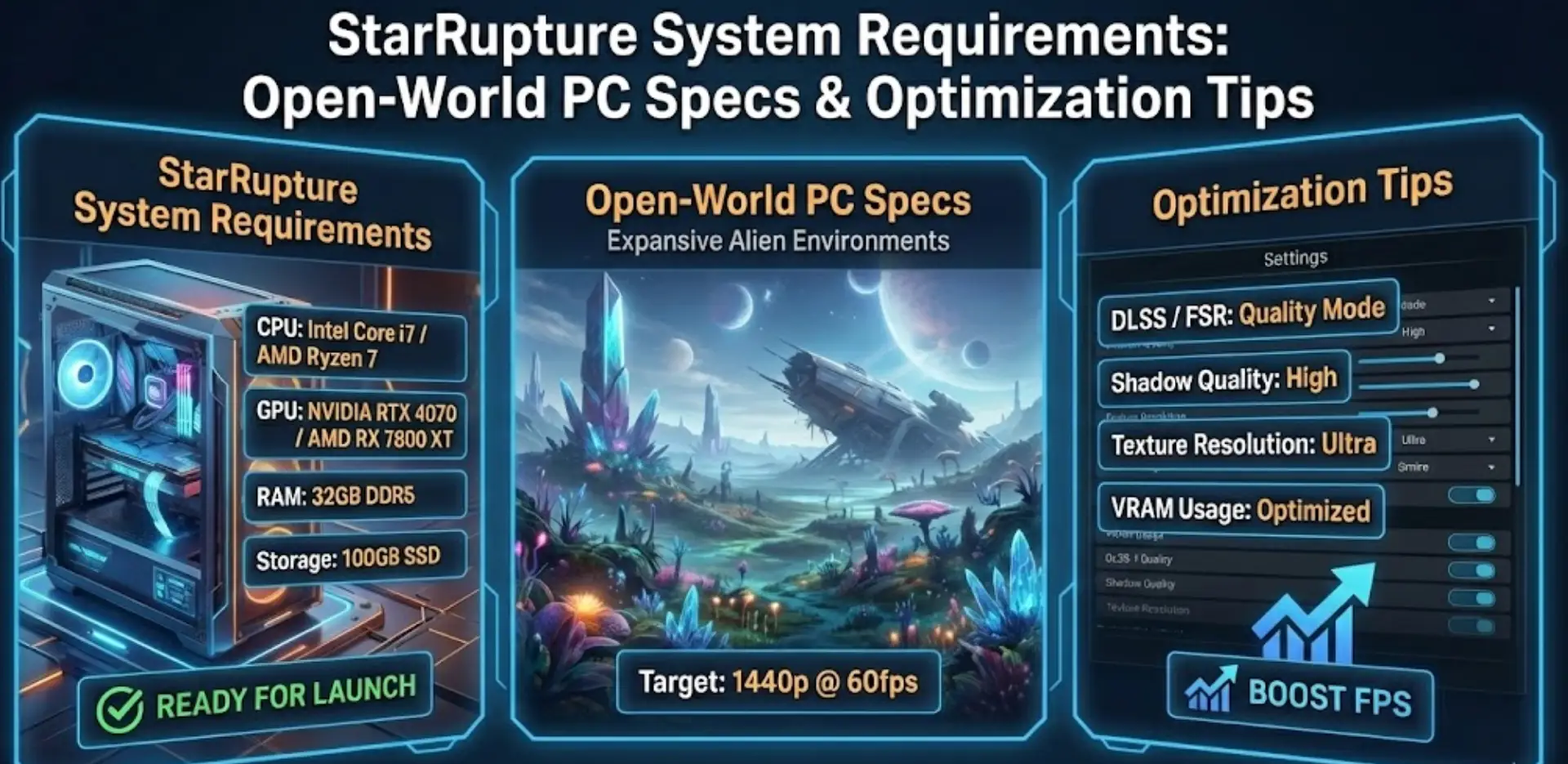
สตาร์รัพเจอร์ is being built in Unreal Engine 5, but does cutting-edge tech mean you need cutting-edge hardware? Mostly.
Featuring an electrifying mix of base building, exploration, combat, mystery, and survival in four-player cooperative play, the game’s procedural world generation and dynamic Ruptura Star effects can surprisingly tax even modern systems. If you’re wondering if your rig can handle Arcadia-7’s harsh conditions—or why you’re experiencing frame drops during alien swarms—this guide covers everything from official specs to real-world optimization tricks.
สรุปอย่างรวดเร็ว (TL;DR)
- กราฟิกการ์ดขั้นต่ำ: RTX 2060 / RX 6600 XT (8GB VRAM) estimated for UE5
- Real-World Reality: The playtest achieved a peak of 6,701 concurrent players revealing performance bottlenecks
- การเก็บรักษา: SSD mandatory for UE5’s asset streaming and open-world traversal
- วิธีแก้ปัญหา FPS ต่ำ: If hardware limits factory building during Ruptura events, XMODhub‘s automation tools reduce gameplay friction
สารบัญ
- Editor’s View: UE5 Demands Real Power
- ข้อกำหนดระบบอย่างเป็นทางการ (ขั้นต่ำ vs. ที่แนะนำ)
- ประสิทธิภาพในโลกจริง: สิ่งที่คุณควรคาดหวังจริง ๆ
- รายการตรวจสอบการเพิ่มประสิทธิภาพ: แก้ปัญหาสะดุดและกระตุก
- อย่างไร XMODhub Compensates for Low-End Hardware
- การแก้ไขปัญหา & คำถามที่พบบ่อย
- สรุป
Editor’s View: “UE5 is Beautiful, But Demanding”
Catherine Hu | Survival Game Specialist and Game Writer at XMODhub
“I participated in the playtest that drew over 158,000 players and tested on both RTX 4070 and GTX 1660 Ti setups. On the 4070, Arcadia-7 looked stunning with full Lumen lighting. On the 1660 Ti? Barely playable at 1080p medium settings.
The planet’s cycle of destruction caused by its titular star creates elemental cataclysms of extreme heat and cold. When Ruptura events triggered with screen-wide particle effects while defending my base against alien hordes, frame rate tanked to 25 FPS on the older GPU. In a game demanding quick factory management and combat reactions, this stutter is brutal. Don’t trust ‘minimum’ specs for UE5 games—they mean ‘technically boots,’ not ‘playable.'”
ข้อกำหนดระบบอย่างเป็นทางการ
While Creepy Jar hasn’t released final specs, based on Unreal Engine 5 standards and the recent playtest, here’s the realistic breakdown:
Minimum Specs (30 FPS Solo, Low Settings):
- ระบบปฏิบัติการ: Windows 10 (64 บิต)
- โปรเซสเซอร์: Intel Core i5-8400 / AMD Ryzen 5 2600
- ความทรงจำ: แรม 16 GB
- กราฟิก: NVIDIA RTX 2060 / AMD RX 6600 XT (8GB VRAM)
- DirectX: เวอร์ชัน 12
- การเก็บรักษา: 60 GB SSD required
Recommended Specs (60 FPS 4-Player Co-op, High Settings):
- ระบบปฏิบัติการ: Windows 10/11 (64 บิต)
- โปรเซสเซอร์: Intel Core i7-10700K / AMD Ryzen 7 3700X
- ความทรงจำ: 32 GB RAM
- กราฟิก: NVIDIA RTX 3070 / AMD RX 6800 XT (12GB VRAM)
- DirectX: เวอร์ชัน 12
- การเก็บรักษา: 80 GB SSD (NVMe recommended)
หมายเหตุ: The game supports both solo and cooperative play for up to four players, meaning hosting requires extra CPU/RAM overhead.
ประสิทธิภาพในโลกจริง: สิ่งที่คุณควรคาดหวังจริง ๆ
Why does an indie game need high specs?
StarRupture’s performance demands come from specific UE5 features:
Lumen Global Illumination:
The game showcases an otherworldly and breathtaking sci-fi environment using real-time lighting. This UE5 feature requires RTX/RDNA 2 GPUs for acceptable frame rates. Older cards lack hardware acceleration for ray-traced reflections.
Open-World Asset Streaming:
Players search, harvest, process, and build toward a complex industrial system across expansive biomes. UE5’s Nanite technology streams billions of polygons dynamically—HDDs cause constant hitching.
Ruptura Event Particle Loads:
Players must contend with Ruptura, the volatile star that sustains—and threatens—life on the planet. When cataclysms trigger, screen-filling particle effects (fire storms, freezing winds) overwhelm older GPUs.
Co-op Network Overhead:
Four-player cooperative play requires the host to process factory automation, alien AI, and player synchronization simultaneously. CPU bottlenecks cause rubber-banding.
รายการตรวจสอบการเพิ่มประสิทธิภาพ: แก้ปัญหาสะดุดและกระตุก
If experiencing performance issues during the January 6 launch, try these steps:
1. Enable DirectX 12:
Ensure the game launches with DX12, not DX11. Right-click in Steam library > Properties > Launch Options > add -dx12
2. Disable Ray Tracing (if struggling):
UE5’s Lumen can run in “Software Mode” without RTX cards, but it’s expensive. Lower lighting quality to “Medium” in settings.
3. Cap Frame Rate:
Use NVIDIA Control Panel or AMD Software to cap FPS at 60. Prevents GPU overheating and maintains stable performance during Ruptura events.
4. Upgrade to NVMe SSD:
The constantly reborn dangerous world torn apart by repeated cataclysms requires fast asset loading. SATA SSDs work, but NVMe eliminates stutter entirely.
5. Close Unnecessary Programs:
Processing, building, and defending industrial complexes demands CPU resources. Close Discord, browsers, and background apps before hosting co-op.
6. Lower View Distance:
In open-world games, reducing terrain rendering distance frees GPU memory for factory automation and combat particle effects.
อย่างไร XMODhub Compensates for Low-End Hardware
Don’t let frame drops during Ruptura events destroy hours of factory progress.
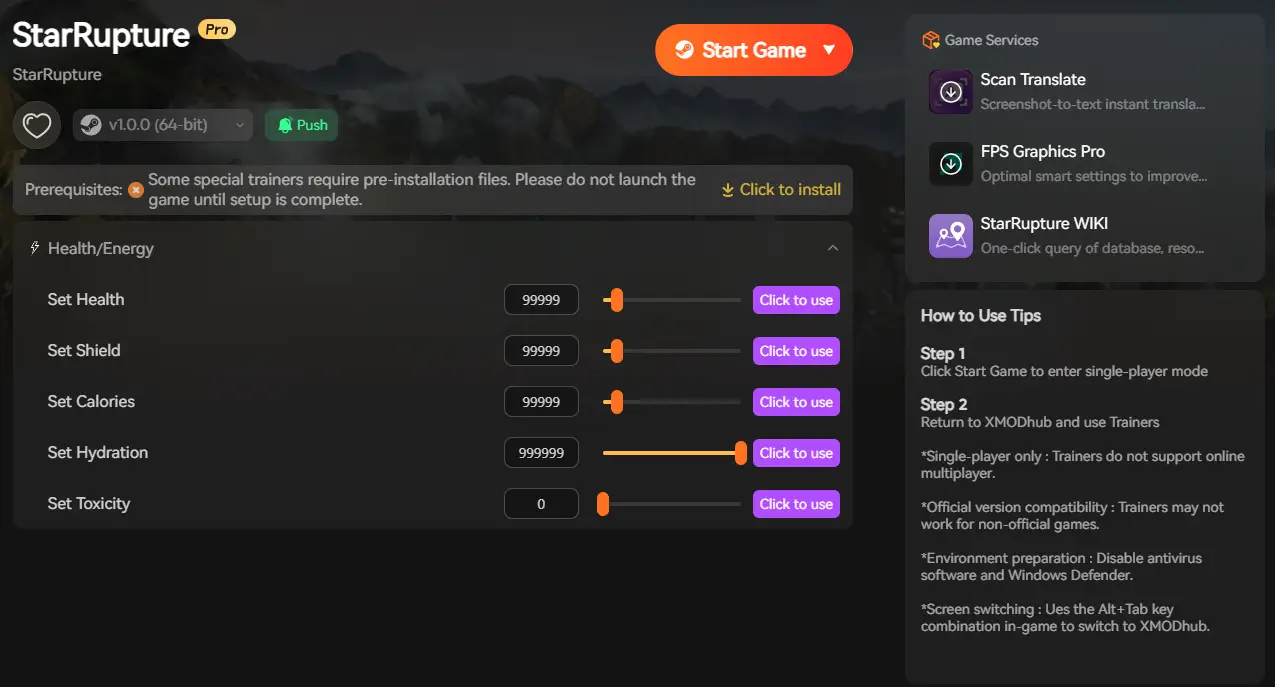
XMODhub acts as a performance buffer for struggling PCs:
- Bypass Lag: Stuttery gameplay making gathering tedious? Use Infinite Materials to skip the grind and focus on design.
- Combat Assist: Low FPS causing missed shots? โหมดพระเจ้า ensures you survive graphic-intensive alien hordes.
- Instant Progression: If lag slows down your tech tree grind, Instant Unlocks keep the game moving.
- Crash Prevention: Particle effects overwhelming your GPU? Use Event Timers to delay chaotic storms and extend safe building periods.
การแก้ไขปัญหา & คำถามที่พบบ่อย
Q: Can I run StarRupture on GTX 1060?
A: Technically possible at 720p lowest settings, but UE5’s Lumen won’t run smoothly. The breathtaking sci-fi environment loses its visual appeal without proper hardware.
Q: Why does co-op lag more than solo?
A: Four-player cooperation mode requires the host to process network packets, AI computations, and factory automation simultaneously. Ensure the player with best CPU hosts.
Q: Is 16GB RAM enough?
A: For solo play, yes. For hosting 4-player co-op with large factories, 32GB prevents memory bottlenecks as UE5 caches assets aggressively.
Q: What about Steam Deck compatibility?
A: สตาร์รัพเจอร์ is an open-world base-building game with complex controls. While UE5 supports Linux, expect 30 FPS at 800p with compromised visuals.
Conclusion: Next-Gen Survival Needs Next-Gen Hardware
StarRupture tasks players with building factories and gathering resources on Arcadia-7 where danger lurks at every turn. The game deserves smooth performance for its industrial systems and survival mechanics.
Being built in Unreal Engine 5 means realistic expectations: RTX 2060/RX 6600 XT minimum for playable frame rates, RTX 3070+ for comfortable 60 FPS during Ruptura cataclysms.
Follow our optimization checklist, ensure an NVMe SSD is installed, and if hardware still limits your factory-building ambitions—XMODhub is there to reduce survival friction with automation and resource management tools.
ฉันเป็นเกมเมอร์และนักเขียนที่มีความหลงใหลที่ XMODhub มุ่งมั่นที่จะนำเสนอข่าวสารเกมล่าสุด เคล็ดลับ และข้อมูลเชิงลึกให้กับคุณ.
ติดต่อฉัน:
โปรไฟล์ LinkedIn ↗

 แคทเธอรีน ฮู

 แนนซี่ มิลเลอร์