สรุป: Spooky Milk Life System Requirements: Complete Guide details the game’s minimum and recommended PC specs, helping players ensure smooth performance and optimal gameplay.
Spooky Milk Life has quickly gained attention as a quirky yet engaging adventure that blends humor, exploration, and creativity.
Before diving in, it’s important to understand the system requirements, especially if you’re wondering whether your PC can handle the game.
This guide covers the minimum and recommended specs, explores whether low-end PCs can run Spooky Milk Life, and answers common performance questions.
We’ll also share how tools like เอ็กซ์เอ็มโอดี can optimize your setup and enhance the overall experience, ensuring you get the most out of your spooky adventure.
สารบัญ
- คือ ชีวิตสุดหลอนกับนมผี?
- System Requirements for ชีวิตสุดหลอนกับนมผี: Minimum and Recommended
- Can You Run ชีวิตสุดหลอนกับนมผี on a Low-End PC?
- Can My PC Run ชีวิตสุดหลอนกับนมผี?
- How to Enhance Gameplay Experience with XMOD?
- สรุป
What is Spooky Milk Life?
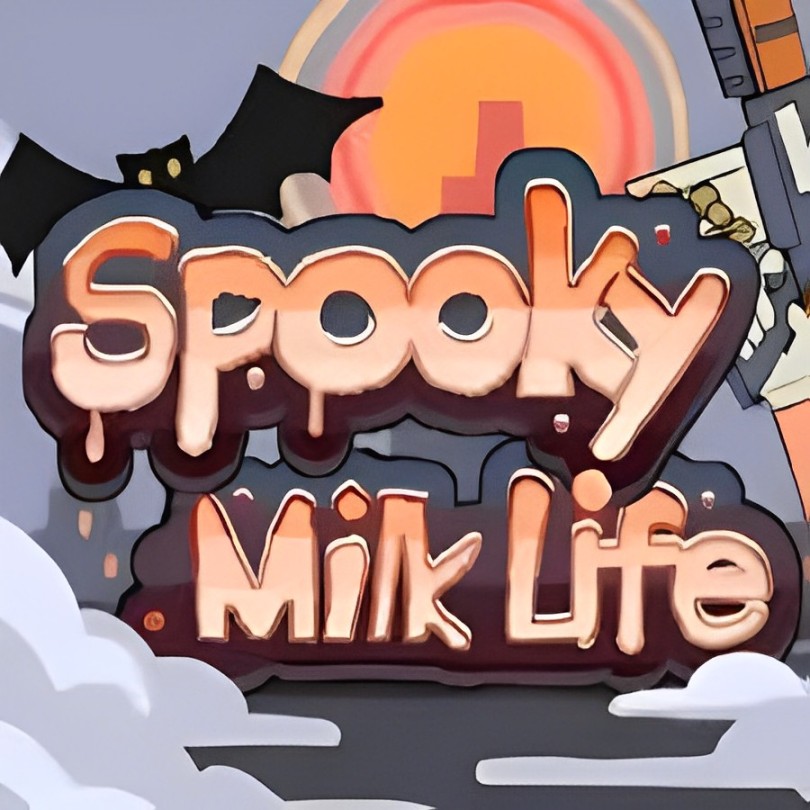
ชีวิตสุดหลอนกับนมผี is an indie adventure game developed by Studio Ginkgo and MangoMango. Set in the eerie town of Midnight Falls, players embark on a point-and-click journey to uncover the mystery behind their father’s sudden disappearance. The game combines elements of exploration, puzzle-solving, and turn-based combat within procedurally generated dungeons, ensuring a unique experience with each playthrough.
Featuring a distinctive art style with Spine animations, ชีวิตสุดหลอนกับนมผี introduces players to a cast of intriguing characters and a narrative filled with supernatural twists. The game is currently available on platforms like Steam and Itch.io, offering both Windows and macOS versions.
System Requirements for Spooky Milk Life: Minimum and Recommended
Before diving into the eerie adventures of ชีวิตสุดหลอนกับนมผี, it’s important to know if your PC can handle the game. Below are the minimum system requirements to get started:
ข้อกำหนดขั้นต่ำ
- Operating System: Windows 7 (SP1+) or Windows 10
- โปรเซสเซอร์: 1.2+ GHz with SSE2 support
- ความทรงจำ: 2 GB RAM
- กราฟิก: DX10 compatible GPU (Shader Model 4.0)
- DirectX: Version 10
- การเก็บรักษา: 4 GB available space
Meeting these specs will allow you to run the game, though performance may vary depending on resolution and settings.
Recommended Requirements
While the developer hasn’t officially published recommended specs, a mid-range PC with 4 GB RAM, a DirectX 11/12 GPU, and a modern processor will help ensure smoother gameplay, especially if you plan to use mods or higher resolution settings.
With these requirements in mind, you can better prepare your system to enjoy the full experience of ชีวิตสุดหลอนกับนมผี.
Can You Run Spooky Milk Life on a Low-End PC?
Yes, ชีวิตสุดหลอนกับนมผี is relatively lightweight and can run on low-end PCs, thanks to its modest minimum requirements. Here’s what you need to know:
- โปรเซสเซอร์: Any CPU above 1.2 GHz with SSE2 support should be sufficient. Even older dual-core CPUs can handle the game.
- ความทรงจำ: 2 GB of RAM is enough to run the base game, though having 4 GB or more will improve stability and multitasking.
- กราฟิก: A DirectX 10-compatible GPU (Shader Model 4.0) is required. Integrated graphics from recent Intel or AMD CPUs may suffice at lower resolutions.
- การเก็บรักษา: With only 4 GB of required space, almost any modern PC has enough room for the game.
Tips for smoother performance on low-end systems:
- Lower the game’s resolution and graphics settings.
- Close background applications while playing.
- Ensure your graphics drivers are up to date.
With these adjustments, even PCs that barely meet the minimum requirements can enjoy the spooky adventure without major issues.
Can My PC Run Spooky Milk Life?

Wondering if your computer can handle the spooky adventure? Here’s a simple way to check:
Compare Your Specs:
Open your PC’s system information and compare your CPU, RAM, and GPU against ชีวิตสุดหลอนกับนมผี’s minimum requirements:
-
- CPU: 1.2+ GHz with SSE2 support
- RAM: 2 GB
- GPU: DirectX 10-compatible (Shader Model 4.0)
- Storage: 4 GB free space
Use Online Tools:
Websites like Can You Run It allow you to quickly check if your PC meets the game’s requirements.
Consider Upgrades or Optimizations:
If your PC meets the minimum specs but struggles, you can:
-
- Lower resolution and graphics settings
- Close background apps to free up memory
- Update GPU drivers
By following these steps, you can easily determine whether ชีวิตสุดหลอนกับนมผี will run smoothly on your PC and make adjustments for the best experience.
How to Enhance Gameplay Experience with XMOD?
การใช้ เอ็กซ์เอ็มโอดี, you can make ชีวิตสุดหลอนกับนมผี more enjoyable, smoother, and customizable. Here’s how it helps:
- การเพิ่มประสิทธิภาพการทำงาน – Adjust graphics, frame rates, and gameplay settings beyond the default options to ensure smooth performance on any PC.
- Easy Mod Management – Install, update, and uninstall mods with one click. XMOD simplifies managing multiple mods and ensures compatibility.
- Gameplay Customization – Add new mechanics, visual effects, quality-of-life features, and accessibility options to tailor the game to your preferences.
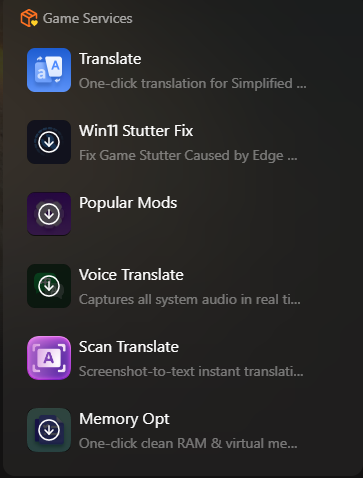
- Safe Modding – XMOD verifies mods for compatibility, reducing crashes or conflicts with game updates.
- Cross-Game Support – XMOD works with thousands of PC games, letting you manage mods across your library from a single platform.
By leveraging XMOD, you can enhance visuals, expand gameplay possibilities, and enjoy a more personalized experience in ชีวิตสุดหลอนกับนมผี without risking stability or performance.
สรุป
ชีวิตสุดหลอนกับนมผี offers a unique indie adventure full of mystery, puzzles, and turn-based combat, set in the eerie town of Mid Night Falls. Ensuring your PC meets the system requirements is essential for smooth gameplay, while tools like เอ็กซ์เอ็มโอดี can further enhance performance, customize visuals, and expand gameplay options. Whether you’re on a low-end PC or a high-performance setup, XMOD helps you get the most out of the game safely and efficiently. Dive into the adventure, optimize your experience, and enjoy all the spooky twists ชีวิตสุดหลอนกับนมผี has to offer.
ฉันเป็นเกมเมอร์และนักเขียนที่มีความหลงใหลที่ XMODhub มุ่งมั่นที่จะนำเสนอข่าวสารเกมล่าสุด เคล็ดลับ และข้อมูลเชิงลึกให้กับคุณ.
ติดต่อฉัน:
โปรไฟล์ LinkedIn ↗

 แคทเธอรีน ฮู

 แนนซี่ มิลเลอร์

