
 แคทเธอรีน ฮู
A black screen immediately upon launching โนวา โรมา or loading into your city is usually caused by the Unity Engine failing to transition from the initial loading phase to the real-time 3D simulation. To fix this instantly, press Alt + Enter during the black screen to force Windowed Mode, disable the Steam Overlay, or delete your corrupted shader cache in the LocalLow folder.
You just fired up the game, ready to manage your citizens and build a thriving new Rome. The initial logos appear, the screen fades to black to hand control over to the main menu or your save file… and it stays black. You might hear the ambient sounds of the ocean, the UI clicking, or the bustling of early settlers, but your monitor is completely dark.
Getting stuck on a black screen with audio right at the start of your gaming session is a massive buzzkill. In this guide, we will walk you through the exact steps to fix this specific Unity Engine rendering crash and get your empire started.
Editor’s View: The Unity Engine Startup Bug
“I ran into this exact same issue during the launch week of Cities: Skylines II on PC, which, like โนวา โรมา, relies heavily on massive CPU and GPU calculations right out of the gate. These city-builders load incredibly complex water simulations, terrain data, and citizen pathfinding the second the loading screen drops.”
“If your Unity render thread hangs for even a millisecond, it crashes, leaving you in the dark while the environmental audio keeps playing. It is frustrating, but clearing the Unity cache fixed it for me permanently.”
Method 1: The Alt + Enter Workaround (Windowed Mode)
The absolute fastest way to jolt the Unity Engine back to life is forcing a display refresh. Sometimes, the game gets confused about your monitor’s native resolution or HDR settings right as the game tries to render the 3D environment.
- When the game launches or finishes loading and the screen goes black, do not close the game immediately.
- สื่อมวลชน Alt + Enter on your keyboard simultaneously.
- This forces the game out of Exclusive Fullscreen and into Windowed Mode.
- In 80% of cases, the graphics engine will instantly snap back, and you will see your Town Center and starting citizens.
- Once you can see the game, go into your Graphics Settings and change the display mode back to Borderless Windowed to prevent it from happening again.
Method 2: Delete the Unity Shader Cache
If forcing windowed mode does not work, your pipeline cache might be corrupted. The game is trying to load 3D terrain and water assets that compiled incorrectly during a previous launch or update. You need to force the game to rebuild them.
How to clear the cache:
- Close the game completely.
- กด ปุ่ม Windows + R to open the Run dialog box.
- ประเภท
%userprofile%\AppData\LocalLowand press Enter. - เลื่อนลงและเปิด Lion Shield folder, then open the โนวา โรมา โฟลเดอร์.
- Look for the Unity cache folder or any files ending in
.binrelated to shaders, and delete them. - Launch the game again. It will take a few extra minutes on the startup screen to compile shaders. Let it finish completely before loading your city.
Method 3: Disable Overlays & Background Recorders
Unity is notoriously sensitive to third-party applications trying to inject code or record the screen during heavy loading sequences. If an overlay tries to pop up a notification right as the game starts, it can cause a black screen deadlock.
Turn these off before launching:
- Steam / Epic Games Overlay: Right-click the game in your library, go to Properties, and toggle the overlay off.
- Discord In-Game Overlay: Found in Discord Settings under Game Overlay.
- GeForce Experience / AMD ReLive: Turn off instant replay or background recording features, as they often struggle with the heavy resource spike during the game’s startup phase.
Method 4: Windows Media Feature Pack Fix (For Windows N Users)
Are you using a Windows “N” or “KN” version? These specialized versions of Windows lack the native media playback codecs required to decode the game’s startup studio logos and background menu animations properly. The game crashes silently in the background because it cannot process the video file handover to the main engine.
How to fix it:
- Click the Windows Start Button and go to Settings > Apps > Optional Features.
- คลิก Add a feature.
- ค้นหา Media Feature Pack and install it.
- Restart your PC and launch the game.
The Ultimate Workaround: Bypass Bugs with XMODhub
If you have tried updating your drivers, clearing your cache, and messing with display settings, but your game is still trapped in a permanent black screen loop upon launch, you are in a tough spot.
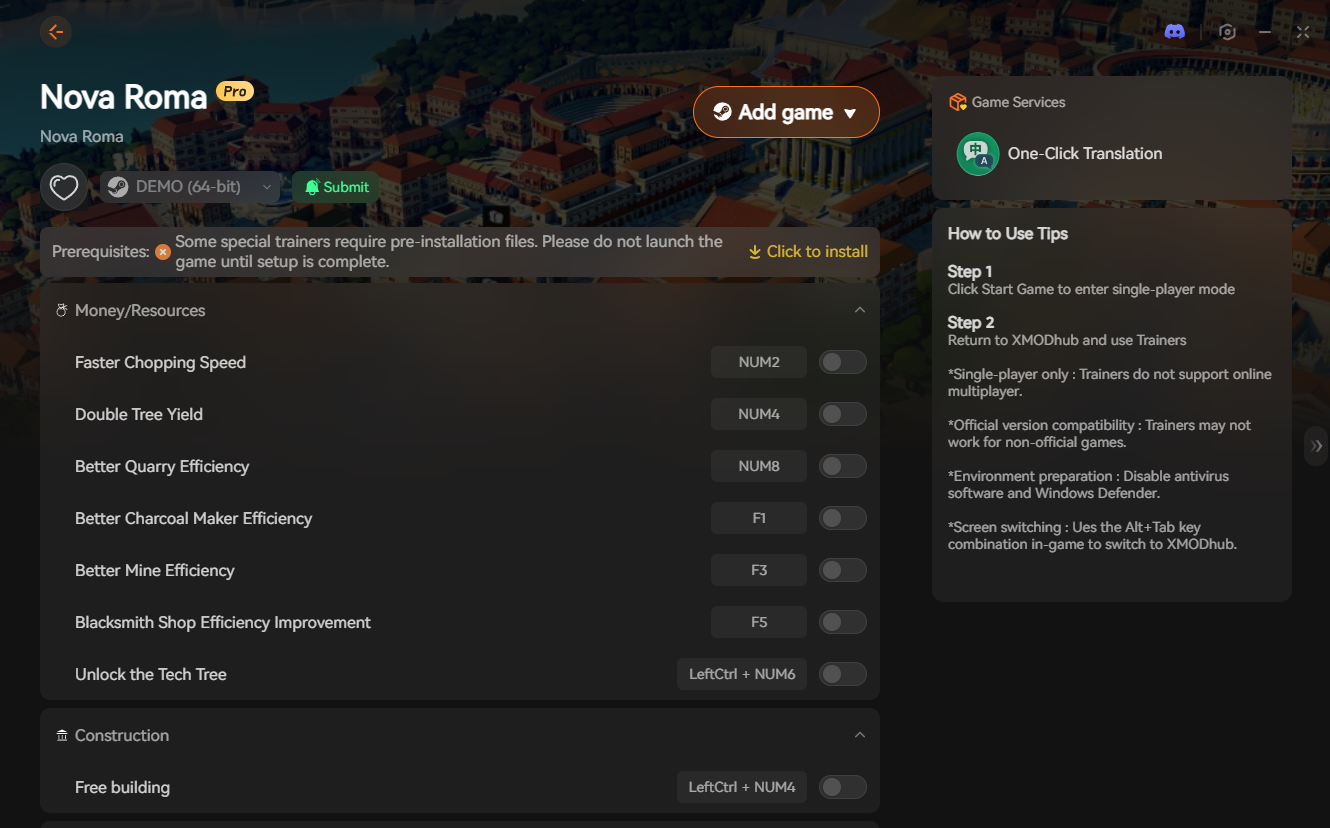
Because Nova Roma does not have an exposed native developer console, you cannot simply press a key and type a command to force a hard reload or bypass the bugged loading state. When the game engine fails you, the XMODhub PC Client gives you the power to force your way through technical hurdles.
How XMODhub Gets You Playing:
- Save Manager & Clean Starts: Our community uploads verified, clean save files. If your current city file is corrupted and causing the black screen, use our Save Manager to instantly inject a stable save file into your directory, allowing you to load into a functional game state.
- Speedhack Engine: Sometimes, the Unity engine just needs a push. Use the XMODhub Speedhack tool to slow the game’s processing speed down to 0.1x right as the game launches. This gives your GPU plenty of time to load the complex water physics and terrain assets without timing out and causing a black screen.
- Auto-Bypass: Start the game directly through our customized launcher to automatically suppress conflicting background processes that the Unity engine hates.
How to Get Started:
- Download XMODhub: Grab the secure PC client directly from our official site.

- Auto-Detect: Launch the app, and it will instantly map out your Nova Roma installation and local save paths.
- Inject or Adjust: Navigate to the Nova Roma dashboard to manage your save files or toggle the Speedhack tool to safely bypass the startup crash.
Frequently Asked Questions (FAQ)
Q: Why can I hear audio but the screen is completely black?
A: This happens when the graphics rendering thread crashes, but the core game logic and audio threads are still running. Your PC is technically running the city simulation in the background, but the GPU has stopped drawing new frames on your monitor.
Q: Will using a downloaded save file disable my Epic Games or Steam Achievements?
A: No. Using the XMODhub Save Manager to load a clean save file to bypass a black screen loop will not disable your ability to earn achievements for the rest of your playthrough.
Q: Does verifying game files fix the black screen?
A: Sometimes. If any core engine files or startup videos were corrupted during the initial download or a recent patch, verifying your files will replace them. It is always a good secondary step if clearing your shader cache fails.
สรุป
Staring at a black screen while listening to your citizens walk around in the dark is not the grand strategic experience Lion Shield intended. The massive simulation environments with dynamic weather and water are a huge stress test for your GPU right from the launch screen. By using the Alt+Enter trick, clearing your Unity cache, and disabling aggressive overlays, you can usually push past the bottleneck.
If the game simply refuses to cooperate with your hardware, don’t waste hours fighting with hidden Windows settings. The XMODhub PC Client provides a frustration-free bypass, letting you force the engine to load properly and get straight to expanding your Roman metropolis.
Think Bigger: XMODhub is the ultimate gaming companion. With native support for over 5,000 titles, we provide more than just crash fixes.
Whether you need a Visual Spawner for Nova Roma to instantly grant yourself marble and denarii, interactive maps to track your aqueducts, or real-time translation tools for imported games, our platform unifies your PC gaming experience.

ฉันเป็นเกมเมอร์และนักเขียนที่มีความหลงใหลที่ XMODhub มุ่งมั่นที่จะนำเสนอข่าวสารเกมล่าสุด เคล็ดลับ และข้อมูลเชิงลึกให้กับคุณ.
ติดต่อฉัน:
โปรไฟล์ LinkedIn ↗
 แนนซี่ มิลเลอร์