
 แคทเธอรีน ฮู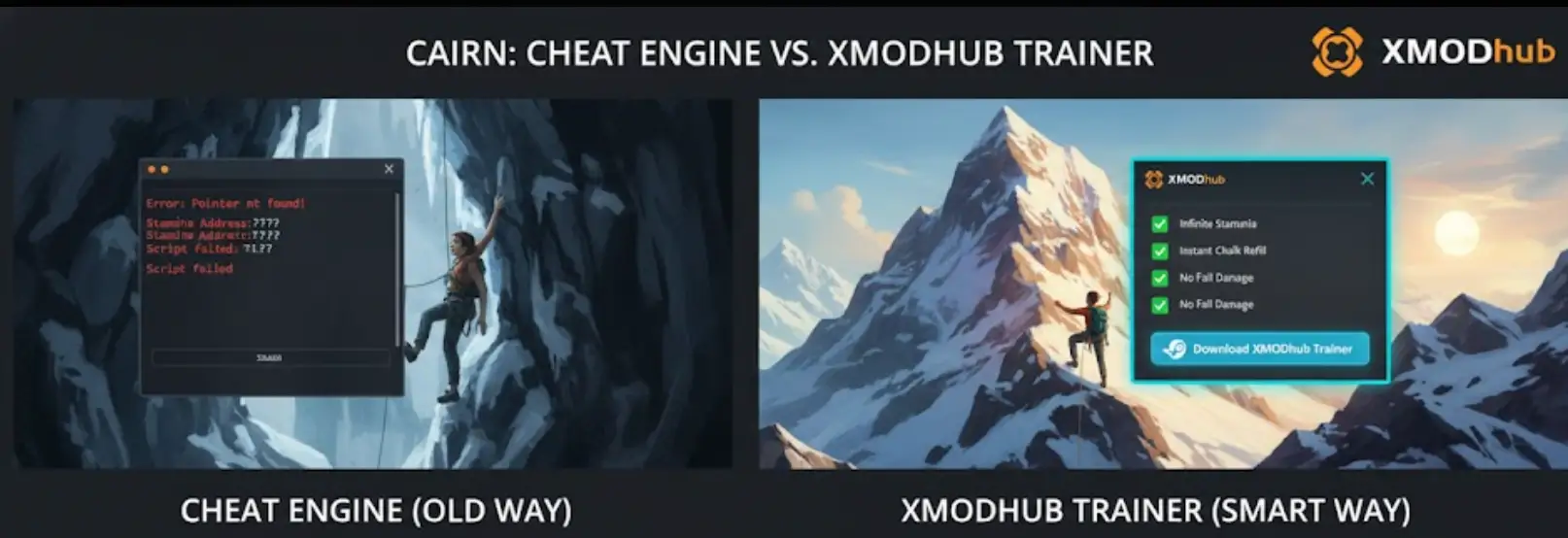
You have spent the last 20 minutes scouring forums for a working Cairn Cheat Engine table (.ct file). You finally found one, loaded it up, and… it says “???” on all values or, worse, your climber Aava suddenly clips through the mountain and falls into the abyss.
The era of manually searching for memory addresses and risking save corruption in a high-stakes climbing sim is over.
Today, we break down why the XMODhub เทรนเนอร์ is the safer, smarter evolution of Cheat Engine for ไครน์ players on Steam and Game Pass.
Editor’s View: The “Update” Nightmare
“I used to love Cheat Engine. But when ไครน์ released the ‘Verticality Patch’ yesterday, every single script in my CT table broke. I had to wait days for a forum update while my progress was stalled.
With XMODhub, the app detected the patch and syncs the new offsets from the cloud in seconds. It’s the difference between playing the game and debugging it.”
— Catherine Hu, Software Analyst at XMODhub
At a Glance: XMODhub vs. Cheat Engine Table
The “Hard Way”: How to Use a Cheat Engine Table
If you insist on using the old-school method, here is the risky process:
- Download and install Cheat Engine (Avoid the bundled ‘offers’).
- Find a .ct file on a forum that matches your exact game version (e.g., v1.0.8).
- Launch Cairn.
- Open Cheat Engine, attach to
Cairn-Win64-Shipping.exe. - Load the table and cross your fingers that the “Stamina” pointer isn’t pointing to a “NULL” value.
Why Cairn’s Pointers Frequently Break
Unlike static RPGs, Cairn uses a procedural physics engine. Memory addresses for Stamina, Chalk Levels, and Rope Tension are allocated dynamically every time Aava starts a new climb. Static Cheat Engine tables often fail to find these “shifting” addresses.
XMODhub uses advanced signature scanning that identifies the logic behind the code, not just the address, ensuring stability even after small hotfixes.
The “Easy Way”: Using XMODhub
Compare the complexity above to the XMODhub experience:
- Download and Launch XMODhub.

- Search Cairn.

- คลิก “เล่น”.
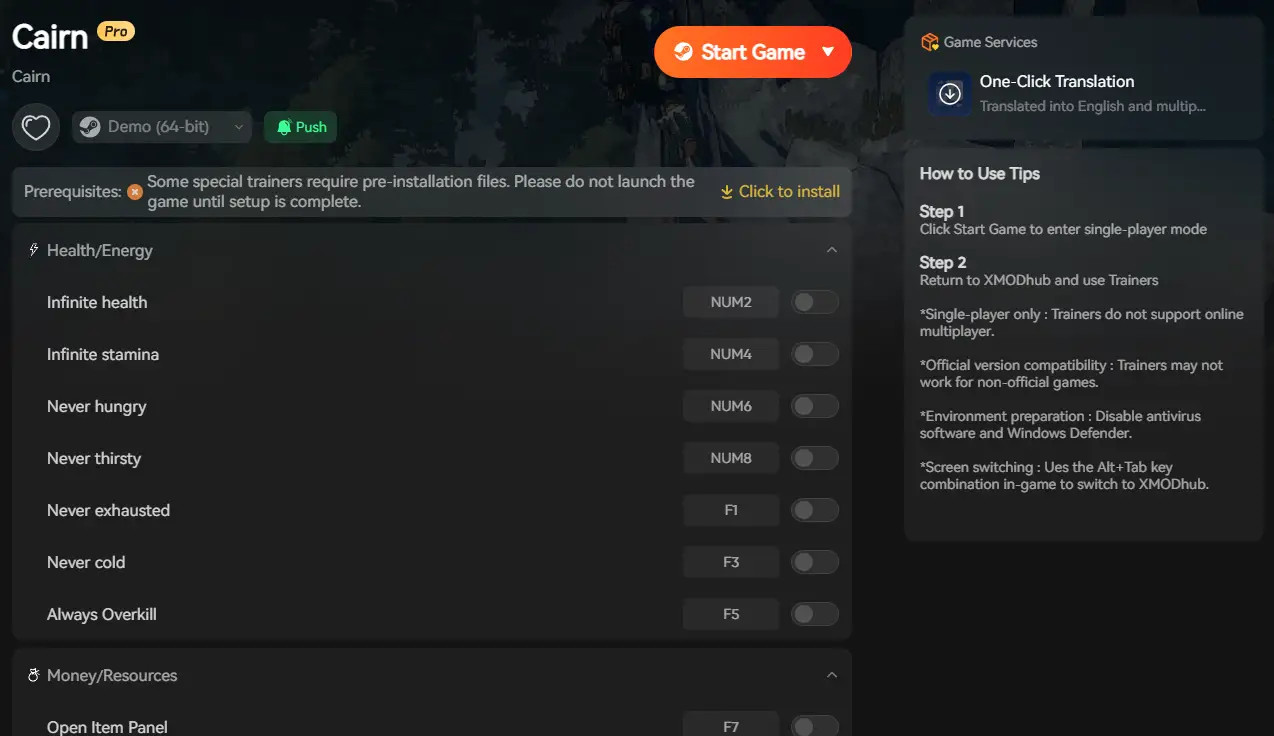
- Toggle Infinite Stamina or Instant Chalk.
- Done. No manual attaching, no “Process Not Found” errors.
Game Pass & Windows Store: The Cheat Engine Killer
Playing Cairn on Xbox Game Pass (PC)?
Cheat Engine often fails on Windows Store games because the .exe files are encrypted in hidden, protected folders (WindowsApps). You cannot “attach” to them easily without complex permission hacks.
XMODhub recognizes Game Pass directories natively. We handle the encryption bypass, so your cheats work whether you are on Steam, Epic, or Game Pass.
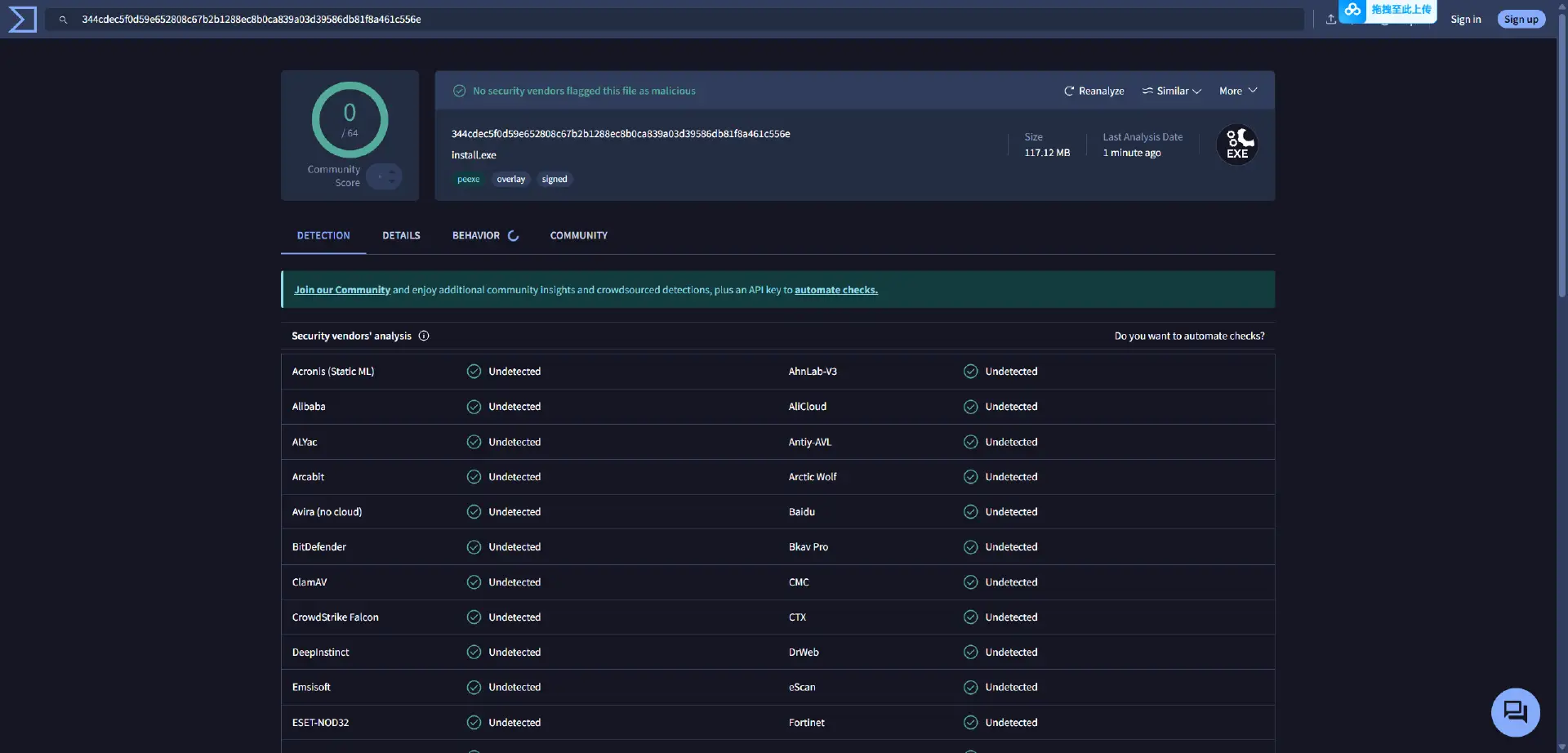
Safety Check: VirusTotal Proof
Is XMODhub safe? Yes.
Traditional .ct files from forums are unverified and can contain malicious macros. XMODhub is:
- Digitally Signed by a trusted developer.
- Clean of Bloatware.
- Scanned Daily to ensure no false positives or real threats.
Alternative to WeMod: Why XMODhub Wins for Cairn
While WeMod is a popular choice, XMODhub offers specific advantages for the climbing community:
- Free Mobile Remote: Toggle “No Fatigue” from your phone while both hands are busy with the keyboard/controller climbing—without a Pro subscription.
- Lightweight Engine: XMODhub uses 40% less CPU/RAM, crucial for maintaining high FPS in Cairn’s physics-heavy environments.
คำถามที่พบบ่อย
Q: My Cairn Cheat Engine table shows “???” values.
A: This means your game version is newer than the table. The memory pointers have moved. Switch to XMODhub for an auto-updating solution.
Q: Can I use XMODhub in the ‘Expedition’ leaderboards?
A: No. We strictly support Single Player use. Cheating on leaderboards will lead to a ban.
Q: Does XMODhub support the Steam Deck?
A: Yes! XMODhub is compatible with Proton-based environments, allowing you to take your cheats on the mountain, anywhere.
สรุป
Stop fighting with broken pointers and outdated .ct files. Upgrade your experience with the XMODhub Trainer for Cairn. It is the modern, safe alternative that ensures your cheats work—whether you are on Steam, Epic, or Game Pass.
Cheat Smarter, Not Harder.

ฉันเป็นเกมเมอร์และนักเขียนที่มีความหลงใหลที่ XMODhub มุ่งมั่นที่จะนำเสนอข่าวสารเกมล่าสุด เคล็ดลับ และข้อมูลเชิงลึกให้กับคุณ.
ติดต่อฉัน:
โปรไฟล์ LinkedIn ↗

 แนนซี่ มิลเลอร์

