
 แคทเธอรีน ฮู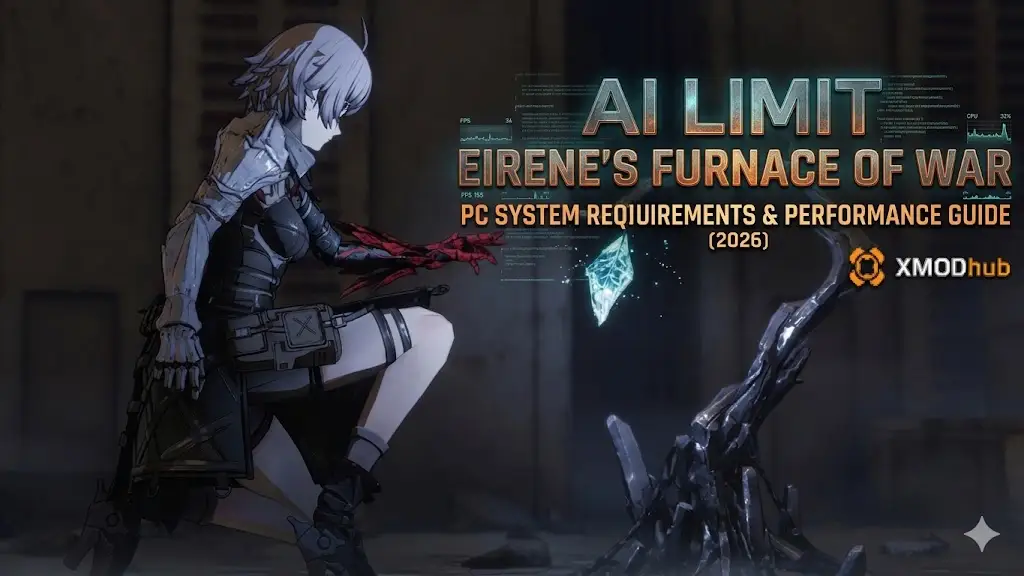
Eirene’s Furnace of War launched on March 27, 2026 — the first DLC for AI LIMIT, sending Blader Arrisa into the Temple of War to face the Warfare Bishop’s trials. It adds reworked returning bosses with entirely new mechanics, a new area, a boss rush mode, and expanded Seals and Spells. The base game already holds a 92% “Very Positive” rating on Steam, and this DLC is built to challenge players who earned that opinion the hard way.
Performance matters differently here than in a standard action game. The Furnace Arena’s boss rush runs without loading breaks between encounters, and Arrisa’s Sync Rate system means frame inconsistency during a deflect window translates directly into failed runs. Stable 60 FPS is not a luxury — it is the baseline.
 คุณอาจสนใจ:
⚡ สรุปอย่างรวดเร็ว (TL;DR)
➤กราฟิกการ์ดขั้นต่ำ: GTX 1060 6GB / Radeon RX 580 8GB
➤แนะนำ GPU: RTX 3060 8GB / Radeon RX 5700 XT
➤RAM: 12 GB minimum, 16 GB recommended
➤การเก็บรักษา: 30 GB total — HDD supported at minimum, SSD required at recommended
➤Key Note: Stable 60 FPS is critical for deflect timing in the Furnace Arena — frame drops during attack windows are a gameplay problem, not just a visual one
➤For boss wall frustration: XMODhub’s HP lock and Sync Rate trainer let you learn DLC encounters without the death-loop overhead
💬 Editor’s View: “The Real Wall Isn’t Your GPU”
Catherine Hu | Soulslike Specialist and Game Writer at XMODhub
“AI LIMIT runs well on mid-range hardware — it’s not a technically greedy game. But the Furnace Arena changes things slightly. The boss rush has no loading breaks between encounters, and the Sync Rate system means every hit you take compounds your disadvantage. On hardware with inconsistent frame pacing, deflect windows that feel precise at 60 FPS become a guessing game. Get a locked, stable 60 before you enter the Furnace. And if the reworked bosses are eating two hours of your session on retry loops — XMODhub‘s HP lock lets you actually study the fight instead of watching the respawn screen.”
ข้อกำหนดระบบอย่างเป็นทางการ
Minimum Specs (1080p, 30 FPS, Low Settings)
| องค์ประกอบ | Requirement |
|---|---|
| ระบบปฏิบัติการ | Windows 10 64-bit |
| ซีพียู | Intel Core i5-8400 / AMD Ryzen 5 1600 |
| RAM | 12 GB |
| GPU | NVIDIA GTX 1060 6GB / AMD RX 580 8GB |
| DirectX | เวอร์ชัน 11 |
| การจัดเก็บ | 30 GB (HDD supported) |
Recommended Specs (1080p/1440p, 60 FPS, High Settings)
| องค์ประกอบ | Requirement |
|---|---|
| ระบบปฏิบัติการ | Windows 10 / 11 64-bit |
| ซีพียู | Intel Core i7-9700 / AMD Ryzen 5 5500 |
| RAM | 16 GB |
| GPU | NVIDIA RTX 3060 8GB / AMD RX 5700 XT |
| DirectX | เวอร์ชัน 12 |
| การจัดเก็บ | 30 GB SSD (required) |
⚠️ Note: At minimum spec, HDD is supported but SSD is strongly recommended. The Furnace Arena’s continuous asset streaming during boss rush encounters causes noticeable hitches on HDD — at exactly the moments you can least afford them.
Real-World Performance: What the Furnace Arena Actually Demands
AI LIMIT is not a graphically intense game. The performance challenge is precision-related, not resolution-related:
- 🔥
Sync Rate as a frame-timing issue: Arrisa’s Sync Rate degrades under consecutive hits, reducing damage and locking out Spells. On systems with inconsistent frame pacing, deflectable attacks become ambiguous. A locked 60 FPS is the functional baseline for the DLC’s combat.
- 🔥
Boss rush without loading breaks: Continuous asset streaming during the Furnace Arena sequence stresses storage throughput. HDD users will see micro-stutters at transition points. SSD users won’t.
- 🔥
Reworked boss particle density: The revamped returning bosses have denser visual effects during new attack phases. GPUs under 8GB VRAM can see frame spikes during phase transitions — right when reading new patterns matters most.
Optimization Checklist: Fix Stuttering & Frame Drops
- 01
Lock framerate at 60 FPS — Use your GPU control panel or the in-game cap. Fluctuating between 45 and 80 FPS introduces input inconsistency that makes deflect timing unreliable.
- 02
Drop Shadow Quality to Medium — The single largest GPU draw in AI LIMIT’s environments. Cutting to Medium reclaims significant headroom with minimal visual impact.
- 03
Enable FSR / DLSS on Quality mode — A clean framerate boost without sacrificing the animation clarity you need to read boss tells accurately.
- 04
Reduce Anti-Aliasing on sub-8GB GPUs — AA competes directly with boss asset VRAM on lower-spec cards. Dropping to FXAA recovers meaningful headroom.
- 05
Move to SSD before starting the DLC — The single most impactful hardware upgrade for the Furnace Arena specifically.
- 06
Close background applications — At 12 GB RAM, Chrome and Discord running alongside the game leave almost no headroom during boss rush loading.
How XMODhub Helps You Survive the Furnace
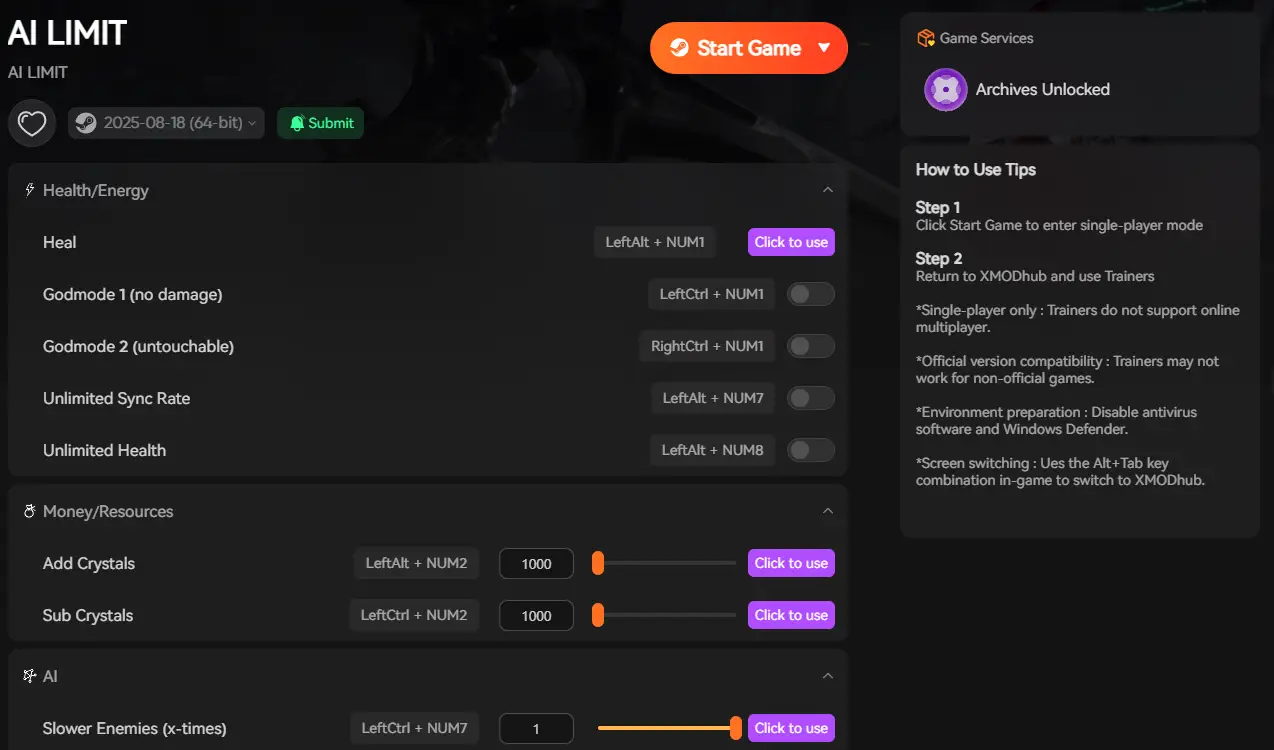
Hardware optimization gets you stable frames. XMODhub handles the other side of the problem: the DLC’s boss design, which is specifically built to punish base-game muscle memory. If retry loops are consuming your session time, XMODhub shifts that ratio back in your favor.
Key XMODhub features for Eirene’s Furnace of War:
❤️
HP Lock: Keep Arrisa at full health during boss study sessions — learn new phase patterns without a 10-minute run restart after each mistake.
🛡️
Sync Rate Lock: Maintain peak Sync Rate through sustained damage, preventing Spell lockout before the final Furnace Arena encounter.
✨
Instant Seal & Spell Access: Arrive at the boss rush with the DLC’s new Seals already equipped, rather than earning them through the fight that’s currently stopping you.
💎
Resource Maximizer: Keep upgrade materials fully stocked — no farming interruptions between build experiments.
⏩
Speedhack: Fast-forward respawn and loading sequences during heavy retry sessions, saving real time across a long grind.
คำถามที่พบบ่อย
Q: Can the DLC run on Steam Deck?
A:The base game runs on Steam Deck via Proton with community-reported stability at medium settings. The DLC uses the same engine and should perform similarly, though official Deck compatibility has not been confirmed. Expect around 40 FPS at medium-low with FSR enabled.
Q: Is 12 GB RAM enough?
A:It meets the minimum spec, but it’s tight if you run Discord, a browser, or streaming software alongside the game. For the Furnace Arena’s continuous asset loading, 16 GB is the safer choice.
Q: Is XMODhub safe to use with AI LIMIT?
A:Yes. AI LIMIT is a single-player RPG with no competitive PvP. There is no ban risk for trainer use during solo play. Note that some Steam achievements may not trigger while modifiers are active — disable specific toggles if you’re targeting achievements.
Conclusion: Frame Stability First, Then Conquer the Furnace
AI LIMIT – Eirene’s Furnace of War is not demanding by raw technical standards. A mid-range GPU and an SSD will get you a clean experience. The real ask is frame consistency: stable 60 FPS so Arrisa’s deflect windows and Sync Rate management behave predictably when the Warfare Bishop’s reworked bosses hit their second phase.
Get your settings right, move to SSD, and you’re technically ready. If the boss design still walls you — XMODhub has the tools to make those encounters a learning experience instead of a session-ender.

ฉันเป็นเกมเมอร์และนักเขียนที่มีความหลงใหลที่ XMODhub มุ่งมั่นที่จะนำเสนอข่าวสารเกมล่าสุด เคล็ดลับ และข้อมูลเชิงลึกให้กับคุณ.
ติดต่อฉัน:
โปรไฟล์ LinkedIn ↗

 แนนซี่ มิลเลอร์