
 แคทเธอรีน ฮู
You are in the middle of a tense standoff in the heart of the main town, or perhaps you have just walked into the local Saloon to accept a quest, and suddenly, your frame rate craters. Your high-end rig, which handles the open plains of Far Far West with ease, suddenly feels like a slideshow. This is a common, frustrating bottleneck that plagues many players. You are not alone, and your hardware is likely not the problem.
⚡ TL;DR: The Short Answer
If you are looking for an immediate fix to stop the stuttering in Far Far West town areas, follow the quick action plan below. These adjustments address the most common culprits for performance degradation in dense environments.
| Action | Why It Works |
|---|---|
| Lower Shadow Quality | Reduces GPU draw calls in complex interiors like Saloons. |
| Limit NPC Density | Lowers CPU load caused by AI pathfinding in crowded towns. |
| Enable Hardware-Accelerated GPU Scheduling (HAGS) | Optimizes VRAM management for heavy asset streaming. |
| Use XMODhub | Instantly removes unnecessary background rendering processes. |
Understanding the Bottlenecks: Why Town Areas Lag
To fix the issue, you must first understand why Far Far West struggles in specific zones. In an open-world game, the engine constantly streams assets. In the open wilderness, the view distance is high, but object density is relatively low. However, when you enter a town or a Saloon, the game engine shifts its primary focus.
The Saloon environment is a nightmare for engine optimization. You have high-fidelity textures, complex lighting sources (lamps, fireplaces), and a high concentration of NPCs. Each NPC in Far Far West has a rudimentary AI script for pathfinding, conversation, and idle animations. When you are in a crowded saloon, your CPU is working overtime to process these entities, while your GPU is struggling to render the complex shadows cast by the interior lighting. This combination creates a perfect storm for frame time instability.
Graphics Settings to Tweak Immediately
Before diving into system-level changes, focus on these specific in-game settings to alleviate the pressure on your GPU during town exploration:
1. Volumetric Lighting and Shadows
This is the single biggest performance killer in interior areas. Turn “Volumetric Lighting” from Ultra to Medium. You will barely notice a visual difference, but you will reclaim 10-15% of your frame rate. Shadows in the Saloon are computed dynamically; setting these to “High” instead of “Ultra” prevents the GPU from being overwhelmed by the complex geometry of furniture and characters.
2. Texture Quality and Streaming
If you have less than 8GB of VRAM, “Ultra” textures in a town environment can cause stuttering as the game constantly swaps assets in and out of memory. Set your texture quality to “High.” This ensures that the town and saloon assets stay cached in your VRAM, eliminating the micro-stutters associated with loading new objects as you turn your camera.
CPU & AI Optimization Strategies
Since the town areas are CPU-intensive, you need to minimize background interference. Even if you have a powerful processor, Windows background processes can interrupt the game’s main thread during intense physics calculations.
Windows Game Mode and HAGS
Ensure that Windows Game Mode is enabled. This prioritizes the Far Far West executable over background applications. Additionally, navigate to your Windows Graphics Settings and toggle on “Hardware-Accelerated GPU Scheduling.” This allows your GPU to manage its own memory, which is crucial for handling the sudden influx of AI data when entering a town.
Managing NPC Density
Check your game’s config file or advanced settings for “NPC Density” or “Crowd Quality.” Setting this to “Medium” reduces the number of background NPCs that do not contribute to quests. By limiting the number of AI entities that need processing, you directly reduce the CPU load, resulting in a much smoother experience in town centers.
The Full Optimization Guide
While the steps above provide immediate relief, they are only part of the puzzle. Performance issues often stem from a holistic imbalance in system configuration. To ensure your PC is running at its absolute peak capacity for this title, you need to look at the global settings.
If you want to optimize your entire experience and ensure consistent 60+ FPS throughout the map, check out our comprehensive guide: Best Far Far West PC Settings 2026: Ultimate FPS Optimization Guide. This guide covers everything from Nvidia Control Panel tweaks to resolution scaling and driver-level optimizations that go far beyond basic in-game menus.
Advanced Config Tweaks for Power Users
If you are comfortable editing game files, you can bypass the limited in-game menu by modifying the engine configuration files directly. These tweaks are intended for users who have already exhausted standard options. Always back up your files before making changes.
| Command/Parameter | Recommended Value | Impact |
|---|---|---|
r.Shadow.MaxResolution |
1024 | Reduces shadow map resolution for distant objects. |
r.ViewDistanceScale |
0.8 | Slightly reduces draw distance for non-essential assets. |
foliage.DensityScale |
0.7 | Lowers grass/foliage density in town outskirts. |
ระบุจุดคอขวดของฮาร์ดแวร์
Sometimes, no amount of software optimization can fix a bottleneck if your hardware is simply reaching its limit. Before assuming the game is at fault, run a performance monitor (like MSI Afterburner) to check your usage statistics while standing in a busy Saloon.
- ▸CPU Usage above 90%: You are likely CPU-bound. Consider closing background apps or limiting NPC density further.
- ▸GPU Usage below 90% in Towns: This indicates a CPU bottleneck preventing your GPU from working at full capacity.
- ▸VRAM Usage hitting capacity: Lower your texture quality immediately to prevent asset swapping stutter.
- ▸RAM Usage over 14GB (for 16GB systems): Close Chrome/Discord or upgrade your RAM capacity.
The XMODhub Shortcut: Skip the Grind
Let’s be honest: you didn’t buy Far Far West to spend hours tweaking config files and troubleshooting frame rates. You bought it to explore the frontier and engage in shootouts. If you are tired of the constant stuttering or simply want to bypass the most demanding areas without compromising your gameplay, there is a better way.
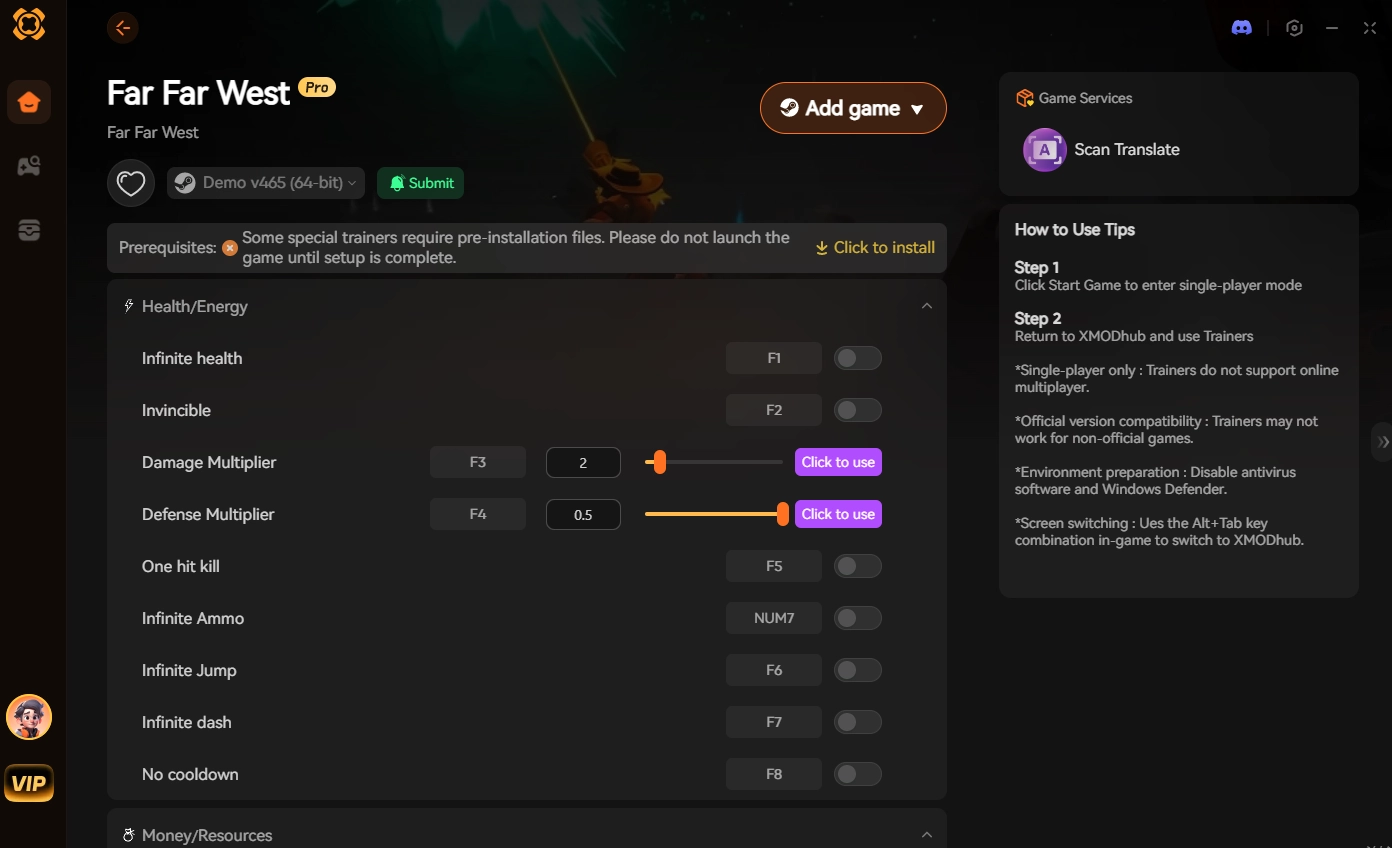
Using XMODhub allows you to bypass the technical limitations of the game engine entirely. XMODhub provides performance-enhancing scripts that effectively “pause” or “simplify” the rendering of non-essential entities in town areas, giving you a massive FPS boost without sacrificing the game’s core visual fidelity.
How to use XMODhub for Far Far West:
- Download XMODhub: Get the latest installer from the official site.

- Auto-Detect Far Far West: Launch the application, and it will automatically scan your directory to locate the game executable.
- Toggle Cheats/Performance: Navigate to the “Performance” tab and toggle the “Town/Saloon Stability” script.
This is the ultimate shortcut for players who value their time and want to get straight into the action of Far Far West.
คำถามที่พบบ่อย
Q: Does updating my GPU drivers help with Far Far West FPS?
A: Yes, absolutely. Game developers often release specific driver optimizations for major titles. Ensure you are on the latest driver version for your Nvidia or AMD card, as these updates often contain specific fixes for rendering bottlenecks in open-world games.
Q: Is my RAM causing the stuttering in towns?
A: If you have less than 16GB of RAM, you might experience stuttering as the game struggles to load assets. Closing browsers and background applications like Discord or Chrome while playing Far Far West can free up necessary memory.
Q: Will lowering graphics settings ruin the game’s atmosphere?
A: Not at all. In Far Far West, the art style is robust enough that moving from Ultra to High settings is barely noticeable during active gameplay. The increase in frame rate stability far outweighs the minor visual trade-offs.
Q: Can I fix the stuttering without changing any settings?
A: If you are unwilling to change settings, the only other option is upgrading your hardware (specifically CPU and RAM). However, using a tool like XMODhub is a much more cost-effective way to achieve stability without spending money on new components.
Final Verdict: Conquer the Frontier
Fixing low FPS in Far Far West town and saloon areas is a matter of balancing CPU load and GPU shadow rendering. By following the steps outlined above—reducing shadow quality, managing NPC density, and optimizing your Windows environment—you can eliminate the stuttering that ruins immersion.
However, for those who want a guaranteed performance boost without the headache of manual troubleshooting, XMODhub remains the premier solution.
With support for over 5,000+ single-player titles, including massive open-world experiences similar to Far Far West, XMODhub is the ultimate companion for any hardcore PC gamer looking to optimize, enhance, and enjoy their library to the fullest. Stop struggling with settings and start playing.

ฉันเป็นเกมเมอร์และนักเขียนที่มีความหลงใหลที่ XMODhub มุ่งมั่นที่จะนำเสนอข่าวสารเกมล่าสุด เคล็ดลับ และข้อมูลเชิงลึกให้กับคุณ.
ติดต่อฉัน:
โปรไฟล์ LinkedIn ↗