
 แคทเธอรีน ฮู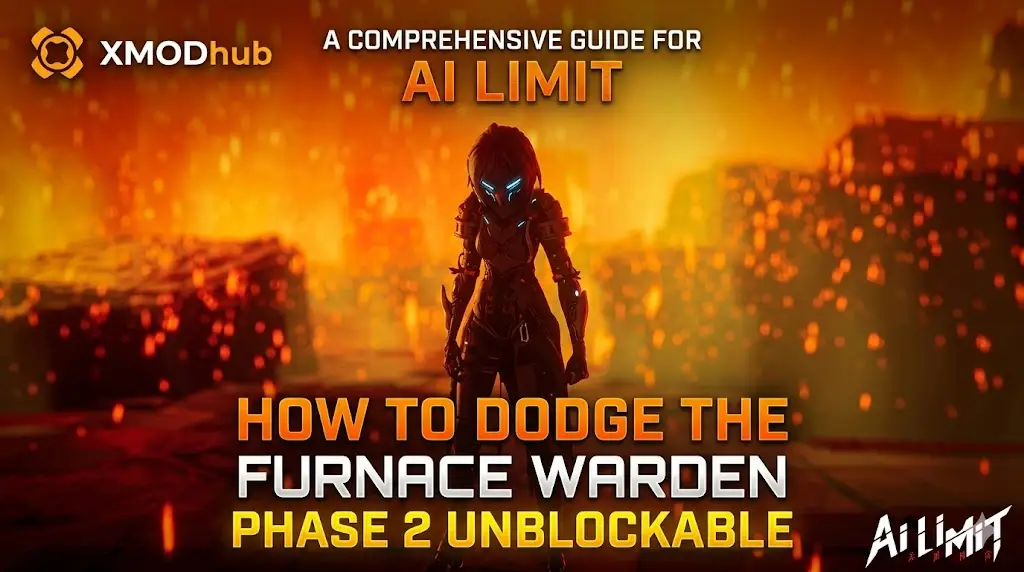
To dodge the Furnace Warden phase 2 unblockable attack in AI LIMIT – Eirene’s Furnace of War, you must watch for his greatsword to glow bright crimson, wait exactly 1.2 seconds as he leaps into the air, and dodge forward and to the left directly underneath his descending hitbox.
Rolling backward or attempting to parry will result in instant death due to the attack’s massive area-of-effect shockwave. Because the game’s Unreal Engine 5 build lacks an exposed developer console to skip the fight, players frustrated by these unforgiving i-frame timings can use the XMODhub PC Client’s Game Speed modifier to safely slow down the combat and easily execute the dodge.
Hardcore action RPGs are built on these punishing skill checks, and the Eirene Region boss is the ultimate gatekeeper. The game intentionally designs this specific attack to punish players who panic-roll backward.
In this guide, we will break down why this specific mechanic defeats so many players, reveal the exact animation frames of the unblockable slam, explain the geometry of the boss’s hitboxes, and show you how to use external memory tools to slow down the engine so you can learn the timing without losing your sanity.
Editor’s View: The Panic-Roll Punisher
“The Furnace Warden’s Phase 2 transition nearly made me uninstall AI LIMIT – Eirene’s Furnace of War. I was playing a heavy Strength build, meaning my dodge roll animation was already sluggish. Every time he went up into the air for his unblockable slam, human instinct told me to roll backward to get away from the impact zone.”
“I died twenty times in a row before I realized the Unreal Engine hitboxes were rigged. The fiery shockwave travels outward in a cone; if you roll backward, the shockwave physically catches up to you right as your invincibility frames end. You literally have to dodge into the giant flaming sword to survive.”
“Once I figured out the safe zone was directly behind his left leg, the fight clicked. But to figure that out, I had to use a trainer to slow the game down to 0.5x speed just to analyze the animation frames without dying instantly.”
Why the Phase 2 Unblockable Attack is So Punishing
Before you can dodge the attack, you need to understand why it keeps killing you. The developers at Lion Shield designed the Furnace Warden to exploit human psychology and muscle memory.
During Phase 1, the boss uses sweeping horizontal attacks that actively train you to dodge backward to create distance. When Phase 2 begins, the unblockable slam flips this rule. The attack generates a massive, forward-moving shockwave. If you roll backward, your character exits their invincibility frames (i-frames) at the exact moment the expanding shockwave reaches that outer radius. The attack is mathematically designed to catch back-rollers. The only way to survive is to overcome your instinct to retreat and instead aggressively push into the boss’s blind spot.
Method 1: Identifying the Telegraph (Visual & Audio Cues)
The Furnace Warden does not use his unblockable attack randomly. It operates on an internal cooldown and is always preceded by a very specific, two-second telegraph animation. If you miss this cue, you are already dead.
Watch for these exact triggers:
- The Audio Cue: A distinct, high-pitched metallic screech will play, cutting through the heavy industrial background music.
- The Visual Wind-Up: The Warden will violently pull his greatsword backward, and the blade will ignite with a bright, blinding crimson flame (different from the standard orange fire of his normal attacks).
- The Lock-On Break: The boss will briefly crouch and then launch himself vertically into the air. At this exact moment, your camera lock-on might violently jerk upward. Do not panic.
Method 2: The “Forward-Left” Safe Zone Dodge
This is where 90% of players fail. The unblockable slam creates a massive AoE shockwave that travels in a forward-facing 180-degree cone.
How to execute the perfect dodge:
- As the Warden hangs in the air, wait exactly 1.2 seconds. Count it in your head: “One, and…”
- The exact millisecond he begins his downward descent, push your left analog stick (or WASD keys) Forward and Left (towards his left leg).
- กด Dodge button.
- Your character’s invincibility frames (i-frames) will allow you to pass cleanly through the physical blade, placing you directly behind the boss.
- Because the shockwave cone expands outward from the front of the blade, standing behind him places you in the absolute Safe Zone. You now have a solid three-second window to unleash your heaviest Bladework combo on his back.
Method 3: Abuse Bladework Invincibility Frames (i-Frames)
If your dodge timing is simply not fast enough, you can “cheat” the mechanic using the game’s own skill system. Certain heavy Bladework animations grant you hyper-armor and extended i-frames.
- Equip a heavy Bladework skill like Abyssal Cleave หรือ Iron Will.
- When the Warden leaps into the air, do not try to dodge.
- Instead, activate your heavy Bladework right before he lands.
- The activation animation of these specific skills grants you total damage immunity for roughly 1.5 seconds. You will visually take the hit, but your health bar will not move, and your attack will follow through, dealing massive posture damage to the boss.
Method 4: The Developer Console Myth (Unreal Engine Facts)
When trapped in a seemingly impossible boss phase, many PC gamers immediately search Reddit for a way to open the developer console, hoping to type commands like kill_target หรือ toggle_godmode.
Because AI LIMIT – Eirene’s Furnace of War is shipped as a securely packaged Unreal Engine 5 retail build, the developers have completely removed the native developer console. Pressing the tilde key will do nothing. You cannot input text commands to instantly delete the Furnace Warden’s health bar.
Furthermore, you cannot manually alter your save file to mark the boss as defeated. Your quest progression is baked into encrypted binary strings located in your %LOCALAPPDATA%\AILimit\Saved\SaveGames folder. Altering this file with a hex editor will instantly corrupt your entire playthrough. To safely bypass the boss or manipulate the combat mechanics, you must use a verified memory injector.
The Ultimate Solution: Master Combat with XMODhub
If you are a working adult who does not have the time or energy to memorize 60-FPS frame data just to progress past a single mid-game boss, you do not have to throw your controller at the wall.
The XMODhub PC Client provides the ultimate combat learning tools, allowing you to level the playing field and experience the rest of Eirene’s Furnace on your own terms.
How XMODhub Helps You Beat the Warden:
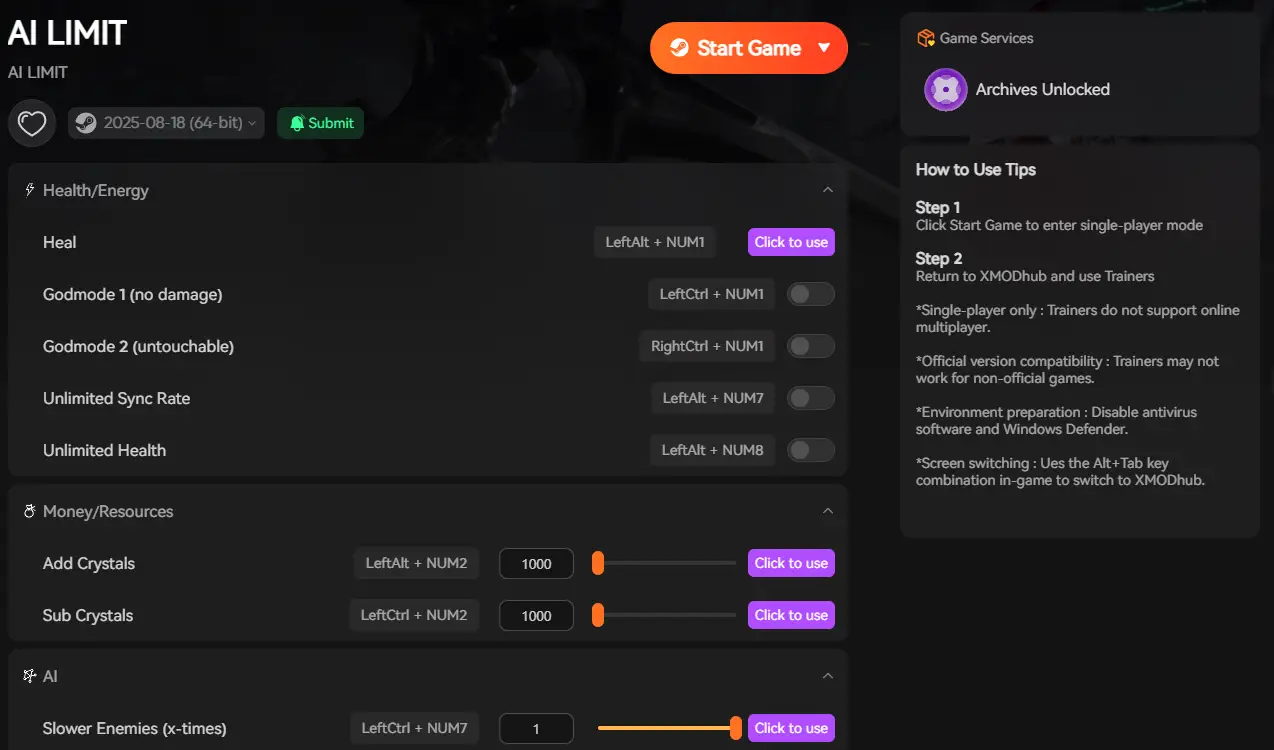
- Game Speedhack (Training Wheels): The combat is fast, but you can control time. Use the XMODhub in-game overlay to slow the engine down to 0.5x speed. Watch the unblockable animation in slow motion, easily execute your forward-left dodge, and learn the exact safe zones without the stress. Once you learn the pattern, return the game to normal speed.
- God Mode & Infinite Posture: If you just want the fight to be over, toggle God Mode. The Warden’s unblockable slam will hit you, but you will take zero damage. Stand your ground and hack away at his health bar until he falls.
- โจมตีทีเดียวตาย Tired of Phase 1? Activate One-Hit Kill, tap the boss once to instantly push him into Phase 2, and practice the unblockable dodge immediately without wasting ten minutes on the first half of the fight.
How to Get Started:
- Download XMODhub: Grab the secure, ad-free PC client directly from our official website.

- Auto-Detect Game Path: Launch the app. It will instantly map out your AI LIMIT – Eirene’s Furnace of War installation and hook into the Unreal Engine memory safely.
- Activate the Trainer: Launch the game through the XMODhub dashboard. Press the hotkey to open the overlay, activate your speed modifiers or God Mode, and finally crush the Furnace Warden.
Frequently Asked Questions (FAQ)
Q: Can you parry the Phase 2 unblockable attack in AI LIMIT – Eirene’s Furnace of War?
A: No. Unlike his standard combo strings, the glowing crimson attacks completely bypass the parry mechanic. Attempting to perfect-guard the descending slam will instantly break your posture and result in a one-shot death.
Q: What level should I be for the Furnace Warden fight?
A: You should comfortably be between Level 35 and 40 before challenging the Warden. Ensure your primary damage attribute (Strength or Agility) is pushed close to the soft cap of 40 to ensure you are dealing enough damage during his Phase 2 vulnerability windows.
Q: Does the unblockable attack inflict the Burn status effect?
A: Yes. If you survive the initial slam but get clipped by the outer edge of the AoE shockwave, your character will be afflicted with severe Burn. Always carry Cooling Salve in your quick-item slots during this fight.
สรุป
Figuring out how to dodge the Furnace Warden phase 2 unblockable attack is the definitive “git gud” moment of AI LIMIT – Eirene’s Furnace of War. By recognizing the crimson audio-visual telegraph, resisting the urge to panic-roll backward, and exploiting the forward-left safe zone directly behind the boss, you can turn his most deadly attack into your biggest damage opportunity.
However, if the hyper-aggressive boss scaling is ruining your enjoyment of this phenomenal action RPG, you don’t have to suffer. The XMODhub PC Client provides a seamless bypass, letting you slow down the combat to learn the timings organically or activate God Mode to skip the frustration entirely. Master your Bladeworks, defeat the Warden, and reclaim Eirene’s Furnace.
Think Bigger: XMODhub is the ultimate gaming companion for hardcore PC action gamers. With native support for over 5,000+ games, we provide Safe Save Managers and combat modifiers. Whether you are battling through AI LIMIT – Eirene’s Furnace of War, mastering the punishing parry mechanics of Sekiro: Shadows Die Twice, or conquering the brutal demigods in Elden Ring, XMODhub ensures you always play exactly how you want.

ฉันเป็นเกมเมอร์และนักเขียนที่มีความหลงใหลที่ XMODhub มุ่งมั่นที่จะนำเสนอข่าวสารเกมล่าสุด เคล็ดลับ และข้อมูลเชิงลึกให้กับคุณ.
ติดต่อฉัน:
โปรไฟล์ LinkedIn ↗

 แนนซี่ มิลเลอร์