
 แคทเธอรีน ฮู
Hitting the storage capacity wall is one of the most common early-game traps in Lion Shield’s city builder. The simulation is unforgiving; resources do not magically disappear into a bottomless cloud inventory. They take up physical space.
If you are wondering how to increase storage limit when your โนวา โรมา full warnings appear constantly, you must construct specialized Heavy Storehouses, use the building UI to filter out overproduced items (like raw clay or wheat), and research warehouse expansion technologies in your Senate.
Because the game’s Unity Engine physically simulates every single item in your inventory and lacks an accessible developer console, players trapped in a logistical gridlock where all production has completely stopped can use the XMODhub PC Client to instantly enable “Infinite Storage” or spawn the materials needed to build larger depots.
In this guide, we will break down exactly how the warehouse logistics work, how to optimize your storage yards to prevent gridlock, and how to use external memory tools to completely bypass the engine’s strict inventory limits.
Editor’s View: The “Storage Full” Gridlock
“During my second playthrough, my entire weapon production chain collapsed out of nowhere. I had plenty of iron and charcoal, but my Blacksmiths were completely frozen with a ‘Storage Full’ warning.”
“When I clicked on my central industrial Storehouse, I realized what happened: I had overproduced raw Clay, and the haulers had filled 100% of the warehouse slots with it. There was literally no physical space left to put the finished swords.”
“In Nova Roma, failing to manage what goes into your storage is just as dangerous as running out of space entirely. Once I learned to restrict items via the UI, things improved, but honestly, managing warehouse tetris gets tedious in the late game. I eventually just started using a trainer to remove the physical capacity limits so my factories would never stop.”
Method 1: Specialize and Filter Your Storehouses
The biggest mistake new players make is building one massive Storehouse and letting workers dump everything into it. To prevent your Nova Roma full capacity warnings, you must micro-manage your warehouse permissions.
How to filter your storage limits:
- Build Dedicated Storage: Ensure you are using the right building. Granaries are strictly for food (Wheat, Fish, Meat). Standard Storehouses are for manufactured goods (Pottery, Weapons, Clothing). Heavy Storehouses are specifically designed for massive building materials (Stone, Timber, Marble).
- Open the Storage UI: Click on any newly built Storehouse. You will see a list of every item in the game with a green checkmark next to it.
- Disable Unwanted Items: Uncheck the items you do not want stored there. For example, if you build a Storehouse next to your Blacksmith, uncheck everything except Iron Ingots and Weapons. This prevents rogue farmers from filling that specific warehouse with excess wheat, ensuring your Blacksmith always has room to output goods.
Method 2: Upgrade Through Senate Technology
Building more warehouses takes up valuable city real estate and drains your Denarii through maintenance costs. To increase the limit of your existing buildings, you need to turn to your Senate.
- Establish a Senate: Build your central administrative building and ensure it is staffed with educated Patricians or Equites.
- Research Administration: Open the technology tree and navigate to the Logistics or Administration tab.
- Unlock Expansions: Research technologies that specifically grant “Expanded Warehouse Capacity” or “Improved Stacking.” Once researched, the physical limit of every Granary and Storehouse in your city will permanently increase by a set percentage, instantly relieving your storage bottlenecks.
Method 3: Export Excess Goods at the Port
If your storage is full, it means you are producing more than your citizens are consuming. Instead of letting your factories sit idle, turn that excess into cold, hard Denarii.
- Build a Trade Port: Establish a port on your coastline and ensure it is connected to your industrial sectors via Paved Stone Roads.
- Set Export Thresholds: Click on the Port and navigate to your overflowing resource (e.g., Pottery). Set the slider to “Export.”
- Keep a Reserve: Do not export everything. Set the interface to “Keep 500 in Storage.” This commands your haulers to automatically take any Pottery above the 500 limit directly to the Port to be sold to passing merchant ships, effectively acting as an infinite trash can that pays you money.
Method 4: The Developer Console Myth (Unity Engine Facts)
When a massive traffic jam halts construction because your stone yards are full of timber, many players immediately search for a cheat code to magically increase storage limits or delete unwanted items.
Because โนวา โรมา runs on a tightly compiled Unity Engine build, Lion Shield has not included an exposed developer console for players. There is no hidden command window. Pressing the tilde key will do nothing. You cannot type set_storage 9999 หรือ clear_inventory.
Furthermore, you cannot manually edit your save file to expand a specific warehouse. The game compiles your city’s item tracking and logistics grid into encrypted binary files located in your local AppData folder. Opening these files with a text editor to force a larger storage value will instantly corrupt the binary formatting, breaking your save file permanently. To manipulate inventory limits safely, you must use a verified memory injector.
The Ultimate Solution: Infinite Storage with XMODhub
If you are a creative builder who just wants to design beautiful Roman architecture without playing a constant game of warehouse inventory management, the XMODhub PC Client is exactly what you need.
When the native game engine’s strict logistical rules ruin your creative flow, our custom Visual Spawner hooks directly into the game’s memory, giving you total control over your city’s capacity.
How XMODhub Supercharges Your Logistics:
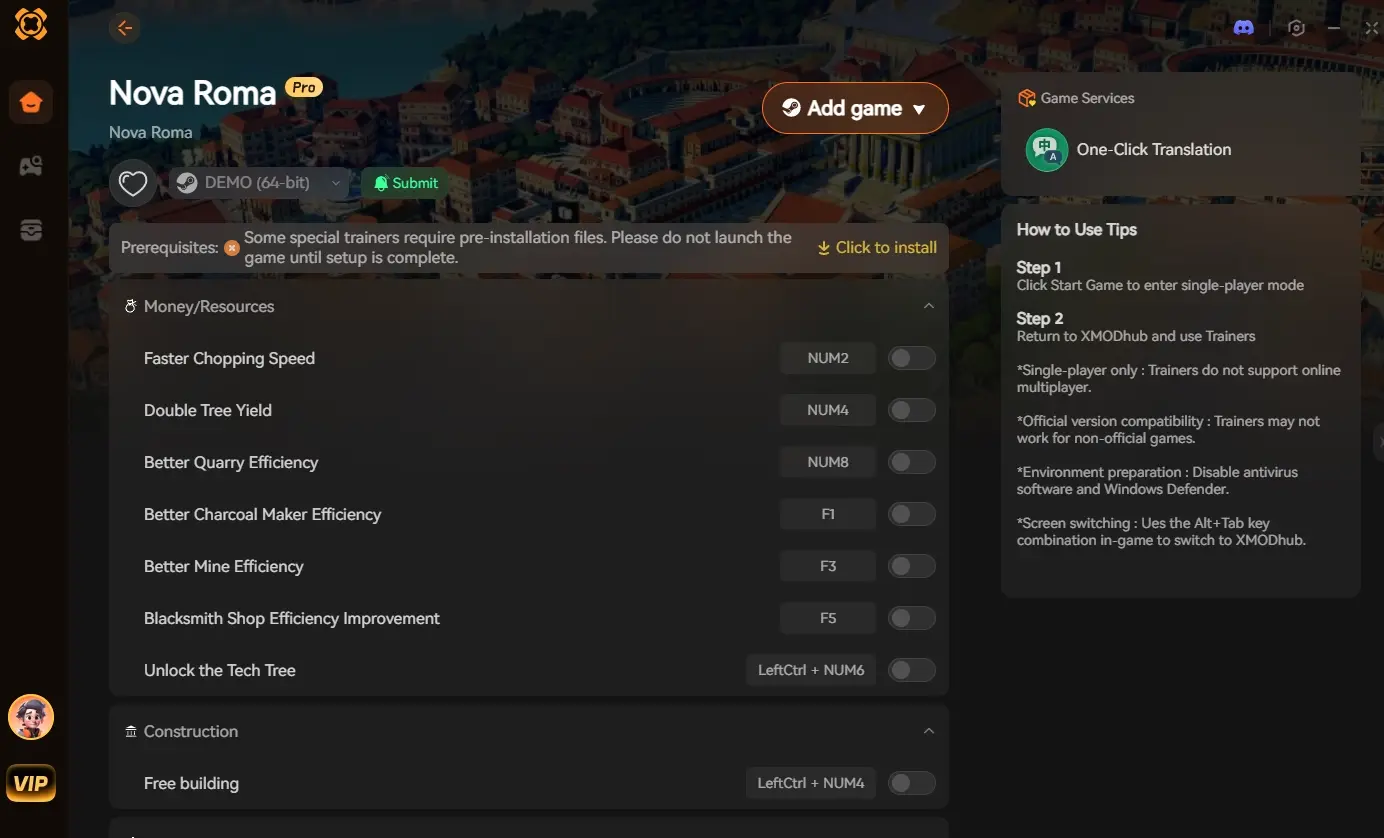
- Infinite Storage Toggle: Activate the “Max Storage Capacity” feature in our UI. This instantly freezes the capacity of all Storehouses and Granaries, tricking the engine into believing they always have empty slots. Your production buildings will never halt with a “Storage Full” warning again.
- Instant Item Deletion/Addition: Is a warehouse completely clogged with useless raw clay? Use our Visual Spawner overlay to instantly wipe the inventory of that specific item, freeing up space. Alternatively, instantly spawn 5,000 Marble directly into the void.
- Free Building Mode: If you prefer to play legitimately but simply lack the stone to build more Storehouses, toggle “Ignore Construction Costs.” You can immediately plop down a massive industrial storage district for zero resources and zero Denarii.
How to Get Started:
- Download XMODhub: Get the secure PC client directly from our official website.

- Auto-Detect Game Path: Launch the app. It will automatically detect your Nova Roma installation and map out the Unity memory addresses.
- Activate the Trainer: Launch the game through the XMODhub dashboard. Once your city loads, press our designated hotkey to open the Spawner, toggle your storage limits, and watch your factories roar back to life.
Frequently Asked Questions (FAQ)
Q: Why are my farms showing “Storage Full” when my Granary is practically empty?
A: This happens when you do not have enough unassigned laborers (Plebeians) to act as haulers, or if the Granary is too far away. The farm’s internal storage is full, and nobody is available to carry the wheat to the main Granary.
Q: Can I manually destroy items to free up storage limit in Nova Roma?
A: In the vanilla game, no. There is no native “delete item” button for filled storehouses. Your only options are to wait for citizens to consume the goods, export them via a Trade Port, or use an external tool like XMODhub to wipe the inventory.
Q: Do Heavy Storehouses cause negative desirability?
A: Yes. All industrial storage buildings generate noise and lower the property value of surrounding tiles. Always build your heavy logistics hubs far away from your upscale Patrician residential zones.
สรุป
Understanding how to increase storage limit in Nova Roma is fundamental to transitioning from a small village into an economic powerhouse. The “Storage Full” warning is not just an annoyance; it is a fatal logistical heart attack that will stop your entire city if left unchecked. By meticulously filtering your warehouses, upgrading via the Senate, and establishing strong export routes, you can keep your supply chains flowing smoothly.
However, if dealing with endless storage micro-management feels more like a chore than a fun strategy game, you do not have to fight the engine. The XMODhub PC Client provides a seamless bypass, letting you instantly grant yourself infinite storage capacity or build new warehouses for free. Take total control of your Roman logistics and build without limits.
Think Bigger: XMODhub is the ultimate gaming companion for PC simulation fans. With native support for over 5,000 titles, we provide industry-leading Visual Spawners, safe Save Managers, and God Mode toggles for the most demanding city builders on the market.

ฉันเป็นเกมเมอร์และนักเขียนที่มีความหลงใหลที่ XMODhub มุ่งมั่นที่จะนำเสนอข่าวสารเกมล่าสุด เคล็ดลับ และข้อมูลเชิงลึกให้กับคุณ.
ติดต่อฉัน:
โปรไฟล์ LinkedIn ↗

 แนนซี่ มิลเลอร์