
 แคทเธอรีน ฮู
You have waited months for Eastern Era, pre-loaded the files, and cleared your schedule to build the ultimate martial arts sect. You click Play, and… nothing. Or worse, a cryptic Unity Crash Reporter pops up before you even reach the main menu. Launch day issues are frustrating, but they are rarely unfixable.
Whether you are facing a black screen, random crashes to desktop during massive sect invasions, missing DLL files, or unplayable frame rates when managing hundreds of disciples, this guide covers the most effective solutions to get you back into the Central Plains.
 คุณอาจสนใจ:
Editor’s View: The “Day One” Curse
“I remember trying to launch similar sect management games like Amazing Cultivation Simulator on release day. It crashed every time the opening logo appeared. I almost refunded it immediately.
Before you give up on Eastern Era, realize that 90% of these crashes are caused by three simple things: corrupted asset downloads, missing C++ libraries, or overlay conflicts messing with the Unity engine. I have tested the methods below on my own rig (RTX 4070 / Win 11), and Method 4 was the one that finally solved the UnityPlayer.dll crash for me.”
— Catherine Hu, Tech Support Lead & Sect Management Veteran at XMODhub
Check First: Eastern Era System Requirements
Before debugging, ensure your PC can actually run the game. Trying to run Eastern Era on below-minimum specs is the most common cause of silent crashes, where the game closes without an error because it ran out of system memory trying to load the massive open-world map.
| องค์ประกอบ | ข้อกำหนดขั้นต่ำ | Recommended Specifications |
|---|---|---|
| ระบบปฏิบัติการ | Windows 10 (64 บิต) | Windows 11 (64 บิต) |
| ซีพียู | Intel Core i5-8400 / AMD Ryzen 5 2600 | Intel Core i7-10700K / AMD Ryzen 7 5800X |
| RAM | 8 GB RAM | แรม 16 GB |
| GPU | NVIDIA GeForce GTX 1060 / AMD RX 580 | NVIDIA GeForce RTX 3060 / AMD RX 6700 XT |
| การจัดเก็บ | 30 GB SSD | 30 GB NVMe SSD |
Method 1: Verify Game Files (Steam/Epic)
Corrupted installation files are the number one cause of Eastern Era crashing on startup. If a single Unity asset bundle for a disciple animation is missing, the engine will panic and close.
For Steam Users:
1Right-click Eastern Era in your Steam Library.
2เลือก Properties > Installed Files.
3คลิก ตรวจสอบความสมบูรณ์ของไฟล์เกม.
4Wait for the process to finish (it may re-download missing environment files).
For Epic Games Users:
1Go to your Library, click the three dots on the Eastern Era game card.
2เลือก Manage > Verify.
Method 2: Update Drivers & Visual C++ Redistributables
Eastern Era runs on the Unity Engine, which strictly requires updated software environments to execute its simulation logic smoothly.
✦
GPU Drivers: Update your NVIDIA (Game Ready Driver) or AMD (Adrenalin) drivers to the latest version. Outdated drivers will crash when rendering complex weather effects over your sect.
✦
Visual C++ รวมทุกอย่างไว้ในหนึ่งเดียว: If you get errors like MSVCP140.dll missing หรือ VCRUNTIME140.dll not found, you need to reinstall the Microsoft Visual C++ Redistributables. Ensure you install both the x86 and x64 versions.
✦
DirectX: Ensure DirectX is fully updated via Windows Update.
Method 3: Fix Black Screen & Overlay Issues
If you hear the traditional background music but see a black screen, or the game closes instantly after the FunYoo Games logo, it is likely a conflict with background apps trying to inject an overlay into the game window.
- 🔥
Disable Overlays: Turn off the Steam Overlay, Discord Overlay, and NVIDIA ShadowPlay completely. - 🔥
Fullscreen Optimization:
- ➤Right-click the game’s executable file in your Steam directory > คุณสมบัติ.
- ➤ไปที่ ความเข้ากันได้ แท็บ.
- ➤Check ปิดการปรับแต่งหน้าจอแบบเต็มหน้าจอ.
- ➤Check Run this program as an administrator.
Method 4: Common Error Codes & Fixes (Unity/DLL)
Here are specific solutions for the most common error messages sect leaders are reporting:
UnityPlayer.dll Access Violation (0xc0000005)
This is the most notorious Unity crash, usually caused by strict antivirus software blocking the game from accessing your RAM. Whitelist the Eastern Era installation folder in Windows Defender.
Out of Memory Crash
Management games are highly CPU and RAM intensive. If your sect has over 200 disciples running individual tasks, your memory might cap out. Increase your Windows Virtual Memory (Pagefile) to at least 16GB.
Force DirectX 11 Mode
If the game crashes randomly on newer DirectX versions, right-click Eastern Era in Steam > Properties > Launch Options. Type -force-d3d11 to force the Unity engine into the highly stable DX11 mode.
Unhandled Exception: EXCEPTION_ACCESS_VIOLATION
This is often a RAM instability issue. Disable XMP profiles in your motherboard BIOS temporarily, or close high-memory background apps like Google Chrome before launching.
Method 5: Fix Low FPS & Stuttering
Is your sect running like a slideshow when multiple buildings are active?
✨
Lower Shadows and Foliage: Trees and dynamic shadows consume massive amounts of processing power in Unity. Lower these settings first.
✨
Cap the Frame Rate: Open the in-game settings and cap your FPS to 60. Letting the game run at uncapped frame rates overworks your GPU for no visual benefit.
✨
Set High Priority: Open Task Manager > Details > Right-click the Eastern Era executable > Set Priority > High.
The Workaround: Skip Laggy Areas with XMODhub
Sometimes, Eastern Era crashes not because of your PC hardware, but because of unoptimized simulation code during massive rival sect invasions.
XMODhub offers unique tools to help bypass these technical hurdles:
🚀
Speedhack: Use the trainer to slow down the game during high-load invasion sequences to prevent CPU spikes and engine crashes. Alternatively, speed up the game to skip boring, laggy resource-gathering phases.
💾
Save Manager: Automatically back up your sect’s save file before initiating a major sect war. Unity crashes can easily corrupt local JSON save files, so having an automatic backup ensures you never lose your progress.
How to Get Started with XMODhub
Getting the ultimate toolkit for Eastern Era is simple. Just follow these steps:
Download & Install: Get the latest version of the XMODhub Client from our Official Site.

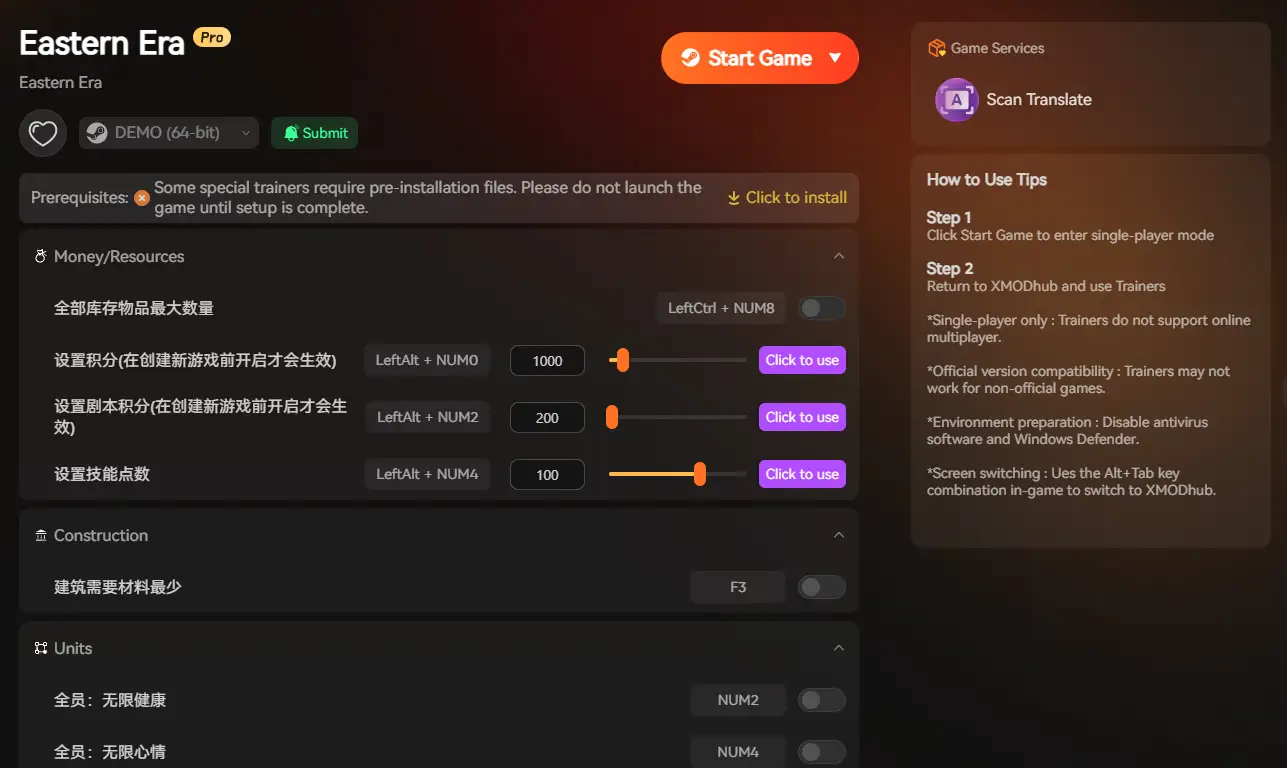
Auto-Detect: Launch the app. It will automatically scan your PC and locate Eastern Era in seconds.
Select Your Tools: Choose the Save Manager or enable Trainers to customize your sect’s resources.
Launch & Play: Start the game directly from XMODhub to apply all changes seamlessly and safely.
คำถามที่พบบ่อย
Q: Does Eastern Era support Windows 10?
A: Yes, but ensure you are on version 22H2 or newer. Older Windows 10 builds may cause compatibility errors with modern Unity engine features.
Q: Will reinstalling fix the crash?
A: Reinstalling should be your last resort. Try Verifying Integrity (Method 1) first, as it repairs broken files much faster than downloading the entire game again.
Q: Is there an optimization patch coming?
A: The developers at FunYoo Games frequently monitor crash reports. Check the XMODhub news section for updates on upcoming performance patches that address memory leaks.
สรุป
Launch issues are painful, but they are temporary. By verifying your files, updating your C++ libraries, forcing DX11 mode, and optimizing your Windows settings, you should be able to fix the Eastern Era crash on startup error and return to building your martial arts empire.
If the game is still suffering from poor optimization during large-scale battles, XMODhub can help bridge the gap. Use Game Speed adjustments to bypass sluggish simulation sections and Auto-Backups to secure your sect’s progress until the official developer patch arrives.
Think Bigger: XMODhub is more than just a tool for one game—it is a comprehensive gaming platform supporting over 5,000+ titles. Whether you are mastering Eastern Era or exploring similar management hits like Amazing Cultivation Simulator, RimWorld, and Tale of Immortal, XMODhub ensures you always have the ultimate toolkit ready at your fingertips.

Don’t let bugs stop your cultivation journey. Play smarter.

ฉันเป็นเกมเมอร์และนักเขียนที่มีความหลงใหลที่ XMODhub มุ่งมั่นที่จะนำเสนอข่าวสารเกมล่าสุด เคล็ดลับ และข้อมูลเชิงลึกให้กับคุณ.
ติดต่อฉัน:
โปรไฟล์ LinkedIn ↗