
 แคทเธอรีน ฮู
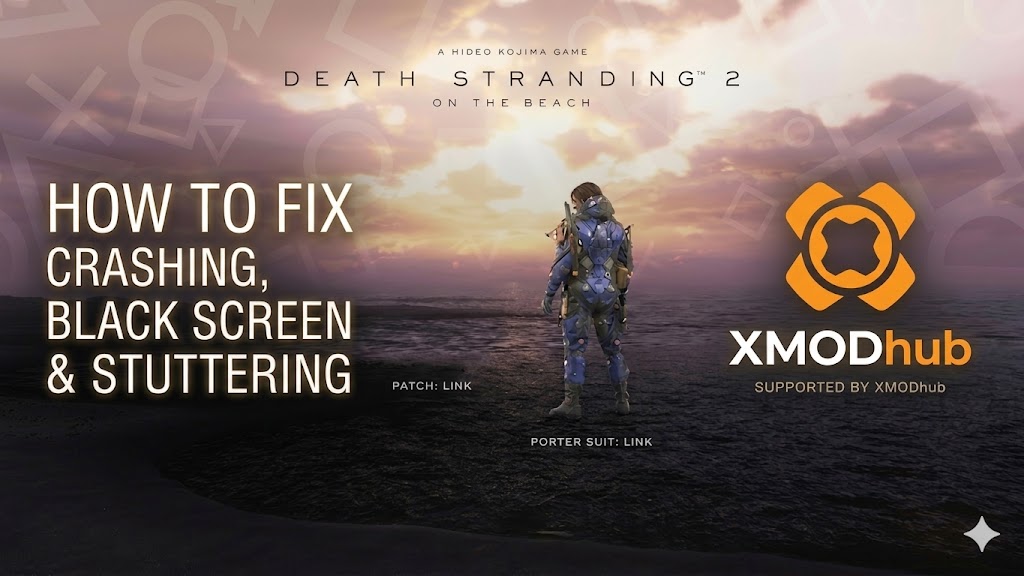 You have waited years for Sam Porter Bridges’ next journey, pre-loaded the massive install files, and cleared your schedule to explore the new regions outside the UCA. You click Play, and… nothing. Or worse, a cryptic Fatal Error pops up just as the Kojima Productions logo appears.
Launch day issues are frustrating, but they are rarely unfixable.
Whether you are facing a black screen during shader compilation, random crashes to desktop (CTD) while fighting BTs, missing DLL files, or unplayable frame rates on your PC, this guide covers the most effective solutions to get you back on the road.
Editor’s View: The “Day One” Curse
“I remember trying to launch Horizon Forbidden West on its PC release day—a game that runs on the exact same Decima Engine as Death Stranding 2. It crashed every time the initial shader compilation started. I almost gave up. Before you refund Death Stranding 2: On The Beach, realize that 90% of these crashes are caused by three simple things: corrupted downloads, missing C++ libraries, or overlay conflicts. I’ve tested the methods below on my own rig (RTX 4070 / Win 11), and Method 2 was the one that finally got Sam out of the black screen and into the game for me.”
Check First: Death Stranding 2 System Requirements
Before debugging, ensure your PC can actually run the game. Trying to run a heavy Decima Engine open-world title on below-minimum specs is the most common cause of silent crashes (where the game closes instantly without an error message).
| องค์ประกอบ | ข้อกำหนดขั้นต่ำ | Recommended Specifications |
|---|---|---|
| ระบบปฏิบัติการ | Windows 10 (64-bit, version 22H2) | Windows 11 (64 บิต) |
| ซีพียู | Intel Core i5-10600K / AMD Ryzen 5 3600 | Intel Core i7-12700K / AMD Ryzen 7 5800X |
| RAM | 16 GB Dual Channel | 32 GB Dual Channel |
| GPU | NVIDIA GeForce RTX 2060 / AMD Radeon RX 6600 | NVIDIA GeForce RTX 4070 / AMD Radeon RX 7800 XT |
| การจัดเก็บ | 100 GB SSD | 100 GB NVMe SSD |
Method 1: Verify Game Files (Steam/Epic)
Corrupted installation files are the number one cause of Death Stranding 2 crashing on startup, especially after a massive 100GB+ pre-load decryption process.
For Steam Users:
- Right-click Death Stranding 2: On The Beach in your Library.
- เลือก คุณสมบัติ, then navigate to ไฟล์ที่ติดตั้งแล้ว.
- คลิก ตรวจสอบความสมบูรณ์ของไฟล์เกม.
- Wait for the process to finish (it may re-download some missing textures or audio files).
For Epic Games Users:
- Go to your Library, and click the three dots (…) on the game card.
- เลือก Manage, then click Verify.
Method 2: Update Drivers & Visual C++ Redistributables
Death Stranding 2 runs on the upgraded Decima Engine, which strictly requires heavily updated software environments to render its photorealistic environments and advanced fluid dynamics.
- •GPU Drivers: Update your NVIDIA (Game Ready Driver) or AMD (Adrenalin Edition) drivers to the absolute latest version. Both companies usually release a Day-One driver specifically optimized for Kojima Productions releases.
- •Visual C++ รวมทุกอย่างไว้ในหนึ่งเดียว: If you get errors like
MSVCP140.dllmissing orVCRUNTIME140.dllnot found, you need to reinstall the Microsoft Visual C++ Redistributables. Ensure you install both the x86 and x64 versions. - •DirectX: Ensure DirectX 12 Ultimate is fully updated via Windows Update.
Method 3: Fix Black Screen & Overlay Issues
If you hear the game’s menu audio or the sound of rain, but only see a black screen—or if the game closes instantly upon clicking Play—it is likely a conflict with background applications trying to hook into the game window.
- Disable Overlays: Turn off the Steam Overlay, Discord In-Game Overlay, and NVIDIA ShadowPlay/GeForce Experience overlay. The Decima Engine is notoriously sensitive to third-party overlays during startup.
- Fullscreen Optimization:
- Right-click the game’s execution file (
ds2.exe) and select Properties. - Go to the Compatibility tab.
- Check “Disable fullscreen optimizations”.
- Check “Run this program as an administrator”.
- Right-click the game’s execution file (
Method 4: Common Error Codes & Fixes (DLL / DX12)
Here are specific solutions for the most common error messages Porters are reporting on the forums:
Error 0xc0000005 (Access Violation):
Usually caused by strict antivirus software blocking the game from writing temporary files. Whitelist the Death Stranding 2 installation folder in Windows Defender or run the game as Administrator.
“Out of Video Memory” Error:
Your GPU VRAM is full, or you are experiencing the known instability issue with Intel 13th/14th Gen CPUs. Try lowering the Texture Quality to Medium in the configuration file before launching, or underclock your CPU slightly using Intel XTU.
“DX12 is not supported on your system”:
Death Stranding 2 is built exclusively for DirectX 12. Unlike older games, there is no DX11 fallback. If you see this error, ensure your Windows 10 is updated to at least version 22H2, and verify that your graphics card hardware physically supports DirectX 12 Feature Level 12_0.
“Unhandled Exception: EXCEPTION_ACCESS_VIOLATION“:
This is often a RAM instability issue. If the game crashes while loading a massive new region for the Magellan, disable XMP profiles in your motherboard BIOS temporarily, or close high-memory background apps like Chrome.
Method 5: Fix Low FPS & Stuttering
Is your journey across the new continent running like a slideshow? Try these quick performance tweaks:
- •Lower Shadows and Volumetrics: The dense chiral fog and dynamic lighting consume the most GPU power. Drop these to Medium.
- •Enable DLSS/FSR/XeSS: Turn on your respective upscaling technology in the display settings. Frame Generation (if supported by your RTX 40-series GPU) is highly recommended.
- •Set High Priority: Open Windows Task Manager, go to Details, right-click the game executable, select Set Priority, and choose High.
The Workaround: Skip Laggy Areas with XMODhub
Sometimes, Death Stranding 2 crashes not because of your PC hardware, but because of unoptimized code during specific, chaotic cutscenes or heavy BT encounters.
Important Note on Consoles and Commands: The Decima Engine does not feature a native developer console for players. There is no ~ key to press, and you cannot input text commands to spawn vehicles or fix broken quest states. If a bug ruins your delivery, you cannot simply type a command to fix it.
This is where XMODhub steps in. We offer unique, visual tools to help you bypass technical hurdles without needing complex command knowledge:
- Speedhack Engine: Use our trainer to slow down the game (0.5x speed) during massive, high-load boss sequences to prevent GPU usage spikes and hard crashes. Alternatively, speed up the game (2.0x) to quickly skip through laggy, unoptimized traversal zones.
- Visual Spawner: Lost all your cargo due to a physics glitch that threw your truck into a ravine? Since you can’t use console commands, our Visual Spawner hooks directly into the game, allowing you to safely restore lost materials and gear with a simple click.
- Save Manager: Automatically backup your save before entering a high-risk area, so you never lose hours of progress due to a random desktop crash.
How to Get Started with XMODhub
Getting the ultimate toolkit for your Drawbridge operations is simple. Just follow these steps:

- Download & Install: Get the latest version of the XMODhub Client from our official website.
- Auto-Detect: Launch the app. It will automatically scan your PC and locate your Death Stranding 2 installation in seconds.
- Select Your Tools: Choose the Speedhack tool, Save Manager, or enable specific Trainers to customize your gameplay resources.
- Launch & Play: Start the game directly from the XMODhub dashboard to apply all changes seamlessly.
คำถามที่พบบ่อย
Q: Does Death Stranding 2 support Windows 10?
A: Yes, but you must ensure you are on Windows 10 version 22H2 or newer. Older builds lack the necessary DirectX 12 updates required by the Decima Engine and will cause instant crashes.
Q: Will reinstalling the entire 100GB game fix the crash?
A: Reinstalling should be your absolute last resort. Try Verifying Integrity (Method 1) first, as it scans and replaces only the broken files, accomplishing the same thing but much faster.
Q: Is there an official patch coming?
A: Kojima Productions has historically been very fast with hotfixes. Check the XMODhub news section for daily updates regarding Patch 1.01 and targeted optimization fixes.
สรุป
Launch day technical issues are painful, but they are temporary. By verifying your game files, updating your C++ libraries, disabling background overlays, and optimizing your drivers, you should be able to fix the Death Stranding 2: On The Beach crash on startup error and finally reconnect the world.
If the game is still suffering from poor optimization or Early Access bugs, XMODhub can help bridge the gap. Use Game Speed adjustments to bypass sluggish sections, visually spawn lost cargo without needing a developer console, and use Auto-Backups to secure your progress until the official patch arrives.
Think Bigger: XMODhub is more than just a troubleshooting tool for one game—it is a comprehensive gaming platform supporting over 5,000+ titles.
Whether you are mastering Death Stranding 2 or exploring similar massive PC ports like Horizon Forbidden West, ผีแห่งจิมูสะ, และ ไซเบอร์พังก์ 2077, XMODhub ensures you always have the ultimate toolkit (Trainers, Mods, and Optimization Tools) ready at your fingertips.
Don’t let bugs stop your delivery. Play smarter.

ฉันเป็นเกมเมอร์และนักเขียนที่มีความหลงใหลที่ XMODhub มุ่งมั่นที่จะนำเสนอข่าวสารเกมล่าสุด เคล็ดลับ และข้อมูลเชิงลึกให้กับคุณ.
ติดต่อฉัน:
โปรไฟล์ LinkedIn ↗

 แนนซี่ มิลเลอร์
