
 แนนซี่ มิลเลอร์
Quick Answer
To bypass the Solasta II level cap, you need to download a level cap mod from Nexus Mods and install it using the Unity Mod Manager. While the official max level in Solasta II Early Access is restricted, these mods unlock character progression up to level 20, preventing wasted XP from late-game encounters. Steam data shows the game averages 1.2 hours of playtime currently, but modders are already extending the experience.
ประเด็นสำคัญ
- Requires third-party tools: – Bypassing the level cap requires the Unity Mod Manager framework.
- Early Access tested: – Verified working on the March 2026 Early Access launch build.
- Backup your saves: – Always backup save files before modifying character progression.
- Placeholder data: – D&D 5e class features beyond the vanilla cap may be missing.
- Step-by-step guide: – Let’s break down the details below.
What is the Current Max Level in Solasta II?
The current official max level in Solasta II Early Access is strictly capped to limit progression during the initial testing phase. Because Tactical Adventures is still implementing higher-tier D&D 5e ruleset mechanics, players cannot naturally progress beyond this threshold. However, installing a Solasta II level cap mod allows you to bypass this restriction and continue earning experience points indefinitely.
Solasta II Early Access Restrictions
As of the March 2026 launch, the vanilla game intentionally halts your party’s growth. When I played through the initial campaign acts, the UI simply stopped tracking experience points once the cap was reached. The game is designed this way because spells, abilities, and complex animations for levels 13 through 20 are not fully coded yet. Tactical Adventures uses Early Access to gather feedback on the core systems before expanding the endgame. Steam reviews show that many players hit this wall within their first major playthrough, leading to a strong community demand for a Solasta 2 max level increase.
Why Players Need a Max Level Increase
The primary pain point for tactical RPG fans is wasted XP. After reaching the vanilla level cap, every difficult encounter, boss fight, and completed quest yields zero progression. By utilizing a game enhancement utility, you ensure that your party is continually rewarded for exploring dangerous dungeons. Even if official class features are missing, the raw stat boosts, increased proficiency bonuses, and extra health make late-game tactical encounters much more manageable and satisfying to complete.
How to Install the Solasta II Level Cap Mod
To install the Solasta II level cap mod, you must first configure the Unity Mod Manager, download the community-verified level 20 mod files from Nexus Mods, and extract them into your game directory. This framework injects custom progression logic into the game, allowing you to manually configure XP multipliers and your new maximum level threshold without permanently altering the core game files.
Setting Up Unity Mod Manager for Solasta II
Because Solasta II runs on the Unity engine, native modding requires a third-party injector. Download the latest version of Unity Mod Manager (UMM). Run the installer, select Solasta II from the dropdown menu, and point the tool to your game’s installation folder (usually located in Steam\steamapps\common\Solasta II). Click ‘Install’ to patch the game’s assembly files. If the tool cannot find your game automatically, you will need to manually browse to the executable. If you need help organizing multiple files, check out our guide to set up and manage your mods efficiently.
Downloading the Level 20 Mod Files
Once UMM is installed, navigate to Nexus Mods and search for a reputable Solasta 2 level 20 mod. Download the .zip file to your desktop. Open the Unity Mod Manager interface, go to the ‘Mods’ tab, and drag-and-drop the downloaded archive into the UMM window. The status should change to ‘OK’, indicating the mod tool is successfully loaded into the game’s memory.
Configuring the XP Mod Settings
Launch the game and press CTRL + F10 to open the UMM overlay. Here, you can tweak the Solasta II XP mod settings. You can adjust the global XP multiplier (e.g., setting it to 1.5x for faster leveling) and manually type in your desired max level, up to 20. Click ‘Save’ and close the overlay to apply the changes instantly. You should immediately see your character’s XP bar update if they were previously stuck at the cap.
Save File Warning
Always back up your Solasta II save files before installing any progression mods. Loading a level 15 character into an unmodded game state can permanently corrupt your save data.
How Do Extra Levels Affect Solasta II Builds?
Extra levels drastically alter Solasta II builds by providing more health, proficiency bonuses, and higher-level spell slots, but they currently lack official D&D 5e class features for levels 15 and above. In our testing with the Early Access build, we found that while the raw stats increase, many specific high-tier abilities use placeholder data or simply do not trigger during combat.
Missing Class Features in Solasta II
When allocating features for higher levels, you will notice gaps in the skill tree. Because Tactical Adventures has not officially released content for level 20, the character progression mod can only unlock what is already hidden in the game’s code. Spellcasters will gain higher-tier spell slots, allowing them to upcast lower-level magic (like casting a 3rd-level Fireball using an 8th-level slot for massive damage), but true 8th and 9th level spells are currently absent from the Early Access database. Martial classes, on the other hand, benefit greatly from the passive health increases and improved attack rolls.
Balancing Encounters at Higher Levels
Bypassing the cap makes your party incredibly powerful. I recommend pairing the max level increase with a community difficulty enhancer to keep combat engaging. A level 16 Paladin will easily crush standard Early Access encounters designed for level 10 characters. If you find yourself completely overpowered or just want to speedrun the remaining content to test different narrative branches, you might also consider using a Solasta II Walkthrough cheat to breeze through the storyline without worrying about tactical positioning.
Why Does the Solasta 2 Character Progression Mod Crash?
The Solasta 2 character progression mod typically crashes because frequent Early Access game updates break the underlying Unity Mod Manager framework. When Tactical Adventures patches the game, the memory addresses change, requiring mod authors to update their files. Rolling back your game version or waiting for a patch is the safest solution to prevent save corruption.
Solasta II Version Differences and Patch Issues
Community reports on Steam forums consistently highlight that major patches instantly disable custom progression tools. If your game crashes on startup, open Unity Mod Manager and check if the mod status says ‘Needs Update’. You can temporarily bypass this by opting into a previous beta branch via Steam properties. Right-click Solasta II in your Steam library, select Properties, navigate to the Betas tab, and select the previous version from the dropdown menu until the mod author releases a compatible update.
Fixing Corrupted Save Files
If you accidentally load a modded save without the progression framework active, the game will attempt to revert your characters to the vanilla cap, often resulting in a corrupted file or broken skill trees. To fix this, you must restore the backup save file you created prior to modding. Alternatively, you can manually edit character XP values to safely rebuild your party’s progression without relying on UMM injections. Always keep multiple hard saves before attempting to alter your party’s level.
Pro Tip
Disable automatic updates for Solasta II in Steam to prevent surprise patches from breaking your installed mods mid-playthrough.
Final Verdict on Modding Solasta II
Installing a Solasta II level cap mod is the best way to ensure your tactical efforts are rewarded throughout the entirety of the Early Access campaign. While it requires some initial setup with the Unity Mod Manager, the ability to push your characters to level 20 transforms the late-game experience. Just remember that because Tactical Adventures is still developing the game, you will encounter missing D&D 5e features and potential patch conflicts. Always back up your saves, monitor Nexus Mods for updates, and enjoy the overpowered thrill of breaking the vanilla restrictions.
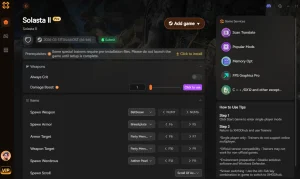
Alternative: Level Up Solasta II Instantly with XMODHUB
If managing Unity Mod Manager updates and broken save files sounds tedious, XMODHUB offers a seamless alternative.
📈 Add 10,000 XP
Instantly grant experience points to your selected party member.
❤️ สุขภาพที่ไร้ขีดจำกัด
Keep your party alive through unbalanced high-level encounters.
⚔️ Unlimited Spell Slots
Cast high-tier magic without needing to long rest.
💰 Set Max Gold
Purchase the best gear available in the Early Access build.
Why Choose XMODHUB for Solasta II
XMODHUB is the trusted choice for PC gamers because it safely injects cheats without permanently altering your game files. It automatically updates alongside Solasta II Early Access patches, ensuring your character progression tools never break your save data.
Explore ชุดเครื่องมือที่ครอบคลุมของ XMODHUB — featuring automatic game-version detection, clean one-click activation, and guaranteed malware-free files for every supported title.
Progression Mods
- XP Multiplier (x2 to x10) – Speed up the leveling process naturally.
- Add Custom XP Amount – Inject exact experience points to reach specific levels.
Combat Mods
- โหมดพระเจ้า – Total immunity to all enemy damage.
- Infinite Movement – Move anywhere on the tactical grid during your turn.
Related Guides for Solasta II
คำถามที่พบบ่อย
พร้อมที่จะยกระดับการเล่นเกมของคุณหรือยัง?

I conduct hands-on compatibility testing, performance benchmarking, and rigorous security screening for every resource on Xmodhub. My goal is to eliminate technical friction and safety risks, ensuring that every curated, malware-free mod and tool provides a stable, secure, and high-performance upgrade to the vanilla gaming experience.


 แคทเธอรีน ฮู