แนนซี่ มิลเลอร์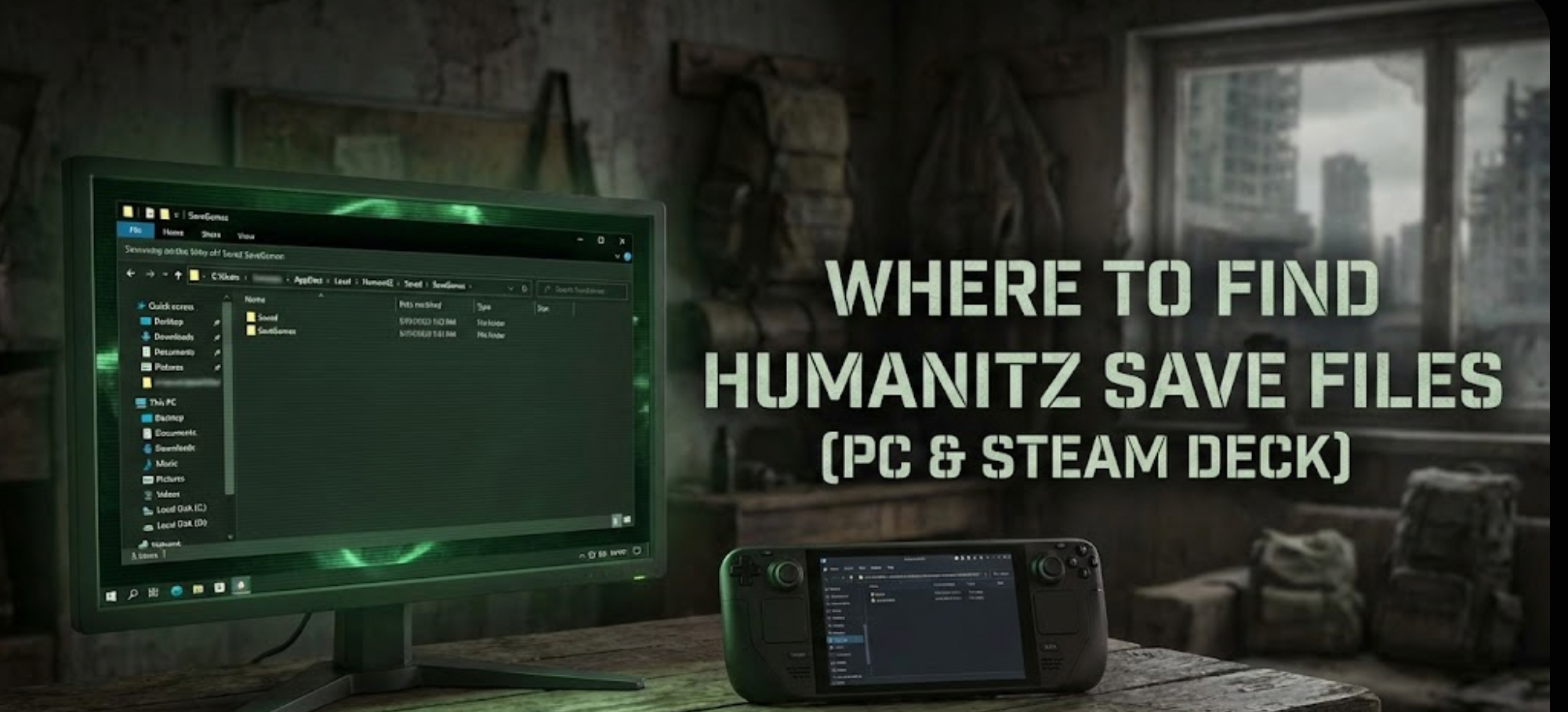
There is absolutely nothing worse than sinking 50 hours into a brutal survival game like HumanitZ, building the perfect fortified base, only to log in one day and find your save file corrupted by an Early Access update or a random crash.
Whether you want to manually backup your precious progress before a risky loot run, transfer your save to a friend’s PC, or modify the config file to squeeze out more FPS, the first step is knowing exactly where the data is hidden on your drive.
Below is the confirmed file path for HumanitZon Windows and Steam Deck, along with a much safer, automated method to manage your backups so you never lose your progress again.
You may also like: cheat engine alternative
Editor’s View: Why Backing Up HumanitZ Saves is Crucial
“We have all been there in survival games. You are deep into a run, gearing up to raid a major city infested with ‘zeeks’, and suddenly—a power flicker, a game crash, or a buggy patch drops. When you relaunch HumanitZ, the ‘Continue’ button is gone or grayed out. It is a survivor’s worst nightmare.”
“I specifically wrote this guide because HumanitZ is an Early Access title, meaning updates can sometimes break older saves. Even if you don’t plan on ‘save scumming,’ please backup your Saved folder manually right now. Don’t learn this hard lesson after losing weeks of base building.”
— แคทเธอรีน ฮู, บรรณาธิการอาวุโส & ผู้คลั่งไคล้เกมเอาชีวิตรอด ที่ XMODhub
ตำแหน่งที่บันทึกไฟล์ของคอมพิวเตอร์ Windows
For the Steam version of HumanitZ, the save files are located in the hidden AppData > Local folder on your main system drive. Inside this folder, you will typically find files ending in .sav corresponding to your character slots.
เส้นทางตรงคือ:
C:\Users\[YourUsername]\AppData\Local\HumanitZ\Saved\SaveGames\
How to navigate there quickly (Steps):
- สื่อมวลชน ปุ่ม Windows + R บนแป้นพิมพ์ของคุณเพื่อเปิดกล่องโต้ตอบเรียกใช้.
- ประเภท %localappdata% and press Enter. (Make sure you use “localappdata”, not just “appdata”).
- In the folder that opens, scroll down and find the folder named HumanitZ.
- ไปที่ บันทึก > บันทึกเกม. You should see your .sav data files here.
HumanitZ Config File Location (Graphics & Settings)
If you need to manually tweak graphics settings that aren’t available in the in-game menu (like disabling specific post-processing effects or changing FOV beyond default limits), you will need to edit the .ini configuration file.
เส้นทาง:
C:\Users\[YourUsername]\AppData\Local\HumanitZ\Saved\Config\WindowsNoEditor\
How to Edit:
Right-click the
GameUserSettings.ini
หรือ
Engine.ini
file and select Open with Notepad.
Steam Deck / ตำแหน่งที่บันทึกบน Linux
If you are playing HumanitZ on the Steam Deck, the Windows file structure is emulated within the Proton compatibility layer. You will need to know the game’s Steam App ID.
เคล็ดลับ: The Steam App ID for HumanitZ is 2026050.
เส้นทาง:
/home/deck/.local/share/Steam/steamapps/compatdata/2026050/pfx/drive_c/users/steamuser/AppData/Local/HumanitZ/Saved/SaveGames/
(From here, navigate deeper into the path to find the actual .sav files.)
วิธีที่ฉลาดกว่า: สำรองข้อมูลด้วยคลิกเดียวด้วย XMODhub
Navigating through hidden %AppData% folders every single time you want to backup your save before a dangerous mission is tedious and prone to error. One accidental delete, and your progress is gone forever.

XMODhub offers a built-in Save Manager tool designed specifically for unstable survival games like HumanitZ.
- ✓
สำรองข้อมูลอัตโนมัติ: XMODhub automatically creates a secure backup of your save file every time you launch or exit the game.
- ✓
Version History: Did a new patch corrupt your save today? Roll back to a working version from yesterday instantly with one click.
- ✓
Visual Management: Easily organize different save slots for different playthroughs without touching Windows Explorer.
คำถามที่พบบ่อย
Q: Can I transfer or restore my HumanitZ save to another PC?
A: Yes. Simply copy the entire contents of the SaveGames folder mentioned above to a USB drive or cloud storage. To restore it on a new PC, paste those files into the exact same location. You may need to launch the game once first to create the folder structure.
Q: What are the .sav files inside the folder?
A: These are the actual data files containing your character, world state, and inventory. Never delete these unless you want to completely reset your progress.
Q: Does modifying HumanitZ save files ban me?
A: HumanitZ is primarily a single-player or co-op experience. Modifying your local save file offline will not get you banned. However, please avoid using modified saves on public multiplayer servers.
สรุป
Locating your HumanitZ save file is a vital survival skill in Early Access gaming. It allows you to recover from glitches, migrate your progress to a Steam Deck, or apply manual fixes.
However, digging through hidden system folders always carries a risk. One wrong click can wipe out dozens of hours of progress.

If you prefer a safer, “set it and forget it” solution, we highly recommend the XMODhub Save Manager. It automates your backups, keeping your hard-earned base secure so you can focus on surviving the zombie apocalypse.

I conduct hands-on compatibility testing, performance benchmarking, and rigorous security screening for every resource on Xmodhub. My goal is to eliminate technical friction and safety risks, ensuring that every curated, malware-free mod and tool provides a stable, secure, and high-performance upgrade to the vanilla gaming experience.



 แคทเธอรีน ฮู