แคทเธอรีน ฮู
มุมมองของบรรณาธิการ: เหตุใดสิ่งนี้จึงสำคัญ
I specifically wrote this guide because Dragon Engine games store saves differently depending on whether you play on Steam or Xbox Game Pass. Even if you don’t plan on modding, please backup your Sega folder manually right now. Don’t let a glitch erase your Platinum Trophy run.”
There is nothing worse than sinking 80 hours into Yakuza Kiwami 3 Item & Dark Ties, completing 100% of the Mahjong and Hostess minigames, only to face a “Save Data Corrupted” error right before the final showdown with the Black Monday organization.
In a massive RGG Studio game, your save file represents weeks of grinding. Whether you want to manually backup your Legend Difficulty progress, transfer your save to a Steam Deck, or tweak the Dragon Engine config files for better FPS, you first need to find where the data is hidden.
Below is the exact file path for Yakuza Kiwami 3 Item & Dark Ties on Windows (Steam & Game Pass) and Steam Deck, along with a safer, automated method to protect your completion list.
คุณอาจสนใจ:
Yakuza Kiwami 3 & Dark Ties: Cheat Engine Table vs. XMODhub Trainer (Best Free Alternative)
ตำแหน่งที่บันทึกไฟล์ของคอมพิวเตอร์ Windows
Depending on your platform, the save files are located in different directories. RGG Studio typically uses the Roaming folder for Steam saves.
C:\Users\%USERNAME%\AppData\Roaming\Sega\YakuzaKiwami3\Steam\C:\Users\%USERNAME%\AppData\Local\Packages\SegaofAmericaInc.YakuzaKiwami3_...\SystemAppData\wgs\How to navigate there quickly (Steam):
- สื่อมวลชน ปุ่ม Windows + R บนแป้นพิมพ์ของคุณเพื่อเปิดกล่องโต้ตอบเรียกใช้.
- ประเภท
%appdata%(note: not localappdata) and press Enter. - เปิด Sega โฟลเดอร์.
- ไปที่ YakuzaKiwami3.
หมายเหตุ: You will typically see files like save001.sav inside a folder named after your Steam ID.
Yakuza Kiwami 3 Item & Dark Ties Config File Location
If you need to manually tweak graphics settings—like disabling the heavy Depth of Field (DoF) or adjusting the Render Scale beyond menu limits—you will need to edit the Dragon Engine configuration file.
C:\Users\%USERNAME%\AppData\Roaming\Sega\YakuzaKiwami3\graphic_settings.iniHow to Edit:
- คลิกขวา
graphic_settings.ini. - เลือก Open with Notepad.
เคล็ดลับ: Changing gamma_level หรือ fps_cap here can fix some visual bugs on Ultrawide monitors.
Steam Deck / ตำแหน่งที่บันทึกบน Linux
Yakuza games are perfect for the Steam Deck. If you need to find your saves on Linux (SteamOS), they are inside the Proton prefix.
/home/deck/.local/share/Steam/steamapps/compatdata/[Steam_App_ID]/pfx/drive_c/users/steamuser/AppData/Roaming/Sega/YakuzaKiwami3/เคล็ดลับ: You will need to know the specific Steam App ID. You can find this by right-clicking the game in your Steam Library and selecting Properties > Updates.
วิธีที่ฉลาดกว่า: สำรองข้อมูลด้วยคลิกเดียวด้วย XMODhub
Navigating through hidden AppData folders or dealing with encrypted Game Pass files is tedious. One accidental delete, and your 100% Completion run is over. XMODhub offers a built-in Save Manager tool designed specifically for RGG games.
01Auto-Backup
XMODhub automatically detects when you save at a Phone Booth or Hideout and creates a backup.
02Minigame Protection
Failed the Haruka Request? Roll back to a previous save instantly without reloading the game entirely.
03Visual Management
Organize your saves by “Chapter” (e.g., Chapter 12: The Plot Twist) with a single click.
XMODhub: More Than Just a Save Manager
XMODhub is your ultimate all-in-one toolkit for PC single-player gaming. Whether you need powerful Trainers to win Mahjong instantly, real-time Translation Tools, or detailed Interactive Maps for Locker Keys, XMODhub has everything covered.
How to Use XMODhub for Yakuza Kiwami 3 Item & Dark Ties:
1. Download and Install the XMODhub client safely.

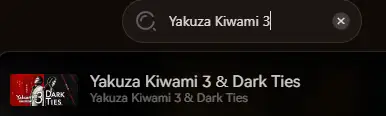
2. Search for “Yakuza Kiwami 3 Item & Dark Ties” in the client.
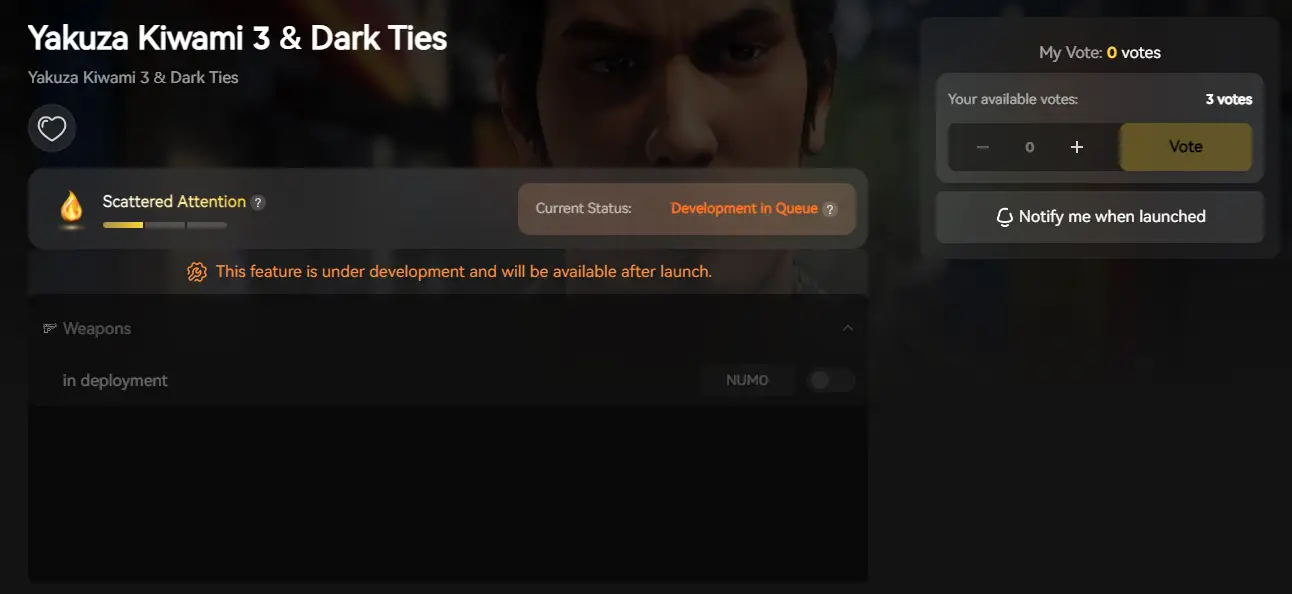
3. Launch the game directly from the client.
คำถามที่พบบ่อย
Q: Can I transfer my Yakuza save from Game Pass to Steam?
A: Generally, no. Game Pass saves are encrypted. However, XMODhub’s Save Manager tool includes a converter that attempts to decrypt the data for cross-platform compatibility (Results may vary based on game version).
Q: What happens if I delete graphic_settings.ini?
A: The Dragon Engine will regenerate a default config file upon the next launch. This is the best way to fix the game if you messed up the resolution settings and get a black screen.
Q: Does modifying save files ban me?
A: No. Yakuza Kiwami 3 Item & Dark Ties is a single-player experience. Modifying your save (e.g., adding Yen or XP) is safe. Do not use modified stats in the Clan Creator online leaderboards.
สรุป
Locating your Yakuza Kiwami 3 Item & Dark Ties save file is a crucial skill, whether you are recovering from a glitch, migrating your progress to a Steam Deck, or manually tweaking config files for better FPS.
However, digging through hidden system folders always carries a risk. One wrong deletion can wipe out dozens of hours of progress. If you prefer a safer, “set it and forget it” solution, we highly recommend the XMODhub Save Manager. It automates your backups, keeping your hard-earned progress secure so you can focus on the story, not the file directory.

ฉันเป็นเกมเมอร์และนักเขียนที่มีความหลงใหลที่ XMODhub มุ่งมั่นที่จะนำเสนอข่าวสารเกมล่าสุด เคล็ดลับ และข้อมูลเชิงลึกให้กับคุณ.
ติดต่อฉัน:
โปรไฟล์ LinkedIn ↗

 แนนซี่ มิลเลอร์