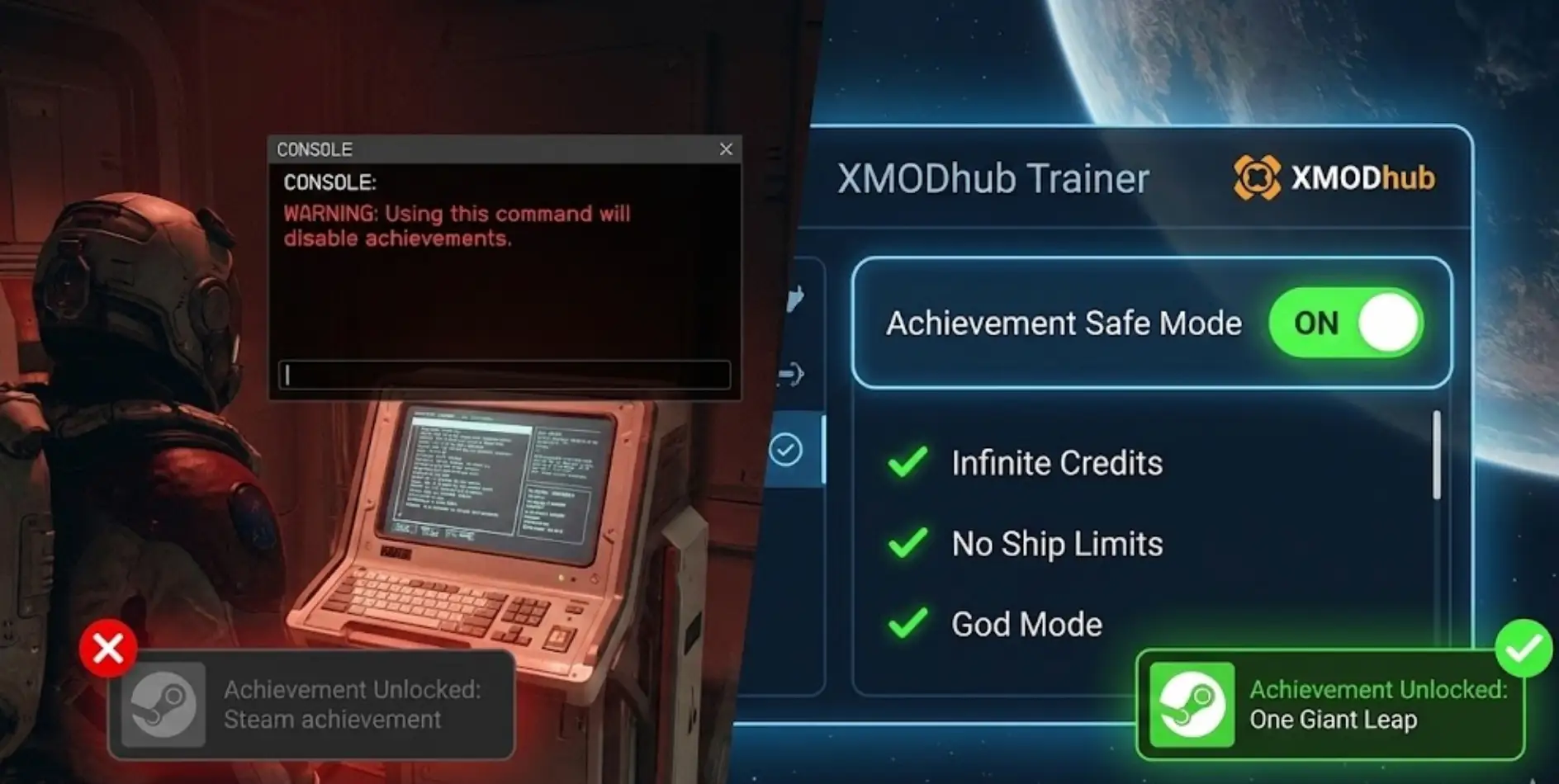
You just found a cool console command to add 1,000,000 Credits. You type it in, press Enter, and then… here’s how to use Starfield cheats without disabling achievements — use an achievement‑enabler mod so you can still earn achievements.
A warning box pops up: “Using certain commands will disable achievements.”
You ignore it. Ten hours later, you complete the main quest, expecting that rare “One Giant Leap” achievement to pop—but nothing happens. Your save file is permanently marked as [Modded], and your progress toward 100% completion is dead.
This is the “Bethesda Tax.” They give you freedom, but they punish you for using it.
In this guide, we will show you how to cheat in สตาร์ฟีลด์ without disabling achievements.
Whether you want to bypass the annoying encumbrance limit or build a massive M-Class dreadnought, here is the safe way to do it in 2026.
สารบัญ
- Editor’s View: The “Overencumbered” Nightmare
- The Trap: Why Console Commands Break Your Save
- The “Hard Way”: SFSE & Achievement Enabler Mods
- The “Easy Way”: XMODhub Safe Injection
- Step-by-Step: How to Use XMODhub Trainer
- Top Cheat 1: Infinite Carry Weight (Oxygen Fix)
- Top Cheat 2: Remove Ship Building Limits
- Top Cheat 3: Shattered Space DLC Items
- XMODhub Supports More Than Just Starfield
- คำถามที่พบบ่อย
- สรุป
Editor’s View: The “Overencumbered” Nightmare
“I love สตาร์ฟีลด์, but I hate its inventory system. There is nothing worse than clearing out a pirate base, finding 50 cool guns, and then realizing I have to walk back to my ship at a snail’s pace because I am 2kg over the weight limit.
Using the console command ผู้เล่น.ตั้งค่า carryweight fixes this, but it kills achievements. I refused to let Bethesda dictate how I enjoy my single-player game. That’s why I switched to external trainers. I can sprint with 10,000kg of loot AND keep my Steam achievements. Best of both worlds.”
— Catherine Hu, Sci-Fi Game Writer at XMODhub
The Trap: Why Console Commands Break Your Save
Bethesda games (Skyrim, Fallout 4, and Starfield) have a built-in “Cheat Detection” script. When you enter “unsafe” commands like tgm (God Mode) or ผู้เล่น.เพิ่มไอเท็ม, the game alters the header of your Save File.
- The Mark: The letter [M] appears next to your character name in the Load menu.
- The Consequence: Steam and Xbox Achievements are permanently disabled for that character. Even if you restart the game, that character is “tainted.”
หมายเหตุ: Cosmetic commands (like คล for lighting) usually don’t trigger this, but anything that gives you an advantage will.
The “Hard Way”: SFSE & Achievement Enabler Mods
You can fix this with mods, but it is a headache. To re-enable achievements while cheating, you typically need to install:
- Starfield Script Extender (SFSE): A complex hook tool.
- ผู้ส่งเสริมความสำเร็จของบากะ: A plugin that patches the game memory.
ปัญหา: Every time Bethesda releases a small update or Creation Club patch (which happens often in 2026), SFSE breaks. You have to wait days for the modder to update the tool, or your game won’t launch.
The “Easy Way”: XMODhub Safe Injection
XMODhub solves this problem by working outside the game’s file structure. We don’t modify the .exe or replace .dll ไฟล์.
Instead of “telling” the game console to give you money (which the game detects), XMODhub directly edits the memory address where your “Credit Value” is stored.
- ผลลัพธ์: The game thinks you legitimately earned that 10,000,000 Credits.
- Achievement Status:Active. You can toggle God Mode, kill a Terrormorph, and the achievement will still pop instantly.
Step-by-Step: How to Use XMODhub Trainer
Using XMODhub is designed to be “Plug and Play.” No dragging files into system folders, no editing .ini configs.
- Install: Download the XMODhub Client and install it on your PC.

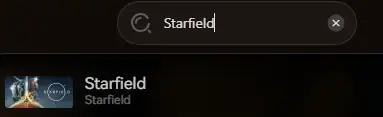
- เปิดตัว: Open the client and search for “สตาร์ฟีลด์“.
- เริ่มเกม: Click the “เล่น” button inside XMODhub. (This allows us to hook into the memory safely before the anti-cheat checks load).
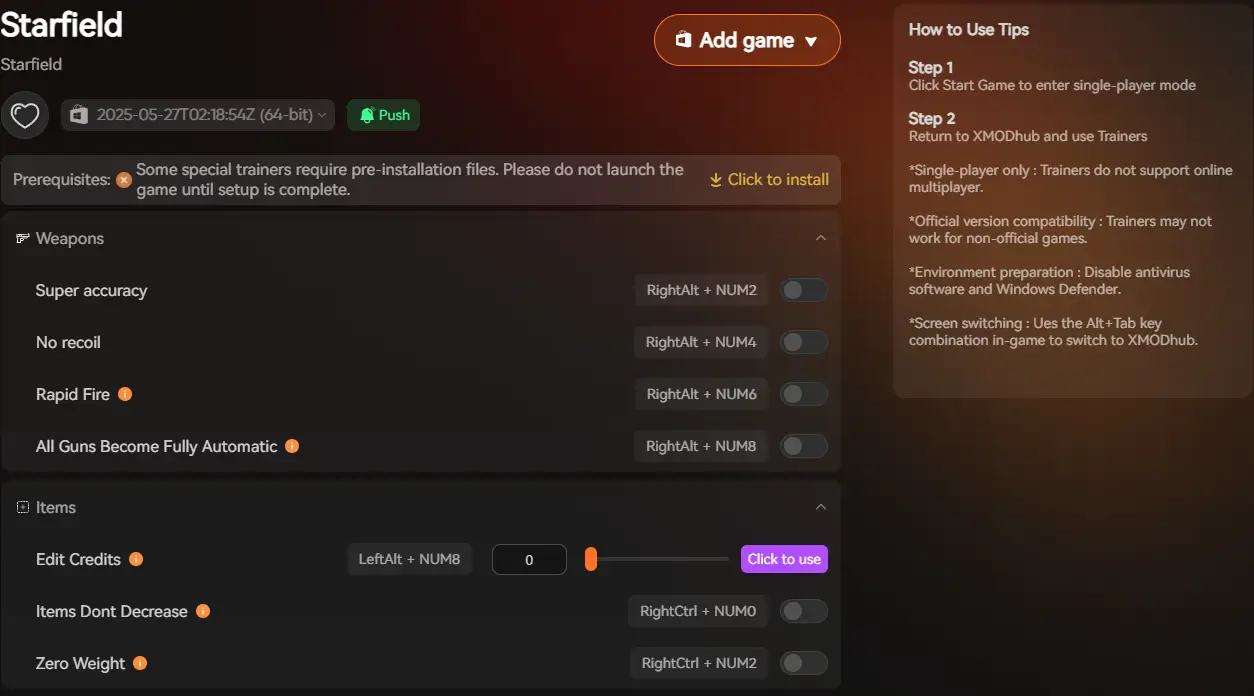
- Activate Overlay: Once in the main menu or in-game, press F1 (or your custom hotkey).
- Toggle Cheats: Simply flip the switch for “Infinite Health” or “Add Credits.” You will hear a confirmation sound.
คำแนะนำจากผู้เชี่ยวชาญ: You can also use the mobile app to control cheats from your phone if you have a single monitor setup!
Top Cheat 1: Infinite Carry Weight (Oxygen Fix)
Stop managing inventory spreadsheets. Enjoy the exploration.
- XMOD Feature:”Set Carry Weight to 0″ หรือ “Infinite Oxygen”.
- ทำไมต้องใช้: You can pick up every resource, weapon, and spacesuit you find without your CO2 meter spiking red and your screen blurring.
Top Cheat 2: Remove Ship Building Limits
The vanilla Ship Builder is restrictive. It screams “Too many modules” or “Ship is too long” if you try to build anything cool like a Star Destroyer.
XMODhub “Ship Architect” Mode allows you to:
- Ignore Module Limit: Place 500 parts instead of the 130 limit.
- Ignore Size Limit: Build ships longer than 80 meters (can still land on planets).
- Overlap Parts: Merge engines and cowlings for sleeker designs.
Top Cheat 3: Shattered Space DLC Items
The Shattered Space expansion added amazing Va’ruun weapons, but they are rare drops.
Instead of hunting for console IDs (which change depending on your load order, e.g., xx005432), use the XMODhub ตัวสร้างไอเทม:
- Open Overlay -> Items.
- เลือก “DLC: อวกาศแตกสลาย”.
- คลิก “Spawn Va’ruun Inflictor (Legendary)”.
XMODhub Supports More Than Just Starfield
We are not just a “Starfield Trainer.” XMODhub is the ultimate companion for fans of massive RPGs and Strategy games.

If you love Bethesda-style freedom, we have tools for your entire library:
One client. Thousands of games. Zero headaches.
คำถามที่พบบ่อย
Q: If I already used console commands and my save is marked [Modded], can XMODhub fix it?
A: ไม่. Once a save file is marked as “Modded” by the game, the damage is done for that specific file. You must use XMODhub on a clean save (or a save before you used the console) to keep achievements enabled.
Q: Does this work on the Game Pass / Microsoft Store version?
A: Yes. Unlike SFSE (which only works on Steam), XMODhub works on both Steam and Xbox App (PC) versions of Starfield because it is a memory trainer, not a file injector.
Q: Will using “God Mode” disable the ‘Complete the Game’ achievement?
A: No. With XMODhub, you can stay in God Mode for the entire final mission, and the achievement will still unlock safely.
สรุป
สตาร์ฟีลด์ is a game about infinite possibilities, so why let an arbitrary “Carry Weight” number or a “Ship Length” limit ruin your fun?
Don’t let the fear of losing achievements stop you from enjoying the game your way. With XMODhub, you can break the rules, build the impossible, and still show off that “100% Completion” badge on your Steam profile.
>> Download Starfield Trainer (Safe for Achievements) <<
ฉันเป็นเกมเมอร์และนักเขียนที่มีความหลงใหลที่ XMODhub มุ่งมั่นที่จะนำเสนอข่าวสารเกมล่าสุด เคล็ดลับ และข้อมูลเชิงลึกให้กับคุณ.
ติดต่อฉัน:
โปรไฟล์ LinkedIn ↗

 แคทเธอรีน ฮู
 แนนซี่ มิลเลอร์
The warning about console commands breaking achievements is so easy to ignore, so I appreciate how clearly you highlight why it matters long-term. Honestly, the inventory and ship-building limits feel more like friction than meaningful gameplay, so finding safe ways to adjust them makes total sense. It’s interesting how these workarounds end up preserving the experience rather than breaking it.