One click translation tutorial for ‘Dying Light: The Beast’

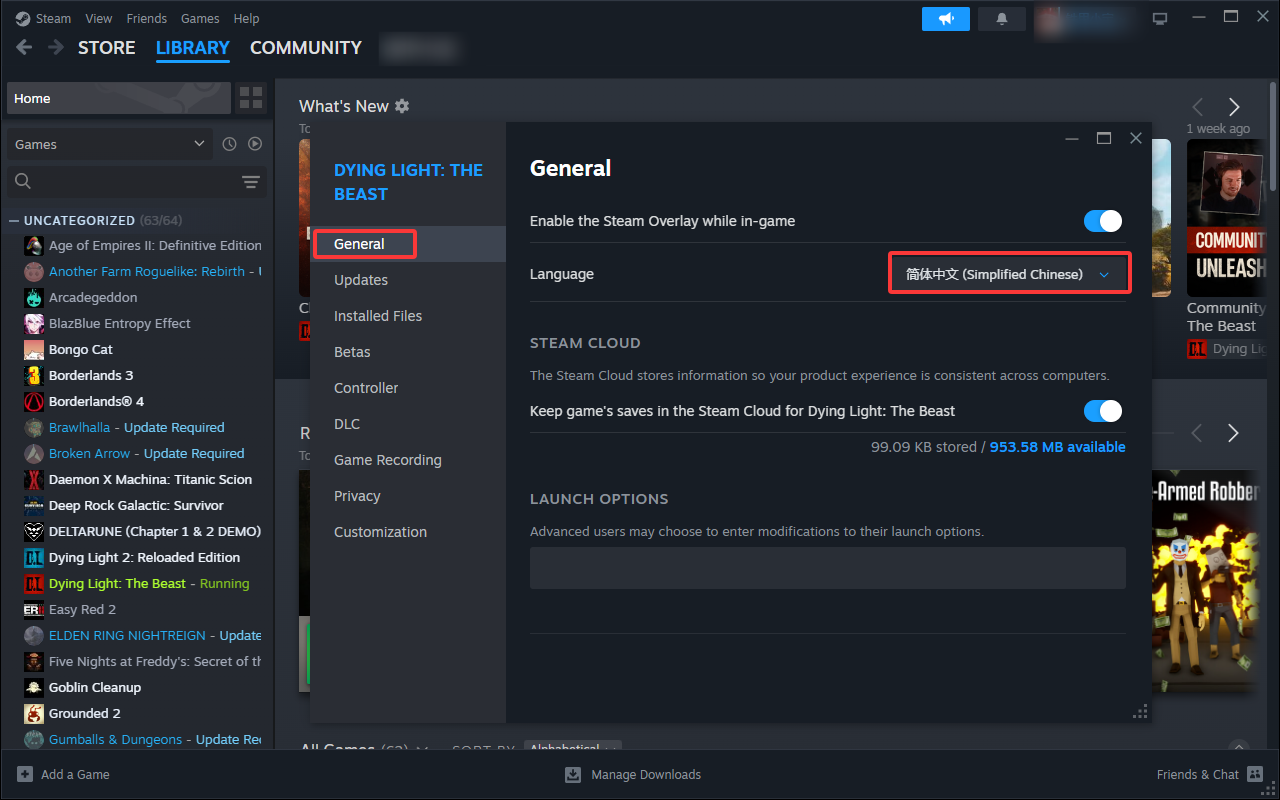
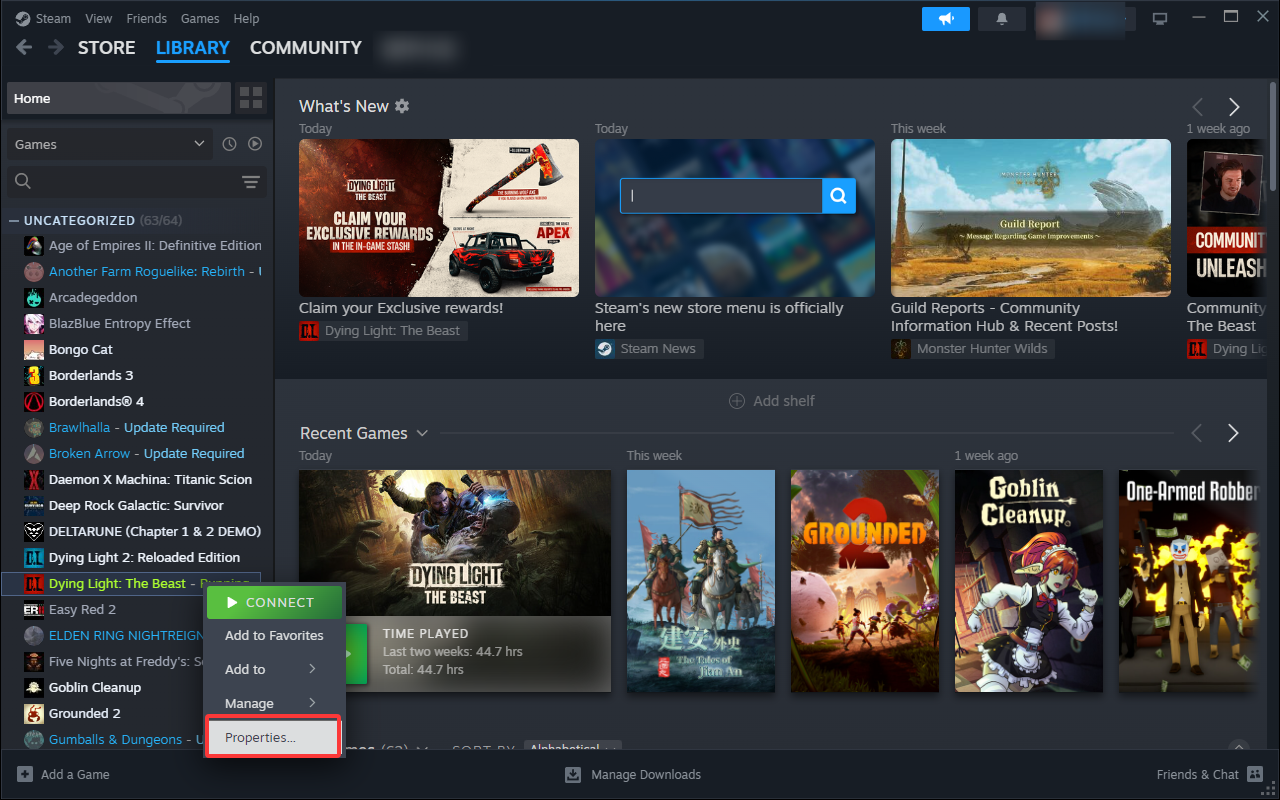
1. Please first right-click on the game ‘Dying Light: The Beast’ on Steam LIBRARY, click on Properties…, click on General, switch the language to Simplified Chinese, and update the game
กรุณาใน Steam – ไลบรารีเกมก่อนคลิกขวาที่เกม Dying Light: The Beast คลิกเนื้อหา …,คลิก ยูนิเวอร์แซล เปลี่ยนภาษาเป็นภาษาจีนตัวย่อ (Simplified Chinese),อัพเดตเกม
D2AB2980983A141C11A651AA95951D38

67C6A4E2E9DB5DAA9D8CB416D102BD02

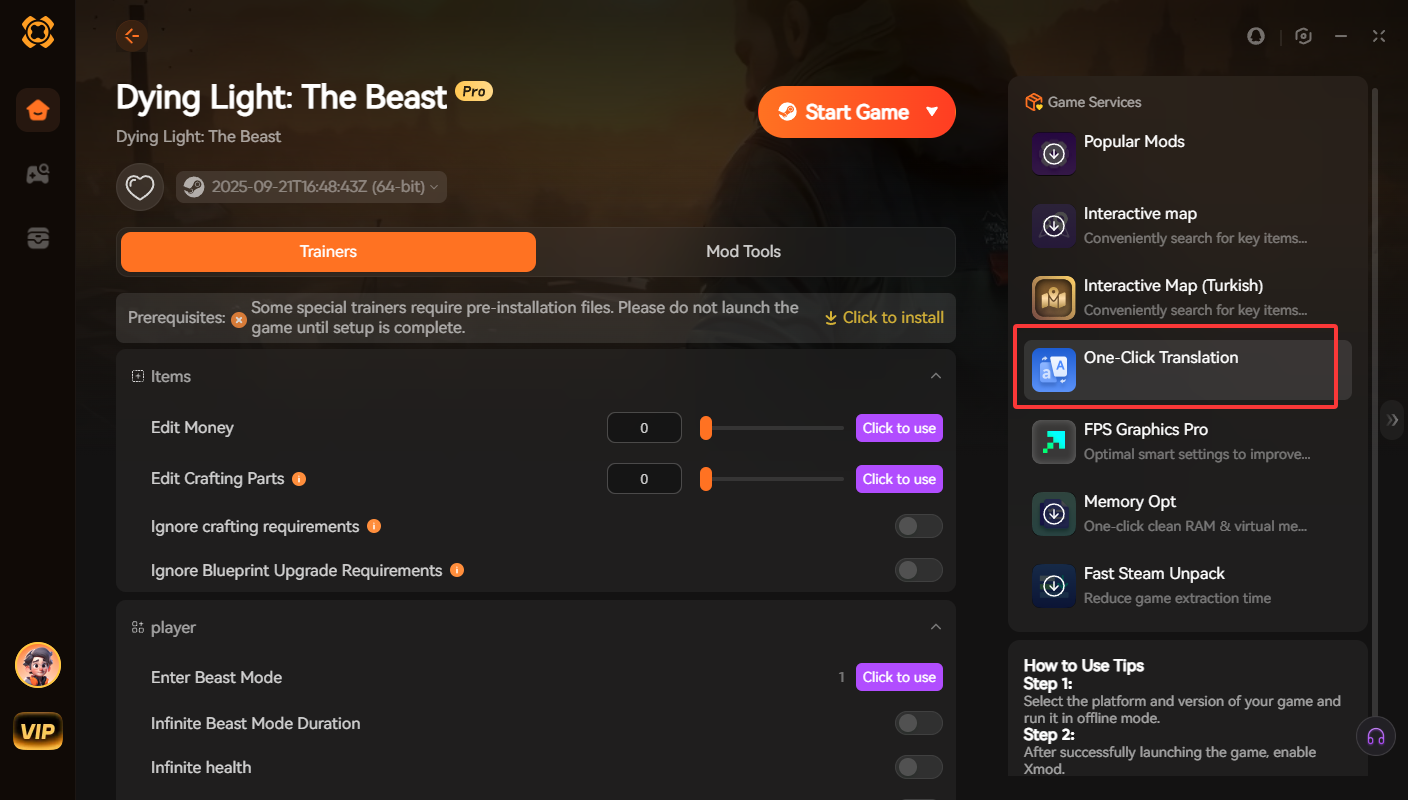
2. Return to XMOD, click on one click translation, and after the translation is complete, start the game to complete the translation
กลับไปที่ XMOD คลิกเพียงคลิกเดียวเพื่อแปลและเริ่มเกมหลังจากการแปลเสร็จสิ้นการแปลคุณสามารถเสร็จสิ้นการแปล
3A4E5144335A51AACE79A646D072FBB4

1BFCDC165E21FD945B6D24B2BB336FFA

  • arvin bronw

    Похожие посты

    Game List & Tutorial for TTSGAME

    How to play games using TTSGAME: Go to the page of the supported games shown below. Click the ‘Start Game’ button and select ‘TTSGAME’ Enjoy Your Game! TTSGAME Support Channel: https://discord.gg/7JK2pdPs Below are…

    Danh sách Trò chơi & Hướng dẫn cho TTSGAME

    Cách chơi game bằng TTSGAME: 1. Truy cập trang của các game được hỗ trợ như hiển thị bên dưới. 2. Nhấp vào nút ‘Start Game’ và chọn ‘TTSGAME’. 3. Tận hưởng trò chơi của bạn!…

    Добавить комментарий

    Ваш адрес email не будет опубликован. Обязательные поля помечены *

    Основной цвет

    Вторичный цвет

    Режим макета

    Кнопки и иконки социальных акций powered by Ultimatelysocial