Кэтрин Ху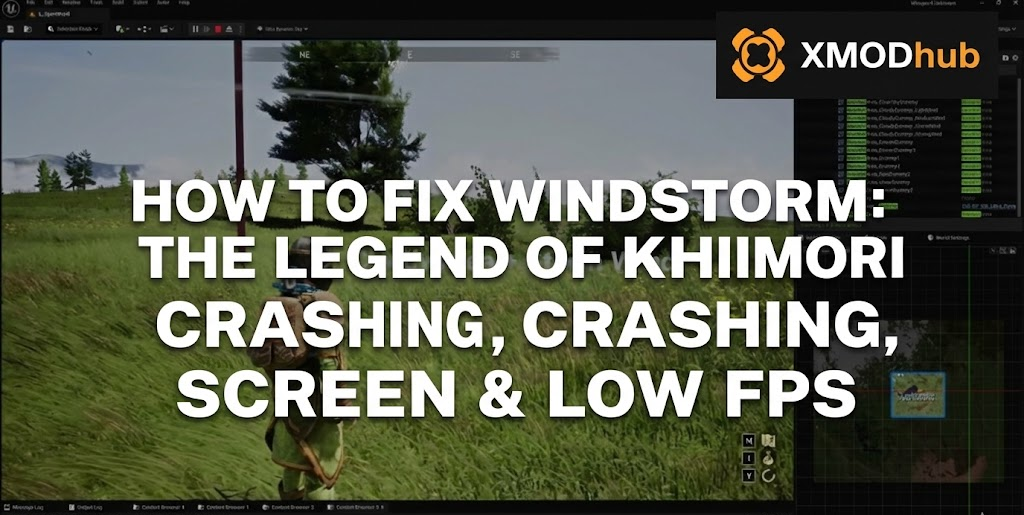
Editor’s View: The “Day One” Curse
You have waited months to explore the 13th-century Mongolian steppes in Windstorm: The Legend of Khiimori. You have cleared your schedule to bond with your horse, but when you click “Play,” the game instantly closes with a “Fatal Error.” Or worse, you are stuck on a permanent black screen while the ambient wind howls in the background.
Launch issues in a massive Unreal Engine 5 open world are frustrating, but they are rarely unfixable.
Whether you are facing random crashes to desktop (CTD), missing DLL files, or unplayable frame rates, this guide covers the most effective solutions to get you back in the saddle.
Вам также может понравиться:
Windstorm: The Legend of Khiimori Cheat Engine Table vs. XMODhub Trainer: Best Free Alternative (2026)
Check First: Windstorm: The Legend of Khiimori System Requirements
Unreal Engine 5 is demanding. Running this game on below-minimum specs is the most common cause of “silent crashes” where the game closes without an error message.
| Компонент | Минимальные требования | Рекомендуемые характеристики |
|---|---|---|
| OS | Windows 10 (64-бит) | Windows 11 (64-бит) |
| CPU | Ryzen 5 3600 / Core i5-10400 | Ryzen 7 5800X / Core i7-12700 |
| RAM | 16 ГБ ОПЕРАТИВНОЙ ПАМЯТИ | 32 GB RAM |
| GPU | RX 5700 / RTX 2060 (6GB VRAM) | RX 6800 XT / RTX 3080 (10GB+ VRAM) |
| Хранение | 60 GB SSD | 60 GB NVMe SSD |
Method 1: Verify Game Files (Steam/Epic)
Corrupted installation files are the #1 cause of the game crashing on startup.
- For Steam Users: Right-click the game > Properties > Installed Files > Click Проверьте целостность игровых файлов.
- For Epic Games Users: Click the three dots (…) on the game card > Manage > Verify.
Method 2: Update Drivers & UE5 C++ Redistributables
The Legend of Khiimori requires a clean software environment to handle its Lumen lighting and Nanite geometry.
- Драйверы GPU: Perform a clean installation of the latest NVIDIA Game Ready or AMD Adrenalin drivers.
- Visual C++ All-in-One: If you see
MSVCP140.dllилиVCRUNTIME140.dllerrors, you must reinstall the Microsoft Visual C++ Redistributables (both x86 and x64 versions).
Method 3: Fix Black Screen & Shader Compilation
If you see a black screen on startup, the game is likely hanging while compiling shaders.
- Wait: UE5 games can take several minutes to compile shaders on the first launch.
- Clear Shader Cache: Go to NVIDIA Control Panel > Manage 3D Settings > Shader Cache Size > Set to Unlimited.
- Disable Fullscreen Optimizations: Right-click the game executable > Properties > Compatibility > Check Disable fullscreen optimizations.
Method 4: Common Error Codes & Fixes (VRAM / DX12)
This is often an Antivirus conflict. Whitelist the game folder in Windows Defender or run the game as Administrator.
Common on 13th/14th Gen Intel CPUs. Try lowering Texture Quality to Medium or underclocking your CPU slightly using official manufacturer tools.
Right-click the game in Steam > Properties > Launch Options. Type
-dx11 to force compatibility mode if your GPU is struggling with DirectX 12.Method 5: Fix Low FPS & Stuttering
Is your horse riding like a slideshow?
- Enable DLSS/FSR: Use the “Balanced” or “Performance” preset in the graphics menu.
- Lower Shadows & Volumetric Clouds: These are the biggest FPS killers in the Mongolian open world.
- Set High Priority: In Task Manager > Details > Right-click the game process > Set Priority > High.
The Workaround: Skip Laggy Areas with XMODhub
Sometimes, the game crashes during high-load cutscenes or in dense forest areas due to unoptimized UE5 code. XMODhub offers unique ways to bypass these technical hurdles:
- Спидхак:
Slow down the game to 0.5x speed during stuttering sequences to give your GPU more time to process assets, preventing a hardware-bound crash. - Save Manager:
Automatically backup your save every 10 minutes. If the game crashes and corrupts your save while you’re out in the wilderness, you can roll back instantly with XMODhub.
How to Get Started with XMODhub
Загрузите и установите: Get the client from the official XMODhub site.

Auto-Detect: The app will find your copy of Windstorm: The Legend of Khiimori automatically.

Select Your Tools: Enable the Save Manager or Trainer to stabilize your gameplay.
Launch & Play: Start the game through XMODhub for a smoother experience.
ЧАСТО ЗАДАВАЕМЫЕ ВОПРОСЫ
Q: Does Windstorm: The Legend of Khiimori support Windows 10?
Yes, but you must be on version 22H2 or newer to support the required DirectX 12 features.
Q: Will a reinstall fix the “Fatal Error”?
Try “Verifying Integrity” first. If that fails, a fresh install on an SSD is highly recommended—standard HDD speeds cause asset streaming crashes in Unreal Engine 5.
Q: Is there a patch for the startup crash?
The developers are actively monitoring feedback. Check the XMODhub news section for Patch 1.02 notes and performance updates.
Заключение
Exploring Mongolia should be an adventure, not a technical struggle. By verifying your files and managing your UE5 settings, you can fix the Windstorm: The Legend of Khiimori crash on startup error.
If the game is still stuttering or crashing in specific biomes, let XMODhub bridge the gap. Our Auto-Backup ensures your horse’s progress is never lost, and our optimization tools help you bypass the “Day One” lag. Play smarter, and enjoy the ride.

Я страстный геймер и писатель XMODhub, который стремится предоставить вам самые свежие игровые новости, советы и мнения.
Свяжитесь со мной:
Профиль LinkedIn

 Нэнси Миллер