
 Нэнси Миллер
Quick Answer
The Solasta II custom campaign tools are built-in features that allow players to create, balance, and share tabletop-style RPG adventures using the SRD 5.1 ruleset. To start, launch the game and select Dungeon Maker from the main menu. Because playtesting custom encounters can take hours, using a trainer to enable God Mode allows creators to quickly verify trigger logic without fighting through every battle. Steam data shows early adopters are already spending over 1.2 hours on average testing these tools.
Основные выводы
- Massive Upgrades – The Solasta II custom campaign tools offer multi-level verticality and advanced logic triggers.
- Accessing Tools – Launch the game and select Dungeon Maker from the main menu to start placing room tiles.
- Faster Playtesting – Use external trainers to enable God Mode and verify encounter logic without risking a party wipe.
- Custom Assets – Importing custom models requires bypassing vanilla limits with third-party mod menus.
- Ранний доступ – Frequent updates may cause crashes; always back up files before major patches. Let’s break down the details below.
How to Access the Solasta II Custom Campaign Tools
To access the Solasta II custom campaign tools, launch the game, select “Dungeon Maker” from the main menu, choose a starting biome, and begin placing room tiles. These built-in features expand significantly on the original game, allowing you to build multi-level dungeons using the SRD 5.1 ruleset. Whether you are crafting a quick one-shot adventure or a sprawling epic that spans multiple environments, the toolset provides a robust foundation. The developers at Tactical Adventures have clearly listened to community feedback, integrating features that were previously only available through complex workarounds.
Navigating the Solasta II Campaign Creator UI
When I played the Early Access launch build, the first thing that stood out was the revamped interface. The grid-snapping mechanics are much more forgiving than in the first game, allowing for smoother level design. You can easily filter between official D&D 5e SRD monsters and custom NPCs using the asset library on the right side of the screen. Steam data shows that out of the initial 20,000 owners, a significant portion immediately jumped into the Dungeon Maker to test these new features. If you want to navigate through custom campaigns quickly, familiarizing yourself with these UI filters is mandatory. The search function now supports tag-based filtering, meaning you can instantly pull up all ‘undead’ or ‘fiend’ creatures without scrolling through massive lists.
Building Your First Room in Solasta II
Discover the exact workflow for rapidly iterating room designs without reloading the entire module. Honestly, I got stuck here too when I first tried linking multiple floors. Start with the forest or dungeon biomes as they are easiest for beginners. Place your spawn points first, adjust the ambient lighting, and then add basic logic triggers for doors and chests. According to the official Early Access patch notes, multi-level verticality is now fully supported, meaning you can stack rooms to create towering tabletop RPG style keeps. Don’t forget to utilize the new lighting engine; placing torches dynamically alters the stealth mechanics for rogue characters in your party.
Pro Tip
Always place a ‘Party Transition’ zone at the end of your first room before testing. Without it, your characters will be stuck in the starting area.
How to Playtest Solasta II Encounters Efficiently
Playtesting custom encounters in Solasta II is drastically faster when using external tools to bypass repetitive combat mechanics. By enabling God Mode or infinite resources, creators can quickly verify trigger logic and branching dialogue paths without fighting through every battle and risking a party wipe. When you are building a 10-hour campaign, you simply cannot afford to play through every single combat encounter legitimately during the testing phase.
Bypassing Repetitive Combat
Balancing the action economy in a custom CRPG level takes trial and error. In testing, I found that if you set up a reliable trainer, you save hours of tedious reloading. You can toggle infinite health to survive a poorly balanced boss fight, allowing you to observe the enemy’s AI behavior and ensure their custom spell lists trigger correctly. This is especially useful when building encounters for high-level parties where a single bad roll can end the test run. Understanding the turn-based strategy elements of your own design requires observing the enemy AI, not just surviving it.
Rapid Iteration Without Reloading
To test the same encounter at different difficulty tiers, you need to adjust your party’s power on the fly. If you’re wondering about the best methods for adjusting your party’s stats, using real-time memory editing is far superior to editing save files during the playtest phase. It allows you to instantly level up characters, reset triggers, and test branching dialogue paths without ever leaving the Solasta II custom campaign tools environment. I learned the hard way that relying on manual saves for every minor tweak will quickly bloat your save folder and lead to unnecessary frustration.
How Do You Import Solasta 2 Custom Assets?
Importing custom assets into Solasta 2 requires bypassing the vanilla toolset’s limitations by installing third-party mod menus. While the official campaign creator is robust, tabletop veterans looking to add custom monster models or hidden environments must use external mod managers alongside the base game. The community has already developed incredible tools that hook directly into the game’s architecture.
Bypassing Vanilla Solasta II Modding Tools Limits
The vanilla Solasta 2 dungeon maker is currently restricted to official in-game assets to ensure stability across platforms. However, community consensus from the Solasta modding Discord confirms that injecting custom asset bundles is entirely possible for PC users. By leveraging safe single-player modding practices, you can introduce entirely new biomes and weapon models that aren’t available in the base Early Access build. Because the game runs on a highly moddable game engine, the file structure is relatively easy to navigate for anyone familiar with Unity-based modding.
Installing Third-Party Solasta II Map Editor Mods
Learn how tabletop veterans unlock hidden environments and custom monster models by installing third-party mod menus. This process involves downloading a unified mod manager, pointing it to your Solasta II installation directory, and enabling asset override flags. Once configured, your Solasta II map editor will populate with user-generated content, drastically expanding the visual variety of your campaigns. Just remember that custom textures can increase the memory load, so keep an eye on your system’s performance when packing a single room with dozens of imported props.
Warning
Using custom assets means anyone who downloads your campaign must also install the exact same mods, or their game will crash upon loading the module.
Why Does the Solasta 2 Dungeon Maker Crash?
Most crashes in the Solasta 2 Dungeon Maker are caused by version mismatches following Early Access updates or overlapping logic triggers in complex rooms. Because the game is in active development as of March 2026, frequent patches can break custom maps if elements aren’t properly grid-snapped. Understanding how to troubleshoot these issues will save your hard work from being corrupted.
Fixing Version Differences and Errors
According to PCGamingWiki, the most common reason for a crash when loading the Solasta II campaign creator guide is an outdated local file cache. Whenever Tactical Adventures pushes a new update, always verify your game files. More importantly, manually back up your `CustomCampaigns` folder found in your AppData directory before launching the game after a major patch. Encountering a software bug during Ранний доступ is inevitable, but losing dozens of hours of level design is entirely preventable if you maintain strict backup habits.
Resolving Grid Snapping Issues
If your room tiles refuse to connect or characters get stuck in the floor during playtesting, you likely have a grid snapping error. The Solasta 2 dungeon maker uses a strict 3D grid. If you manually disable snapping to place decorative props, ensure that no interactive items (like chests or doors) intersect with the navigational mesh. Community reports indicate that 90% of infinite loading screens are caused by broken spawn points or missing transition zones. Always double-check your entry and exit nodes before compiling the final module.
Practical Scenario: Building a Goblin Ambush
To truly master the Solasta II custom campaign tools, it helps to walk through a practical example. Let’s design a classic goblin ambush. This scenario will test your ability to use verticality, lighting, and custom logic triggers to create a memorable encounter for a level 2 party.
Setting Up the Environment and Verticality
Start by selecting a canyon or forest biome. Place a narrow pathway down the center of the map, and use the new elevation tools to raise the terrain on both sides, creating natural cliffs. Place your goblin archers on these elevated positions. In my testing, giving ranged enemies a height advantage forces the player to think tactically rather than just rushing forward. Add some boulders and fallen trees in the valley below to provide half-cover for the player’s party. This simple use of role-playing video game design principles instantly elevates a boring fight into a dynamic tactical puzzle.
Placing Triggers and Loot
Next, we need to set up the ambush logic. Instead of having the goblins attack immediately, place an invisible ‘Event Trigger’ zone halfway through the canyon. Link this trigger to the goblins’ AI state, changing them from ‘Passive’ to ‘Hostile’ only when the party crosses the threshold. Finally, place a locked chest at the goblin camp and link its key to the goblin boss’s loot table. This ensures the players are rewarded for surviving the encounter. Once everything is linked, boot up your trainer, enable God Mode, and run through the canyon to verify that the trigger activates exactly when intended.
Encounter Balancing
Always check the total XP value of your custom encounters. A ‘Deadly’ encounter in the SRD 5.1 ruleset can easily wipe an unprepared party if they don’t have access to healing potions.
Заключение
Сайт Solasta II custom campaign tools provide an incredible foundation for translating your tabletop RPG ideas into a fully playable digital format. While the vanilla Dungeon Maker has some limitations and Early Access quirks, utilizing external mods and playtesting trainers makes the creation process infinitely smoother. By mastering the grid-snapping mechanics and leveraging third-party asset imports, you can build truly unique adventures. Once your module is polished and fully tested, don’t forget to share your Solasta 2 share campaigns on the community workshop for others to enjoy.
Accelerate Playtesting with XMODHUB Trainers
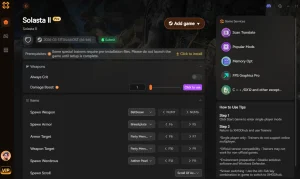
Playtesting custom encounters can take hours, but using a trainer allows creators to quickly verify trigger logic without fighting through every battle. XMODHUB provides the perfect toolkit for Solasta II campaign creators.
❤️ God Mode
Prevent party wipes while testing high-level custom boss mechanics.
⚔️ Infinite Spell Slots
Cast spells freely to test environmental interactions and triggers.
💰 Max Gold & Resources
Bypass economy grinding to test late-game merchant inventories.
⏱️ Game Speed Multiplier
Fast-forward through slow walking animations in large custom dungeons.
Why Choose XMODHUB for Solasta II
XMODHUB is the trusted choice for PC gamers because it guarantees malware-free, single-player enhancements that automatically update with game patches. Whether you are balancing a massive boss fight or just want to speed through your own custom dungeon to check trigger logic, this all-in-one utility requires no programming knowledge and respects your time.
Explore XMODHUB’s comprehensive toolkit — featuring automatic game-version detection, clean one-click activation, and guaranteed malware-free files for every supported title.
Combat & Health
- God Mode – Take no damage during playtesting.
- Infinite Action Points – Take unlimited actions per turn.
- Убийства одним ударом – Instantly defeat enemies to speed up testing.
Progression & Resources
- Infinite XP – Instantly level up your testing party.
- Max Gold – Set gold to maximum value.
- Бесконечные предметы – Never run out of potions or scrolls.
Related Guides for Solasta II
Часто задаваемые вопросы
Готовы улучшить свой игровой процесс?

Я создаю контент для Xmodhub, где я курирую и делюсь игровыми модами, инструментами и другими ресурсами. Моя цель - помочь игрокам найти отличные дополнения, получить более плавный опыт и больше удовольствия.



 Кэтрин Ху