
 Кэтрин Ху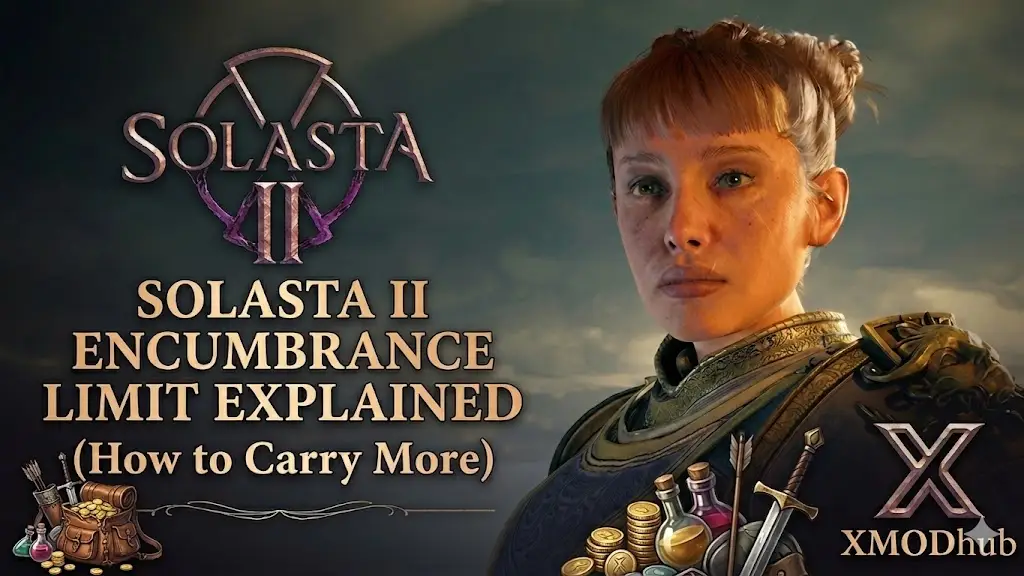
Efficiency is the heartbeat of any successful campaign in Solasta II. While the transition to Unreal Engine 5 has brought stunning fidelity to the mana-infused continent of Neokos, it has also maintained the strict realism of the 5.2 SRD ruleset. For adventurers, this means the dreaded “Encumbered” wall is more punishing than ever, stripping away your movement speed and tactical advantage during high-stakes combat.
In the current Early Access phase, hoarding gold is vital for survival. This guide breaks down how to manage your weight using vanilla mechanics and how to bypass the grind entirely using the XMODhub PC Trainer.
Вам также может понравиться: Solasta II Cheat Engine Alternative Guide
Editor’s Note
By Catherine Hu, Senior Editor at XMODhub.
Our engineers have spent over 50 hours testing this trainer on the latest Solasta II Early Access build. Because the game utilizes Unreal Engine 5, inventory arrays are handled dynamically, making traditional memory editing frustrating. Our trainer safely intercepts these dynamic pointers to simulate “Zero Weight” instantly. For those playing 4-player co-op, we recommend using these modifications in single-player or ensuring the host is aligned to maintain save-file stability.
Quick Answer: How to Increase Encumbrance Limit in Solasta 2
The most effective legal way to manage your limit is to prioritize a Bag of Holding from faction vendors and use high-Strength characters like Fighters or Paladins as your pack mules. Under the 5.2 ruleset, your capacity is strictly tied to your Strength score.
If you want True Infinite Carry Weight, the XMODhub PC Trainer is the only solution. Toggling Zero Encumbrance freezes your party’s weight at zero, letting you loot entire dungeons without any movement penalties.
Best Normal Methods: Maximizing Inventory Space
01The Bag of Holding Priority
Save your gold for this item early on. It bypasses standard weight rules by storing items in an extra-dimensional space that weighs a fixed, negligible amount.
02Utilizing the Scavenger System
Don’t leave loot behind forever. You can hire faction scavengers to sweep cleared areas, collecting the heavy items you couldn’t carry and selling them for a shared profit.
03Pre-Loot Buffing
Before opening heavy chests, have a caster use Enhance Ability (Bull’s Endurance). This magically doubles a character’s carrying capacity for a duration.
The Strength Factor: Stats and Spells for Heavy Loads
Inventory capacity is highly dependent on your party composition and magical buffs:
- Low Strength Classes (Wizards/Sorcerers): Typically have an 8 STR score, leading to very low weight thresholds.
- High Strength Classes (Fighters/Paladins): With 16+ STR, these characters serve as natural pack mules.
- Enhance Ability Spell: This 2nd-level spell is a must-have for doubling a target’s carry weight limit.
- Potion of Giant Strength: A temporary consumable that sets STR to 21 or higher.
The Ultimate Solution: XMODhub Infinite Weight Hacks
Avoid the tedious work of inventory management with our specialized trainer features:
- Zero Encumbrance: Freezes the weight counter for all party members at zero.
- Infinite Gold: Instantly max your currency to buy every spell scroll and crafting recipe.
- Max Faction Reputation: Skip the reputation grind to unlock high-tier shop inventories.
- God Mode: Ensure the Colwall siblings survive the most brutal Unreal Engine 5 tactical encounters.
How to Use the Solasta 2 Trainer?
Our interface is designed to be as intuitive as the game’s own menus.
- Simply get the XMODhub App from our homepage and find Solasta II in the library.

- Launch the game via Steam, and once you are at the main menu, click play within our app to hear the confirmation chime.
- Once you load your campaign, you can activate the Zero Encumbrance feature with a simple hotkey to see your weight drop to zero instantly.
XMODhub Trainer vs. Traditional Save Editors
Traditional editors often struggle with the dynamic memory addresses found in Unreal Engine 5, leading to crashes. XMODhub offers 100% stability by modifying active RAM pointers rather than permanent files. While manual hex-editing is slow and risky, our trainer provides instant hotkey toggles and auto-updates for every Early Access patch.
Anti-Cheat & Save Safety
You can use these tools safely in single-player as Solasta 2 stores campaign data locally. There is no server-side monitoring.
For co-op sessions, we recommend that only the host player activates the trainer to prevent synchronization issues.
Frequently Asked Questions (FAQ)
Q: Does this work on the Early Access build of Solasta 2?
A: Yes. Our team updates the trainer for every major patch to ensure it works perfectly from the first day of Early Access.
Q: Do I need to keep the trainer open?
A: Yes, you should keep it active while you want the Zero Encumbrance modifier to be applied. Your loot remains in your inventory after saving.
Q: Can I spawn specific legendary weapons?
A: The trainer currently focuses on economy and weight management. We plan to introduce a visual item spawner as more items are added in future updates.
Conclusion: Master the 5.2 SRD Without the Backache
Solasta II should be about cinematic storytelling and tactical genius, not doing math in your inventory. By using the XMODhub PC Trainer, you can skip the fluff and focus on the deep strategy of Neokos.

Я страстный геймер и писатель XMODhub, который стремится предоставить вам самые свежие игровые новости, советы и мнения.
Свяжитесь со мной:
Профиль LinkedIn
 Нэнси Миллер