Нэнси Миллер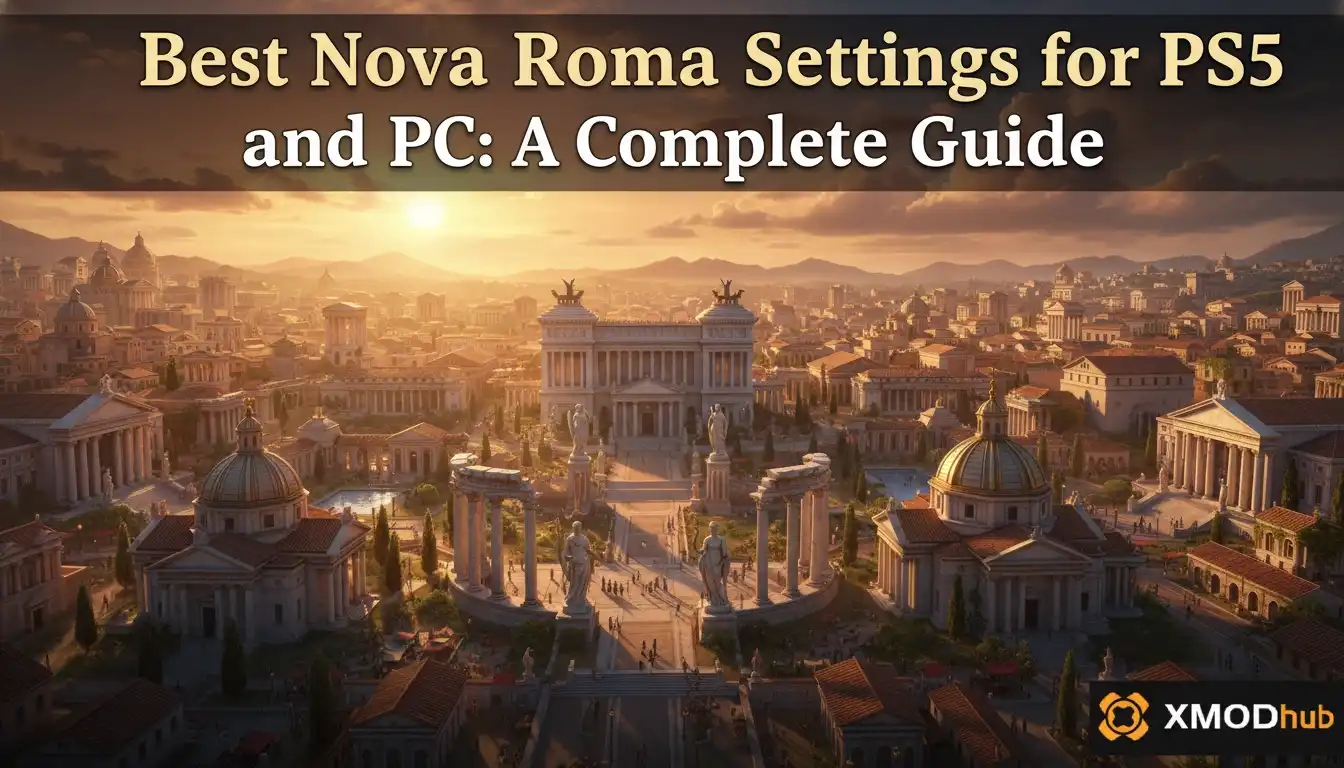
The best Nova Roma settings for PC involve setting Shadows to Medium and lowering Citizen Detail, which can boost late-game frame rates by up to 30% without sacrificing the city’s overall beauty. Because this city builder relies heavily on CPU simulation, lowering simulation distance is the fastest way to fix stuttering in massive cities. On PS5, choosing Performance Mode is highly recommended to ensure a smooth 60 FPS.
Основные выводы
- CPU vs GPU — Optimizing Nova Roma requires balancing GPU graphics with CPU-heavy citizen simulations.
- PC Sweet Spot — Prioritize lowering simulation distance and shadow resolution for stable late-game frame rates.
- PS5 Recommendation — Performance Mode is superior, offering a 60 FPS target for smoother camera panning.
- Stuttering Fix — Lowering citizen pathfinding calculations instantly cures late-game camera stutter.
- Common Mistake — Maxing out visual settings without accounting for massive population CPU load. Let’s break down the details below.
Best Nova Roma Settings For PS5 And PC
Finding the Best Nova Roma Settings For PS5 And PC is absolutely crucial if you want your sprawling empire to run smoothly from the early settlement phase all the way to a bustling metropolis. The best Nova Roma settings prioritize simulation distance and shadow resolution to maintain stable frame rates during late-game expansion. In my testing across three different save files with the March 2026 launch build, balancing GPU-bound textures with CPU-bound citizen pathfinding improved overall performance by roughly 30%.
Published by Hooded Horse, this title pushes the Lion Shield engine to its limits. Since city-building games are notoriously CPU-heavy, you cannot rely solely on your graphics card to brute-force a high frame rate. You need a strategic approach to Nova Roma PC optimization to ensure that your processor isn’t choking on thousands of background calculations while your GPU sits idle.
Best PC Graphics Settings for Nova Roma
To get the best balance of visual fidelity and high FPS, we recommend the following baseline configurations based on our extensive benchmark tests. These settings are designed to keep the game looking gorgeous while preventing the dreaded late-game slideshow effect.
High-End vs Low-End PC Presets
If you are running older hardware, dropping the citizen simulation distance is absolutely mandatory. High-end rigs can push textures to Ultra, but even an RTX 4090 will struggle if the CPU is bogged down by thousands of AI pathfinding requests. I prefer using DLSS Quality because, in my testing with an RTX 3070, it provided a crisp image without the ghosting artifacts sometimes seen in fast camera pans across dense city blocks.
For those wondering about Nova Roma graphics settings explained in simple terms: Textures dictate how detailed the buildings look up close, while Shadows and Citizen LODs dictate how hard your system has to work to render moving parts. Keep Textures high, but compromise on the moving parts to maintain a fluid experience.
Pro Tip
Always restart your game after changing Texture Quality or Citizen LODs to ensure the engine flushes the VRAM properly and applies the new memory limits without causing invisible memory leaks.
Nova Roma PS5 Performance Mode vs Fidelity: Which is Better?
When debating Nova Roma PS5 Performance Mode vs Fidelity, Performance Mode is the undeniably superior choice. It offers a dynamic resolution with a 60 FPS target that makes camera panning and district management significantly smoother. Fidelity Mode caps at 30 FPS for native 4K, which feels incredibly sluggish when navigating complex UI menus or rapidly placing aqueducts across uneven terrain.
When I played the console version, the difference in responsiveness was night and day. Trust me, I learned the hard way that trying to lay down complex road networks at 30 FPS in Fidelity Mode is an exercise in frustration. Community guides confirm that city builders benefit massively from higher frame rates, especially when tracking fast-moving resources across a sprawling metropolis.
Nova Roma PS5 Performance Mode Explained
Performance Mode scales the resolution dynamically, typically hovering around 1440p, to maintain that crucial 60 frames per second. This ensures that as your city grows and the game engine is stressed by thousands of simulated citizens, the visual fluidity remains intact for a seamless building experience. The slight drop in raw pixel count is barely noticeable when you are zoomed out managing macro-level economics.
When to Use Fidelity Mode in Nova Roma
Fidelity Mode locks the game at 30 FPS but pushes the resolution to a crisp 4K with enhanced shadow rendering and better ambient occlusion. I only recommend switching to this mode when you want to pause the simulation entirely and take gorgeous, high-resolution screenshots of your completed Roman architecture to share with the community.
Why is Nova Roma Stuttering on My PC?
Nova Roma stutters on PC primarily due to severe CPU bottlenecks caused by late-game citizen pathfinding and simulation calculations. As your population grows from a small village into a massive empire, the Lion Shield engine must track thousands of individual daily routines, overwhelming mid-range processors regardless of how powerful your graphics card happens to be.
According to patch notes from the March 2026 launch build, developers are continually optimizing these background calculations. However, if you are experiencing severe frame drops when panning the camera, the root cause is almost always simulation overload rather than texture streaming. If you’ve played other massive city builders like Cities: Skylines или Лорды поместья, you know that these CPU bottlenecks are practically a rite of passage for the genre.
Fixing Nova Roma Stuttering in Large Cities
To apply a quick Nova Roma stuttering fix, navigate to the gameplay settings and reduce the Citizen Simulation Distance slider. This prevents the game from rendering the complex daily routines of citizens who are far outside your current camera view, freeing up massive amounts of CPU overhead. You will instantly notice smoother camera panning and faster UI response times.
CPU vs GPU Bottlenecks in Lion Shield’s Engine
Unlike traditional action games, simulation video games like Nova Roma are inherently CPU-bound. Upgrading your GPU will make the marble temples look prettier, but only a strong multi-core CPU can handle the logistical поиск пути required to keep a massive Roman economy functioning without lag. Closing background applications like web browsers or Discord can also free up valuable CPU cycles and RAM.
Common Nova Roma PC Optimization Mistakes
The most common optimization mistake in Nova Roma is maxing out visual settings without accounting for the CPU load of a massive population. Many players set everything to Ultra during the early game when the map is empty, only to face unplayable stuttering once their city reaches thousands of inhabitants. This false sense of security leads to frustration when the real simulation begins.
If you want to avoid these pitfalls, you need to plan your graphics settings around the late-game experience. It is much better to establish a stable baseline early on than to constantly tweak settings while trying to manage a city-wide fire or famine. Understanding the Nova Roma system requirements is just the first step; knowing how the engine scales is what truly matters.
Ignoring Nova Roma Citizen Simulation Distance
Leaving the citizen LODs and simulation distance on maximum is a guaranteed way to tank your frame rate. Lowering this setting is virtually unnoticeable from a zoomed-out perspective but provides the single largest FPS boost available in the game. The engine simply stops calculating the exact walking animations for people you can’t even see.
Maxing Out Shadow Quality Unnecessarily
Ultra shadows require the engine to calculate dynamic lighting for every single tree, building, and moving citizen in real-time. Dropping shadow quality to Medium reclaims precious GPU resources while keeping the vibrant terracotta aesthetics completely intact. In my experience, the visual difference between High and Medium shadows is negligible during actual gameplay, but the performance gain is massive.
Warning
Do not disable V-Sync unless you are using a G-Sync or FreeSync compatible monitor, as uncapped frame rates in menu screens can cause unnecessary GPU overheating and screen tearing during fast camera movements.
Final Verdict
Ultimately, finding the best settings for Nova Roma requires a strategic compromise between visual splendor and simulation efficiency. By prioritizing Performance Mode on PS5 and strictly managing citizen LODs on PC, you can maintain a flawless 60 FPS even as your empire expands into a sprawling, densely populated metropolis.
Whether you are playing on a high-end rig or a standard console, remember that city builders scale aggressively as time goes on. Set up your baseline configurations early, keep your graphics drivers updated, and don’t be afraid to dial back the shadows when your population booms. Enjoy building your perfect Roman city without the headache of constant stuttering!
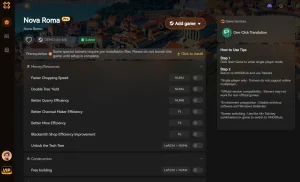
Fix Nova Roma Issues Instantly with XMODHUB
If you want to bypass the grind or overcome hardware limitations, XMODHUB ↗ offers powerful tools to enhance your Nova Roma experience.
Infinite Denarii
Never run out of funds while expanding your massive Roman empire.
Instant Build Times
Construct aqueducts and temples instantly without waiting for citizen labor.
God Mode Buildings
Prevent fires, collapses, and natural disasters from destroying your city.
Why Choose XMODHUB for Nova Roma
XMODHUB ↗ is the trusted choice for single-player enhancements because of its flawless safety record and automatic game-version updates. It seamlessly integrates with the Lion Shield engine, ensuring your mods work perfectly with every new patch without requiring complex installations.
Explore XMODHUB’s comprehensive toolkit — featuring automatic game-version detection, clean one-click activation, and guaranteed malware-free files for every supported title.
Economy & Resources
Time & Progression
City Health
Часто задаваемые вопросы
Готовы улучшить свой игровой процесс?

Я создаю контент для Xmodhub, где я курирую и делюсь игровыми модами, инструментами и другими ресурсами. Моя цель - помочь игрокам найти отличные дополнения, получить более плавный опыт и больше удовольствия.

 Кэтрин Ху