
 Кэтрин Ху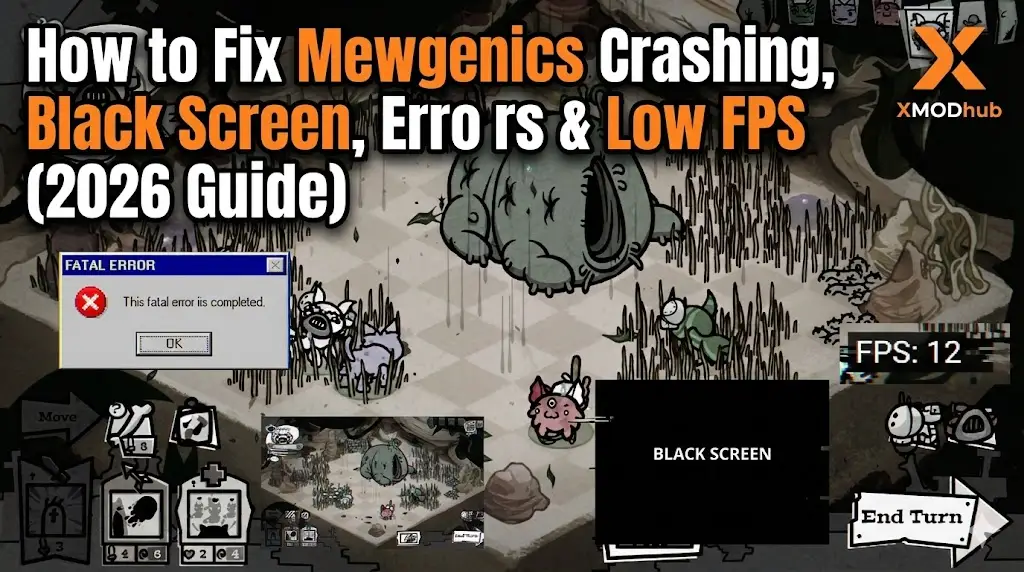
Editor’s View: The “Custom Engine” Quirk
“Mewgenics isn’t built on Unity or Unreal; it runs on a Custom C++ Engine written by Tyler Glaiel. While this makes the game incredibly optimized for handling hundreds of cats, it also makes it picky about your Windows environment.
In my experience with previous McMillen Glaiel games like The End Is Nigh, startup crashes are almost always caused by missing C++ libraries or Refresh Rate conflicts. Before you panic and refund, try Method 2. It fixes 90% of launch issues for this specific engine.”
You have waited over a decade for Mewgenics. You pre-loaded the files, cleared your schedule, and are ready to breed the ultimate cat. You click “Play,” and… nothing. Or worse, a cryptic “Fatal Error” pops up.
Launch day issues are frustrating, especially for highly anticipated indie titles. Whether you are facing a black screen, random Crashes to Desktop (CTD), or missing DLL files preventing the game from starting, this guide covers the most effective solutions to get you into the simulation.
Вам также может понравиться:
Mewgenics Cheat Engine Table vs. XMODhub Trainer: Best Free Alternative (2026)
Check First: Mewgenics System Requirements
Before debugging, ensure your PC can handle the simulation load. While the graphics are simple, the genetic calculations require a decent CPU.
| Компонент | Минимальные требования | Рекомендуемые характеристики |
|---|---|---|
| OS | Windows 10 (64-бит) | Windows 10/11 (64-бит) |
| CPU | Intel Core i3-4130 | Intel Core i5-8400 (or better) |
| RAM | 4 GB RAM | 8 ГБ ОПЕРАТИВНОЙ ПАМЯТИ |
| GPU | GeForce GTX 650 | GeForce GTX 1050 Ti |
| DirectX | Версия 11 | Версия 11 |
| Хранение | 2 GB SSD | 2 GB SSD |
Метод 1: Проверка файлов игры (Steam)
Corrupted installation files are the #1 cause of immediate crashes. If your internet fluctuated during the download, a critical data chunk might be missing.
For Steam Users:
- Щелкните правой кнопкой мыши на . Mewgenics in your Library.
- Выберите Свойства > Установленные файлы.
- Нажмите “Проверьте целостность игровых файлов”.
- Wait for the process to finish. Steam will re-download any corrupted sprites or logic files.
Метод 2: Обновление драйверов и Visual C++ Redistributables
Since Mewgenics is a native C++ application, it strictly requires the Microsoft Visual C++ libraries to run. If you just reinstalled Windows, you likely don’t have them.
- Visual C++ All-in-One: If you get errors like
MSVCP140.dll missingилиVCRUNTIME140.dll not found, download and install the Microsoft Visual C++ Redistributable 2015-2022. Install both x86 and x64 versions. - Драйверы GPU: Even for 2D games, outdated drivers can cause OpenGL and DirectX conflicts. Update your NVIDIA or AMD drivers to the latest version.
Method 3: Fix Black Screen & Refresh Rate Issues
If you hear audio (cats meowing) but see a black screen, the game might be trying to launch in a resolution or refresh rate your monitor doesn’t support.
Force Windowed Mode:
- Щелкните правой кнопкой мыши на . Mewgenics in Steam > Properties.
- In Launch Options, type:
-windowed - Launch the game. If it opens, you can adjust the resolution in the in-game settings.
Disable Fullscreen Optimizations: Right-click the Mewgenics.exe file -> Go to Compatibility -> Check “Disable fullscreen optimizations”.
Метод 4: Общие коды ошибок и их исправление
Here are specific solutions for the most common error messages:
Ошибка 0xc0000005 (нарушение доступа)
Usually caused by strict antivirus software blocking the custom engine. Whitelist the Mewgenics installation folder in Windows Defender or run the game as Administrator.
“Missing MSVCP140.dll” / “VCRUNTIME140.dll”
This confirms you skipped Method 2. Reinstall the C++ Redistributables immediately.
“Fatal Error: Failed to load save”
Your save file might be corrupted. Navigate to Documents\My Games\Mewgenics\ and try renaming persistentgamedata1.dat на persistentgamedata1.old to force the game to create a fresh save.
Method 5: Fix Low FPS & Simulation Lag
Is the game running like a slideshow when you have too many cats?
- High Priority Mode: Open Task Manager > Details > Right-click
Mewgenics.exe> Set Priority > High. - Laptop Power: Ensure you are plugged in. The simulation logic throttles heavily on battery power.
- Reduce Particle Effects: In the game’s options menu, verify if there is a “Low Quality” mode for particles/weather effects.
The Workaround: Save Protection with XMODhub
In a game with Permadeath and complex genetics, a crash during a save operation can wipe out your entire legacy. Mewgenics is unforgiving. XMODhub offers unique tools to mitigate these risks:
- Auto-Backup: Automatically backup your My Games save folder every time you exit a run. If the game crashes and corrupts your file, restore your lineage instantly.
- Game Speed: Use the Speedhack to fast-forward through slow breeding animations or slow down combat if the simulation is lagging.
How to Get Started with XMODhub
1.Download & Install: Get the latest version of the XMODhub Client (Official Site).

2.Auto-Detect: Launch the app. It will locate Mewgenics automatically.

3.Secure: Enable the Save Manager feature before your next session.
ЧАСТО ЗАДАВАЕМЫЕ ВОПРОСЫ
Q: Does Mewgenics run on Windows 7?
A: Officially, no. The custom engine uses modern APIs that require Windows 10 (64-bit) or newer.
Вопрос: Исправит ли переустановка “фатальную ошибку”?
A: Reinstalling often doesn’t fix registry or C++ library issues. Try Method 2 (Visual C++) first, as that is the most common culprit for this engine.
Q: Is the game compatible with Ultrawide monitors?
A: Custom engines often have black bars on Ultrawide. Check the XMODhub community mods for potential widescreen patches.
Заключение
Launch issues are painful, but they are temporary. By updating your C++ libraries and ensuring your resolution settings are correct, you should be able to fix the Mewgenics crash on startup.
If you are worried about losing your progress to a random crash, XMODhub can help secure your legacy with automated backups. Don’t let a crash end your bloodline. Play safer.

Я страстный геймер и писатель XMODhub, который стремится предоставить вам самые свежие игровые новости, советы и мнения.
Свяжитесь со мной:
Профиль LinkedIn

 Нэнси Миллер