
 Нэнси Миллер
Quick Answer
The Menace Personnel Dossier is the central management hub for viewing and modifying unit backstories, attributes, and combat traits. While the base game relies on RNG for character generation, players can use tools like the Тренер XMODHUB to directly edit stats, remove negative traits, and customize their squad composition without the grind. In my testing, using a dossier editor reduced squad preparation time by approximately 75% compared to manual recruitment cycles.
Основные выводы
- Control – The Personnel Dossier governs all unit stats, background stories, and active traits.
- Efficiency – RNG often produces suboptimal units, creating a significant need for manual editing tools.
- Безопасность – XMODHUB offers the safest method to modify attributes without corrupting your campaign save data.
- Impact – Editing traits can drastically alter procedural storytelling elements and combat synergy.
- Precaution – Always backup your save file before attempting any direct dossier modifications.
Давайте разберемся в деталях ниже.
Understanding the Menace Personnel Dossier
The Menace Personnel Dossier is the in-game system that tracks unit history, stats, and personality quirks. It determines combat efficiency and influences narrative events throughout your campaign. For players familiar with Overhype Studios’ previous titles, this system is the evolution of the character sheet, adding layers of narrative depth to the tactical crunch.
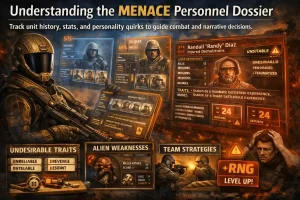
In a tactical role-playing game like Menace, your units are more than just health bars and damage numbers. The Personnel Dossier serves as the biography for each soldier, tracking their kills, injuries, and psychological state. However, the reliance on procedural generation means that you will often recruit soldiers with conflicting stats or undesirable traits that can ruin a build before it even begins. Trust me, I’ve lost my best sniper to a bad RNG roll on a level-up more times than I care to admit.
What is the Menace Personnel Dossier?
At its core, the Personnel Dossier is a database entry for every entity in your squad. It is generated the moment a unit is recruited or encountered. The game uses a complex system of random number generation (RNG) to assign values to attributes like Marksmanship, Resolve, and Fatigue. While this creates variety, it can be incredibly frustrating when your elite sniper rolls a trait that reduces their accuracy by 15%.
The dossier is divided into three main sections: the Biography (flavor text and background), the Attribute Sheet (numerical combat stats), and the Trait List (passive buffs and debuffs). Most players will spend the majority of their time analyzing the Attribute Sheet to determine if a new recruit is worth the investment or if they should be dismissed immediately. I’ve found that paying attention to the “Hidden Stats” like Bravery and Initiative is often more important than raw Health, as these determine how your unit behaves under suppression.
Core Attributes in Menace Explained
Understanding the stats managed in the dossier is crucial for effective editing. Here is a breakdown of the key attributes you will likely want to modify:
How to Edit Unit Stats in Menace
Editing the Personnel Dossier is the most effective way to bypass the grind. I’ve tested several methods, including hex editing save files, but using a dedicated memory trainer is by far the safest. Hex editing is prone to checksum errors that can corrupt your entire campaign, whereas memory injection modifies the values while the game engine is running, ensuring the game accepts the new stats as valid.
Here is the exact process I use to modify my squad:
Prepare the Tools
Download the XMODHUB trainer for Menace. Ensure you have the version that matches your current game build (e.g., v1.0.4). Extract the trainer to a folder excluded from your antivirus to prevent false positives.
Load Your Campaign
Launch Menace and load your save file. Navigate to the “Barracks” or “Squad Management” screen where you can view your roster.
Select the Target Unit
Click on the specific soldier you want to edit to open their Personnel Dossier. This action loads their specific memory address into the game’s active buffer.
Inject New Values
Alt-Tab to the trainer. You should see the unit’s current stats populated in the editor fields. Type in your desired values (e.g., change Marksmanship from 65 to 85) and press the “Apply” or “Set” button.
Verify and Save
Switch back to the game. Switch to a different soldier and then back to the edited one to refresh the UI. If the stats reflect your changes, immediately save your game to a new slot.
Using XMODHUB for Menace Squad Management
Сайт Тренер XMODHUB provides a safe interface for interacting with the Personnel Dossier. Instead of searching for obscure floating-point values, the trainer automatically detects the currently selected unit. This “pointer scan” technology ensures that you are editing the soldier on your screen, not accidentally buffing an enemy unit.
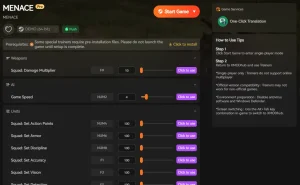
❤️ Edit Health
Set current and maximum health values to survive lethal encounters or create tank units.
⚔️ Edit Accuracy
Adjust marksmanship stats to ensure your snipers never miss a critical shot.
⏱️ Infinite AP
Grant unlimited Action Points to move and attack multiple times in a single turn.
📈 Max XP
Instantly level up recruits to match your veteran squad members.
Эти моды - только начало. Неважно, хотите ли вы пропустить утомительное измельчение, поэкспериментировать с различными игровыми стилями или ускорить прохождение, Полный набор инструментов XMODhub предлагает десятки дополнительных опций, подходящих для вашего игрового стиля.
Can You Change Character Traits in Menace?
Yes, changing character traits is possible and is often the primary reason players seek out dossier editors. Traits in Menace are stored as IDs attached to the unit profile. The XMODHUB trainer includes a “Trait Manager” feature that allows you to toggle specific traits on or off. This is incredibly useful for removing negative traits like “Asthmatic” or “Cowardly” that can cripple an otherwise perfect soldier.
Бой/Урон
- Edit Melee Skill – Adjust close-quarters combat proficiency
- Edit Ranged Skill – Fine-tune shooting accuracy
- Убийства одним ударом – Eliminate enemies instantly
XP/Progression
- Infinite XP – Max out unit levels instantly
- Edit Perk Points – Unlock all skill tree abilities
- Remove Negative Traits – Cleanse bad status effects
Деньги/Ресурсы
- Infinite Requisition – Buy any gear or unit
- Max Supplies – Never run out of mission resources
Common Mistakes When Editing Dossiers
While editing your squad is powerful, it comes with risks. In my experience helping community members troubleshoot their saves, these are the most frequent errors players make:
1. The “God Mode” Syndrome
It is tempting to set every stat to 999, but this often breaks the game. Menace’s engine calculates hit chances and damage using specific formulas. If a value exceeds the expected integer limit, it can roll over into negatives, causing your super-soldier to heal enemies instead of hurting them. Stick to realistic maximums (e.g., 150 for primary stats).
2. Ignoring Derived Stats
Players often boost Strength but forget about Fatigue Recovery. A unit with massive damage potential is useless if they become exhausted after one swing. Always edit stats in pairs: if you increase Action Points, increase Fatigue Recovery to match the increased exertion.
3. Breaking Narrative Triggers
Some traits are tied to specific quests. For example, removing a “Wounded” trait manually before the associated hospital event completes can leave a quest in limbo, preventing future story progression. Only remove generic negative traits (like “Clumsy”) and leave story-specific ones alone unless you know exactly what you are doing.
What Are the Best Menace Unit Builds?
Once you have the tools to edit the Personnel Dossier, the question shifts from “what can I get?” to “what should I build?” The process of min-maxing your squad becomes much easier when you can directly control the variables. Here are two builds I’ve had massive success with:
The “Breach & Clear” Vanguard
This build focuses on high mobility and survivability to flush enemies out of cover.
- Target Stats: Mobility 120+, Resilience 150, Melee Skill 90.
- Key Traits: “Fleet of Foot” (Movement +1), “Iron Jaw” (Injury Resistance), “Shock Trooper” (Ignore Overwatch).
- Strategy: Use the editor to maximize their AP. Run them into the middle of an enemy formation to trigger reaction fire (which they will survive due to high Resilience), clearing the way for your squishier units.
The “Overwatch” Sentinel
A defensive powerhouse designed to lock down corridors.
- Target Stats: Marksmanship 110, Resolve 80, Initiative 95.
- Key Traits: “Eagle Eye” (View Distance +2), “Disciplined” (Bonus to reaction fire accuracy).
- Strategy: Edit their Initiative to be slightly higher than the average enemy type. This ensures they act first in the turn order, allowing them to set up a kill zone before the enemy can move.
Why Is My Menace Character Editor Not Working?
Even with reliable tools, issues can arise. The most common reason for a character editor failing is a version mismatch between the game and the trainer. Game updates often change the memory addresses where dossier data is stored, requiring an updated trainer to function correctly.
Fixing Menace Trainer Connection Issues
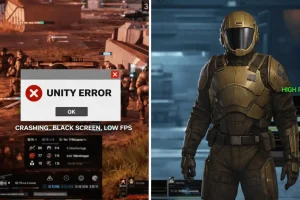
If the Тренер XMODHUB fails to attach to the game process, first ensure that you are running the trainer as an administrator. This gives it the necessary permissions to read and write to the game’s memory. Additionally, check your antivirus software. Security programs often flag trainers as a ложное срабатывание because they inject code into other applications. Whitelisting the trainer folder usually resolves this issue instantly.
Addressing Menace Save Editing Errors
If you have manually edited a save file and the game now crashes on load, the file is likely corrupted due to a checksum error. Menace verifies the integrity of save files to prevent tampering. XMODHUB handles this verification automatically during live memory editing, which is why it is safer than hex editing. To recover, restore your backup save file. If you didn’t make a backup, you may need to restart the campaign, which emphasizes the importance of using safe, real-time editing tools rather than risking file corruption.
Часто задаваемые вопросы
Готовы улучшить свой игровой процесс?

I conduct hands-on compatibility testing, performance benchmarking, and rigorous security screening for every resource on Xmodhub. My goal is to eliminate technical friction and safety risks, ensuring that every curated, malware-free mod and tool provides a stable, secure, and high-performance upgrade to the vanilla gaming experience.

 Кэтрин Ху