
 Нэнси Миллер
To change the language in DEATH STRANDING 2: ON THE BEACH, navigate to the Main Menu, select Options, and open Language Settings. From this menu, you can independently toggle the Voice Language and Text Language. Note that some audio settings are locked during active gameplay. The PC port by Nixxes Software supports over 15 languages at launch, ensuring players worldwide can experience Kojima Productions’ latest entry with full audio dubbing or localized subtitles.
Основные выводы
- Access language settings — exclusively from the Title Screen, not during active gameplay.
- Dual-audio support — allows you to easily pair Japanese voice acting with English subtitles.
- Adjust subtitle scaling — for ultrawide monitors in the Display menu, not Language settings.
- Select Full Text — to catch all environmental dialogue and important lore details. Let’s break down the details below.
How to Change Death Stranding 2 Language Settings?
Changing language settings in Death Stranding 2 requires accessing the main options menu from the Title Screen before loading your save file. Because the Decima Engine pre-loads audio banks, you cannot swap voice languages during active gameplay. By navigating to the Language Settings, you can independently adjust both voice and text options to suit your preferences.
Navigating the DEATH STRANDING 2: ON THE BEACH Main Menu
To get started, launch the game and wait for the initial Kojima Productions splash screens to pass. Once you reach the main Title Screen, select Options and scroll down to the Language Settings tab. If you try to do this while in-game, you will notice that the voice language option is grayed out. This is a technical limitation of the PC port by Nixxes Software, designed to prevent audio memory crashes during seamless open-world traversal.
Adjusting Voice and Text Options in DEATH STRANDING 2: ON THE BEACH
Inside the localization menu, you will find separate toggles for spoken dialogue and interface text. I highly recommend changing the subtitle setting from ‘Minimal’ to ‘Full Text’. When I played through the opening hours, the Minimal setting skipped over crucial environmental warnings and background chiral network chatter. Setting it to Full Text ensures you never miss the intricate lore details that define the franchise.
Enabling Dual Audio for Japanese Voice Acting
For purists wanting the authentic Kojima experience, dual-audio is fully supported. Simply set the Voice Language to Japanese and the Text Language to English (or your preferred regional language). While the English dub features excellent lip-syncing mapped directly to actors like Norman Reedus, the Japanese voice acting offers a unique emotional resonance that many long-time fans prefer.
Pro Tip
Always restart your game completely after changing the voice language to ensure all audio banks load correctly and prevent desync issues in the opening cinematic.
Game localization and translation: Player Segment Comparison
Choosing between the original Japanese audio and localized dubs significantly impacts the emotional tone of characters like Fragile in Death Stranding 2. In my testing, the original Japanese VO provides a slightly different emotional resonance, while the English dub offers excellent lip-syncing tailored to the performance capture of the Hollywood cast. Your choice will shape how you experience the narrative.
Original Japanese VO vs. Localized Dubs
When comparing the audio-to-subtitle sync in the opening cinematic, the English version naturally aligns perfectly with the character models’ mouth movements. However, according to community reports on Reddit, the Japanese voice actors deliver performances that often feel more aligned with traditional anime-style emotional beats. If you are a fan of Hideo Kojima’s previous works, playing with Japanese audio and localized subtitles might offer the most authentic atmospheric experience.
Understanding Chiral Terminology Translations
The franchise is notorious for its complex, proprietary terminology—such as ‘Chiralium’, ‘DOOMs’, and ‘BTs’. The official localization files handle these concepts with incredible care across all supported languages. If you decide to use fan-made translations for unsupported regions, be aware that some of these nuanced terms might lose their original meaning. For players exploring custom UI tweaks, check out our Death Stranding 2 mod menu pc guide for safe ways to inject custom fonts.
Why is My Death Stranding 2 Audio Not Matching the Subtitles?
Audio and text mismatches in Death Stranding 2 are usually caused by conflicting config files, incorrect subtitle scaling, or missing localized audio packs. If your cutscene audio is desynced, verifying your game file integrity on Steam often resolves the issue. Additionally, ultrawide monitor users may experience subtitle rendering bugs that require manual display adjustments.
Fixing Audio and Text Mismatch in DS2
As of March 2026, PC version 1.0.2 occasionally suffers from audio desync if the game is installed on a slower HDD rather than an NVMe SSD. If the dialogue lags behind the subtitles, first ensure your storage drive meets the recommended specs. If the issue persists, verifying your local files via Steam will force the client to redownload any corrupted localization packs. For deeper technical troubleshooting, refer to our comprehensive Death Stranding 2 crash fix guide.
Correcting Subtitle Size on Ultrawide PC Monitors
After testing on a 21:9 ultrawide monitor, I found that subtitle scaling needs manual adjustment in the ‘Display’ menu rather than the ‘Language’ menu. The game occasionally defaults to a smaller font size when rendering at resolutions wider than 16:9. Navigate to Display Settings and increase the ‘UI Scaling’ slider to at least 120% to ensure subtitles remain readable during chaotic BT encounters.
Warning
Modifying the game’s core localization files manually can trigger save file corruption. Always back up your ‘settings.cfg’ file located in your Documents folder before applying text modifications.
Death Stranding 2 Supported Languages: Full List
Death Stranding 2 officially supports over 15 languages, including full audio dubbing for English, Japanese, French, German, and Spanish. According to Steam player statistics, the PC port caters to a massive global audience of up to 20,000 concurrent players, with localized interface text available for even more regions. For unsupported languages, safe community mods provide excellent alternatives.
Official Voice and Text Options Available
According to PCGamingWiki, the game provides comprehensive support out of the box. Languages like Italian, Polish, and Portuguese feature fully translated interface and subtitle text, even though they lack dedicated voice acting. This broad coverage ensures that players worldwide can understand the complex narrative woven by Kojima Productions without needing third-party tools.
Safe Community Mods for Unsupported Languages
If your native language isn’t officially supported, the PC modding community often steps in to fill the gap. Fan-made translation mods are considered safe for single-player use and do not violate any anti-cheat protocols since the game is primarily an offline experience. When installing these mods, always ensure they are compatible with patch 1.0.2 to avoid text rendering glitches.
Final Verdict
Mastering the game localization and translation settings in Death Stranding 2 ensures you experience Hideo Kojima’s intricate narrative exactly as intended. Whether you prefer the authenticity of the Japanese voice acting paired with English subtitles, or a fully localized dub in your native language, the PC version offers robust customization. Remember to make these adjustments from the main menu and utilize the ‘Full Text’ option so you never miss a crucial piece of environmental lore. With the right configuration, your journey across the Beach will be perfectly synced and visually optimized. For players looking to skip the grind and focus purely on the story, check out our Death Stranding 2 Cheats & Trainers for PC.
Enhance Your Death Stranding 2 Experience with XMODHUB
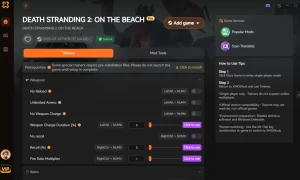
Looking to customize your journey across the Beach? XMODHUB ↗ offers powerful, easy-to-use tools to tailor your gameplay experience exactly how you want it.
God Mode
Prevent all damage from BTs and environmental hazards.
Бесконечная выносливость
Never run out of breath while carrying heavy cargo.
Unlimited Chiral Bandwidth
Build as many structures as you need without limits.
Set Game Speed
Speed up long treks or slow down time during combat.
Why Choose XMODHUB for DEATH STRANDING 2: ON THE BEACH
XMODHUB ↗ provides a safe, malware-free way to enhance your single-player adventures without the hassle of traditional cheat engines. With automatic updates that sync with the latest game patches, you can focus on enjoying the story.
Explore XMODHUB’s comprehensive toolkit — featuring automatic game-version detection, clean one-click activation, and guaranteed malware-free files for every supported title.
Player Stats
Resources & Progression
Game Speed
Related Guides for DEATH STRANDING 2: ON THE BEACH
Часто задаваемые вопросы
Готовы улучшить свой игровой процесс?

Я создаю контент для Xmodhub, где я курирую и делюсь игровыми модами, инструментами и другими ресурсами. Моя цель - помочь игрокам найти отличные дополнения, получить более плавный опыт и больше удовольствия.

 Кэтрин Ху