Summary: Discover the minimum and recommended PC specs for Escape Simulator 2 to ensure smooth gameplay.
Escape Simulator 2 is the highly anticipated sequel to the popular puzzle-solving game, offering new rooms, challenges, and immersive mechanics that test your creativity and problem-solving skills.
Before diving in, it’s essential to know the system requirements to ensure smooth gameplay on your PC.
In this guide, we’ll cover the minimum and recommended specs, explore whether low-end PCs can handle the game, provide tips to check if your system is ready, and share ways to enhance your experience using XMOD.
Whether you’re a casual player or a hardcore puzzler, this guide has everything you need to get started.
Оглавление
- Что такое Escape Simulator 2?
- System Requirements: Minimum and Recommended
- Можешь ли ты бежать Escape Simulator 2 на ПК низкого класса?
- Может ли мой компьютер работать Escape Simulator 2?
- Как улучшить игровой процесс с помощью XMOD?
- Заключение
What is Escape Simulator 2?
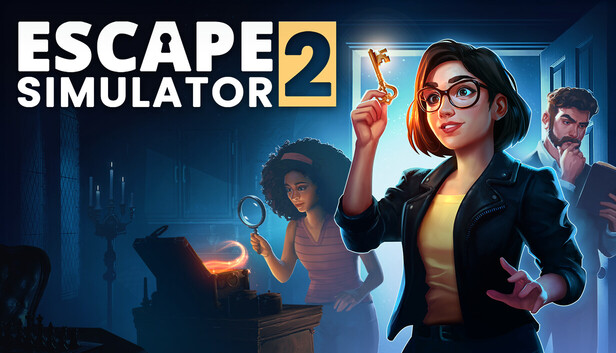
Escape Simulator 2 is the highly anticipated sequel to the popular first-person escape room game, Escape Simulator. Developed and published by Pine Studio, the game offers an immersive puzzle-solving experience where players can explore a variety of intricately designed rooms, either solo or with friends. The game features 12 handcrafted escape rooms, with more expected after release, each filled with intricate puzzles and hidden mysteries.
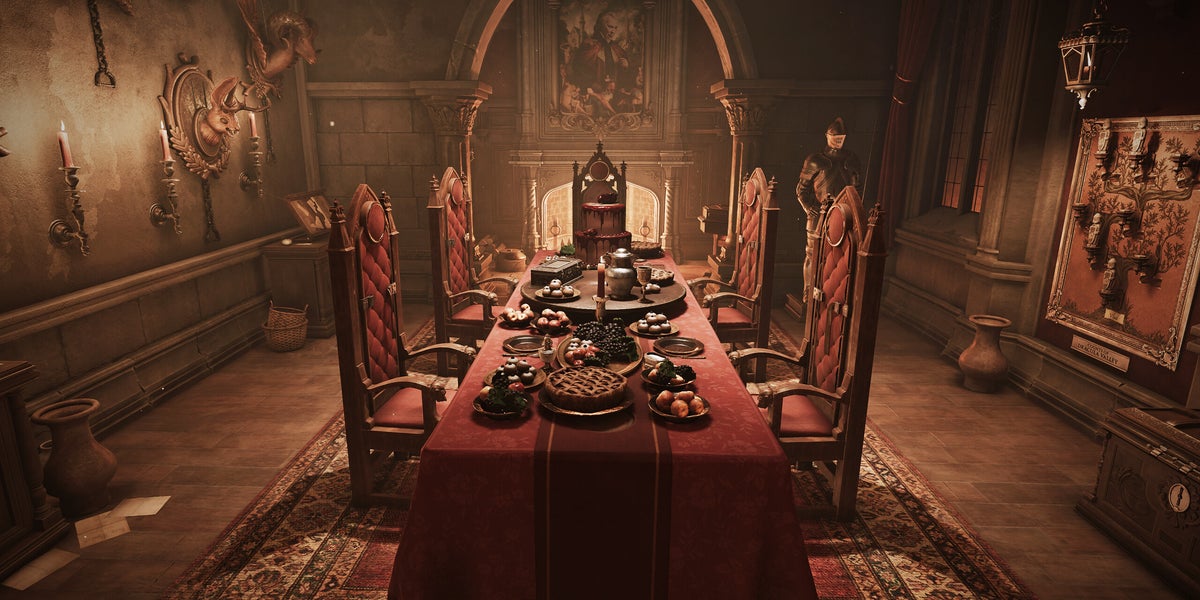
Players can dive into environments such as a stranded starship, Dracula’s castle, and a cursed pirate treasure, each offering unique challenges and secrets to uncover. For those interested in creating their own challenges, the enhanced Room Editor 2.0 provides advanced tools, including a new lighting engine, building constructor, and animation editor.
System Requirements: Minimum and Recommended
Before diving into Escape Simulator 2, it’s important to ensure your PC meets the game’s requirements. Meeting the minimum specifications will allow the game to run, though for the best experience, the recommended specs are ideal.
Minimum Requirements:
- OS: Windows 10 version 21H1 (64-bit)
- CPU: X64 architecture with SSE2 support
- RAM: 8 GB
- GPU: DX11 capable, 4 GB VRAM
- DirectX: 11
- Хранение: 20 GB available
For players looking for smoother performance, higher graphics settings, and seamless gameplay, the recommended setup is advised.
Recommended Requirements:
- OS: Windows 10 version 21H1 (64-bit)
- CPU: X64 architecture with SSE2 support
- RAM: 16 ГБ
- GPU: DX11 capable, 6 GB VRAM
- DirectX: 11
- Network: Broadband internet connection
- Хранение: 40 GB available
These specifications will help ensure you can fully enjoy the puzzle-solving experience without interruptions or lag.
Can You Run Escape Simulator 2 on a Low-End PC?
If your PC barely meets or falls below the minimum specifications, running Escape Simulator 2 may be possible, but the experience could be limited. You might encounter lower frame rates, longer load times, or reduced visual quality. The game’s complex puzzles and immersive environments can be demanding, so a low-end system may struggle, especially in larger or more graphically intense rooms.
However, there are ways to improve performance on lower-spec PCs. Lowering graphics settings, reducing resolution, and closing background applications can help maintain smoother gameplay. Keep in mind that while you may be able to play, some advanced features—like detailed lighting, shadows, or high-resolution textures—may not perform optimally.
Can My PC Run Escape Simulator 2?
Before jumping into Escape Simulator 2, it’s essential to check if your PC can handle the game. Start by comparing your system’s specifications—CPU, GPU, RAM, and storage—with the game’s minimum and recommended requirements.
For a quick check, you can use built-in tools like Windows System Information or third-party apps such as Can You RUN It? These tools automatically analyze your hardware and tell you whether your PC meets the game’s needs.
Even if your system meets the minimum requirements, performance may vary depending on background applications, drivers, and system optimization. Ensuring your drivers are up-to-date and closing unnecessary programs can help achieve smoother gameplay.
Как улучшить игровой процесс с помощью XMOD?
XMOD is a comprehensive platform built to elevate your gaming experience with tools that go beyond standard gameplay. For Escape Simulator 2, XMOD will provide cheats, trainers, and mods right from launch, ensuring full compatibility and frequent updates. Players can explore a vast library of over 5,000 trainers and mods—both free and premium—enabling them to customize the game to suit their preferred style of play.
- Моды: Enhance graphics, update textures, adjust the user interface, or introduce new gameplay features for a more immersive experience.
- Trainers: Modify in-game elements such as health, stamina, ammo, or skill points, making progression easier or allowing experimentation with different strategies.

- Cheats: Instantly unlock items, bypass challenging sections, or spawn weapons and equipment, letting you focus on exploration and the story.
Beyond these core features, XMOD offers additional utilities like translation tools for international players, FPS boosters for smoother performance, DLC unlockers, and other quality-of-life enhancements. Whether your goal is to simplify challenges, uncover hidden content, or optimize gameplay, XMOD puts full control over your Escape Simulator 2 experience in your hands.
Заключение
Escape Simulator 2 offers an exciting and immersive puzzle-solving experience for both solo players and groups of friends. Ensuring your PC meets the system requirements—whether minimum or recommended—will help you enjoy the game smoothly. Low-end PCs may run the game with adjustments, but for the best performance, a system meeting the recommended specs is ideal. Tools like XMOD can further enhance gameplay by offering mods, trainers, and cheats, allowing players to customize their experience, optimize performance, and explore every room without limitations. Whether you’re here to solve challenging puzzles, discover hidden secrets, or create your own escape rooms, following this guide will help you get the most out of Escape Simulator 2.
Я страстный геймер и писатель XMODhub, который стремится предоставить вам самые свежие игровые новости, советы и мнения.
Свяжитесь со мной:
Профиль LinkedIn

 Кэтрин Ху
 Нэнси Миллер