Summary: This guide explains the official Broken Arrow system requirements, how to check if your PC can run the game, and how to enhance gameplay using XMOD.
Are you ready to dive into the action-packed world of Broken Arrow but unsure if your PC can handle it?
In this guide, we’ll cover everything you need to know—from the official Broken Arrow system requirements to tools that can help you check if your setup meets the game’s demands.
Whether you’re prepping for smooth gameplay or looking to customize your experience, this guide has you covered.
Оглавление
What Is Broken Arrow
Broken Arrow System Requirements: Minimum and Recommended
Can You Run Broken Arrow on a Low-End PC?
Can My PC Run Broken Arrow
How to Enhance Broken Arrow Gaming Experience with XMOD?
Заключение
What Is Broken Arrow?
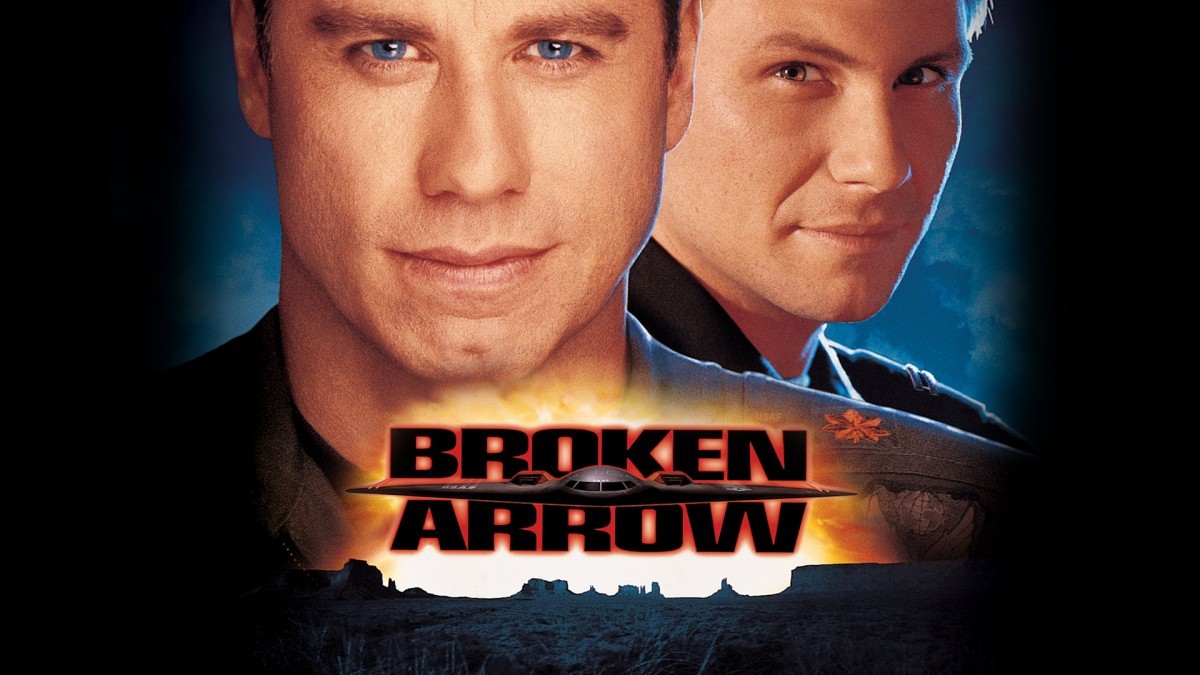
Broken Arrow is a large-scale, real-time tactics (RTT) game set in a modern warfare context, developed by Steel Balalaika and published by Slitherine Ltd. The game focuses on combined-arms combat between modern military factions, offering deep unit customization and large battles featuring land, air, and sea forces.
Now that you know what Broken Arrow is, it’s important to check if your PC meets the game’s system requirements.
Broken Arrow System Requirements: Minimum and Recommended
Before diving into this immersive tactical warfare game, make sure your system meets the necessary hardware requirements. Below are the official Broken Arrow system requirements, including both minimum and recommended specs, so you can determine whether your setup is ready for battle.
Broken Arrow System Requirements (Minimum)
To run the game at its lowest settings, your PC should meet these baseline requirements:
CPU: INFO
CPU Speed: Quad-core compatible 64-bit
RAM: 8 GB
Video Card: NVIDIA GTX 1050 3GB / AMD RX 560
Dedicated Video RAM: 3 GB
Operating System: Windows 10 64-bit
Shader Model Version: 6.0
Free Disk Space: 60 GB
Broken Arrow Recommended Requirements
For optimal performance and enhanced visuals, aim for the following specifications:
CPU: INFO
CPU Speed: Quad+ core compatible 64-bit
RAM: 16 GB
Video Card: NVIDIA GTX 2080 8GB / AMD RX 6800 XT
Dedicated Video RAM: 8192 MB
Operating System: Windows 10 64-bit
Shader Model Version: 6.0
Free Disk Space: 60 GB
Understanding the Broken Arrow system requirements is essential for a smooth and immersive gaming experience. Whether you’re upgrading your rig or just checking compatibility, use this guide to prepare your PC and enjoy everything Broken Arrow has to offer.
If you’re worried your PC might not be powerful enough, let’s explore whether Broken Arrow can run on low-end hardware.
Can You Run Broken Arrow on a Low-End PC?
Yes, you can run Broken Arrow on a low-end PC if it meets the minimum system requirements—such as a GTX 1050 (3GB), 8GB RAM, and a quad-core CPU. However, to improve performance, consider these suggestions:
Set Windows to performance mode for better resource allocation.
Update your GPU drivers for better optimization.
Lower screen resolution (e.g., from 1080p to 720p) for smoother gameplay.
These tips can help you get the best possible experience on modest hardware.
To be sure, here’s how you can quickly assess if your specific PC setup can handle the game.
Can My PC Run Broken Arrow
To find out if your PC can run Broken Arrow, compare your system specs to the game’s minimum and recommended requirements. If your PC has at least a quad-core CPU, 8 GB RAM, and a GTX 1050 or RX 560 GPU, it should handle the game at low settings. For smoother performance and higher visuals, you’ll need 16 GB RAM and a more powerful GPU like a GTX 2080 or RX 6800 XT. Use tools like Can You Run It or check via system settings to confirm compatibility.
Once your game is running smoothly, you might want to take your experience to the next level—here’s how XMOD can help.
How to Enhance Broken Arrow Gaming Experience with XMOD?
If you want to enhance your single-player experience in Broken Arrow, XMOD is a great tool to consider. It provides access to powerful cheats and trainers that can elevate your gameplay with ease.
Search for “Broken Arrow” in the list of supported games.
Launch the game directly through XMOD to enable mod integration.
Broken Arrow mods
Choose and activate your preferred mods or cheats—such as unlimited resources, faster unit deployment, or enhanced camera control.
With XMOD, you can customize your Broken Arrow gameplay to match your strategy and playstyle, making every battle more immersive and fun.
Заключение
Whether you’re checking if your PC meets the Broken Arrow system requirements or looking to take your gameplay to the next level with XMOD, this guide equips you with everything you need to get started. With the right setup and performance tools, you’ll enjoy smoother, more immersive battles. Make sure your system is ready—and don’t miss out on enhancing your strategy with powerful mods for the ultimate Broken Arrow experience.
Я страстный геймер и писатель XMODhub, который стремится предоставить вам самые свежие игровые новости, советы и мнения.
Свяжитесь со мной:
Профиль LinkedIn
How to Unlock All Scenes Instantly in Happy Island Fantasy
Grinding through repetitive tasks just to see the story content in Happy Island Fantasy can be frustrating, especially when you have limited time to play. Whether you lost your save file or just…
Happy Island Fantasy Black Screen Fix: 5 Proven Solutions (2026)
You’ve just installed the game, ready to dive into your simulation paradise, but instead, you’re staring at a void. Encountering a Happy Island Fantasy black screen fix situation is frustrating, especially when you…

 Кэтрин Ху




 Нэнси Миллер


 English
  Spanish
  German
  French
  Italian
  Thai
Thai  Chinese
  Russian