Нэнси Миллер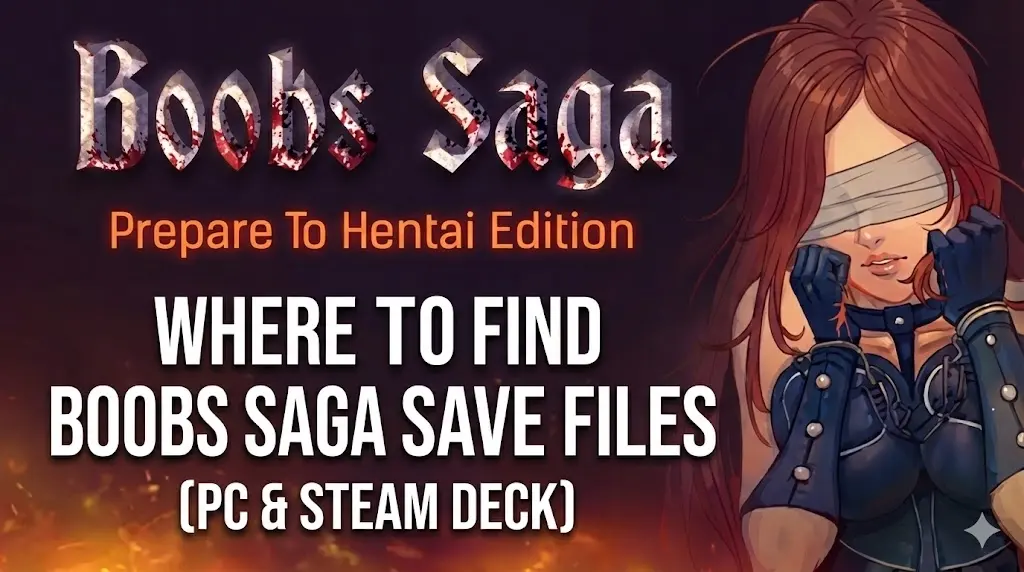
There is nothing worse than sinking hours into the punishing, Souls-like combat of BOOBS SAGA: Prepare To Hentai Edition, finally reaching the boss that unlocks the next gallery scene, only to wake up the next day to a corrupted save file or a Steam Cloud sync error overriding your progress.
Whether you are trying to manually back up your character, install a 100% gallery completion save from a community forum, recover from the dreaded “black screen” bug, or transfer your progress to a Steam Deck, you first need to know exactly where the game hides your data.
Below is the verified file path for BOOBS SAGA on Windows PC and Steam Deck, along with the technical fix for corrupted saves and a much smarter way to manage your backups.
Вам также может понравиться: BOOBS SAGA: Prepare To Hentai Edition Cheat Engine Alternative – XMODhub Trainer
Editor’s View: The “Lost Progress” Nightmare
“We have all been there. You are deep into a dungeon, and suddenly—an unexpected Unity engine crash. When you relaunch, your .json save is wiped. I specifically wrote this guide because indie games like BOOBS SAGA do not have the most reliable save management systems, and Steam Cloud often makes it worse by syncing the corrupted blank file over your good one. Even if you don’t plan on using cheats, please back up your save folder manually right now. Don’t lose hours of grinding like I did.”
— Nancy, Modding Enthusiast at XMODhub
Windows PC Save File Location
Where is the BOOBS SAGA save file located on PC? Because BOOBS SAGA: Prepare To Hentai Edition is built on the Unity engine, the save files are not located in your standard Documents folder. They are hidden inside the Windows LocalLow AppData directory under the developer’s name (Vidas Games).
The direct file path is:
%USERPROFILE%\AppData\LocalLow\Vidas Games\Boobs Saga\How to navigate there step-by-step:
- Press the Windows Key + R on your keyboard to open the Run dialog box.
- Type exactly
%appdata%and press Enter. (This opens your Roaming folder). - Нажмите AppData in the top folder address bar to go back one step.
- Откройте LocalLow folder, then open the Vidas Games folder.
- Inside, you will find the Boobs Saga directory containing your
.jsonили.savfiles.
How to Install a 100% Gallery Save File
Let’s be honest: many players prefer to skip the janky combat entirely and just download a 100% completed save file from forums like F95Zone to instantly unlock the entire gallery. Here is how to install it without breaking the game:
- Download the completed save file (usually a modified
.jsonfile). - Перейдите в раздел
LocalLow\Vidas Games\Boobs Saga\directory using the steps above. - Crucial Step: Cut and paste your current save files to your Desktop as a backup. Do not just overwrite them.
- Paste the downloaded 100% save file into the folder.
- Disable Steam Cloud Sync for the game by right-clicking it in your Steam Library > Properties > General. If you don’t do this, Steam will instantly delete your downloaded file and restore your old one.
- Launch the game.
How to Fix a Corrupted Save (Black Screen Bug)
If you launch BOOBS SAGA and are greeted with a permanent black screen, or if the “Continue” button is missing, your save file has been corrupted by an engine crash.
How to attempt a manual recovery:
- Go to the save file path mentioned above.
- Look for any files ending in
.bakor labeled as backup (e.g.,SaveData_backup.json). - Delete or move the corrupted main save file (e.g.,
SaveData.json). - Rename the backup file to match the exact name of the main save file you just deleted.
- Launch the game.
BOOBS SAGA Config & Crash Log Location
If you need to manually tweak resolution limits or check why your game is constantly crashing, you need to access the Unity config and log files.
The Config and Crash Log path:
%USERPROFILE%\AppData\LocalLow\Vidas Games\Boobs Saga\- Player.log: This text file contains the engine’s crash logs and error reports. If you are reporting a bug to the developer, this is the file they need.
- Settings/Registry: Unlike Unreal Engine games, Unity games typically store detailed graphics configuration data in the Windows Registry (regedit), rather than a simple
.inifile.
Steam Deck / Linux Save Location
If you are playing BOOBS SAGA on the Steam Deck, the Windows file structure is emulated deep within the Proton compatibility layer.
The Steam Deck save path is:
/home/deck/.local/share/Steam/steamapps/compatdata/1109030/pfx/drive_c/users/steamuser/AppData/LocalLow/Vidas Games/Boobs Saga/(Tip: 1109030 is the specific Steam App ID for BOOBS SAGA. You must enable “Show Hidden Files” in your Steam Deck’s desktop mode file explorer to see the .local folder).
The Smarter Way: One-Click Backup with XMODhub
Navigating through hidden %AppData% folders every single time you want to back up a save or swap to a 100% gallery file is tedious and highly prone to error. One accidental deletion, and your progress is gone forever.
XMODhub offers a built-in Save Manager tool designed perfectly for indie games like BOOBS SAGA.
- Auto-Backup: XMODhub automatically creates a secure, timestamped backup of your
.jsonsave file every time you exit the game. - Version History: Corrupted your save during a boss fight? Roll back to a healthy version from yesterday instantly with one click.
- Visual Management: Swap between your personal “legit” playthrough and a downloaded “100% gallery” save file seamlessly from a clean desktop dashboard.
XMODhub: Your Ultimate PC Gaming Toolkit
XMODhub is far more than just a save manager. Whether you need powerful Trainers (God Mode, Infinite Stamina) to breeze through the frustrating combat, or real-time translation tools, we support over 5,000+ games. We don’t judge your library—from mainstream AAA titles to niche adult indie games, XMODhub ensures you always have the best tools ready.
ЧАСТО ЗАДАВАЕМЫЕ ВОПРОСЫ
Q: Can I transfer my BOOBS SAGA save to another PC?
A: Yes. Simply copy the entire contents of the Boobs Saga folder located in your LocalLow directory to a USB drive or cloud storage, and paste it into the exact same folder location on your new computer.
Q: Does modifying save files get me banned on Steam?
A: No. BOOBS SAGA is a single-player, offline game without any anti-cheat software (like EAC). Modifying your save file to add currency or unlock the gallery will not trigger any VAC bans or Steam penalties.
Q: Why is my downloaded 100% save file not working?
A: The most common reason is Steam Cloud Sync overwriting it. Ensure you disable Steam Cloud Sync for BOOBS SAGA before launching the game with a modified save file.
Заключение
Locating your BOOBS SAGA: Prepare To Hentai Edition save file and config directory is a crucial skill. Whether you are trying to recover from a corrupted Steam Cloud sync, migrating your progression to a Steam Deck, or installing a downloaded 100% completion file to finally unlock the gallery, knowing this exact path is your first step.
However, digging through hidden %AppData% system folders and manually swapping .json files always carries a massive risk. One wrong deletion or an accidental overwrite can wipe out hours of hard-earned progress in an instant.
If you prefer a safer, “set it and forget it” solution, we highly recommend the Менеджер сохранений XMODhub. It automates your backups securely in the background, keeping your save files safe so you can focus on the game’s “plot”, not navigating your Windows file directory.
Think Bigger:
XMODhub is far more than just a save manager or a simple modding tool—it is a comprehensive PC Gaming Platform. With support for over 5,000+ titles, we provide an all-in-one ecosystem for gamers. Whether you are deep into BOOBS SAGA or exploring similar adult indie games, XMODhub ensures you always have the ultimate toolkit (Trainers, Save Managers, and Visual Spawners) ready at your fingertips.

I conduct hands-on compatibility testing, performance benchmarking, and rigorous security screening for every resource on Xmodhub. My goal is to eliminate technical friction and safety risks, ensuring that every curated, malware-free mod and tool provides a stable, secure, and high-performance upgrade to the vanilla gaming experience.

 Кэтрин Ху