
 Catarina Hu
You are 30 hours into The Gold River Project, and you still can’t afford the heavy excavator. Or maybe a glitch sent your best shovel flying into the stratosphere. In a realistic mining simulator, the grind is real—but sometimes you just want to test the big toys.
Using console commands to spawn items is a staple of PC gaming. However, there is a catch: The developers disabled the standard console (~) in the release build.
Below is the comprehensive list of internal Blueprint IDs for The Gold River Project, along with the only working method to re-enable the console and spawn them.
The Gold River Project: Cheat Engine Table vs. XMODhub Trainer (Best Free Alternative)
Editor’s View: The “UE5” Barrier
“If you have tried pressing Tilde (~) in-game, you know nothing happens. This is because The Gold River Project is built on Unreal Engine 5, and the console is locked by default.
Most websites list fake codes like give_gold. Those won’t work. You need to ‘Summon’ specific Blueprint classes (e.g., BP_Gold_Ingot_C). While I have listed the manual codes below for advanced users, I personally use the Visual Spawner. It bypasses the complex typing entirely.”
— Catherine Hu, Content Lead at XMODhub
Quick Reference: Top 10 Most Wanted IDs
Don’t want to scroll? Here are the blueprint codes for the absolute essentials.
How to Enable the Console (UE5 Unlocker)
Since the game lacks a native console, you cannot simply type codes. You have two options:
- The Hard Way: Download the “Universal Unreal Engine 5 Unlocker” (UUU), inject the DLL into the running game process, and open the console with Tilde (~).
- The Easy Way: Use XMODhub, which has the console enabler and command injector built-in.
Command Format:
- To spawn an object:
Summon [Blueprint_ID] - To add stats:
ConsoleCommand [Command] [Value]
The Easy Way: XMODhub Visual Spawner
Stop alt-tabbing to copy-paste BP_Vehicle_Excavator_Heavy_C. Unreal Engine blueprint paths are case-sensitive and prone to typos.
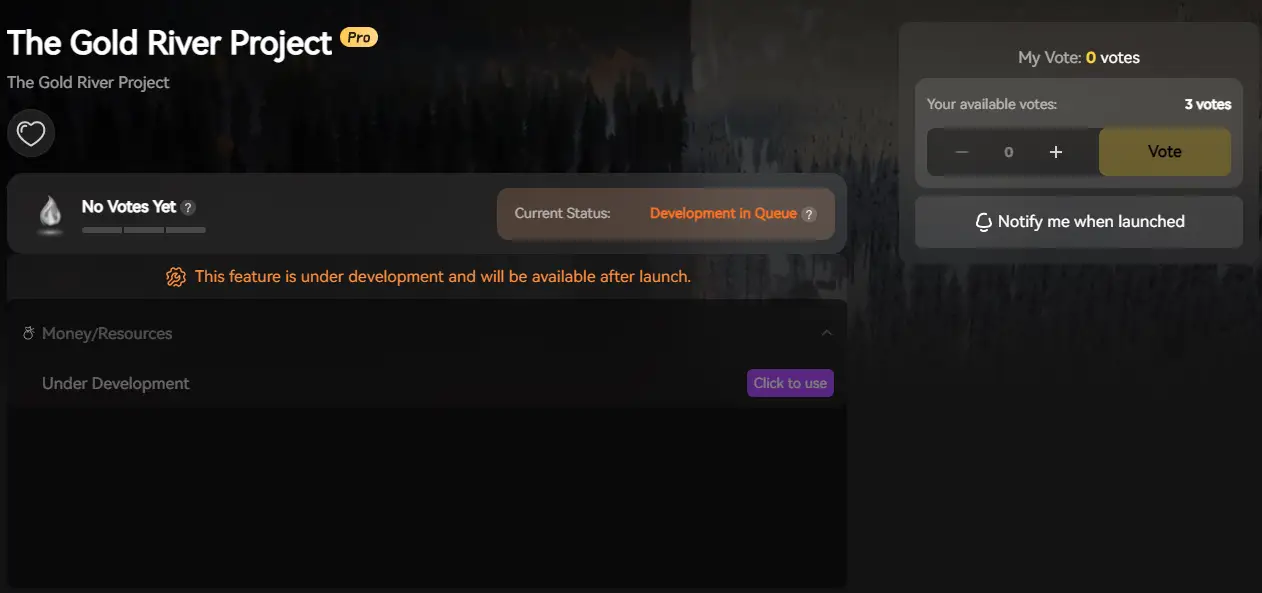
XMODhub will include a Visual Spawner specifically for The Gold River Project.
- Icon-Based: Browse pictures of every excavator and tool.
- Search Bar: Just type “Gold” and click Spawn.
- Vehicle Manager: Repair, refuel, or teleport your vehicles instantly.
Tools & Equipment IDs List
Vehicles & Machinery IDs List
Resources & Consumables IDs List
Skills & Stats Cheats
You don’t need Item IDs for stats; you need direct console commands.
Troubleshooting: Why Commands Fail
- “Command not recognized”: You have NOT successfully injected the console. The vanilla game ignores these inputs. Use XMODhub or UUU to unlock it first.
- “Object ID invalid”: You missed the
_Cat the end of the Blueprint name. In UE5,_Cstands for “Class”. It is required for the Summon command. - Vehicle Spawns in Air: When using Summon, items spawn at your exact coordinates. If you are looking up, the excavator might fall on your head. Look at the ground before spawning.
FAQ
Q: Are these codes case-sensitive?
Yes. Unreal Engine 5 is strict. bp_gold might fail, whereas BP_Gold works. We recommend copying the codes exactly or using the XMODhub UI to handle it for you.
Q: Can I spawn items in Multiplayer?
Only the Host can use console commands. If a Client (joining player) tries to run a command, nothing will happen. The Host must spawn the excavator, and then the Client can drive it.
Q: How do I remove an item I spawned by mistake?
Look at the object, open the console, and type DestroyTarget. Be careful—you can accidentally delete the ground or your own vehicle!
Conclusão
Using The Gold River Project Item IDs is the fastest way to build your dream mining empire. Bookmark this page so you can find the BP_ codes whenever you need them.
However, remembering to type Summon BP_Vehicle_Excavator_Heavy_C every time is tedious. The XMODhub Visual Spawner makes it as easy as clicking a picture.

Best of all, XMODhub supports over 5,000+ games. So, once you’ve struck gold here, you can bring that efficiency to other simulation and survival hits like FrostpunkThey Are BillionsSurviving Mars
Mine smarter, not harder.

Sou um jogador apaixonado e escritor no XMODhub, dedicado a trazer-lhe as últimas notícias, dicas e ideias sobre jogos.
Liguem-se a mim:
Perfil no LinkedIn

 Nancy Miller


 English
  Spanish
  German
  French
  Portuguese
  Italian
  Thai
Thai  Vietnamese