
 Catherine Hu
You have waited months for the latest Xenonauts 2 milestone update, loaded your Ironman save, and clicked “Play,” and… nothing. Or worse, a cryptic “Unity Fatal Error” pops up right as your dropship lands at a UFO crash site. Early Access and active development updates are frustrating, but these launch issues are rarely unfixable.
Whether you are facing a black screen on the Geoscape, random crashes to desktop (CTD) during tactical combat, missing DLL files, or unplayable frame rates when rendering alien plasma fire, this guide covers the most effective solutions to get you back to defending Earth.
Ti potrebbe interessare anche:
How to Use Cheat Engine on Xenonauts 2 (+ 1-Click Alternative) | 2026
Editor’s View: The Early Access Curse
“I remember trying to launch Xenonauts 2 right after Milestone 3 dropped. It crashed every time the Goldhawk Interactive logo appeared. I almost abandoned my 40-hour campaign.
Before you give up on Xenonauts 2, realize that 90% of these crashes are caused by three simple things: corrupted Unity asset downloads, missing C++ libraries, or Steam Overlay conflicts. I have tested the methods below on my own rig (RTX 4070 / Win 11), and Method 1 was the one that finally solved the tactical map freezing for me.”
— Catherine Hu, Tech Support Lead at XMODhub
Check First: Xenonauts 2 System Requirements
Before debugging, ensure your PC can actually run the game. Trying to run Xenonauts 2 on below-minimum specs, especially when the Unity engine tries to render complex line-of-sight calculations for 20 aliens, is the most common cause of silent crashes (the game closes without an error box).
| Componente | Requisiti minimi | Specifiche consigliate |
|---|---|---|
| OS | Windows 10 (64 bit) | Windows 11 (64 bit) |
| CPU | Intel Core i5-4690K / AMD Ryzen 5 1400 | Intel Core i5-7600K / AMD Ryzen 5 3600 |
| RAM | 8 GB DI RAM | 16 GB DI RAM |
| GPU | NVIDIA GTX 960 / AMD Radeon R9 280 | NVIDIA GTX 1060 / AMD Radeon RX 580 |
| Immagazzinamento | 20 GB available space (SSD highly recommended) | 20 GB NVMe SSD |
Method 1: Verify Game Files (Steam/GOG)
Corrupted installation files are the #1 cause of Xenonauts 2 crashing on startup, especially after a massive Early Access patch updates the 3D models.
Per gli utenti di Steam:
For GOG Galaxy Users:
Method 2: Update Drivers & C++ Redistributables
Xenonauts 2 runs on the Unity Engine, which strictly requires updated software environments to handle memory allocation properly.
✦
✦
MSVCP140.dll missing o VCRUNTIME140.dll not found when launching the executable, you need to reinstall the Microsoft Visual C++ Redistributables (install both x86 and x64 versions).✦
Metodo 3: Risolvere i problemi di schermo nero e overlay
If you hear the Geoscape ambient audio but see a black screen, or the game closes instantly after the intro cinematic, it is likely a conflict with background apps interfering with Unity’s display hooks.
✦
✦
Fullscreen Optimization:
C:\Program Files (x86)\Steam\steamapps\common\Xenonauts 2).Xenonauts2.exe file > Properties.Method 4: Common Error Codes & Fixes (DLL / Unity)
Here are specific solutions for the most common error messages players are reporting:
Unity Crash Handler (Game Freezes with Exclamation Mark Logo)
This is often caused by running out of system RAM or a memory leak during a long tactical mission. Increase your Windows Pagefile (Virtual Memory) to at least 16GB, or close high-memory apps like Chrome in the background.
Errore 0xc0000005 (violazione dell'accesso)
Usually caused by strict antivirus blocking the engine from writing to your save directory. Whitelist the Xenonauts 2 installation folder and your Documents\My Games\Xenonauts-2\ folder in Windows Defender.
“Out of Video Memory” Error
Your GPU VRAM is full. Try lowering “Texture Quality” or disabling Anti-Aliasing in the launcher options before starting the game.
Method 5: Fix Low FPS & Stuttering on Tactical Maps
Is Xenonauts 2 running like a slideshow when you reveal a large Sebillian squad?
✦
✦
✦
Xenonauts2.exe > Set Priority > High.The Workaround: Skip Laggy Alien Turns with XMODhub
Sometimes, Xenonauts 2 crashes not because of your PC, but because of unoptimized code when calculating complex AI pathing for 15 aliens during the “Hidden Movement” phase. XMODhub offers unique tools to help bypass these technical hurdles without needing to edit raw JSON save files:
⚡ Speedhack
Use the trainer to speed up the game (3x or 5x speed) during the slow alien turns to skip the laggy AI processing, or slow it down during complex animations to prevent Unity engine CPU spikes.
💾 Save Manager
Automatically backup your tactical save before opening a UFO door (a common “danger zone” for crashes), so you never lose your veteran squad due to a random desktop freeze.
How to Get Started with XMODhub
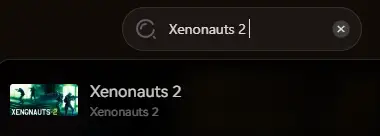
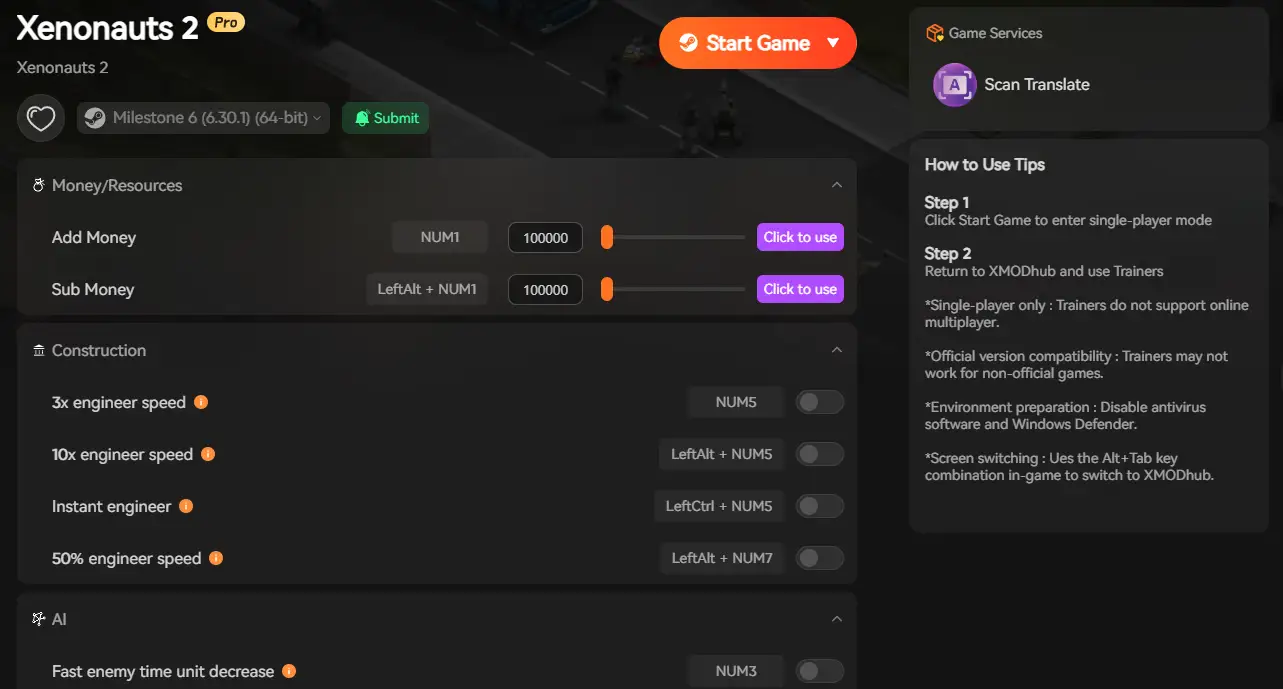
Getting the ultimate toolkit for Xenonauts 2 is simple. Just follow these steps:

FAQ
QDoes Xenonauts 2 support Windows 10?
A: Yes, but ensure you are on version 22H2 or newer. Older builds may cause compatibility errors with the latest Unity engine updates used by the developers.
QWill reinstalling fix the crash on the Geoscape?
A: Reinstalling should be your last resort. Try “Verifying Integrity” (Method 1) first, as it does the exact same thing but much faster.
QIs there a patch coming to fix the memory leaks?
A: Goldhawk Interactive has acknowledged the optimization issues in Early Access. Check the XMODhub news section for updates on the next major Milestone patch.
Conclusione
Launch issues and Early Access crashes are painful, but they are temporary. By verifying your files, updating your C++ libraries, and optimizing your drivers, you should be able to fix the Xenonauts 2 crash on startup error.
If the game is still suffering from poor Unity optimization or AI pathing bugs, XMODhub can help bridge the gap. Use Game Speed adjustments to bypass sluggish alien turns and Auto-Backups to secure your Ironman progress until the official patch arrives.

XMODhub is more than just a tool for one game—it is a comprehensive gaming platform supporting over 5,000+ titles. Whether you are mastering Xenonauts 2 or exploring similar tactical hits like XCOM 2, Phoenix Point, and Jagged Alliance 3, XMODhub ensures you always have the ultimate toolkit (Trainers, Mods, and Tools) ready at your fingertips.
Don’t let bugs stop you from defending Earth. Play smarter.

Sono un giocatore appassionato e uno scrittore di XMODhub, che si dedica a fornire le ultime notizie, consigli e approfondimenti sui giochi.
Collegatevi con me:
Profilo LinkedIn
 Nancy Miller
Thanks for sharing this detailed guide— it’s exactly the kind of troubleshooting help that makes a difference for players stuck with those frustrating Unity errors and black screens. I especially appreciated the breakdown of common causes like corrupted assets and Steam Overlay conflicts, which aligns with what I’ve seen in my own experience with early access games. This post really helps readers avoid giving up on a solid game like Xenonauts 2.