
 Catherine Hu
Let’s be completely honest with each other. Solasta 2 is a masterpiece of tactical CRPG design. It captures the authentic, tabletop Dungeons & Dragons 5e rule set better than almost any other game on the market. Building your party, exploring treacherous dungeons, and positioning your rogue for that perfect Sneak Attack is incredibly satisfying.
But we also need to talk about the elephant in the dungeon: The brutal RNG of the D20.
There is nothing more soul-crushing than spending 45 minutes carefully maneuvering your party through a grid-based boss fight, only for your Paladin to roll a “Natural 1” on a crucial Smite attack. Or worse, failing a massive Persuasion check in dialogue just because the virtual dice decided to punish you. You end up hovering over the F5 and F8 keys, save-scumming until your patience is completely gone. You are here to enjoy an epic fantasy story, not to be a victim of statistical variance.
That is where XMODhub steps in. We act as your benevolent, digital Dungeon Master. In this guide, we will show you how to use our PC trainer to completely bend the 5e rules to your will, granting you perfect dice rolls, infinite magic, and absolute control over your campaign.
✦ You may also like:
Solasta II: Cheat Engine Table vs. XMODhub Trainer (Best Free Alternative)
🔥 TL;DR
How to Always Roll a 20 in Solasta 2 (Quick Guide)
Tired of failing crucial dialogue checks and missing attacks? Here is exactly how to lock your dice rolls and guarantee Critical Hits using the XMODhub trainer:
- ➤ Step 1: Download and install the safe, verified XMODhub desktop application.
- ➤ Step 2: Auto-detect Solasta 2 in your Steam or Epic Games library.
- ➤ Step 3: Launch the game through the XMODhub client to safely inject the overlay.
- ➤ Step 4: Toggle the “Always Roll 20” feature via your Numpad or the in-game overlay.
- ➤ Step 5: Watch as every Attack Roll, Saving Throw, and Skill Check instantly results in a Critical Success (Natural 20). No more save-scumming!
1. The Agony of D&D 5e RNG: Stop Save-Scumming
If you play tabletop D&D, rolling a Natural 1 is part of the fun because a human Dungeon Master can turn that failure into a hilarious story moment. But in a video game? A Natural 1 just means you missed, wasted your turn, and now your Cleric is about to get flattened by an Owlbear.
This strict adherence to the D20 system inevitably leads to save-scumming—the exhausting process of saving before every single lockpick attempt or dialogue tree, and reloading if you fail. It shatters your immersion.
By activating the Always Roll 20 o Custom Dice Modifier cheat in XMODhub, you remove the artificial frustration. Want to play a charismatic bard who literally never fails a Persuasion check? Done. Want your Fighter to land a critical hit on every single strike? You have the power. You get to control the narrative pacing without staring at loading screens.
2. How to Get Max Stats in Solasta 2 Character Creation
Character creation in Solasta 2 is deep, but it is heavily restricted by standard 5e rules. If you use the “Point Buy” system, you are hard-capped at a stat of 15 before racial bonuses. If you choose to roll your stats (the classic 4d6 drop lowest), you will likely sit there clicking the “Reroll” button for two hours hoping to get a spread of 18s.
It is a tedious, unnecessary time-sink.
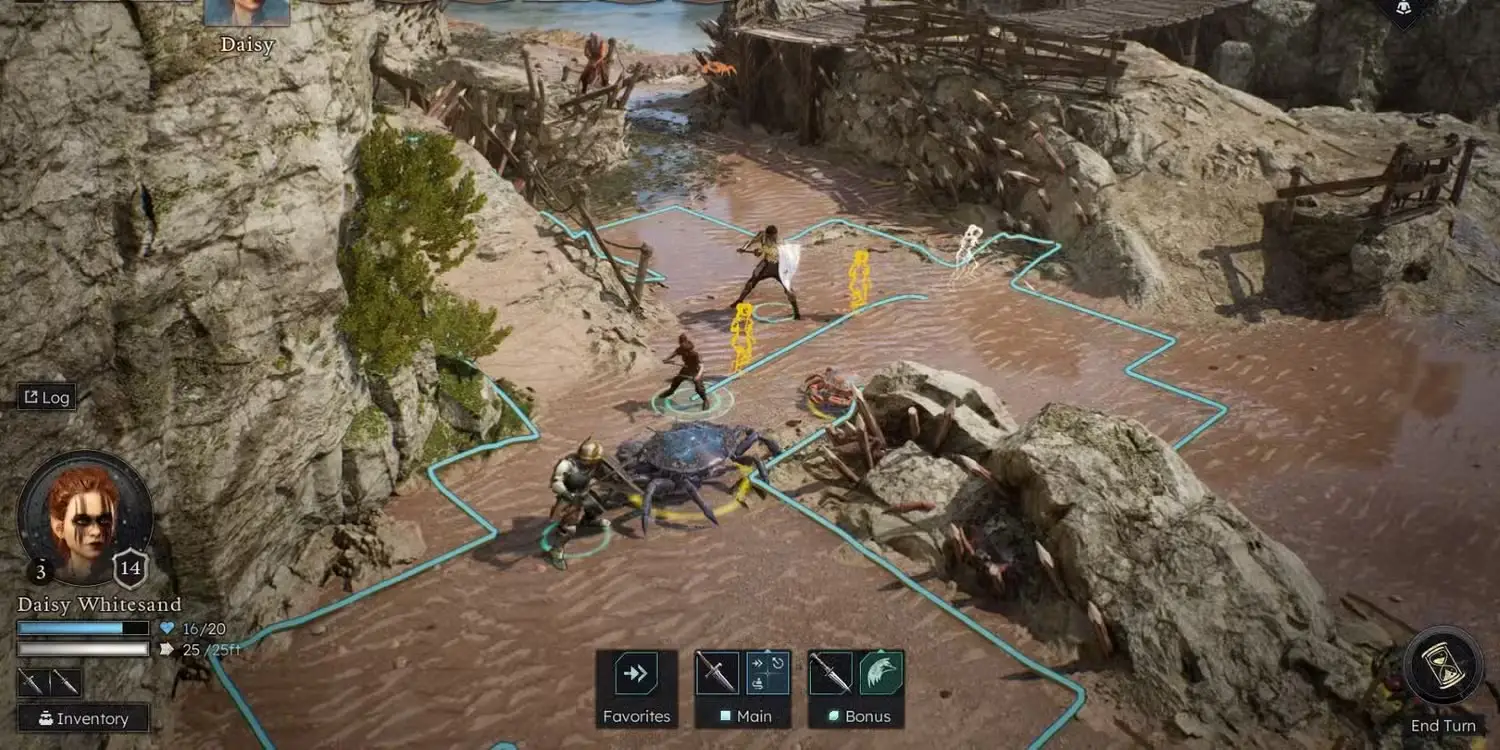
La soluzione XMODhub: Skip the clicking. Using the trainer, you can enable the Max Attributes feature. When you enter the character creation screen, you can instantly assign a perfect 20 to your Strength, Dexterity, Constitution, Intelligence, Wisdom, and Charisma. Build a truly legendary party of demigods right from level one, and wield heavy weapons and powerful spells without annoying stat penalties.
3. Infinite Spell Slots Guide: Never Spam Cantrips Again
In D&D 5e, magic is incredibly powerful, but it is severely limited by Spell Slots.
The Vanilla Problem:
You are playing a high-level Sorcerer. You walk into a room, drop a massive Fireball to clear out some goblins, and… that’s it. You are out of Tier 3 spell slots. For the rest of the dungeon, your almighty spellcaster is reduced to hiding in the back, pathetically throwing Fire Bolt cantrips for 1d10 damage while the melee fighters do all the work. To get your spells back, you have to burn food rations and trigger a Long Rest, which breaks the pacing of the dungeon.
The XMODhub Fix:
Toggle the Infinite Spell Slots cheat. This feature freezes your spell slot tracker. You can cast Meteor Swarm, Chain Lightning, and Mass Heal in every single combat encounter without ever needing to trigger a Short or Long Rest. Transform your casters into the terrifying artillery cannons they were always meant to be.
4. Full Compatibility: Solasta 2 Dungeon Maker Custom Campaigns
One of the absolute greatest features of the Solasta franchise is the Dungeon Maker. The community creates thousands of hours of incredible, custom-built maps, quests, and full-length campaigns.
However, downloading third-party mods to cheat often breaks when you load into these custom community maps, leading to crashes and broken triggers.
Because XMODhub operates by modifying the game’s active RAM memory rather than overwriting the physical map files, our trainer is 100% compatible with all Dungeon Maker custom campaigns. Whether you are playing the official main story or a fan-made recreation of Curse of Strahd, your infinite health, max stats, and perfect dice rolls will function flawlessly.
5. XMODhub vs. Traditional .pak Mods: Avoid Corrupted Saves
When looking for Solasta 2 cheats, many players head to forums to download raw .pak files or complicated Unity Mod Managers. Do not do this.
CRPGs are notoriously fragile. When the developers release a minor hotfix to patch a broken quest, traditional hard-coded mods instantly break. If you load your game with a broken mod, your 80-hour save file will become permanently corrupted.
XMODhub is the ultimate, respectful Quality of Life (QoL) tool:
- ✦ It is Safe: We don’t touch your hard drive files. We inject cleanly into memory.
- ✦ It Auto-Updates: When a game patch drops, our cloud-based system updates the trainer within hours, so you never lose access to your cheats.
- ✦ Toggle On/Off: You can turn God Mode or Infinite Movement off at any time with a single keystroke if you want to experience a specific boss fight naturally.
6. How to Use the XMODhub PC Trainer for Solasta 2?
Skip the complicated .pak files and the risk of corrupted save data. XMODhub uses safe, dynamic memory injection. Here is how to get started in under two minutes:
1
Download & Install: Get the [XMODhub Desktop Client] from the official XMODhub website. (Note: Whitelist the app in your antivirus if it flags the memory injector as a false positive).

2
Launch Solasta 2: Boot up your game via Steam, Epic, or the Xbox PC App and load directly into your active campaign.
3
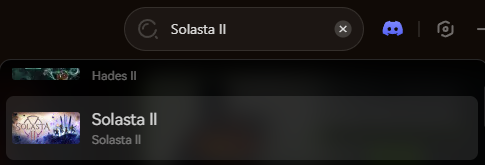
Connect the App: Open XMODhub, search for Solasta 2, and click “Play” to securely hook into the game’s RAM.
4
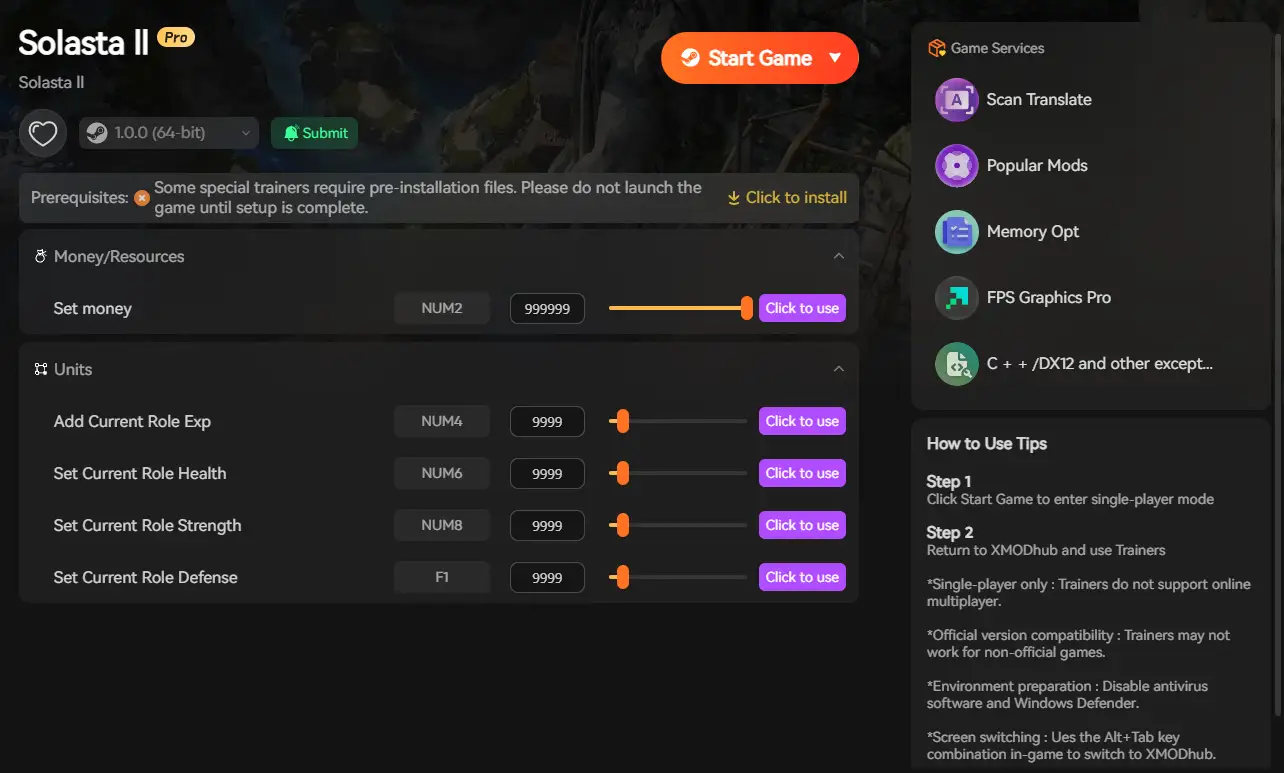
Activate Cheats: Use the app’s UI or your keyboard hotkeys to toggle features on the fly.
- ✨ Always Roll 20: Guarantee Critical Successes on every attack and dialogue check.
- ✨ Infinite Spell Slots: Cast high-level spells constantly without needing a Long Rest.
- ✨ Infinite Carry Weight: Loot the entire dungeon without ever worrying about inventory limits.
Conclusion: Reclaim Your Campaign
Solasta 2 delivers a brilliant, tactical D&D experience. But you are the one playing the game, and you should dictate how punishing that experience is. You shouldn’t have to suffer through 40 minutes of bad dice rolls or hide your wizards in the corner because they ran out of spell slots. By using the XMODhub PC Trainer, you become the true master of your tabletop realm. Roll natural 20s, unleash infinite magic, and build the ultimate custom party today.

Sono un giocatore appassionato e uno scrittore di XMODhub, che si dedica a fornire le ultime notizie, consigli e approfondimenti sui giochi.
Collegatevi con me:
Profilo LinkedIn
 Nancy Miller