Sintesi: This guide outlines the minimum and recommended PC specs for Ratatan, helping you ensure smooth gameplay and optimize performance on any system.
Ratatan is an exciting game that has captured the attention of PC gamers with its unique gameplay and immersive features.
Before diving in, it’s important to understand the system requirements to ensure your PC can handle the game smoothly.
In this guide, we’ll break down the minimum and recommended specs, explore whether low-end systems can run the game, and share tips to enhance your gameplay experience with tools like XMOD.
By the end, you’ll know exactly how to prepare your setup for the best possible Ratatan avventura.
Indice dei contenuti
- Che cosa è Ratatan?
- System Requirements for Ratatan: Minimum and Recommended
- Can You Run Ratatan on a Low-End PC?
- Can My PC Run Ratatan?
- How to Enhance Gameplay Experience with XMOD?
- Conclusione
What is Ratatan?
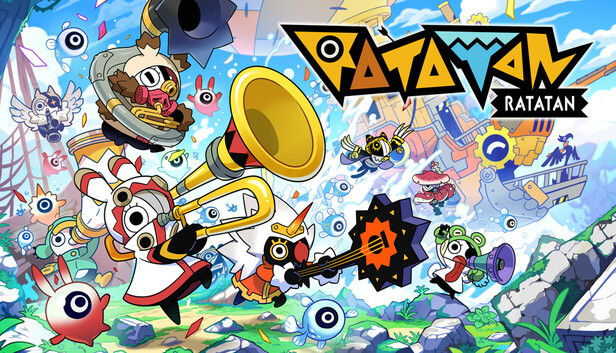
Ratatan is an upcoming rhythm-based roguelike action game developed by Ratata Arts and Tokyo Virtual Theory, led by Hiroyuki Kotani, the creator of the acclaimed Patapon series. Serving as a spiritual successor to Patapon, Ratatan combines rhythmic combat with side-scrolling action and features online co-op gameplay supporting up to four players. Players control musical creatures called Ratatans, who follow rhythm-based commands in combat, echoing the distinctive gameplay of Patapon.
The game was initially unveiled at BitSummit 2023 and successfully funded through a Kickstarter campaign, raising over $1.5 million. Ratatan is set to release in early access on September 19, 2025, for PC via Steam, with planned releases for PlayStation 5, Xbox Series X|S, and Nintendo Switch later in the year.
In Ratatan, players embark on a rhythmic adventure where they must defeat enemies by syncing their actions to the game’s catchy, toe-tapping soundtrack. The game features intense battles with over 100 characters fighting in a massive melee and offers a delightful, heartfelt adventure set in the vibrant world of Rataport
System Requirements for Ratatan: Minimum and Recommended
For a quick overview, here’s how the minimum and recommended requirements compare:
Requisiti minimi di sistema
| Specification |
Details |
| OS |
Windows® 10 64-bit |
| Processore |
Dual Core 2.4 GHz |
| Memoria |
8 GB DI RAM |
| Grafica |
GeForce GTX 950 / Radeon R7 360 / Intel HD 630 |
| Network |
Broadband Internet connection |
| Immagazzinamento |
10 GB available |
| Additional Notes |
Non-symmetric NAT required for online co-op |
Requisiti di sistema consigliati
| Specification |
Details |
| OS |
Windows® 11 64-bit |
| Processore |
Quad Core 2.4 GHz |
| Memoria |
16 GB DI RAM |
| Grafica |
GeForce RTX 2060 / Radeon RX 5600 XT / Intel Arc A580 |
| Network |
Broadband Internet connection |
| Immagazzinamento |
10 GB available |
| Additional Notes |
Non-symmetric NAT required for online co-op |
Can You Run Ratatan on a Low-End PC?
If your PC barely meets—or falls slightly below—the minimum system requirements for Ratatan, you may still be able to run the game, but with some limitations. On a low-end system, you might experience:
- Lower graphics quality: You may need to reduce textures, shadows, and effects to maintain smooth performance.
- Reduced frame rates: Fast-paced rhythm battles may feel less responsive if the frame rate drops.
- Longer loading times: Lower-end CPUs and storage can increase load times for levels and co-op matches.
To improve performance on a low-end PC, consider:
- Adjusting in-game settings: Lower resolution, disable VSync, and reduce visual effects.
- Updating drivers: Ensure your graphics and system drivers are up to date.
- Using performance boosters: Tools like XMOD can help optimize FPS and manage game resources efficiently.
While a low-end PC can technically run Ratatan, for the best experience—especially in online co-op—you’ll want a system closer to the recommended specifications.
Can My PC Run Ratatan?

Determining whether your PC can run Ratatan depends on how your system compares to the game’s minimum and recommended specifications. Here’s a quick checklist:
- Operating System: Must be 64-bit Windows 10 or higher.
- Processore: At least a dual-core 2.4 GHz CPU for minimum performance; a quad-core 2.4 GHz CPU is recommended.
- Memory (RAM): 8 GB minimum, 16 GB recommended for smooth gameplay.
- Graphics Card: At least GeForce GTX 950, Radeon R7 360, or Intel HD 630 for minimum; for best visuals, a GeForce RTX 2060, Radeon RX 5600 XT, or Intel Arc A580 is recommended.
- Stoccaggio: 10 GB free space.
- Network: Broadband Internet with a non-symmetric NAT type required for online co-op.
If your system meets the minimum specs, you can run the game, though with lower graphics and performance. Meeting the recommended specs ensures smooth gameplay, high-quality visuals, and a better experience during co-op battles.
How to Enhance Gameplay Experience with XMOD?

XMOD is a versatile tool designed to optimize and enhance your PC gaming experience. For Ratatan, it can help you manage resources, improve performance, and customize gameplay to match your style. Here’s how it can enhance your experience:
Resource & Inventory Management
-
- Automate collection of in-game resources or currency.
- Organize your inventory efficiently for faster access to items during combat.
Gameplay Customization
-
- Customize keybindings and macros to synchronize commands with the game’s rhythm-based combat.
- Experiment with different strategies without interrupting the flow of gameplay.
Quality-of-Life Features
-
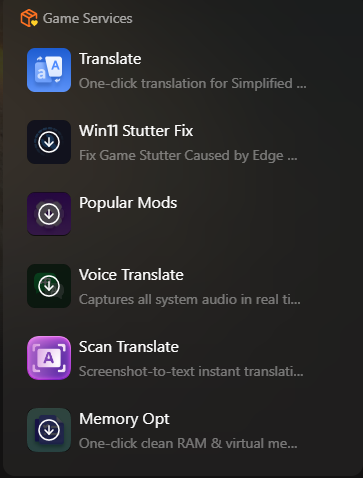
- Access translation tools for a multilingual interface.
- Unlock additional content or manage DLCs effectively.
- Automate repetitive tasks, allowing you to focus on exploration and strategy.
Safe Multiplayer Use
-
- Ensure your automation settings comply with online rules.
- Avoid using XMOD to interfere with other players’ experience to prevent bans.
Conclusione
In conclusion, understanding the system requirements for Ratatan is essential to ensure smooth gameplay and the best possible experience. Meeting the minimum specifications allows you to play the game, while the recommended specs deliver high-quality visuals and optimal performance, especially in online co-op battles. Low-end PCs can still run the game with adjustments, and tools like XMOD can further enhance performance, streamline resource management, and customize your gameplay. By preparing your system and leveraging these tips, you’ll be ready to fully enjoy the rhythmic, action-packed world of Ratatan.
Sono un giocatore appassionato e uno scrittore di XMODhub, che si dedica a fornire le ultime notizie, consigli e approfondimenti sui giochi.
Collegatevi con me:
Profilo LinkedIn

 Catherine Hu

 Nancy Miller

