Sintesi: This guide covers everything you need to know about Battlefield 6 system requirements, including minimum and recommended specs for CPU, GPU, RAM, storage, and OS to run the game smoothly.
Battlefield 6 is the latest installment in the popular first-person shooter franchise, offering large-scale battles, realistic graphics, and immersive gameplay.
Before diving into the action, it’s important to understand the game’s system requirements, including both minimum and recommended specifications.
This guide will help you determine if your PC—whether low-end or high-end—can handle the game, and explain how tools like XMOD can further enhance performance and visuals.
By the end, you’ll have all the information needed to enjoy Battlefield 6 at its best.
Indice dei contenuti
- Che cosa è Battlefield 6?
- System Requirements for Battlefield 6: Minimum and Recommended
- Can You Run Battlefield 6 on a Low-End PC?
- Can My PC Run Battlefield 6?
- How to Enhance Gameplay Experience with XMOD?
- Conclusione
What is Battlefield 6?

Battlefield 6 is the latest entry in the acclaimed Battlefield series, known for its large-scale multiplayer battles, realistic environments, and tactical first-person shooter gameplay. The game features massive maps, dynamic weather, and destructible environments, allowing players to engage in infantry, vehicle, and aerial combat across various modes. With an emphasis on team strategy, high-fidelity graphics, and immersive audio, Battlefield 6 aims to deliver a cinematic and action-packed warfare experience, appealing to both long-time fans and newcomers to the franchise.
System Requirements for Battlefield 6: Minimum and Recommended
Requisiti minimi di sistema
To run Battlefield 6 at a basic level, your PC should meet the following specifications:
- OS: Windows 10 (richiesto 64 bit)
- Processore: Intel Core i5-8400 or AMD Ryzen 5 2600
- Memoria: 16 GB DI RAM
- Grafica: Nvidia RTX 2060, AMD Radeon RX 5600 XT 6GB, or Intel Arc A380
- DirectX: Versione 12
- Network: Broadband internet connection
- Stoccaggio: 55 GB available space
- VR Support: Not supported
- Additional Notes: TPM 2.0 enabled, UEFI Secure Boot enabled, HVCI capable, VBS capable
Meeting these minimum specs allows the game to run, but you may need to lower graphics settings for smoother performance.
Requisiti di sistema consigliati
For an optimal experience with higher graphics quality and stable performance:
- OS: Windows 11 (64-bit required)
- Processore: Intel Core i7-10700 or AMD Ryzen 7 3700X
- Memoria: 16 GB DI RAM
- Grafica: Nvidia RTX 3060 Ti, AMD Radeon RX 6700 XT, or Intel Arc B580
- DirectX: Versione 12
- Network: Broadband internet connection
- Stoccaggio: 80 GB available space
- VR Support: Not supported
- Additional Notes: TPM 2.0 enabled, UEFI Secure Boot enabled, HVCI capable, VBS capable
With these recommended specs, you’ll enjoy smooth gameplay, higher visual fidelity, and the full immersive experience Battlefield 6 offers.
Can You Run Battlefield 6 on a Low-End PC?
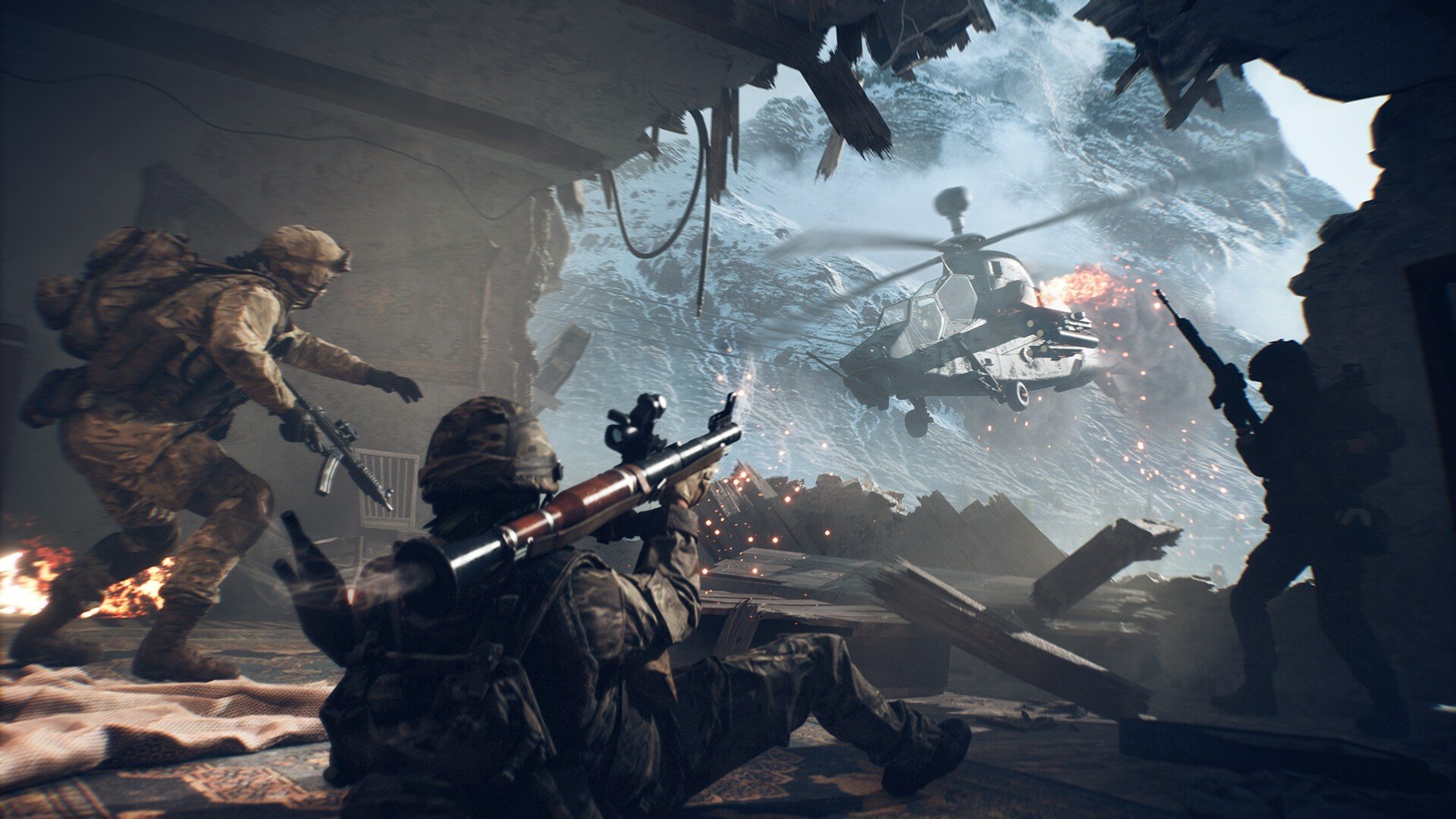
In corsa Battlefield 6 on a true low-end PC will be very challenging. Since the minimum requirements already demand a mid-range GPU like the RTX 2060 or RX 5600 XT, most entry-level systems or older hardware will likely struggle. Even if the game launches, performance may suffer from low frame rates, long load times, and reduced graphical quality. Players with slightly weaker hardware might still experiment by lowering resolution, disabling advanced effects, and using performance-boosting tools like XMOD, but a genuine low-end PC will not provide a smooth or enjoyable experience.
Can My PC Run Battlefield 6?
Whether your PC can run Battlefield 6 depends on how closely it matches the official system requirements. If your setup meets the minimum specs—such as an Intel i5-8400 or AMD Ryzen 5 2600 paired with an RTX 2060 or RX 5600 XT—you should be able to play at lower settings with stable performance. To fully enjoy the game at higher resolutions and smoother frame rates, you’ll want to meet or exceed the recommended specs, which include an Intel i7-10700 or AMD Ryzen 7 3700X and a GPU like the RTX 3060 Ti or RX 6700 XT. For the best results, compare your CPU, GPU, RAM, and storage directly with these requirements before launch.
How to Enhance Gameplay Experience with XMOD?

Utilizzo XMOD can significantly improve your Battlefield 6 experience, especially if you want smoother performance or more control over how the game runs. XMOD offers FPS boosters, advanced graphic adjustments, and memory optimizations that help reduce stuttering and lag during large-scale battles. It can also streamline your settings, making it easier to balance visuals and performance depending on your hardware. 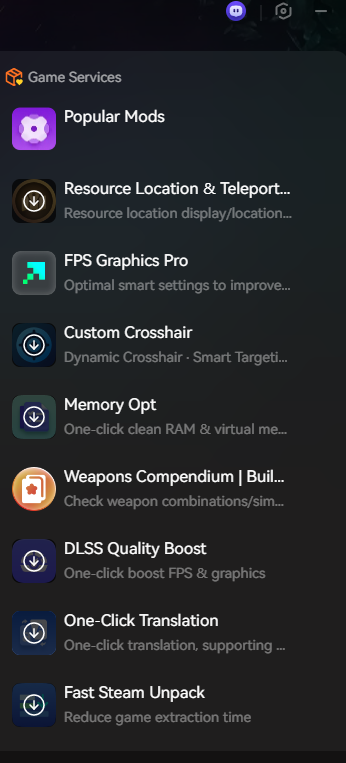 For players on mid-range systems, XMOD ensures a more stable frame rate, while high-end users can push the game to its maximum potential with enhanced visuals and reduced system overhead. By fine-tuning gameplay through XMOD, you’ll enjoy more immersive and responsive combat across Battlefield 6’s massive maps.
Conclusione
Battlefield 6 pushes the boundaries of large-scale FPS combat with cutting-edge visuals, massive maps, and immersive battles. To enjoy it fully, ensuring your PC meets at least the minimum system requirements is essential, while the recommended specs unlock a smoother and more visually stunning experience. Low-end PCs may struggle, but performance tools like XMOD can help optimize gameplay by boosting FPS and reducing stutters. Whether you’re upgrading your system or fine-tuning your setup, preparing ahead will make sure you’re ready to dive into the next chapter of Battlefield with confidence.
Sono un giocatore appassionato e uno scrittore di XMODhub, che si dedica a fornire le ultime notizie, consigli e approfondimenti sui giochi.
Collegatevi con me:
Profilo LinkedIn

 Catherine Hu