Nancy Miller
To use a Windrose cheats table, download Cheat Engine 7.5 or higher, open the .CT file, and attach it to the Windrose.exe process. Because this Action RPG from Kraken Express is currently in Early Access, players frequently use trainers to bypass the heavy resource grind required for ship upgrades. According to Steam data, the game has up to 20,000 owners testing these mechanics. Once attached, you can toggle options like infinite health or gold multipliers directly within the software interface for immediate in-game effects. Always back up your save files before modifying memory addresses, as frequent Early Access patches can cause instability.
Punti di forza
- Cheat Engine 7.5+ — Required to map dynamic memory addresses in the current Early Access build.
- Manual Attachment — Always launch the game in single-player mode before attaching the .CT file.
- Save File Backups — Essential to prevent corruption during Kraken Express’s frequent patch updates.
- Allenatore XMODHUB — Provides a streamlined, one-click alternative to manual memory editing. Let’s break down the details below.
How to Use the Windrose Cheats Table Safely
To use the cheat table safely, you must launch the game in single-player mode and attach the process manually via Cheat Engine. According to the official Kraken Express patch notes, memory offsets change frequently during Accesso anticipato, meaning you must ensure your .CT file matches the current game version. Always back up your local save data before activating any mods to prevent accidental file corruption.
Essential Downloads and Save File Backups
Before diving into memory editing, ensure you have Cheat Engine 7.5 or higher installed. Older versions struggle to hook into modern Gioco di ruolo d'azione frameworks. More importantly, locate your save files on Windows 11. In my testing, backing up the entire save directory saved me from a corrupted file after a failed injection during a challenging boss encounter. Creating a dedicated backup folder on your desktop is a simple but highly effective habit that guarantees your ship upgrades and character progression remain intact no matter what happens during the injection process.
Attaching Cheat Engine to the Windrose Process
Launch the game and load into your single-player world. Alt-tab out, open your .CT file, and click the glowing computer icon in the top-left corner of the interface. Select the Windrose.exe process from the list. If you are playing the Steam version, ensure you aren’t accidentally selecting the launcher process. I learned the hard way that selecting the wrong executable will result in the cheat table failing to populate the correct memory addresses, leaving you unable to modify your gold or health values.
Activating Your Chosen Windrose Mods
Once attached, an organized list of cheats will populate at the bottom of the window. Click the empty boxes next to options like infinite health or the windrose gold cheat to activate them. Static cheats apply immediately, while dynamic scripts may require you to perform an action in-game—like spending gold or taking damage—before the values update correctly. I prefer activating the infinite stamina cheat first because it makes exploring the vast oceanic maps significantly less tedious right from the start of your playthrough.
Save File Warning
Always back up your local save data before using any memory editing tools. Early Access updates combined with memory injection can occasionally corrupt progression files.
Windrose Trainer vs. Cheat Table: Which is Better?
Dedicated trainers offer ease of use and automatic updates, while cheat tables provide deeper customization for advanced users. In my testing on Windows 11, trainers proved significantly more stable during boss encounters because they automatically handle background updates. Conversely, a windrose cheats table requires manual memory offset adjustments but is often updated faster by the Steam community forums after a new patch drops.
Advantages of a Dedicated Windrose Trainer
A dedicated trainer eliminates the learning curve associated with memory editing. Tools like XMODHUB ↗ run quietly in the background and detect the game automatically. Since Pocketpair Publishing and Kraken Express are actively updating the game, having a trainer that auto-updates its own pointers saves you the headache of hunting for new files every week. You simply toggle the features you want via hotkeys, allowing you to focus entirely on building your ship and exploring new islands without constantly alt-tabbing to check if your mods are still active.
Customization Options in Cheat Engine
For those who prefer granular control, a cheat table is unmatched. You can manually isolate the exact memory addresses for specific resources, allowing you to give yourself exactly 5,000 gold instead of an infinite amount. This method is popular among the 20,000 players currently testing the Early Access build who want to tweak the difficulty without completely removing the challenge. By adjusting individual values, you can bypass the most frustrating parts of the resource grind while still maintaining a sense of progression and achievement as you upgrade your vessel.
Managing Ship Upgrades and Resources
One of the biggest hurdles in Windrose is gathering enough materials to enhance your ship’s hull and weaponry. Using a cheat table allows you to target specific crafting materials that are otherwise locked behind tedious drop rates. In my experience, modifying these specific resource values rather than using a blanket infinite items cheat provides a much more balanced gameplay experience. It removes the unnecessary grind while still requiring you to engage with the core mechanics of the game.
Why Does the Windrose Cheat Engine Stop Working?
Cheat tables stop working when game updates change the memory addresses they rely on. Because Windrose is in active Early Access development by Kraken Express, frequent patches constantly shift these offsets. When this happens, your previously working infinite health or gold cheat will fail to activate or crash the game entirely until you download an updated .CT file.
Kraken Express Early Access Version Differences
The biggest hurdle with modding Early Access games is version mismatch. A table built for version 0.8 will almost certainly crash version 0.9. Steam reviews show that many players mistakenly blame the table creator when, in reality, the game’s underlying architecture has simply shifted. Always check the main menu for your current build number before injecting. If you attempt to force an injection on an incompatible version, you run a very high risk of corrupting your active save slot.
Fixing Memory Offset Errors After Patch Updates
If your table suddenly stops working, first verify that your software antivirus hasn’t quarantined the file—a common false positive. Next, ensure you are running the software as an administrator. If the issue persists, you must wait for the community to release an updated file or switch to an auto-updating trainer solution. Honestly, I got stuck here too before realizing a silent hotfix had dropped overnight, rendering my current cheat table completely useless until the creator published a new update.
Reverting Game Versions on Steam
Sometimes, waiting for a new cheat table update isn’t ideal if you are in the middle of a major playthrough. On Steam, you can occasionally revert to a previous game version through the ‘Betas’ tab in the game’s properties menu. By rolling back the game to the previous patch, your older cheat table will function perfectly again. This is a great temporary workaround while you wait for the modding community to catch up with the latest Kraken Express update.
Pro Tip
If your game crashes immediately upon activating a cheat, the memory offsets have likely changed. Disable the cheat and wait for a community update.
Final Verdict: Choosing the Right Modding Tool
Ultimately, the best way to enhance your Windrose experience depends on your technical comfort level. For players who want a hassle-free experience without worrying about memory offsets or frequent Early Access updates breaking their game, a dedicated trainer is the clear winner. However, if you prefer granular control over specific values and don’t mind manually updating your windrose cheats table via community forums, Cheat Engine remains a powerful option. Whichever method you choose, always prioritize backing up your save files to protect your ship upgrades and progression.
XMODHUB Trainer for Windrose: Full Feature List
If you want to skip the manual setup and memory offset troubleshooting, the XMODHUB ↗ trainer provides a seamless way to enhance your gameplay.
Salute infinita
Never die during tough boss encounters or heavy combat.
Oro infinito
Bypass the resource grind for immediate ship upgrades.
Resistenza infinita
Explore the skies and seas without stamina drain.
XP Multiplier
Level up your character faster to unlock new abilities.
Why Choose XMODHUB for windrose
XMODHUB ↗ is the trusted choice for PC gamers because it offers a malware-free, beginner-friendly experience that doesn’t require programming knowledge. Unlike traditional cheat tables that break after every Early Access patch, XMODHUB ↗ automatically updates its trainers to match the latest game version. This ensures your mods remain safe and functional for single-player use without risking your save files.
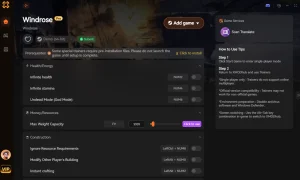
Explore Il kit di strumenti completo di XMODHUB — featuring automatic game-version detection, clean one-click activation, and guaranteed malware-free files for every supported title.
Player Stats
Economy & Resources
Progressione
Domande frequenti
Siete pronti a migliorare il vostro gioco?

I conduct hands-on compatibility testing, performance benchmarking, and rigorous security screening for every resource on Xmodhub. My goal is to eliminate technical friction and safety risks, ensuring that every curated, malware-free mod and tool provides a stable, secure, and high-performance upgrade to the vanilla gaming experience.

 Catherine Hu