
 Catherine Hu
Cinematics in Solasta 2 are undeniably gorgeous. Thanks to the power of the Unity Engine, the facial animations and dynamic lighting during story moments are a massive step up for the isometric CRPG genre. However, when you are farming the same Cataclysm-difficulty dungeon for the twentieth time, watching the same Sorak boss monologue for three minutes becomes agonizing. You just want to get back to the tactical combat.
In this guide, we will explain exactly which story elements can be bypassed normally, why the engine forces you to watch certain events, and how to reclaim your time using the XMODhub PC Trainer.
Ti potrebbe interessare anche: Solasta II Cheat Engine Alternative Guide
Editor’s Note:
By Catherine Hu, Senior Editor at XMODhub.
Our team has rigorously tested the event flag modifications on the latest Steam build. Because this title operates natively on the Unity Engine, event states and cutscene triggers are handled dynamically in the active memory. There is no native developer console to input a skip command. Please remember our golden rule: Handle your memory injections while in a single-player offline session to prevent network desyncs during co-op dungeon crawls.
Quick Answer: Can You Skip Cutscenes in Solasta 2?
In the vanilla version of the game, you can skip major pre-rendered story cinematics by pausing the game and holding the ESC key. However, in-engine dialogue sequences, NPC interactions in the city hub, and repetitive boss introduction animations cannot be skipped. To bypass this restriction, PC players can use the XMODhub Solasta 2 Trainer to inject a “Force Skip” command, which unlocks the fast-forward function for every single event in the game.
Normal Methods: In-Game Settings Guide
If you prefer to play without external software, you can optimize your gameplay flow using the built-in options menu.
Open your main settings and navigate to the Gameplay tab. Here, you can change your “Text Display Speed” to maximum. This will make the dialogue boxes populate immediately rather than typing out character by character. You can also turn off the “Dice Roll Animations” during combat, which significantly speeds up the grind. Unfortunately, there is no vanilla setting to auto-skip story dialogue or bypass the unskippable camera pans that occur when you enter a new dungeon floor.
The Core Event Lock: Why Some Cutscenes are Permanent
The developers do not make scenes unskippable just to annoy you. In the Unity Engine, sweeping camera cutscenes and in-engine dialogue events are frequently used to mask background asset streaming.
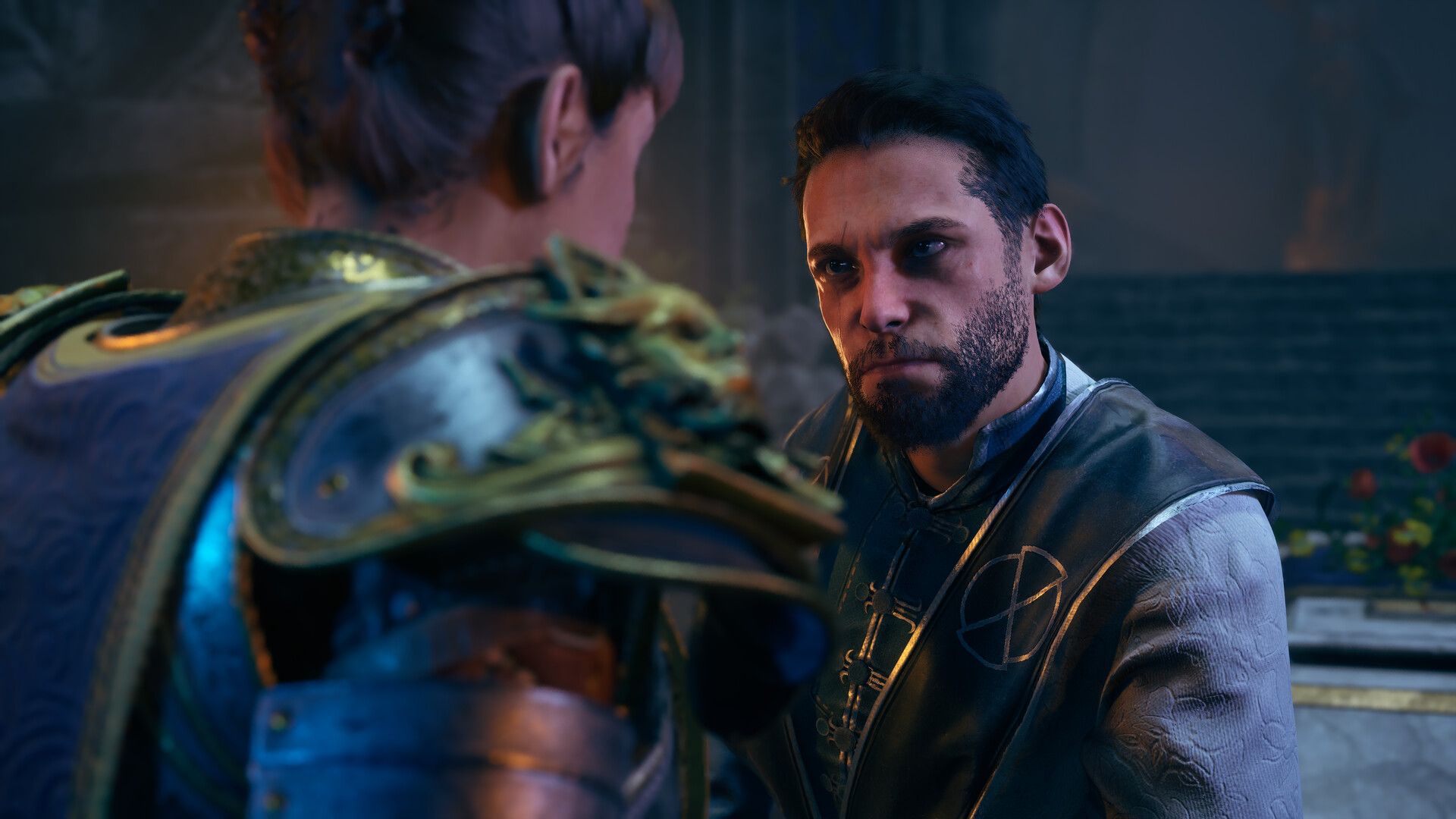
While two characters are talking about the Antiquarians faction, the game engine is actively loading the high-resolution textures and enemy AI for the massive dungeon right behind them. If you were to skip the dialogue natively, the engine would throw your party into a void or crash entirely because the environment has not finished loading into your system’s memory. It is a cleverly disguised loading screen.
The Ultimate Solution: XMODhub Cutscene Hacks
You should not have to sacrifice your gaming time to watch a merchant slowly wave every time you buy a healing potion. The XMODhub trainer bypasses these event locks by managing the loading states for you:
- • Force Skip Everything: Overrides the lock byte, allowing you to pause and skip any interaction, from minor NPC chats to unskippable boss introductions.
- • Instant Dialogue Advance: Removes the artificial input delay between text boxes, letting you mash the spacebar through conversations seamlessly.
- • Game Speed Multiplier: Specifically targets the repetitive, unskippable cinematic panning shots, allowing you to hold a hotkey to accelerate the entire game by 5x or 10x speed.
Activating the Skip Command
Gaining control of your cutscenes requires no complex file editing. The process is completely streamlined through our desktop application:
- Download the XMODhub application from our official homepage.

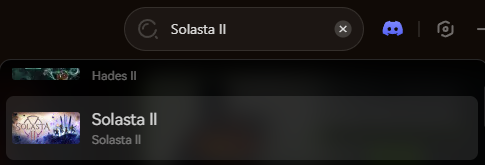
- Search for Solasta 2 within your library dashboard.
- Boot up your game via Steam and load your save file.
- Link the software directly to the Unity Engine’s memory by hitting the “Play” module.
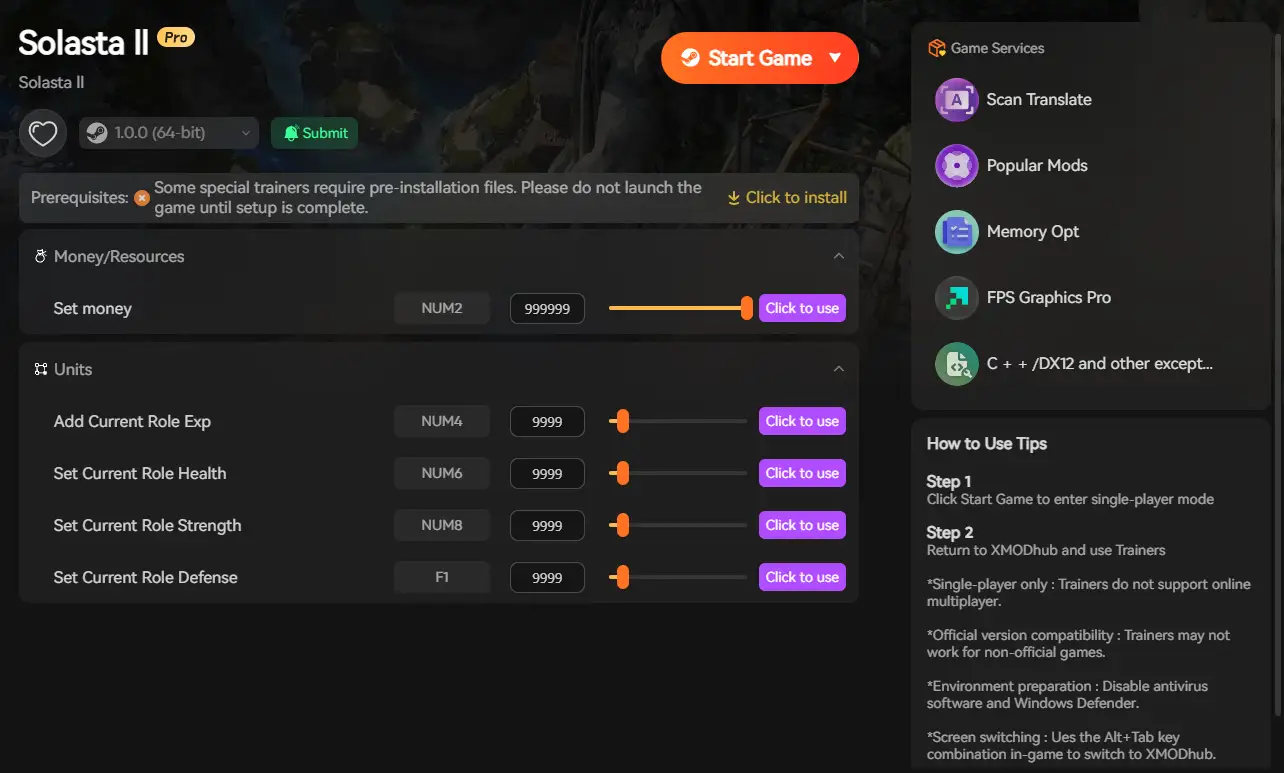
- Activate the cutscene, dialogue, and speed modifiers via the clean overlay or your assigned hotkeys.
The software will automatically force the engine to accelerate, preventing the crashes normally associated with skipping masked loading screens.
XMODhub Trainer vs. Traditional Modding
Many PC gamers attempt to use basic script editors to delete cutscene video files entirely. For complex CRPGs running on Unity, this is an incredibly unstable approach.
Deleting cinematic files often results in a fatal black screen or the infamous “stuck spacebar” bug, as the game’s code gets stuck waiting for an event flag that no longer exists. Furthermore, traditional mods usually break permanently after a minor patch.
In contrast, the XMODhub dedicated trainer is custom-built to safely manipulate the event flags and game speed in real-time. It requires no file deletion, auto-updates within hours of a patch, and ensures that your skip commands transition you safely into gameplay without corrupting your save data.
Anti-Cheat Evasion: Will I Get Banned?
The short answer is absolutely not, provided you use the trainer responsibly.
Solasta 2 operates on a peer-to-peer networking system for its multiplayer. While the game features cooperative campaigns, your story progression and cutscene viewing states are handled entirely locally on your own machine. There is no central server dictating how fast you read dialogue in single-player zones.
Our trainer strictly modifies the RAM values on your local hardware and does not alter your encrypted core files. However, you must exercise common sense. Forcing a cutscene skip or using a 10x speed multiplier while playing a synchronized story mission with a co-op partner will cause a severe network desynchronization and likely crash the lobby. Always keep your event modifications restricted to single-player exploration or ensure you are the host of the lobby and your friends are prepared for the speed increase.
Frequently Asked Questions (FAQ)
Q: Do I miss any rewards or quest updates by skipping dialogue?
A: No. The game automatically deposits any quest rewards, gold, or magical items into your inventory the moment the event flag is cleared, regardless of whether you watched the scene or skipped it. Your journal will also update automatically.
Q: If I accidentally skip a conversation, can I read what they said?
A: Yes. You can open your in-game Journal and navigate to the “Dialog Transcript” tab. This records the last 50 lines of conversation, allowing you to catch up on any vital lore or quest clues.
Q: Will skipping dialogue break my faction reputation progression?
A: The trainer is designed to safely trigger the “event complete” flags when you force a skip, ensuring your faction standing updates correctly and the next objective spawns without issue.
Conclusion: Get Back to the Fight
Solasta 2 is an incredible tactical RPG, but your time is valuable. Stop enduring tedious, unskippable animations and slow-scrolling text.
With the XMODhub PC Trainer, you control the pacing—skip the cinematic fluff and focus on optimizing your builds, crafting legendary weapons, and dominating Cataclysm difficulty.

Sono un giocatore appassionato e uno scrittore di XMODhub, che si dedica a fornire le ultime notizie, consigli e approfondimenti sui giochi.
Collegatevi con me:
Profilo LinkedIn

 Nancy Miller