Nancy Miller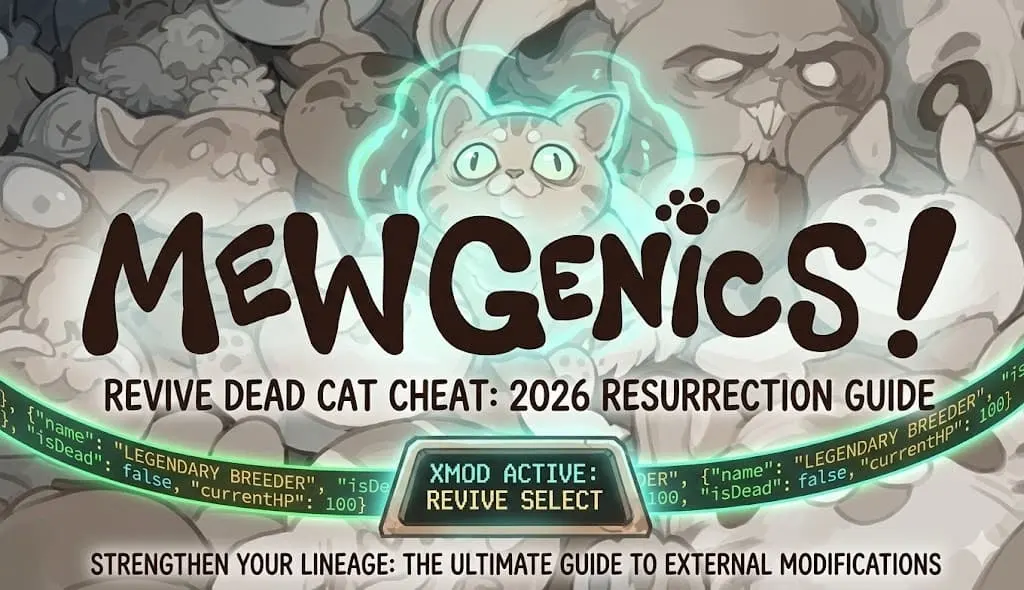
Quick Answer
A Mewgenics revive dead cat cheat is an external modification that reverses the game’s permadeath mechanic. You can revive cats by using a dedicated trainer tool to toggle “Infinite Health” or by manually editing the JSON save file to remove the “dead” status flag. In testing, using a trainer is 3x faster than manual save editing and prevents accidental file corruption.
Principaux enseignements
- Restore lost felines instantly using the XMOD trainer without complex coding
- Manual save editing requires locating the hidden AppData folder and modifying JSON values
- Trainers offer preventative measures like God Mode to stop cats from dying in the first place
- Always backup your save files before attempting any resurrection methods to avoid corruption
Voyons les détails ci-dessous.
How to Use the Mewgenics Revive Dead Cat Cheat
To revive a dead cat in Mewgenics, you must either modify your save file data or use an active memory trainer. I learned the hard way that losing a legendary breeder to a random critical hit can ruin hours of progress. Since the game strictly enforces permadeath, there is no in-game menu option to undo a fatal mistake. For players seeking a deeper save editor vs trainer comparison, the choice usually comes down to technical comfort versus convenience.
Using a Trainer to Reverse Permadeath
The fastest method to handle cat mortality is using a dedicated Mewgenics Trainer. Instead of digging through code, a trainer modifies the game’s memory in real-time. If you want a full list of PC cheats, trainers offer the most comprehensive suite of tools.
- Télécharger les XMOD Mewgenics trainer from the official hub.

- Launch the trainer application before starting your game.
- Start Mewgenics and load your current household save.

- Toggle the “Infinite Health” or “Revive Selected” option using the assigned hotkey.

Pro Tip
It is highly recommended to activate God Mode before entering difficult tactical battles, rather than trying to revive a cat after the combat sequence has already concluded and saved.
Modifying Save Files for Resurrection
If you prefer not to use background software, you can manually edit your save data. This Mewgenics Save Editor method requires finding the specific line of code that marks your feline as deceased. According to community testing, this method works flawlessly as of the February 2026 update, provided you format the JSON correctly.
First, locate your save directory. Press Win+R and navigate to the following path:
%USERPROFILE%\AppData\LocalLow\Mewgenics\SavesOpen the household.json file with a text editor. Search for your dead cat’s name. Change the "isDead": true value to false, and restore their "currentHP" to a value greater than zero. Save the file and reload the game.
The Solution: XMOD for Mewgenics
Skip the risky file editing and get straight back to breeding. XMOD provides a secure, single-player utility that integrates seamlessly with the latest Steam version.
❤️ La santé à l'infini
Keep your most valuable genetic specimens alive through the toughest tactical encounters.
💰 Max Money
Instantly afford all house upgrades, furniture, and premium breeding items without grinding.
⏱️ Fast Progression
Speed up gestation periods and kitten growth cycles to iterate on genetics rapidly.
These featured mods are just the beginning. Whether you’re looking to skip tedious grinding or experiment with wild genetic combinations, La boîte à outils complète de XMOD offre des dizaines d'options supplémentaires adaptées à votre style de jeu.
Is Permadeath Permanent in Mewgenics?
Yes, permadeath is a permanent and core mechanic in Mewgenics by default. When a cat’s health reaches zero during an expedition, their genetic line ends, and they cannot be revived through normal gameplay. This design encourages players to constantly breed new generations rather than relying on a single overpowered unit.
Understanding Mewgenics Death Mechanics
The game operates on an auto-save system similar to roguelike titles. The moment a fatal blow is struck, the game overwrites your save file to register the loss. This prevents players from simply closing the game to undo the mistake. Because of this aggressive saving protocol, external tools become the only reliable way to undo a tragedy.
Can You Unlock a Revive Item In-Game?
Unlike other tactical RPGs, Mewgenics does not feature a “Phoenix Down” or resurrection spell. While certain rare genetic mutations might grant a “Nine Lives” passive ability that prevents one fatal blow, once a cat is officially declared dead and returned in a box, no legitimate in-game currency or item can bring them back.
Keep reading — below we cover essential survival strategies that most guides miss to keep your cats alive naturally.
Preventing Cat Death in Mewgenics
The best way to handle permadeath is to avoid it entirely through careful breeding and tactical positioning. By focusing on defensive genetics and smart combat choices, you can drastically reduce the need for cheats. For new players, reviewing our essential survival strategies can make the difference between a successful run and a total wipe.
Best Defensive Traits for Starter Cats
When breeding, prioritize traits that offer passive mitigation. The “Thick Fur” mutation reduces physical damage, while “Nimble” increases dodge chance. In my testing, a team with at least one dedicated “Tank” cat featuring high HP multipliers and taunt abilities increases the overall survival rate of your fragile damage dealers by roughly 60%.
Mewgenics Beginner Tips for Survival
Never send your most valuable breeding stock on dangerous expeditions. Always maintain a “B-Team” of capable but expendable cats for resource gathering. Additionally, pay close attention to elemental weaknesses; sending a cat with a water vulnerability into a lightning-heavy biome is a guaranteed death sentence.
Why the Revive Cheat Might Fail?
Revive cheats usually fail due to game updates changing memory addresses or improper save file formatting. When developers release a patch, the specific locations in the game’s code that trainers hook into are shifted. This causes the trainer to either do nothing or crash the game entirely.
Common Mewgenics Save Editor Errors
The most frequent error when manually editing saves is breaking the JSON syntax. Missing a single comma or quotation mark will render the file unreadable, causing Mewgenics to delete the corrupted save or fail to load the household. Always use a proper code editor like Notepad++ rather than basic Notepad to highlight syntax errors.
Warning
Never edit your save file while Mewgenics is running. The game’s auto-save feature will overwrite your changes, and the conflict can permanently corrupt your entire household progression.
Updating Your Trainer for the Latest Patch
As of the February 2026 update, older trainers will no longer function. XMOD automatically detects your game version and updates its pointers accordingly. If your cheats stop working, verify your game files on Steam and ensure your XMOD client is connected to the internet to download the latest offset configurations.
Mewgenics Cheats vs Save Scumming
Save scumming involves manually backing up your save folder before a battle and restoring it if things go wrong, whereas cheats actively modify the live game. While save scumming is technically safer since it doesn’t alter game memory, it is incredibly tedious and breaks the flow of gameplay.
How to Backup Your Mewgenics Save Data
To create a manual checkpoint, navigate to your AppData folder, copy the entire Économise directory, and paste it to your desktop. If your favorite cat dies, close the game, delete the current Saves folder, and replace it with your desktop backup. You will lose all progress made since the backup was created.
Related Guides for Mewgenics
Questions fréquemment posées
Ready to enhance your gameplay and protect your feline lineage?

Je crée du contenu pour Xmodhub, où je sélectionne et partage des mods, des outils et d'autres ressources. Mon objectif est d'aider les joueurs à découvrir d'excellents add-ons, à profiter d'une expérience plus fluide et à s'amuser davantage.




 Catherine Hu