Catherine Hu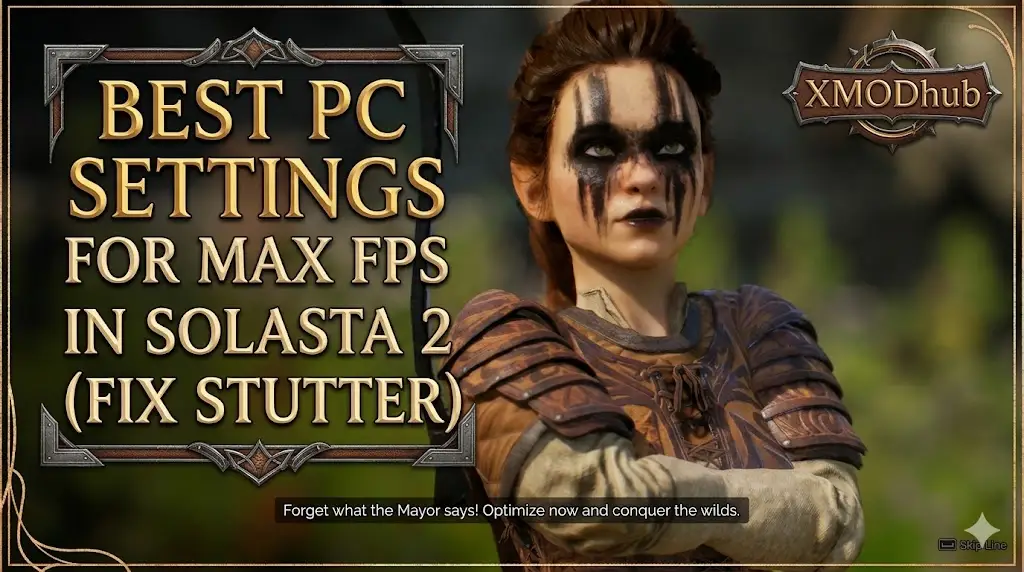
Let’s get straight to the point. You just spent an hour drafting the ultimate Dungeons & Dragons 5e party. You balanced your frontline fighters and backline casters, ready for the grid-based tactical combat of Solasta 2. But the moment you load into a dense dungeon, your frame rate tanks, the camera pans feel choppy, and combat animations stutter.
You will face the soul-crushing agony of rolling a Natural 1 (Critical Failure) on a crucial check, the pain of blowing all your Spell Slots and being forced to spam weak cantrips, and the pure fatigue of constantly hitting F5 and F8 to save-scum your way through the campaign.
In this guide, we will provide the exact graphics settings to maximize your FPS and fix micro-stutters. Then, we will introduce your new digital Dungeon Master: XMODhub—the ultimate tool to bypass brutal RNG, secure infinite magic, and conquer the campaign smoothly.
✨Vous pouvez aussi aimer :
Solasta II: Cheat Engine Table vs. XMODhub Trainer (Best Free Alternative)
🛠️ TL;DR: Best PC Settings for Solasta 2 (Featured Snippet)
To instantly boost your FPS and eliminate stuttering in Solasta 2, open your in-game Video Settings and apply these exact tweaks:
- ➤
Volumetric Lighting: Turn this Off or set to Low. This Unity Engine feature eats up massive amounts of GPU VRAM and is the #1 cause of frame drops in dark dungeons. - ➤
Shadow Quality: Lower to Medium. High-resolution dynamic shadows drag down performance during turn-based combat when multiple spell effects overlap. - ➤
Anti-Aliasing: Switch from MSAA to TAA (Temporal Anti-Aliasing). It provides a smoother image with significantly less performance cost. - ➤
V-Sync: Turn Off in-game, and instead force V-Sync through your NVIDIA Control Panel or AMD Radeon Software to eliminate screen tearing without adding input lag.
1. Best Graphics Settings for Solasta 2 (Max FPS)
Solasta 2 uses complex lighting to simulate tabletop line-of-sight and dynamic spell effects. If your PC is struggling to maintain 60 FPS, you need to target the heaviest graphical hitters first.
✨
Ambient Occlusion: Set to Medium. This keeps the depth of the dungeon textures without overloading your graphics card.
✨
Post-Processing: Set to Low. Depth of Field and Bloom effects often blur the tactical grid anyway. Lowering this makes the game look sharper and run faster.
✨
Texture Quality: Leave on High (if you have at least 6GB of VRAM). The tactical maps look terrible on Low textures, and dropping this rarely gives a significant FPS boost unless you are on an older laptop.
2. How to Fix Solasta 2 Stuttering & Micro-Freezes
If your average FPS is high, but the game randomly freezes for a split second when you move the camera or cast a spell, you are experiencing Unity Engine “Garbage Collection” stutter.
Cap Your Frame Rate: Uncapped frame rates cause your CPU to work at 100%, leaving no breathing room for the engine to load new assets. Cap your FPS to 60 or 120 in the game settings.
Install on an SSD: CRPGs load hundreds of small audio files and scripts every time an enemy takes a turn. Moving Solasta 2 from an HDD to an NVMe SSD will instantly cure 90% of micro-stutters.
Exclusive Fullscreen: Do not play in Borderless Windowed mode. Switch to Exclusive Fullscreen so Windows allocates maximum system resources to the game.
3. The Real Campaign Killer: D&D 5e RNG and Rules
Once your game is running at a buttery-smooth 60 FPS, the real battle against the ruleset begins. The D20 dice system has absolutely no mercy on your party composition.
🔥
The Agony of the D20: You enter a high-stakes dialogue sequence to bypass a boss fight. You have a massive Charisma modifier. You roll the dice, and hit a Natural 1. Automatic failure. The party wipes, forcing a frustrating reload.
🔥
The 15-Minute Adventuring Day: Your Wizard unleashes a massive spell to survive a brutal ambush. Because you are instantly out of Spell Slots, your archmage is now practically useless. You must hide them in the backline, throwing weak cantrips for pathetic damage until you can force a Short or Long Rest.
🔥
Save-Scumming Fatigue: To avoid these punishments, players are forced into an exhausting loop of quicksaving (F5) before every roll and quickloading (F8) after every miss, ruining the pacing of the adventure.
4. Safe Modding: Why XMODhub Beats Traditional .pak Files
You are playing to have fun, not to suffer statistical variance or fragile file modifications. Many players try to fix the punishing mechanics using traditional .pak mods from community forums.
❌ The Danger of Traditional Mods
These mods physically overwrite your hard drive files. When you load a custom map or the game receives a performance patch, those files conflict, resulting in hard crashes and permanently corrupted save files.
✨ The XMODhub Advantage
XMODhub operates entirely differently. It is the ultimate D&D dimension-reduction tool. It is a clean memory trainer that injects directly into your PC’s active RAM, keeping your physical game files 100% safe.
💡 Ultimate QoL Features
With XMODhub, you can toggle Always Roll 20 for guaranteed critical successes, enable Infinite Spell Slots to drop meteors in every fight without resting, and force Max Attributes during character creation to bypass the agonizing reroll grind.
5. How to Use XMODhub (Download, Search, Launch)
Getting XMODhub running is incredibly simple and perfectly safe for your PC. Here is the exact step-by-step process:
1
Télécharger :
Grab the verified, virus-free XMODhub desktop application from our official homepage and install it on your PC.
2
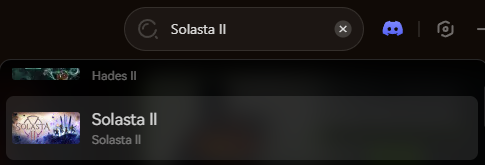
Open the XMODhub client and use the search bar to find Solasta 2. The app will automatically detect your game installation path.
3
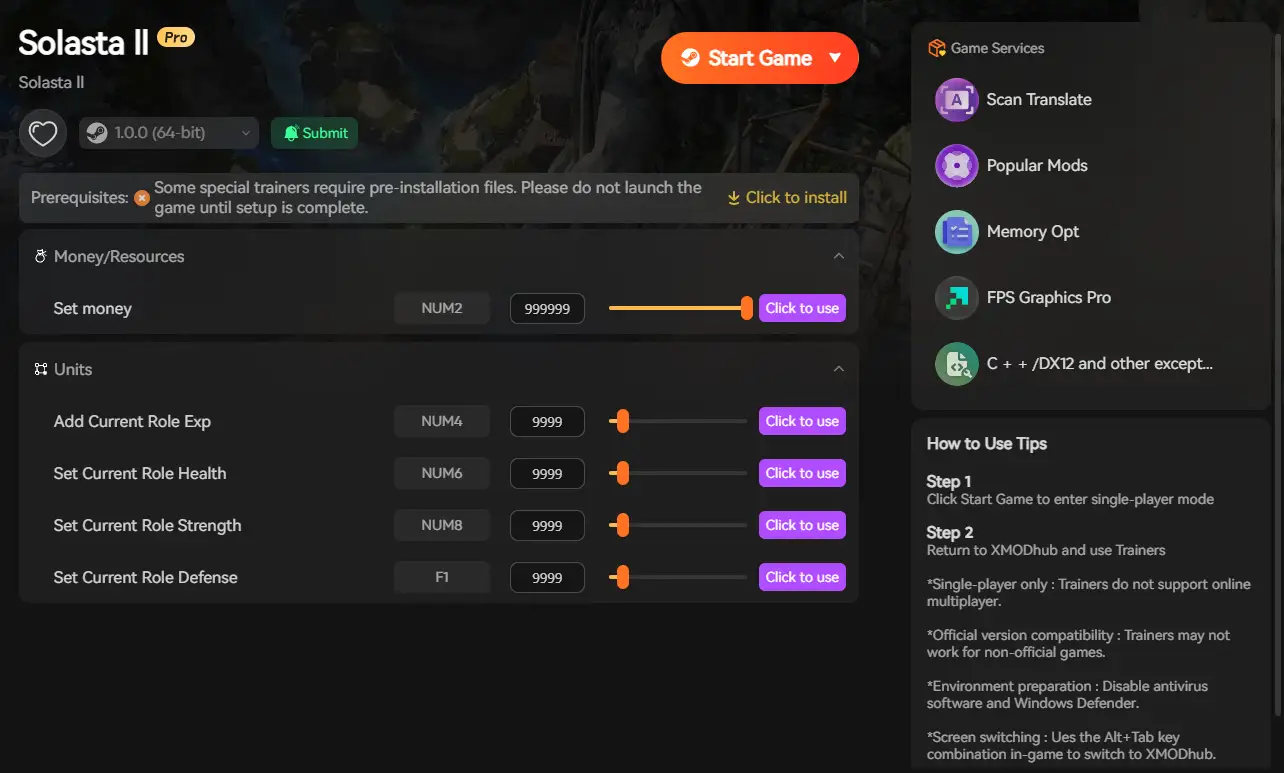
Click the prominent Play button within the XMODhub app. This safely links the software to the game’s memory. Once in-game, simply toggle your cheats to instantly activate your powers.
6. Conclusion: Protect Your Campaign
Your Solasta 2 journey should be defined by epic loot, tactical triumphs, and memorable stories—not by stuttering frame rates or the artificial difficulty of punishing RNG. Optimizing your graphics settings is only the first step to enjoying the game.
By utilizing a clean memory injector like XMODhub, you protect your hard-earned progress while gaining the power to bypass the most frustrating aspects of the tabletop ruleset. Take control of your campaign, end the exhausting cycle of F5/F8 save-scumming, and become the true Dungeon Master today.

Je suis un joueur passionné et j'écris sur XMODhub, qui se consacre à vous apporter les dernières nouvelles, astuces et idées en matière de jeux.
Connectez-vous avec moi :
Profil LinkedIn
 Nancy Miller