Résumé : Wondering if your PC can run Mensonges de P? This guide breaks down the minimum and recommended system requirements, explores performance on low-end PCs, and shows how to optimize your gaming experience with tools like Xmod.
Before diving into the dark and twisted world of Mensonges de P, it’s essential to ensure your PC can handle its demanding visuals and intense combat.
This guide breaks down the official minimum and recommended system requirements, helping you determine if your setup is ready.
It also covers performance on low-end PCs, how to check compatibility, and tips for boosting performance using optimization tools like Xmod.
Table des matières
- What Is Mensonges de P
- Lies of P Requirements: Minimum and Recommended
- Can You Run Mensonges de P on a Low-End PC?
- Can My PC Run Mensonges de P
- How to Enhance Mensonges de P Gaming Experience with XMOD?
- Conclusion
What Is Lies of P?
Mensonges de P is a dark, Soulslike action RPG inspired by the classic tale of Pinocchio. Developed by Neowiz Games and Round8 Studio, this gothic fantasy game offers intense combat, a gripping story, and a hauntingly beautiful world. Players take on the role of P, a puppet who must navigate a twisted city filled with deadly enemies, all while making difficult moral choices that affect the outcome of the story.

Lies of P Requirements: Minimum and Recommended
To get the best experience with Mensonges de P, your PC needs to meet certain specifications. Below are the minimum and recommended system requirements for the game:
Minimun Requirements:
| Composant |
Specification |
| OS |
Windows 10 64-bit |
| UNITÉ CENTRALE |
AMD Ryzen 3 1200 / Intel Core i3-6300 |
| RAM |
8 GO |
| Graphics Card |
AMD Radeon RX 560 4GB / NVIDIA GeForce GTX 960 4GB |
| Dedicated VRAM |
4 GB |
| Pixel Shader |
5.1 |
| Vertex Shader |
5.1 |
| Free Disk Space |
50 GB |
Exigences recommandées :
| Composant |
Specification |
| OS |
Windows 10 64-bit |
| UNITÉ CENTRALE |
AMD Ryzen 3 1200 / Intel Core i3-6300 |
| RAM |
16 GO |
| Graphics Card |
AMD Radeon RX 6500 XT 4GB / NVIDIA GeForce GTX 1660 6GB |
| Dedicated VRAM |
4 GB |
| Pixel Shader |
5.1 |
| Vertex Shader |
5.1 |
| Free Disk Space |
50 GB |
Can You Run Lies of P on a Low-End PC?
If you’re using a low-end PC, running Mensonges de P might be challenging. While the game can technically start on systems just below the minimum requirements, expect:
- Low frame rates
- Reduced visual quality
- Frequent stutters or crashes
You may be able to tweak settings such as resolution, shadows, and effects to get a more playable experience. However, for smooth gameplay, it’s best to at least meet the minimum specs.

Can My PC Run Lies of P?
To determine if your PC can run Mensonges de P:
- Compare your system specs (CPU, GPU, RAM, etc.) to the minimum and recommended requirements.
- Use tools like Can You RUN It ou PCGameBenchmark to automatically scan your hardware.
- Check your available storage space and ensure Windows 10 64-bit is installed.
If your PC meets or exceeds the recommended specs, you should enjoy Mensonges de P at high settings with smooth performance.
How to Enhance Lies of P Gaming Experience with Xmod?
Si vous souhaitez améliorer votre expérience en mode solo dans Mensonges de P or future titles in the genre, give Xmod a try.
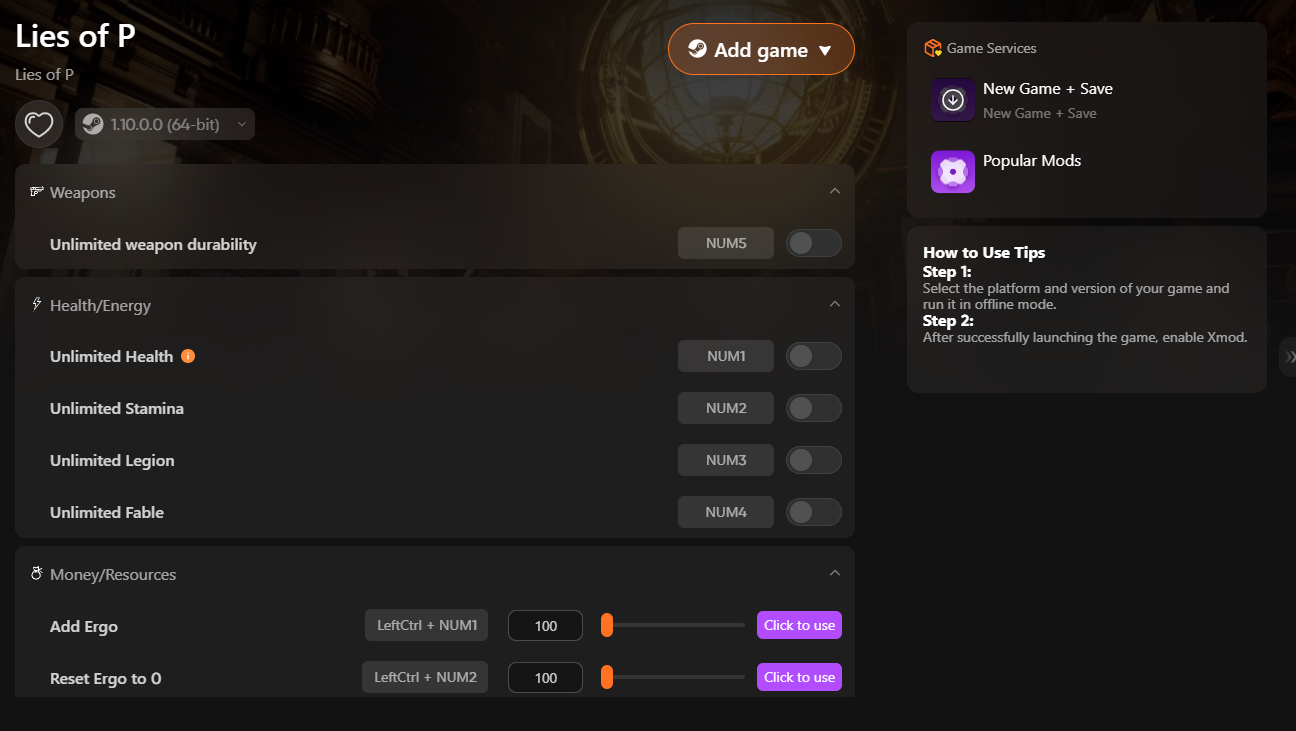
With Xmod, you can access cheats and trainers for Lies of P to elevate your gameplay and customize your adventure.

Here’s how to use it:
- Download and install les Application Xmod.

- Rechercher Mensonges de P within the app.
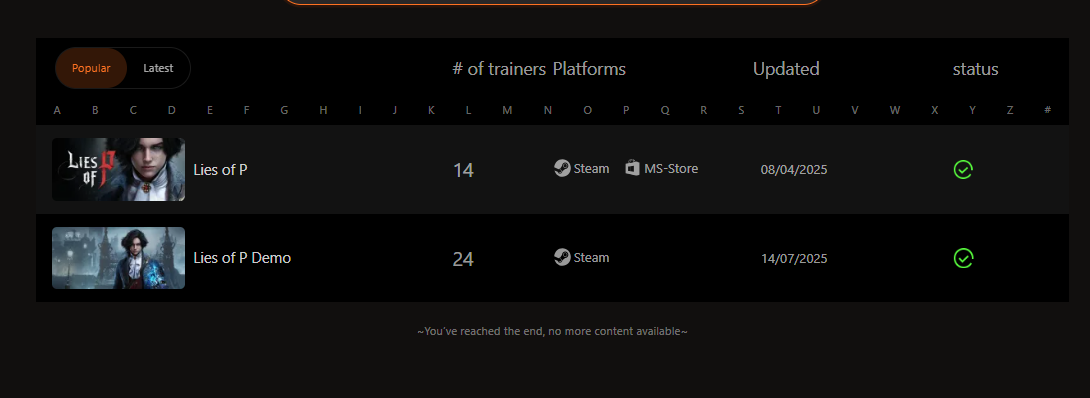
- Launch the game directly through Xmod.

- Enable your preferred mods or cheats to enjoy a more personalized and optimized gaming experience.
Conclusion
Mensonges de P is a visually rich, mechanically challenging RPG that demands a decent PC setup to enjoy fully. Whether you’re wondering if your current rig can handle it or looking for ways to improve performance, understanding the minimum and recommended PC specs is the first step. With the right tools like Xmod and a few system tweaks, you can enhance your gameplay and dive deeper into the twisted world of Krat.
Je suis un joueur passionné et j'écris sur XMODhub, qui se consacre à vous apporter les dernières nouvelles, astuces et idées en matière de jeux.
Connectez-vous avec moi :
Profil LinkedIn

 Catherine Hu

 Nancy Miller