Catherine Hu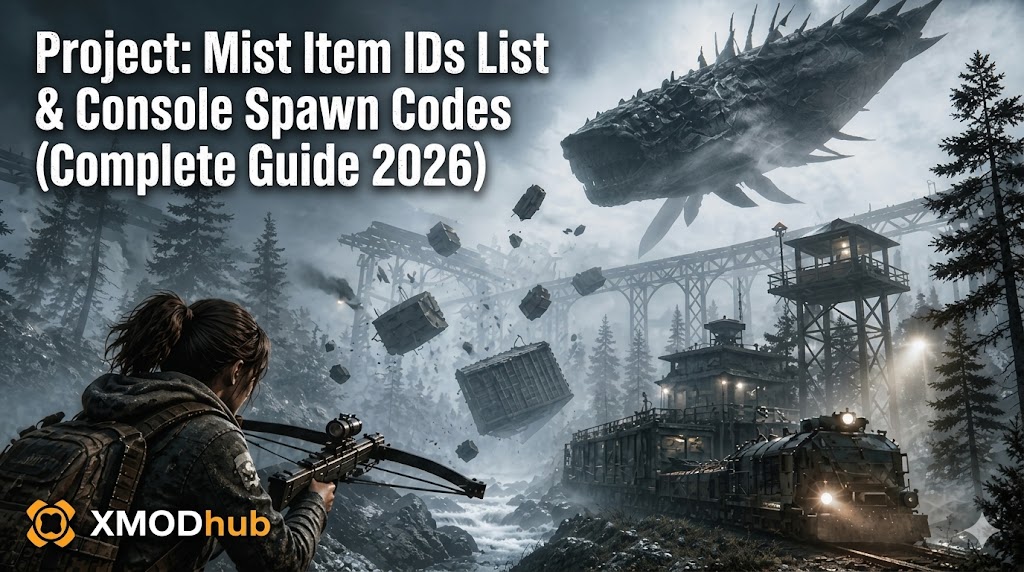
Want to test out the endgame Gravity Gun Mk II early? Are you tired of grinding for Blood Orbs in the lethal fog, or perhaps a colossal Leviathan just crushed your train base and you need to rebuild your stash of Reinforced Scrap instantly?
Using developer console commands to spawn items is a beloved staple of PC gaming freedom. However, since Project: Mist is built on the Unity 6 engine, the developers have locked the native text console in the Early Access release. Accessing these items requires either complex script injection or a dedicated trainer.
Below is the most comprehensive, categorized, and up-to-date list of Item IDs and spawn strings for Project: Mist, verified for the latest May 2026 patch.
Quick Reference: Top 10 Most Wanted Project: Mist IDs
If you don’t want to scroll through thousands of rows, here are the exact internal string codes for the most essential and frequently searched items in the game.
| Nom de l'article | Item Description | Item ID String |
|---|---|---|
| Blood Orb | Primary currency for character progression. | Item_Currency_BloodOrb |
| Gravity Gun | Iconic tool for physics manipulation. | Weapon_Tool_GravityGun |
| Reinforced Scrap | Essential for high-tier train base repairs. | Mat_Scrap_Reinforced |
| Energy Cell | Powers your Gravity Gun and train shields. | Consumable_Energy_Cell |
| Leviathan Core | Rare drop used for ultimate upgrades. | Item_Drop_LeviathanCore |
| Void Scythe | High-damage endgame melee weapon. | Weapon_Melee_VoidScythe |
| Steel Plate | Basic building block for train armor. | Mat_Metal_SteelPlate |
| Advanced Medkit | Restores 100% HP and removes fog sickness. | Consumable_Medkit_Adv |
| Train Engine Core | Required for the maximum speed upgrade. | Upgrade_Engine_CoreV3 |
| Ancient Key | Unlocks secret bunkers in the fog. | Item_Key_AncientBunker |
How to Enable the Console & Use Spawn Commands
Before you can use the ID codes listed below, you must understand the correct syntax for the developer backend. Unlike Unreal Engine games, Unity 6 games like Project: Mist do not have a “plug-and-play” console by pressing Tilde (~).
AddItem(string ItemID, int Quantity)Expert Warning
“Manually searching for a class instance like InventoryManager just to spawn 50 Steel Plates is a nightmare for most players. One wrong click in UnityExplorer can freeze the game’s physics thread, causing your train base to fly into the stratosphere. While the strings below are 100% accurate to the game’s code, I personally moved to a visual UI injector months ago. Seeing the item icon and clicking ‘Add’ is the only way to play without a headache.”
The Easy Way: XMODhub Visual Spawner (No Typing Required)
Stop Alt-Tabbing to check massive spreadsheets. The XMODhub PC Client includes a dedicated Visual Item Spawner specifically built for Project: Mist.
Weapon IDs List (Melee & Ranged)
(Command Format: AddItem([Weapon ID], 1))
Weapon_Melee_BasicAxe – Starting Wood AxeWeapon_Melee_VoidScythe – Endgame Melee WeaponWeapon_Tool_GravityGun – Standard Gravity GunWeapon_Ranged_Crossbow – Silent Hunter CrossbowWeapon_Ranged_HarpoonGun – Used for tethering smaller monstersBase Building & Crafting Materials
(Command Format: AddItem([Material ID], [Quantity]))
Mat_Wood_Plank – Basic construction materialMat_Metal_SteelPlate – Heavy train armorMat_Scrap_Common – Found in junk pilesMat_Scrap_Reinforced – Late-game repair materialMat_Electronic_Circuit – Used for train automationSkills & Perks IDs
Instead of physical items, these IDs are used to instantly unlock character traits.
(Command Format: PerkManager.Unlock([Perk ID]))
Perk_Survival_FogResistance – Increases time allowed in the mistPerk_Combat_GravityMaster – Reduces Gravity Gun energy drainPerk_Engineer_FastRepair – Increases train repair speed by 50%Perk_Stamina_Runner – Permanent sprint stamina buffTroubleshooting: Why Are My Commands Failing?
If you are using the strings correctly but the items aren’t appearing, check these issues:
item_bloodorb will fail; you must use Item_Currency_BloodOrb.Frequently Asked Questions (FAQ)
Yes. Since the game is built in C# (Unity), the internal naming conventions are strictly case-sensitive. Follow the capitalization in our tables exactly.
No. These commands and trainers function strictly on the host’s side in single-player. Using them in multiplayer will cause a desync, potentially corrupting the guest’s character data.
Manual discovery is nearly impossible without deobfuscating the mod’s .dll files. We recommend using the XMODhub Item Browser, which automatically detects and lists items from active mods.
Conclusion: The Ultimate Sandbox Experience
Accessing the Project: Mist Item IDs list is the fastest way to recover from a base-resetting Leviathan attack or to experiment with the high-tier Gravity Gun upgrades without the 20-hour grind. Bookmark this page for quick reference during your next scavenging run.
For the safest experience—and to keep your Steam Achievements active—the XMODhub is the superior choice. Skip the hex codes, bypass the console lock, and build your ultimate moving fortress today.

Je suis un joueur passionné et j'écris sur XMODhub, qui se consacre à vous apporter les dernières nouvelles, astuces et idées en matière de jeux.
Connectez-vous avec moi :
Profil LinkedIn
 Nancy Miller