
 Catherine Hu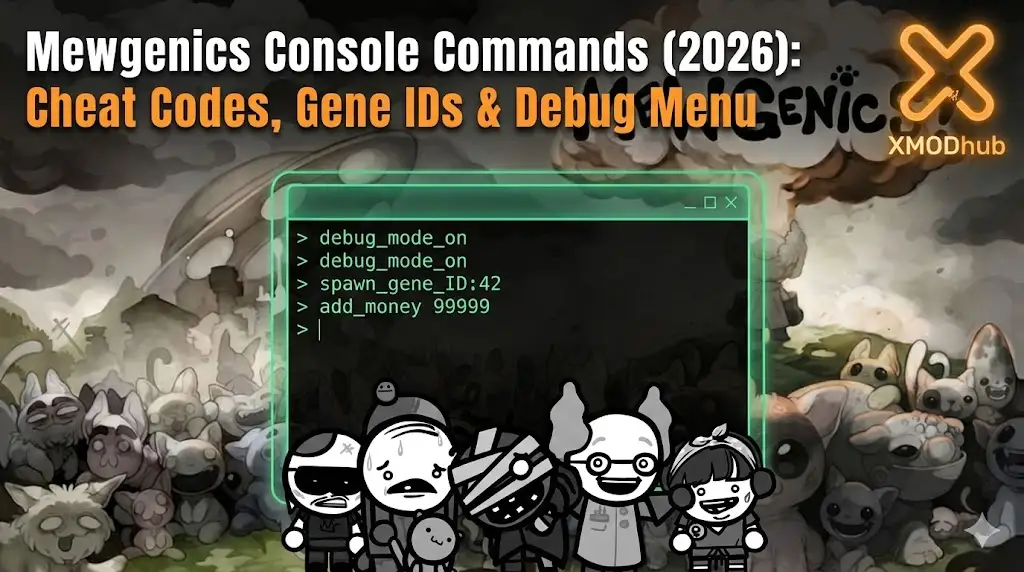
Editor’s Note: Can You Cheat in Mewgenics?
Historically, in Edmund McMillen’s games (like The Binding of Isaac), the console is hidden behind a config file edit. However, messing with raw commands carries a huge risk: Save Corruption. If you spawn an item that conflicts with the game’s logic, you could brick your entire 50-hour house progression. At XMODhub, we recommend using an external memory trainer to modify values safely.”
Mastering Mewgenics is brutal. One moment you are admiring your 10th-generation “God Cat” with perfect stats, and the next, a random disease or a botched combat encounter wipes out your entire lineage permanently.
Whether you are stuck trying to breed a specific mutation or simply want to experiment in a sandbox environment without the threat of Permadeath, using Mewgenics console commands is a popular way to bypass the punishing difficulty.
However, because the game runs on a custom engine, accessing the developer debug menu isn’t straightforward. Below is the complete guide on how to force the console open, the known command list, and a safer alternative to modify your cats without corrupting your legacy save data.
Vous pouvez aussi aimer :
Mewgenics Cheat Engine Table vs. XMODhub Trainer: Best Free Alternative (2026)
How to Enable the Console in Mewgenics
To access the debug menu, you typically need to enable it in the configuration file, similar to how it works in The Binding of Isaac: Repentance.
Method (Config File Edit):
- Navigate to your save folder:
Documents\My Games\Mewgenics\(or the game’s installation folder). - Look for a file named
options.iniouconfig.ini. - Open it with Notepad.
- Trouver la ligne
EnableDebugConsole=0et le remplacer parEnableDebugConsole=1. - Save the file and launch the game.
- Presse Tilde (~) ou F1 during gameplay to open the command line.
(Note: If this line does not exist, the developers may have hard-locked the console in the current Release build. In that case, skip to the XMODhub Solution below.)
Liste des commandes essentielles de la console
If you manage to open the command line, here are the most useful cheats for survival and breeding.
Survival & Resources
| Commandement | Effet |
|---|---|
| give_food [amount] | Adds cat food to your inventory. |
| spawn [entity_id] | Spawns a specific enemy or item. |
| debug 1 | Enables god mode (invincibility) / reveals the map. |
| kill | Kills all enemies in the current room. |
| restart | Instantly restarts the current run/level. |
Breeding & Cats
| Commandement | Effet |
|---|---|
| mutate [value] | Forces a mutation on the selected cat. |
| heal | Fully heals all cats in the party. |
| add_money [amount] | Adds currency for house upgrades. |
Mewgenics Item IDs & Gene List
To use the spawn or give commands, you need internal codes. Because Mewgenics uses procedural generation for DNA, specific “Gene IDs” are extremely complex strings.
Common Resource IDs:
- ID_Food_Standard
- ID_Furniture_Bed_01
- ID_Medicine_Cure
You cannot simply type give_cat_perfect_genes. Cat DNA is stored as a complex array of values (Head type, Body type, Tail type, Elemental Affinity). Attempting to guess these IDs via console usually results in a “Glitch Cat” that crashes the game upon viewing its stats.
(Tired of guessing? The XMODhub Trainer has a built-in Visual DNA Editor, allowing you to toggle specific traits like “Long Legs” or “Elemental Resist” from a dropdown menu.)
The Problem: Why Console Commands Break Your Save
L'utilisation de la console de développement a un coût :
- Verrouillage des réalisations : Typing cheats usually flags your save file, permanently disabling Steam Achievements for that run.
- Legacy Corruption: Mewgenics relies on a delicate “Legacy” system. Force-spawning items can break the lineage history, causing future generations to disappear.
- No Undo Button: Once you type a command, the autosave often triggers immediately. There is no going back.
La meilleure alternative : XMODhub Trainer (Pas de saisie)
Stop risking your save file with hex codes. XMODhub acts as a visual overlay that bypasses the need for the developer console entirely.
| Fonctionnalité | Commandes de la console | Formateur XMODhub |
|---|---|---|
| Méthode | Text commands / Config edits | Touches de raccourci en un clic |
| Réalisations | Handicapés (risque élevé) | Sûr (travail sur les réalisations) |
| DNA Editing | Impossible via text | Visual Gene Selector |
| Version du jeu | Pauses avec mises à jour | Mise à jour automatique via le nuage |
How to Use XMODhub Trainer for Mewgenics
Don’t waste time editing config files. Here is how to use XMODhub in 3 simple steps:
1. Download: Obtenez la version gratuite Client XMODhub.
2. Launch: Open XMODhub—it automatically detects your installed copy of Mewgenics.

3. Activate: Toggle “Infinite Food” or “Max Stats” and enjoy the breeding simulation stress-free.

FAQ
Q: Can I use console commands on the Steam Deck?
A: Using the keyboard overlay to type ~ commands on Steam Deck is painful and slow. XMODhub runs natively on Steam Deck (via Proton), allowing you to control cheats with a simple button press.
Q: Is there a command to resurrect a dead cat?
A: There is no native console command for resurrection once Permadeath triggers. However, the XMODhub Trainer includes a “Prevent Death” toggle that keeps your cats alive even at 0 HP.
Q: How do I unlock all furniture?
A: Typing individual furniture IDs takes hours. We recommend using the trainer’s “Unlock All Items” feature to instantly populate your house inventory.
Conclusion : Tricher plus intelligemment
While classic console commands are nostalgic, they are risky in a complex simulation game like Mewgenics. One wrong digit in a DNA string can ruin generations of breeding.
XMODhub offers a safer, visual, and achievement-friendly way to customize your experience. Breed the ultimate cats, skip the grind, and keep your legacy safe.

Je suis un joueur passionné et j'écris sur XMODhub, qui se consacre à vous apporter les dernières nouvelles, astuces et idées en matière de jeux.
Connectez-vous avec moi :
Profil LinkedIn

 Nancy Miller