
 Catherine Hu
You have spent hours designing the perfect airship in your mind, ready to explore the procedural skies of Echoes of Elysium. You click “Play,” the Loric Games logo appears, and then—silence. The game closes instantly to the desktop, or worse, gives you a cryptic “Unity Fatal Error.”
Early Access Reality Check: Launching a massive open-world survival game is never smooth.
Whether you are facing a black screen, a crash when loading your old “Airship Builder” blueprints, or severe stuttering near cloud layers, this guide covers the verified fixes to get you airborne.
Vous pouvez aussi aimer :
Echoes of Elysium Cheat Engine Table vs. XMODhub Trainer: Best Free Alternative (2026)
Editor’s Warning: The “Builder” Conflict (Must Read)
“If you played the free Airship Builder demo before buying the full Early Access game, this is likely why you are crashing.
The full game shares the LocalLow\Loric Games directory with the demo. I spent 2 hours debugging a startup crash on my rig (RTX 4070), only to realize an old GlobalSettings.xml file from the Builder was confusing the main game. Deleting the old folder (Method 1) fixed it instantly.”
— Catherine Hu, Survival Game Writer at XMODhub
Check First: System Requirements
Before debugging, ensure your PC meets the baseline for this open-world Unity title.
Method 1: Clean Up “Airship Builder” Residue
This is the specific fix for Echoes of Elysium. If the game crashes before the main menu:
- Presse Windows + R, type
%userprofile%\AppData\LocalLow\Loric Games, and press Enter. - You might see two folders: Echoes of Elysium et Echoes of Elysium Airship Builder.
- Backup your Plans d'exécution folder from the Builder directory (if you want to keep designs).
- Delete the entire Echoes of Elysium Airship Builder dossier.
- Launch the full game again. This forces a clean configuration generation.
Method 2: Force DirectX 11 (Fix Black Screen)
Echoes of Elysium defaults to DirectX 12, which can be unstable on some GPUs or older drivers. Forcing DX11 is the most reliable fix for black screens.
- Cliquer avec le bouton droit de la souris Echoes of Elysium in Steam > Properties.
- In the General tab, find “Launch Options”.
- Type exactly:
-dx11(ou-d3d11). - Close and launch the game.
Note: This may disable some advanced lighting features like Ray Tracing, but it prevents crashes.
Method 3: Fix Unity “Citrix” & Virtual Display Crashes
Like many Unity Engine games, Echoes of Elysium hates virtual display drivers. If you get a UnityPlayer.dll crash:
- Uninstall Citrix Workspace: If you use this for work, uninstall it temporarily. It is the #1 cause of Unity startup crashes.
- Unplug Additional Monitors: Try launching with just one monitor connected.
- Disable Duet Display / Parsec: Any app that creates a “virtual screen” can prevent the GPU from initializing.
Method 4: Steam Deck Specific Fixes
To play on Steam Deck without crashing on the loading screen:
- Force Proton Experimental: Go to Properties > Compatibility > Check “Force the use of a specific Steam Play compatibility tool” > Select Proton Experimental.
- Increase Swap File: Open-world survival games are RAM hungry. We recommend using CryoUtilities to increase your Swap file to 16GB, preventing Out-of-Memory crashes during long flights.
The Workaround: Optimize Performance with XMODhub
Even if the game launches, Early Access optimization can be rough. Low FPS and stuttering can ruin your flight experience. XMODhub offers tools to smooth out the experience:
- Save Manager: Automatically backup your world before a crash corrupts your 50-hour airship.
- Game Speed Control: Slow down the game during intense, laggy aerial combat to regain control.
How to Get Started with XMODhub
- Download & Install: Get the latest [Client XMODhub].

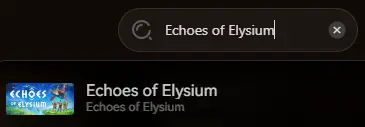
- Détection automatique : Launch the app. It will automatically scan your PC and find Echoes of Elysium.
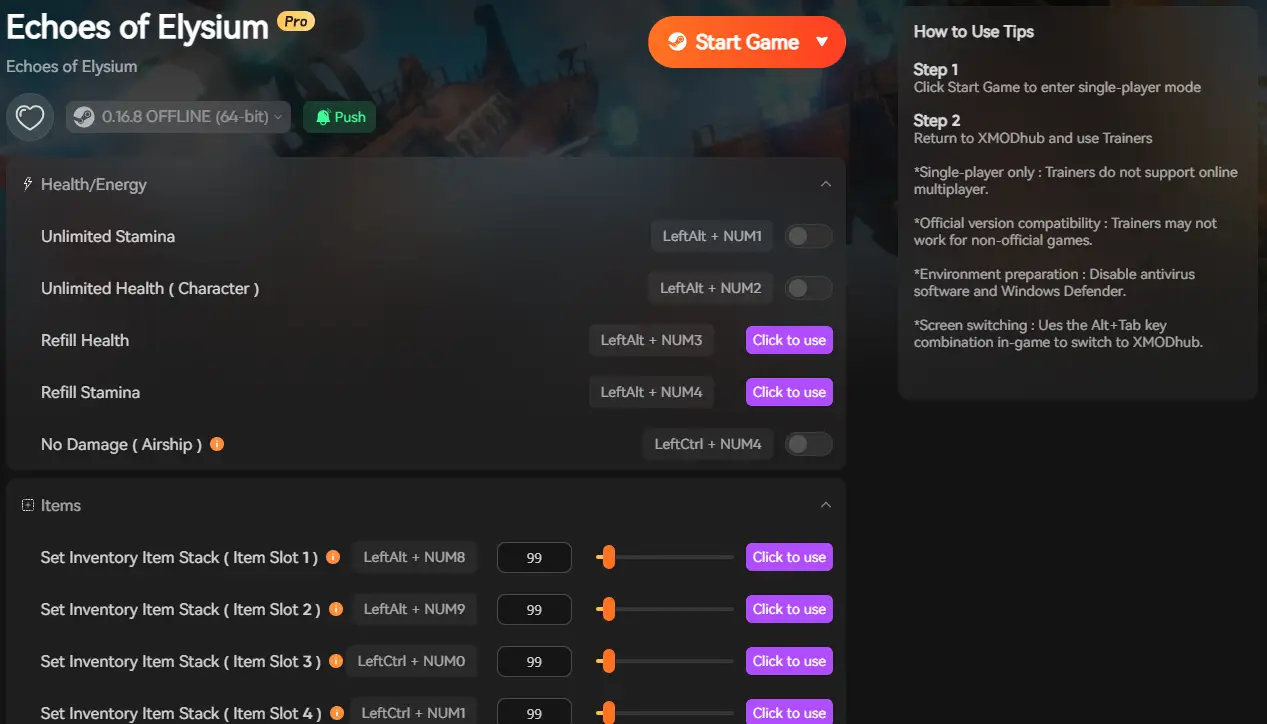
- Secure: Enable the Save Manager immediately to protect your progress from Day 1 bugs.
FAQ
Q: My game crashes when hosting Multiplayer?
A: This is often a firewall issue. Ensure Echoes of Elysium.exe is whitelisted in Windows Defender. Also, try having a different player host—some router NAT types conflict with the peer-to-peer connection.
Q: Can I use Airship Builder ships in the full game?
A: Yes! You need to manually copy the .ebp files. Check our detailed Save File & Blueprint Location Guide for step-by-step instructions.
Q: Why is my FPS so low near clouds?
A: Volumetric clouds are expensive in Unity. Lower “Volumetrics” to Medium in graphics settings for a significant 30% FPS boost.
Conclusion
Launch crashes are frustrating, but usually solvable. By clearing out old “Airship Builder” conflicts, verifying your Unity environment (Citrix/Drivers), and forcing DirectX 11 mode, you should be able to take to the skies in Echoes of Elysium.
If the game is still poorly optimized, tools like XMODhub can help you mitigate the frustration with game speed adjustments and safe backups until the official patch arrives.

Think Bigger: XMODhub supports over 5,000+ games, offering trainers, mods, and gaming tools for many similar survival titles like Forever Skies, Voidtrain, et Valheim. XMODhub ensures you always have the ultimate toolkit ready at your fingertips.

Je suis un joueur passionné et j'écris sur XMODhub, qui se consacre à vous apporter les dernières nouvelles, astuces et idées en matière de jeux.
Connectez-vous avec moi :
Profil LinkedIn